
Samsung has launched Galaxy Enhance-X version 16.3.00.31, featuring a redesigned interface and several new editing capabilities. The update includes a cleaner three-tab layout, which segments the app into Plugins, Home, and History. Additional tools for document editing and batch processing have been introduced to enhance user efficiency.
The update aims to streamline the editing experience by making navigation more intuitive. The “Plugins” tab is dedicated to add-ons that expand editing functions, while the “Home” tab serves as the main workspace for photo and video editing. The “History” tab allows users to access and organize previously edited files.
Three plugins are currently available: CinematicGlow adds a diffusion effect to photos, FilmStyle provides nine film-inspired filters, and SkyGuide assists in identifying stars in night sky images. Users must download these plugins separately from the Galaxy Store via links within the app.



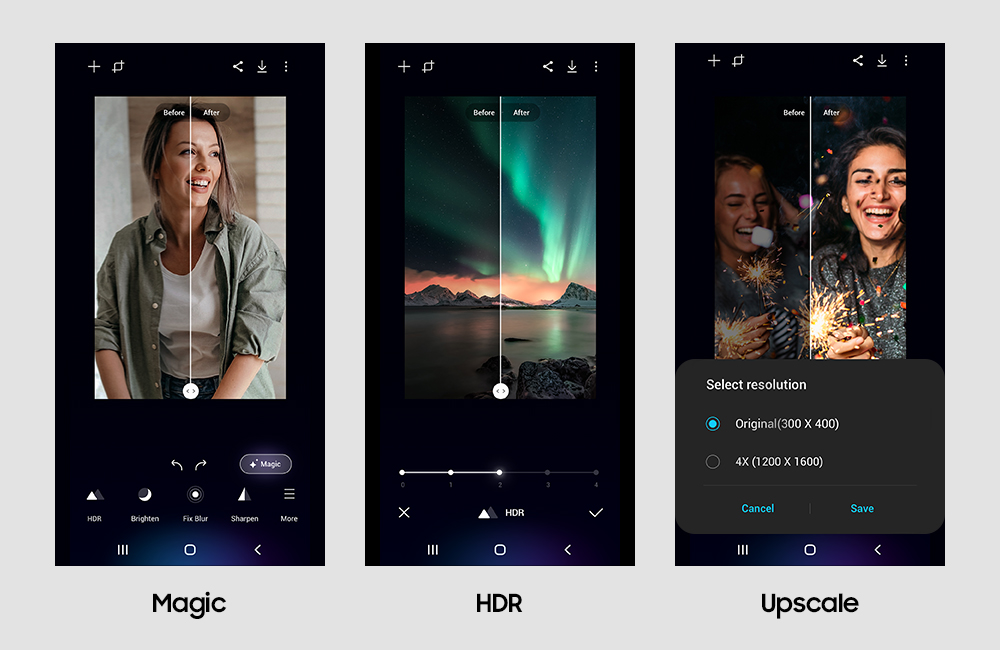
The revised editing features include tools for photo adjustments, such as blur fixing, reflection removal, HDR, and sharpening, as well as face editing options for smoothness, tone, and jawline adjustments. Document editing tools enable automatic cleaning and cropping of scans and allow users to convert and combine documents into JPEGs or PDFs.
Batch editing is now supported, allowing users to process multiple files simultaneously. All edited content can be saved in common formats, including JPEG, MP4, and PDF. The newly added History tab helps keep edited content organized efficiently.
The update began rolling out a few days ago, enhancing the overall user experience of the Galaxy Enhance-X app, which is available through the Galaxy Store.