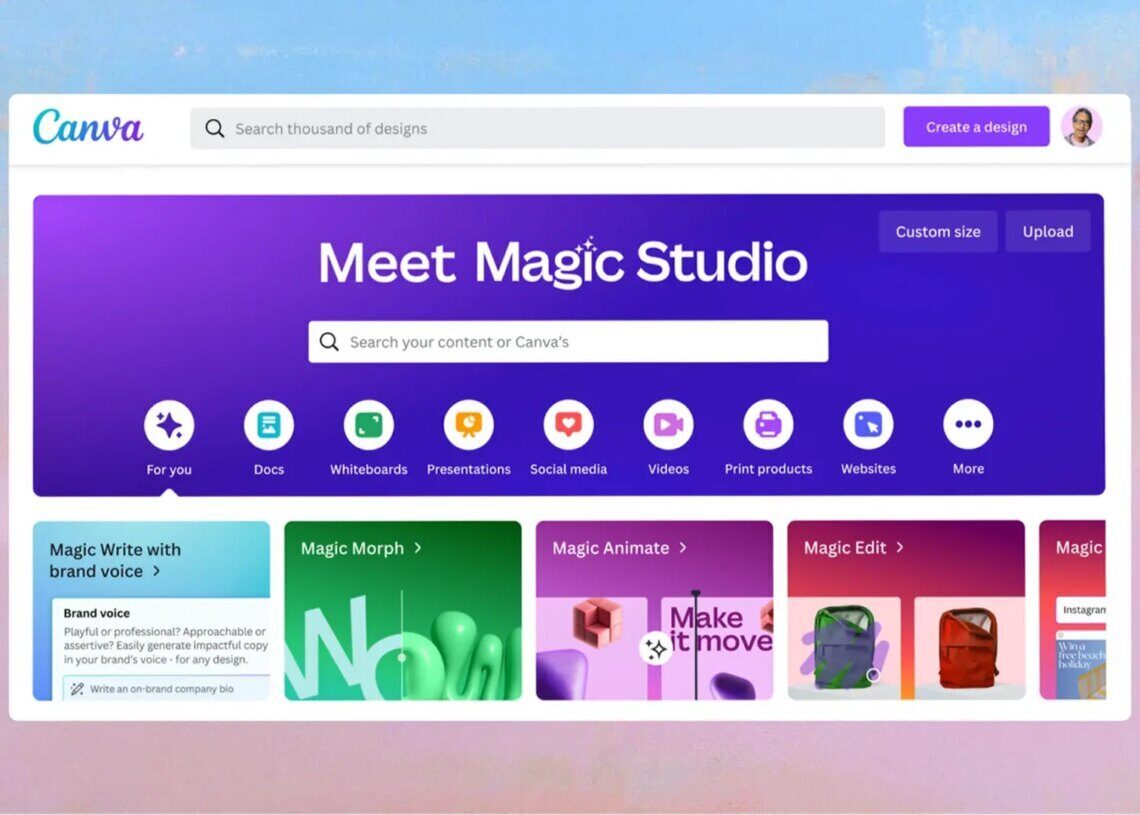

Canva is expanding its platform beyond design, entering the coding and spreadsheet business with new AI-powered tools as part of its Visual Suite 2.0 launch, aiming to attract more office teams and businesses.
Canva is launching Visual Suite 2.0, a redesigned interface that combines design and productivity tools into a single platform. The update allows users to build and edit documents, presentations, animations, and websites into a single design, providing a unified format for teams to collaborate on multiple tasks simultaneously. According to Canva, this eliminates the need for separate tools, fragmented workflows, and disconnected files. Entire campaigns – from planning and briefing to design and delivery – can now happen in one seamless, collaborative space.
The Visual Suite 2.0 update also introduces tab windows, enabling teams to work on different aspects of a Canva project simultaneously. This feature facilitates collaboration and streamlines workflows, making it easier for teams to manage various tasks within a single platform.


One of the key new features is Canva Sheets, a spreadsheet application that allows the integration of text and visual assets. Data can be imported from sources like HubSpot, Statista, Google Analytics, and more. Canva Sheets includes “Magic Insights,” an AI-powered feature that automatically scans data to identify notable patterns or takeaways. Additionally, “Magic Charts” can transform data into interactive graphs, making it easy for users to turn raw numbers into infographics, reports, and animated visualizations.
Canva Sheets uses AI to analyze data and create visual representations, simplifying data interpretation for non-technical users. This capability is designed to make data analysis more accessible and user-friendly, allowing a broader range of users to gain insights from their data.
Another significant introduction is Canva Code, a generative AI coding assistant that generates widgets, websites, and other interactive content based on text prompts. According to Canva, this can be done “with no coding or external tools required.” Canva Code employs generative AI to produce code for various interactive elements based on user-provided text descriptions, making it possible for users without coding experience to create complex digital content.
Canva has also launched a new AI chatbot described as a “conversational creative partner.” This chatbot brings together all of Canva’s generative AI tools into one window, allowing users to access them quickly. Users can utilize voice or text prompts to edit photos, resize designs, and generate text, slides, and images, making it a versatile tool for a variety of creative and productivity tasks.
Furthermore, Canva has updated its Photo Editor with features similar to those found in Adobe Photoshop. The updated Photo Editor allows users to automatically modify or remove background objects by clicking on them and create AI-generated backgrounds that account for lighting and layout. These enhancements are designed to provide users with more advanced photo editing capabilities within the Canva platform.
Canva initially established itself as a marketing and design platform. In 2022, it expanded its offerings with the release of office suite tools like Canva Docs and Canva Whiteboards, competing with services like Microsoft Word, Google Docs, and FigJam. With Visual Suite 2.0, Canva continues its efforts to attract more office teams and businesses to its platform, which currently boasts 230 million users.