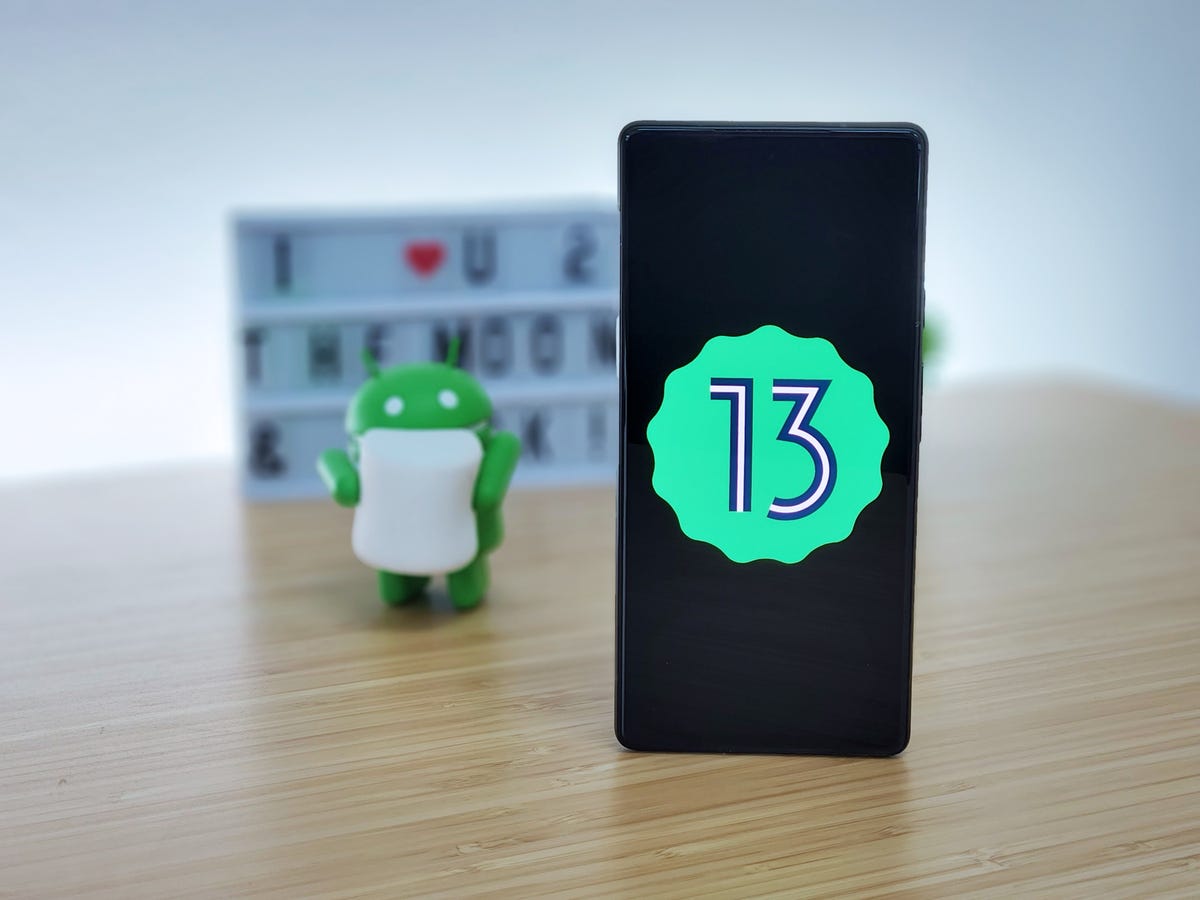

Google launched Android 13 Developer Preview 1, and the new operating system is officially on its way. Every year, Google releases a new version of Android for mobile phones, tablets, and other gadgets. This version is currently only for developers, as usual, with Developer Preview 1 being the currently available version today on platforms created for application and game developers on the web.
Android 13 launch schedule
The first thing to note is that there will be seven different Android 13 variants. Of these, two are for developers: Developer Preview 1, which has already been published, and Developer Preview 2, which is expected in March.
Then we will see four beta versions, for all those who want to test it, being monthly from April to July.


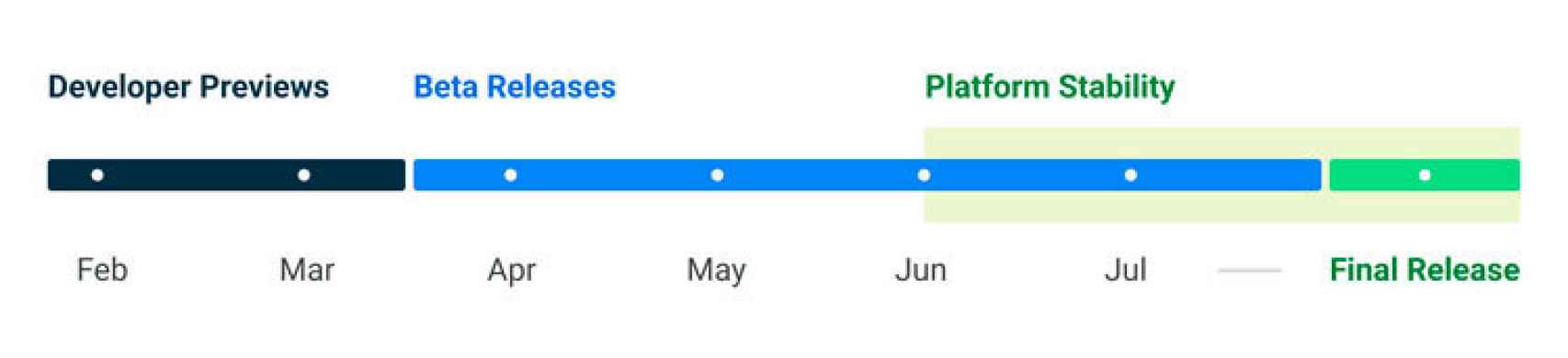 We will have access to the final and stable version of the system in late summer, it is not specified whether in August or September.
Android 13 new features
Android 13 will offer a lot of new features and most of them are related to security and privacy. Surely, there are some aesthetic changes as well.
Theme
As rumored, Google wants to improve the behavior of the feature that allows you to change the color of the system interface only by changing the wallpaper on the mobile.
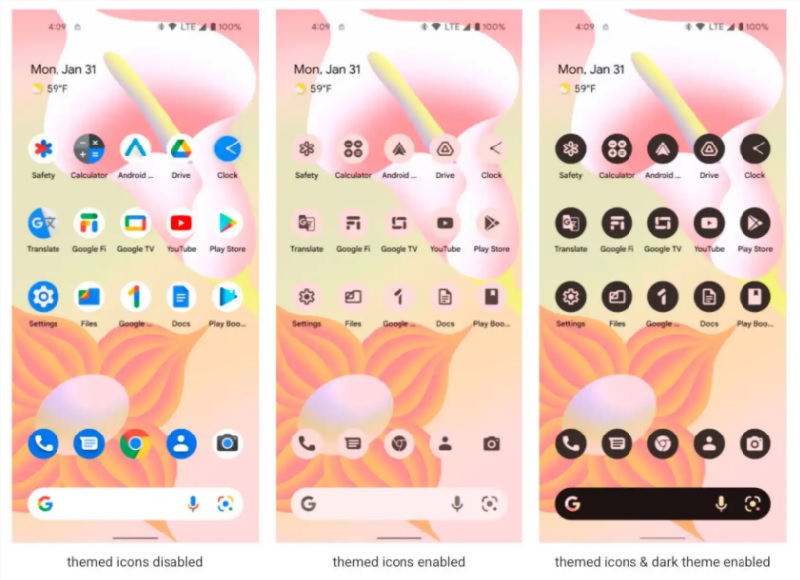 Google will ask developers to provide the APK of their application with a black icon so that the system is able to adapt to the dark mode. This way applications’ icon design will be synchronized when we change the wallpaper.
Privacy
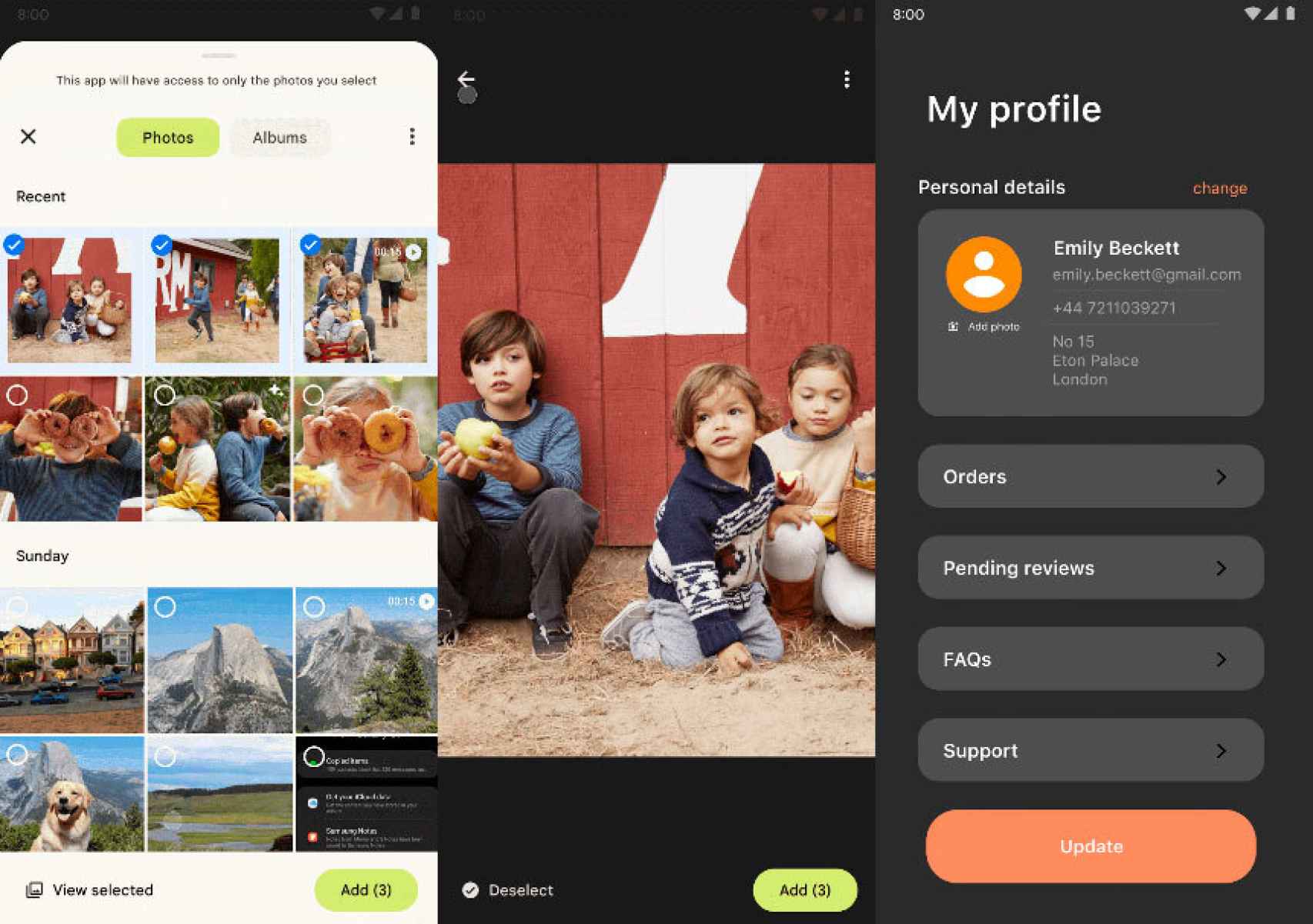
Contrary to what happened until now, we will be able to tell the applications that they can access certain files of a type but not all of them. If we want to share an image in an application, we will give access to that image, but not to all the images on our mobile phone.
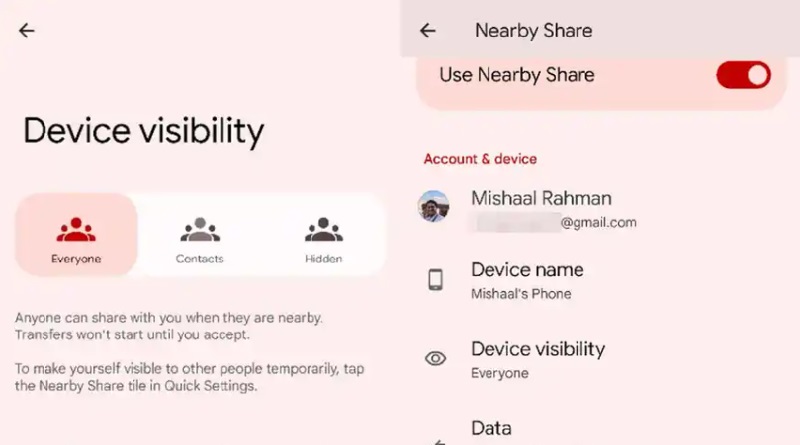
 Device visibility
Another new feature makes use of WiFi to detect our location, rather than enabling applications to access our mobile phone’s GPS location. This is something very important when we talk about security. This is where Android’s Nearby tool steps in, which will handle the data.
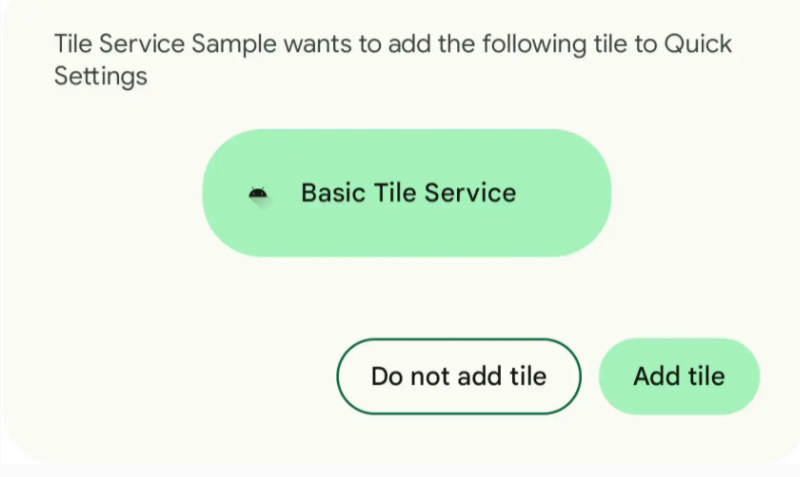
 Quick settings shortcuts
With Android 13, developers will be able to use a pop-up window to request users to create system shortcuts (Wifi buttons, Airplane Mode, and others that are adjacent to the notifications), making them more visible.
 Different languages per application
We will be able to set different languages depending on the application we want. Thus, we will be able to use Twitter in English, WhatsApp in Spanish, and Instagram in Japanese, for example.
There are other improvements but they are designed exclusively for application development, and will hardly be accessible to the average user.
Android 13 Developer Preview 1 compatible devices
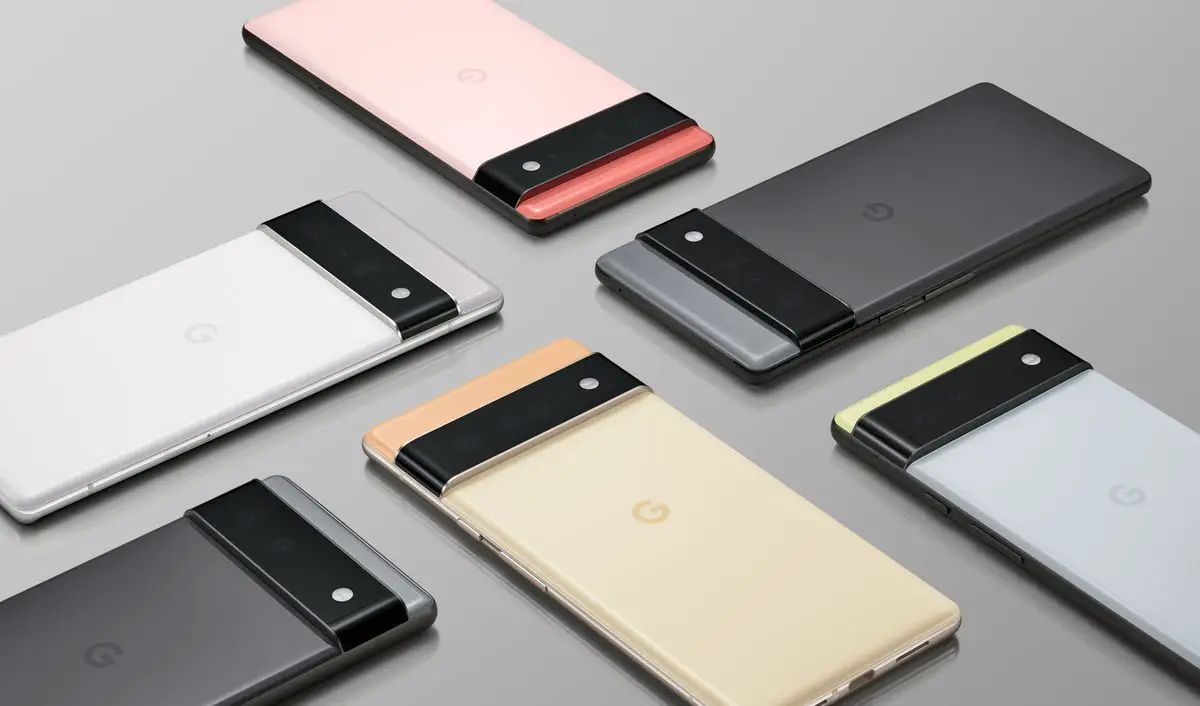
Because Android 13 is still in early testing, only some Pixel models can try the new operating system:
- Pixel 6
- Pixel 6 Pro
- Pixel 5a 5G
- Pixel 5
- Pixel 4a 5G
- Pixel 4a
- Pixel 4
- Pixel 4 XL
You install this version by using Android Flash Tool, but our recommendation is that you wait for the beta to appear in the OTAs system of Google test versions and register your Pixel.