


Today we will explain what packet sniffing is and how to capture HTTP traffic using this method. The way we connect to the Internet today has changed a lot. Wireless networks have great importance, largely due to the rise of mobile devices, being able to have more powerful connections, more coverage, and also better speed. However, this also means that we can have more security issues compared to wired methods.
What is packet sniffing?
A packet sniffer is a computer application responsible for analyzing wireless traffic. Therefore, sniffing is basically capturing packets that are sent and received. This could become a problem if we are connected to public Wi-Fi. Because eople could steal passwords, payment methods, etc.
Therefore, we can say that it is about tracking a network and obtaining data that travels through it. There are different types of software, for different types of devices and operating systems. But they are not only used for cybercrime, they can also be very useful for security reasons.



They are tools that can help us to check if our network is really reliable. We can carry out analyses of our connection, view graphs, etc. They are also very interesting programs for ethical hacking.
How to capture HTTP traffic using packet sniffing?
We have seen what packet sniffing is and how it can be used to capture HTTP traffic. We are going to show some of the most important programs to capture wireless networks. As is usually the case, we have a wide range of possibilities.
WireShark
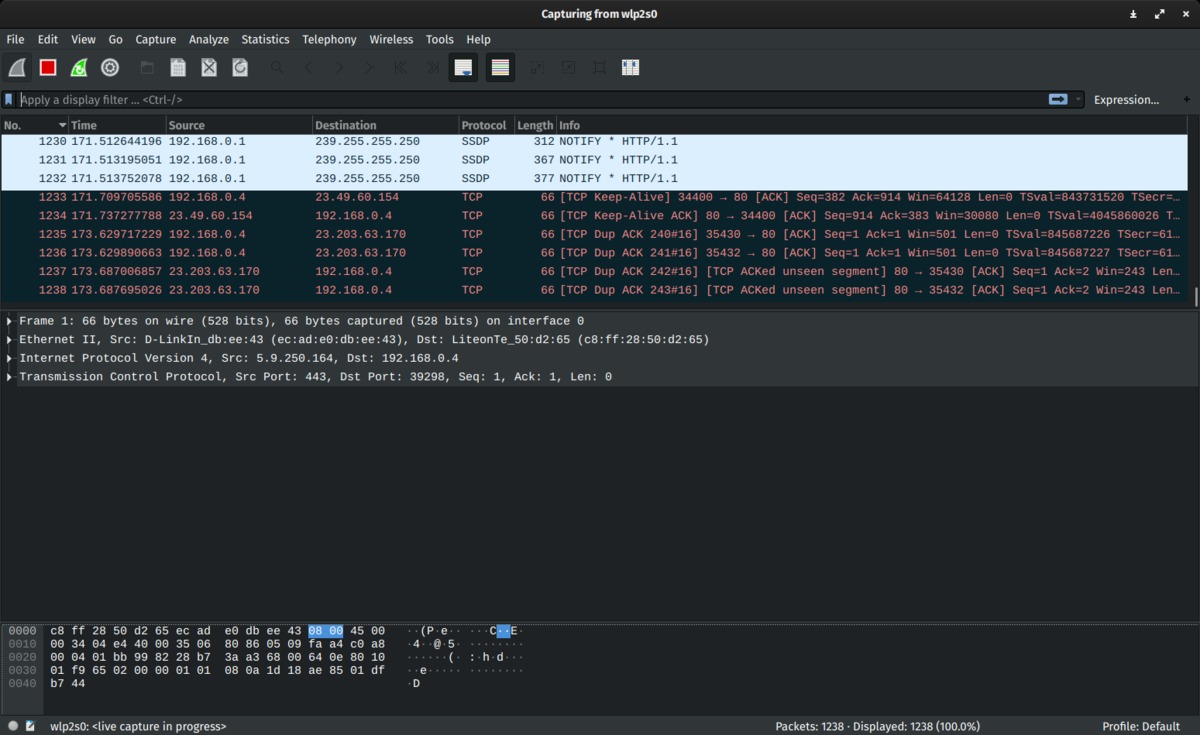
One of the best-known options is called WireShark. This network protocol analyzer can be used to troubleshoot, obtain information, and learn about wireless networks’ operation.
It has a lot of options. We can say that it is based on tcdpdump, but we can use it graphically too. It allows you to capture the traffic passing through a network. It is also a free open-source program.
To use WireShark we have to download it from its official website. It is a very widespread program, so the application has been polished over time. In addition, we can find a large number of manuals on the internet to learn about all the features it has.
DroidSheep
DroidSheep is another alternative that you can use. It is the most widely used operating system on mobile devices, so this program may be really interesting for you.
Of course, to be able to use this program, you need a rooted device. This is the only way to use it correctly. It allows us to analyze connections, capture data, and see if our network is really secure.
Microsoft Network Monitor
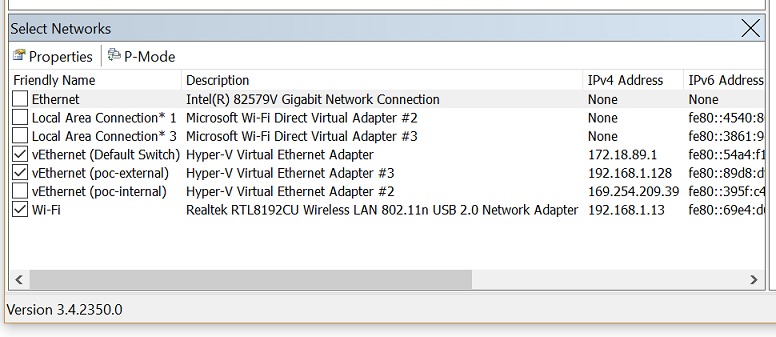
Another program that we can use to capture HTTP traffic is Microsoft Network Monitor. Currently, the most recent version is 3.4. It can be downloaded from Microsoft‘s website. It is compatible with all versions of Windows.
Once we have it installed, the program will show us an image and we have to click on “New capture” to start analyzing the network packets. Also, on the main page, we can see a lot of information about the program and what it offers.
NetworkMiner
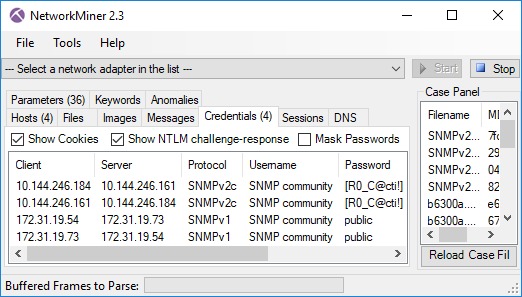
Another alternative is called NetworkMiner. It is available for different operating systems, including Microsoft Windows. No installation is required. Simply download the ZIP file, unzip it and run the application.
Once we are inside we will have to choose the network card. We will have to create a rule in the Windows firewall to start using the program without any problems.
IP Sniffer
IP Sniffer is another alternative you can count on. It is a program that has been around for more than a decade. It is basic, simple to use, and does not offer as many options as the previous ones, but it can be more than enough for many users.
We can download it for free. As in the previous case, we will have to choose the network card we are interested in and then click Start. We can pause or stop the capture at any time.
Ethereal
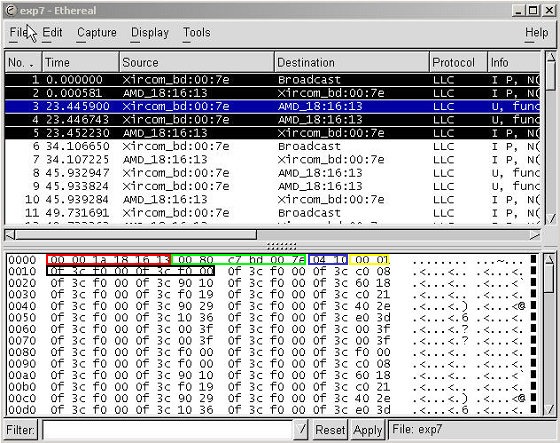
One more program that we want to show is called Ethereal. It also allows us to capture data from a network. It is free and we can download it from its own website. It is available for Windows.
It is an open-source application that is created for both professional and amateur networkers. It offers a wide range of options and for many, it is one of the best tools of this type that we can install.
How to avoid risks when using a packet sniffing application?
We have seen that there are programs to test a Wi-Fi network. We can capture unprotected packets and they are tools that are widely used by ethical hackers, but also by attackers who can use this information against us. So, what can we do to be properly protected? We are going to give some important keys to do so.
Protect the Wi-Fi network correctly
Our Wi-Fi network should always be properly protected, that is the key. We must always use a good password. We should never use the password that comes from the factory, as it could be the gateway to possible intruders. In addition, the encryption that we must use will also be a determining factor in whether or not this network is secure and avoid problems of this type.
The password must be completely random and contain letters (both upper and lower case), numbers, and special symbols. We should always create one that is long enough to avoid problems. In this sense, each character we add will increase security. But encryption, as we have mentioned, is going to be key as well.
Public networks
Are we going to connect to a public Wi-Fi network? It is certainly going to be very important to be protected. We must avoid exposing our data. If we are going to connect to Wi-Fi in a shopping mall or airport, you better use a a VPN application.




