Skip to content
TechBriefly
  • Tech
  • AI
  • Crypto
  • Business
  • Gaming
  • How to
  • About
    • About TechBriefly
    • Terms and Conditions
    • Privacy Policy
    • Contact Us
    • Languages ›
      • 中文 (Chinese)
      • Dansk
      • Deutsch
      • Español
      • English
      • Français
      • Nederlands
      • Italiano
      • 日本语 (Japanese)
      • 한국인 (Korean)
      • Norsk
      • Polski
      • Português
      • Pусский (Russian)
      • Suomalainen
      • Svenska
  • Tech
  • AI
  • Crypto
  • Business
  • Gaming
  • How to
  • About
    • About TechBriefly
    • Terms and Conditions
    • Privacy Policy
    • Contact Us
    • Languages
      • 中文 (Chinese)
      • Dansk
      • Deutsch
      • Español
      • English
      • Français
      • Nederlands
      • Italiano
      • 日本语 (Japanese)
      • 한국인 (Korean)
      • Norsk
      • Polski
      • Português
      • Pусский (Russian)
      • Suomalainen
      • Svenska
  • Home/How to/How to add a location to an Instagram bio?

    How to add a location to an Instagram bio?

    How to add a location to an Instagram bio?
    Kerem Gülen Kerem Gülen · July 22, 2021, 21:00 ·2 min read

    Today we are going to show you how to add a location to an Instagram bio. The Instagram business account has many options to make your store closer to those who wish to purchase your products or service. Now, the social network has included a feature for you to make it easier for those who want to find your store.

    This will make it easier for users to navigate through Google Maps or Apple Maps. Adding location to Instagram bio is very easy and it will only take you a few minutes if you follow the steps we are going to mention below.

    It should be noted that the indications are the same for Android and iOS devices.

    You Might Also Like
    How to remove an Otterbox case from your smartphone
    How to remove an Otterbox case from your smartphone
    2 April 2026
    How to fix the Tesla Trip Planner not working issue?
    Tesla Trip Planner not working: How to fix it?
    30 January 2023
    How to download Google Maps to a Huawei smartphone?
    How to download Google Maps to a Huawei smartphone?
    4 July 2021

    How to add a location to an Instagram bio?

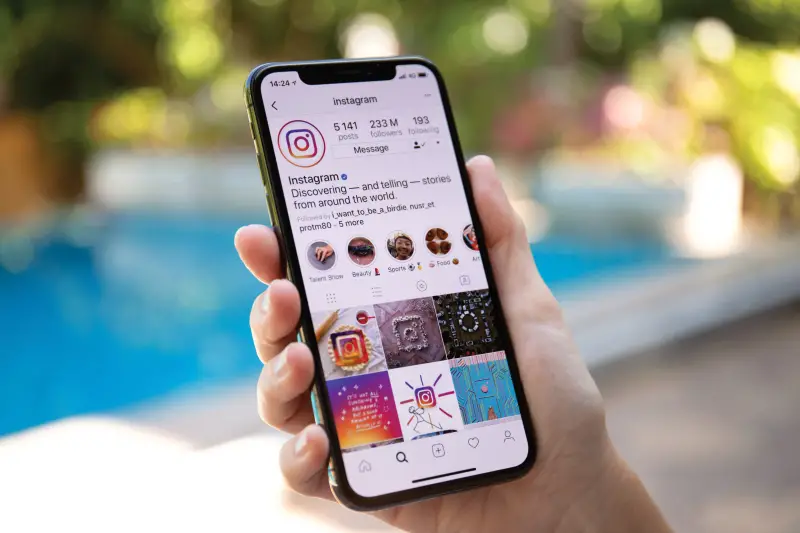
    • Enter your Instagram profile.
    • Go to the menu below your profile picture.
    • Click on “Edit profile”.
    • Then go to “Public business information” and select “Contact options”.
    How to add a location to an Instagram bio?
    How to add a location to an Instagram bio?
    • Next, select the “Business Address” box so you can add your location.
    • Fill in the blanks where you are asked for an address, city, zip code, and more.
    • Make sure it is accurate and select “Done”.
    • Finally, click “Save“.

    Go back to your company profile and now you will notice that your location is shown in the bio of your Instagram account. It is worth noting that it will be visible to all the people who follow you and also to those who do not.


    Business account follower how to Instagram location step by step store
    Share:
    Kerem Gülen
    Written by
    Kerem Gülen

    Kerem from Turkey has an insatiable curiosity for the latest advancements in tech gadgets and a knack for innovative thinking. With 3 years of experience in editorship and a childhood dream of becoming a journalist, Kerem has always been curious about the latest tech gadgets and is constantly seeking new ways to create. As a Master's student in Strategic Communications, Kerem is eager to learn more about the ever-evolving world of technology. His primary focuses are artificial intelligence and digital inclusion, and he delves into the most current and accurate information on these topics.

    View all posts →

    Latest Posts

    1. 1
      Valve opens Steam Machine reservations starting at $1,049 23 June 2026
    2. 2
      Instagram brings Reels and Stories to Samsung TVs 23 June 2026
    3. 3
      Galaxy S27 could use Samsung’s faster UFS 5.0 storage 23 June 2026
    4. 4
      SpaceX deal gives Reflection access to Nvidia GB300 chips 23 June 2026
    5. 5
      Getty signs multi-year image deal with OpenAI 23 June 2026

    Popular Posts

    1. 1
      Meta launches new AI chatbot and photo editing tools for Facebook 77 views
    2. 2
      TSMC posts record May revenue as AI chip demand fuels 30% surge 51 views
    3. 3
      Google ends Nest speaker line as new $100 Home model debuts 26 views
    4. 4
      Adobe expands Firefly AI assistant to Premiere, Illustrator and InDesign 19 views
    5. 5
      OpenAI launches $150 million global partner program for AI services 32 views

    Stay Updated

    Related Stories

    How to block websites on a Mac
    How to

    How to block websites on a Mac

    Learn easy ways to block or unblock websites on your Mac using Screen Time, Terminal, third-party apps, or...

    June 22, 2026, 07:39
    How to manage group chat settings and customize conversation photos on iOS
    How to

    How to manage group chat settings and customize conversation photos on iOS

    Learn how to enable group messaging on iPhone using iMessage, MMS, or RCS so you can easily chat...

    May 29, 2026, 08:25
    How to enable “Double-Tap to Wake” on Android
    How to

    How to enable “Double-Tap to Wake” on Android

    Learn how to enable the double-tap gesture to wake up your Samsung, LG, or Huawei phone or tablet...

    May 28, 2026, 07:10
    How to enable and use raise to listen on your iPhone
    How to

    How to enable and use raise to listen on your iPhone

    Learn how to enable the Raise to Listen feature on your iPhone to play and reply to audio...

    May 28, 2026, 07:05
    TechBriefly
    © 2026 TechBriefly. All rights reserved. Pulseluxeup Investeringsplatform