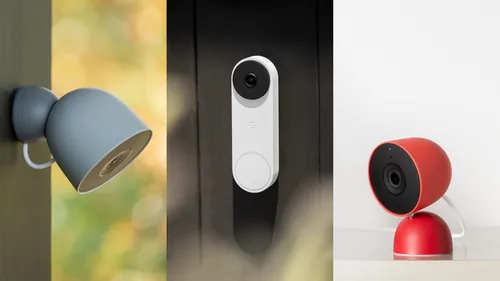

Google is updating its smart home app, Google Home, to enhance the camera experience and improve user navigation. The company has refreshed the user interface for quicker access and smoother video scrubbing.
New features allow users to filter and sort camera events based on categories such as “Person seen,” “Package seen,” and “Glass break heard.” Animated thumbnail previews focus on key subjects for easier identification. The player window remains visible while users scroll through video content.
Users with a Google Home Premium plan will gain access to event descriptions in the timeline view. This feature will also include zoomed-in thumbnail previews for older-generation Nest cameras.



Google has updated its familiar face detection tools, providing options for users to give feedback with a thumbs up or down to enhance accuracy. The app will filter out low-quality captures, such as blurry and small faces, from the face library.
New camera controls enable users to skip back or forward through event recordings in 10-second increments. Users can swipe between timeline views and events, resize the video player, and close the camera view by swiping down.
Many new features are powered by Gemini. Google has updated Gemini for Home, with users in the early access program utilizing Gemini 3.1. This version allows the voice assistant to manage multi-step commands, enabling users to combine tasks like adding and updating items.
Gemini 3.1 also improves the identification of similar list names to prevent duplicates and enhances management of alarms and calendar events, particularly with recurring all-day settings. Google resolved issues related to AM/PM confusion when setting alarms, a basic function that the company states is now fully operational.