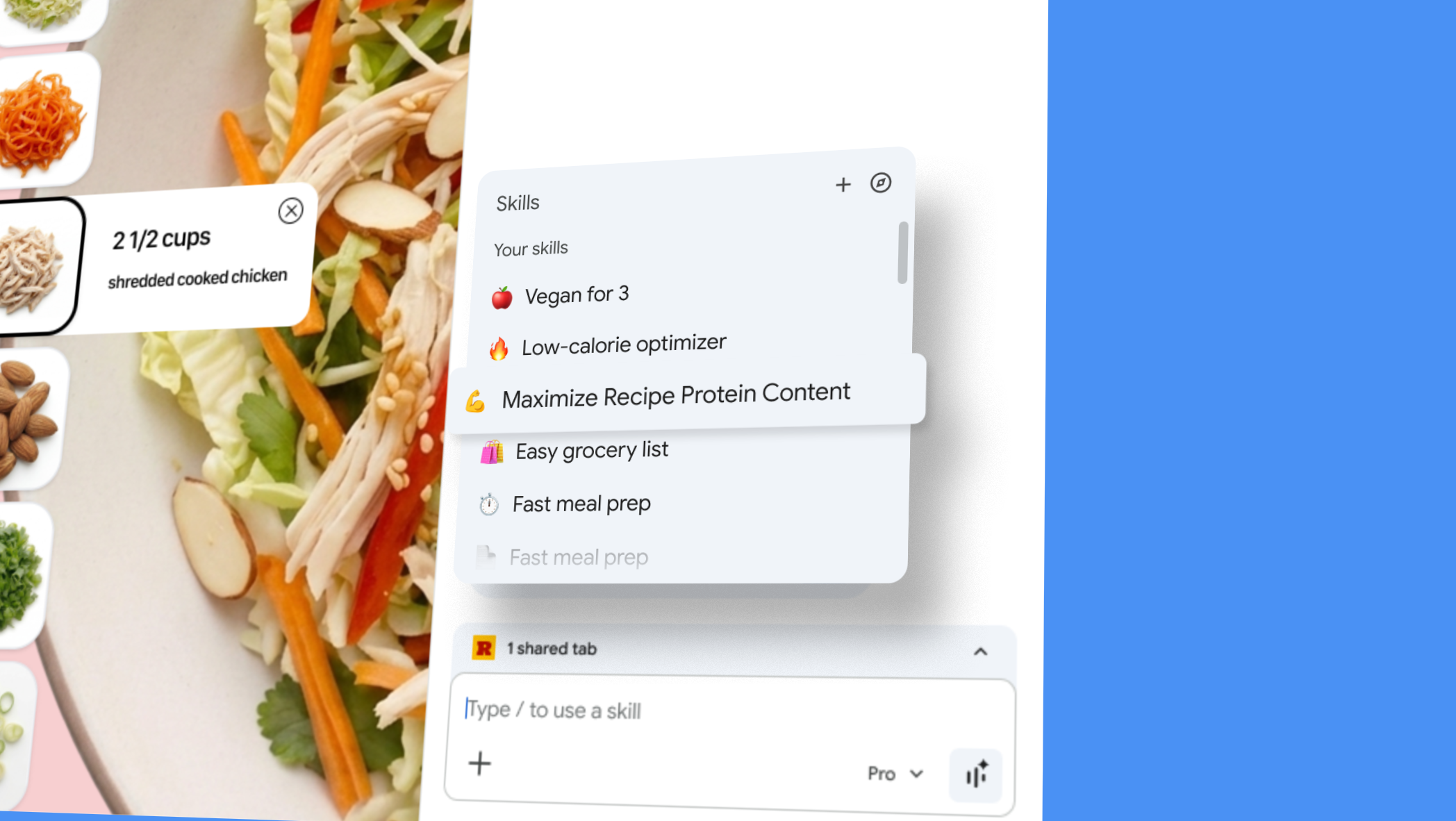

Google announced Skills in Chrome, a new feature integrated with Gemini that allows users to save prompts and rerun them as one-click tools across selected pages and tabs.
This development enhances Chrome’s AI functionalities, enabling users to save prompts from their chat history in Gemini’s side panel. Users can trigger a saved Skill by typing a forward slash or clicking the plus sign when on any viewed page.
The Skills feature supports multiple tabs, allowing a single saved prompt to gather information from various pages simultaneously. Google is also introducing a library of prebuilt Skills, which will include workflows for tasks such as breaking down product ingredients and comparing specifications across tabs.


Users can customize these prebuilt Skills, adding them to their collection and editing the underlying prompts as needed. This update signifies a shift in Chrome’s AI capabilities, as users can now create more automated workflows rather than relying solely on chatbot interactions.
For professionals in SEO and marketing, the multi-tab functionality presents various opportunities. Users can create Skills to compare competitor pages or extract structured data from product pages during audits, significantly streamlining routine tasks.
The initial launch categories emphasize shopping, productivity, and wellness, indicating a focus on consumer productivity tools rather than enterprise applications. This suggests a strategic pivot towards making Chrome a persistent AI assistant rather than just a support tool.
Skills represent the latest enhancement in Chrome’s series of updates designed to strengthen its AI capabilities. In the past year, features have included page-aware prompts, multi-tab context, and auto-browse functionalities, all aimed at improving user experience and efficiency.
Google stated that the integration of Skills will mark a substantial improvement in how users interact with the browser’s AI features, repositioning Chrome as an essential personal assistant for a wide array of tasks.