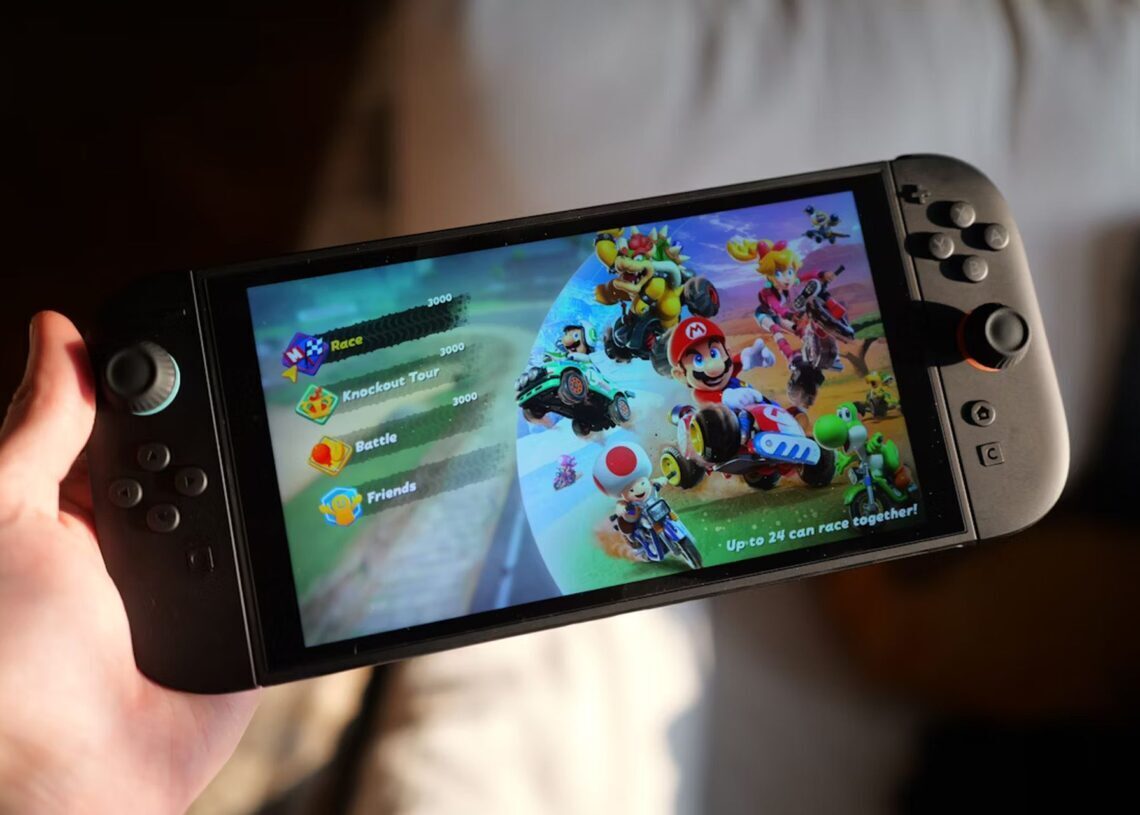

Nintendo has released firmware updates for the entire Nintendo Switch lineup, including the original Switch, Switch Lite, Switch OLED, and the newer Switch 2, introducing clearer distinctions between digital and physical games and a series of interface, accessibility, and stability improvements across systems.
The most visible change on both platforms is the addition of small symbols above software icons on the Home Menu. These indicators show whether a title is installed digitally or played via physical cartridge: a colored symbol denotes a physical game card, while a blue symbol represents digital software. The update is designed to give players an immediate view of how each game is accessed without opening individual titles.
Alongside the visual updates, Nintendo adjusted data management options for users migrating from the original Switch systems to Switch 2. During system transfers, users can now disable automatic redownloading of software on the Switch 2 and block the transfer of album data, providing more control over storage use and setup behavior between devices.


On the original Switch family, Nintendo’s update adds support for downloading data associated with a virtual game card even when the “Use Online License” setting is turned off. This option is accessible via the Virtual Game Cards section from the Home Menu. The company also updated the messaging related to Save Data Cloud Backup that appears when starting certain software, aiming to clarify backup behavior for subscribers.
System settings on the original models received minor naming and usability refinements. “Platinum Point Notification Settings” in the Notifications menu has been renamed “Nintendo Switch Online Notification Settings” to more clearly reflect its function. In addition, users can now adjust system volume via the Quick Settings menu while using VR mode. Nintendo states that the update includes general system stability improvements to enhance overall performance.
The Switch 2 update mirrors several of these changes while adding a broader set of platform-specific enhancements. Like the original models, Switch 2 now displays icons differentiating physical and digital titles and supports downloading data for virtual game cards even if “Use Online License” is disabled, configurable through Virtual Game Cards on the Home Menu.
For download management, Switch 2 owners can now select a “Cancel all” option when multiple software downloads are in progress, simplifying control over concurrent transfers. Systems sold as bundles with included digital software now feature a “Receive Software” icon, which appears when the console is connected to the internet and directs the user to the Nintendo eShop to claim the bundled content.
Social features are also expanded on Switch 2. The “Add Friend” search now includes users encountered in friends’ GameChat rooms, enabling connections based on recent interactions within Nintendo’s communication features.
Nintendo has updated GameChat behavior on Switch 2 to maintain communication continuity and reduce interruptions. With the new firmware, games will no longer automatically enter sleep mode while GameChat is active. Users can disable “Chat Audio Panning” if they prefer a centered audio experience, and GameChat sessions can continue uninterrupted when switching between TV, Handheld, and Table modes.
Accessibility options on Switch 2 receive targeted improvements. When Text-to-Speech is enabled, descriptive text on the Japanese keyboard is now read aloud, and the maximum Text-to-Speech speed has been raised from 300% to 400%, expanding customization for users who rely on screen reading functions.
Audio and display settings see additional refinement. For the wirelessly connected Switch 2 Pro Controller, users can choose between “Stable” and “Low Latency” audio modes, allowing them to prioritize either connection reliability or reduced delay. HDR Output has been renamed to “System Screen’s HDR Output,” and display behavior has been improved when adjusting screen size to ensure more accurate on-screen framing.
Further interface standardization on Switch 2 includes renaming “Platinum Point Notification” to “Nintendo Switch Online Notification,” aligning terminology with the original Switch models. Battery management language has been updated as well: the setting previously labeled “Stop Charging Around 90%” is now “Stop Charging Around 80‑90%,” clarifying the charging threshold range. The system language list has been expanded to include Thai and Polish. Nintendo notes that overall system stability enhancements are part of the release.
Separately, Nintendo announced earlier in the week that it will host a dedicated Nintendo Direct focused on “The Super Mario Galaxy Movie,” sharing the update alongside an image of Toads celebrating under a night sky.