
TechBriefly
  • Tech
  • Business
  • Crypto
  • Science
  • Geek
  • How to
  • About
    • About TechBriefly
    • Terms and Conditions
    • Privacy Policy
    • Contact Us
    • Languages
      • 中文 (Chinese)
      • Dansk
      • Deutsch
      • Español
      • English
      • Français
      • Nederlands
      • Italiano
      • 日本语 (Japanese)
      • 한국인 (Korean)
      • Norsk
      • Polski
      • Português
      • Pусский (Russian)
      • Suomalainen
      • Svenska
No Result
View All Result
TechBriefly
Home Tech Social Media
MegaBlock: A tool to block anyone on Twitter who has liked a tweet

MegaBlock: A tool to block anyone on Twitter who has liked a tweet

Barış SelmanbyBarış Selman
11 May 2021
in Social Media, Tech
Reading Time: 2 mins read
Share on FacebookShare on Twitter

If you are looking for a tool to block anyone on Twitter who has liked a specific tweet, then you should meet this tool called MegaBlock.

Imagine you want to block a large group of users who hold ideas that are antagonistic to yours or who could potentially share content that you would rather not see on your Twitter account. The MegaBlock tool has been created to allow you to block everyone who likes a particular tweet with content that may be insulting to you, for example. And you can do so with just a single click.

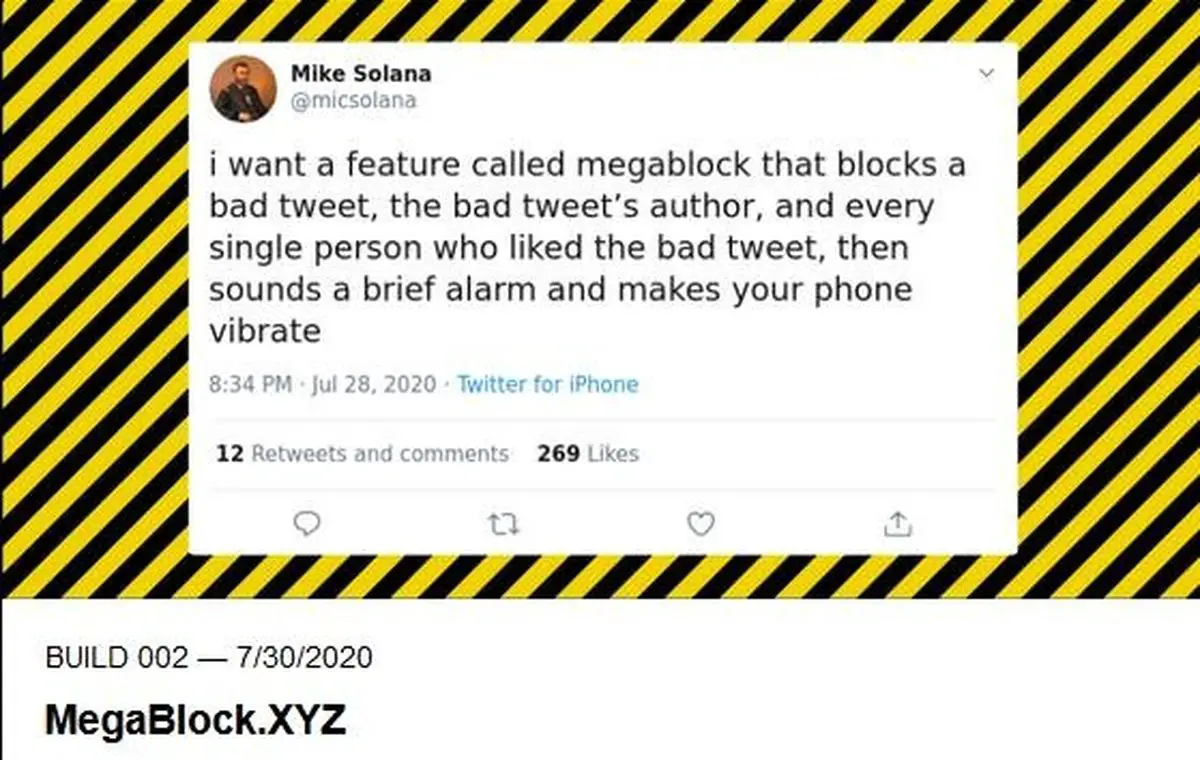
The development of MegaBlock is in response to a specific request from Mike Solana, vice president of The Founders Fund, in July of last year where he said, “I want a feature called Megablock that blocks a bad tweet, the author of the bad tweet and everyone who liked the bad tweet and then sounds a short alarm that vibrates your phone.”

The permissions requested by MegaBlock

To perform this function you must access the official MegaBlock website, which asks you for these permissions: view your timeline tweets (including protected ones) as well as your Lists and collections; view your profile information and Twitter account settings; view the accounts you follow, mute and block; follow and unfollow accounts on your behalf.

You also give it these other options: update your profile and account settings; post and delete Tweets on your behalf, and interact with Tweets posted by others (like, dislike or reply to a Tweet, Retweet, etc.) on your behalf; create, manage and delete Lists and collections on your behalf; and mute, block and report accounts on your behalf.

As with the famous application that allows you to create your family on Twitter or “Family Tree” that was so fashionable a few weeks ago, the permissions requested by MegaBlock go beyond those necessary to perform its functions correctly.

The firm that develops this tool is Gen Z Mafia “a community of young builders” (or builders).

How does it work?

MegaBlock: Suddenly block on Twitter anyone who has liked a tweet that you have not liked

Well, if you decide to give this application the aforementioned permissions, you can decide to block people en masse who have indicated that they like a “bad” publication. So, imagine that someone posts a xenophobic or misogynist tweet and you defend opposite values.

As there is little chance that the people who ‘like’ that publication, can become people with whom you want to interact (on the social network or in real life), you can decide a massive block, and they will no longer have access to what you publish. To do this, you must include the URL of the “bad” tweet of discord. And then confirm that you want to block it. You will also automatically stop following all “these individuals” who have liked the post you are going to block.

Tags: blocksocial mediatweetsTwitter
ShareTweet
Barış Selman

Barış Selman

A technology and gaming enthusiast by day, Barış is a passionate composer and black/death metal guitarist by night. He keeps his finger on the pulse of the intersection of art and technology whenever he can from his tours worldwide.

Related Posts

New WhatsApp update brings 2026 stickers and video call effects

New WhatsApp update brings 2026 stickers and video call effects

30 December 2025
Leaker reveals Xiaomi plans for high end eSIM device in 2026

Leaker reveals Xiaomi plans for high end eSIM device in 2026

30 December 2025
HP prepares OMEN OLED monitor reveal for CES 2026

HP prepares OMEN OLED monitor reveal for CES 2026

30 December 2025
High RAM costs from AI boom could delay next Xbox and PlayStation

High RAM costs from AI boom could delay next Xbox and PlayStation

30 December 2025
Please login to join discussion

LATEST

New WhatsApp update brings 2026 stickers and video call effects

Leaker reveals Xiaomi plans for high end eSIM device in 2026

HP prepares OMEN OLED monitor reveal for CES 2026

High RAM costs from AI boom could delay next Xbox and PlayStation

LG to unveil its Gallery TV at CES 2026

Bitcoin drops 3% to $87,300 as altcoins decline

How to install mods and custom content in The Sims 2

Running Python files and fixing path errors on Windows

How to boot your PC into Command Prompt for troubleshooting

How to delete a virus using Command Prompt

TechBriefly

© 2021 TechBriefly is a Linkmedya brand.

  • Tech
  • Business
  • Science
  • Geek
  • How to
  • About
  • Privacy
  • Terms
  • Contact
  • | Network Sites |
  • Digital Report
  • LeaderGamer

Follow Us

No Result
View All Result
  • Tech
  • Business
  • Crypto
  • Science
  • Geek
  • How to
  • About
    • About TechBriefly
    • Terms and Conditions
    • Privacy Policy
    • Contact Us
    • Languages
      • 中文 (Chinese)
      • Dansk
      • Deutsch
      • Español
      • English
      • Français
      • Nederlands
      • Italiano
      • 日本语 (Japanese)
      • 한국인 (Korean)
      • Norsk
      • Polski
      • Português
      • Pусский (Russian)
      • Suomalainen
      • Svenska
