
Apple has rolled out some exciting changes in iOS 18 Beta 5, making your iPhone even easier to use.
iOS 18 Beta 5 new features
From a redesigned Photos app to new features in Safari, here’s a look at what’s new and how it can improve your daily experience:
Photos App Overhaul
Apple has introduced significant changes to the Photos app in iOS 18 Beta 5, streamlining its design and improving user experience based on tester feedback.
Key updates
- Carousel Removal: The carousel feature, which allowed users to swipe through different Collections from the main Photos grid, has been removed. This change aims to simplify the interface and reduce redundancy.
- Unified Design: The Photos app maintains a unified one-screen design, opening directly to the photo grid. This grid now displays more images at once, enhancing navigation and visibility.
- Album Accessibility: Users with multiple albums will notice their albums positioned higher up in the Photos app. This makes it easier to access and manage various albums without excessive scrolling.
- Recently Saved Integration: Recently Saved content is now integrated into the Recent Days collection, streamlining the organization of new photos.
- Customizable Collections: The order of Collections can be customized, allowing users to tailor their photo viewing experience to their preferences. This customization ensures that users can prioritize what they want to see first in the app.
Distraction Control in Safari
A standout addition in Beta 5 is the new Distraction Control feature in Safari, designed to enhance focus by hiding distracting elements on web pages.
How it works
- Static Elements: Distraction Control hides static elements like sign-in windows, cookie preference popups, GDPR notices, and newsletter signup banners. It is not an ad blocker and does not hide dynamic elements such as ads, which will reappear upon refreshing the page.
- Accessibility: To access Distraction Control, navigate to the Safari webpage settings, tap on “Hide Distracting Items,” and then select the elements on the page you want to hide.
- Per-Device Setting: This feature must be enabled separately on each device as it does not sync across multiple devices. Hidden elements can be revealed by selecting “Show Hidden Items” in the settings.
RIP Ad Blockers! 😳
Apple’s new “Distraction Control” feature in iOS 18 is amazing!
It allows you to block elements you don’t want to see in Safari & even adds a slick animation. pic.twitter.com/Er0hH0uIyx
— Brandon Butch (@BrandonButch) August 5, 2024
Home Screen Enhancements
Editing the Home Screen has become more user-friendly with the introduction of the “Edit Pages” option.
New features
- Edit Pages Option: By long pressing on the Home Screen and choosing “Edit,” users can now delete or hide entire Home Screen pages. This option is more intuitive and features clearer labeling.
- Improved Interface: This enhancement simplifies the process of managing Home Screen pages, making it easier to organize apps and widgets.
Dark Mode Icon Updates
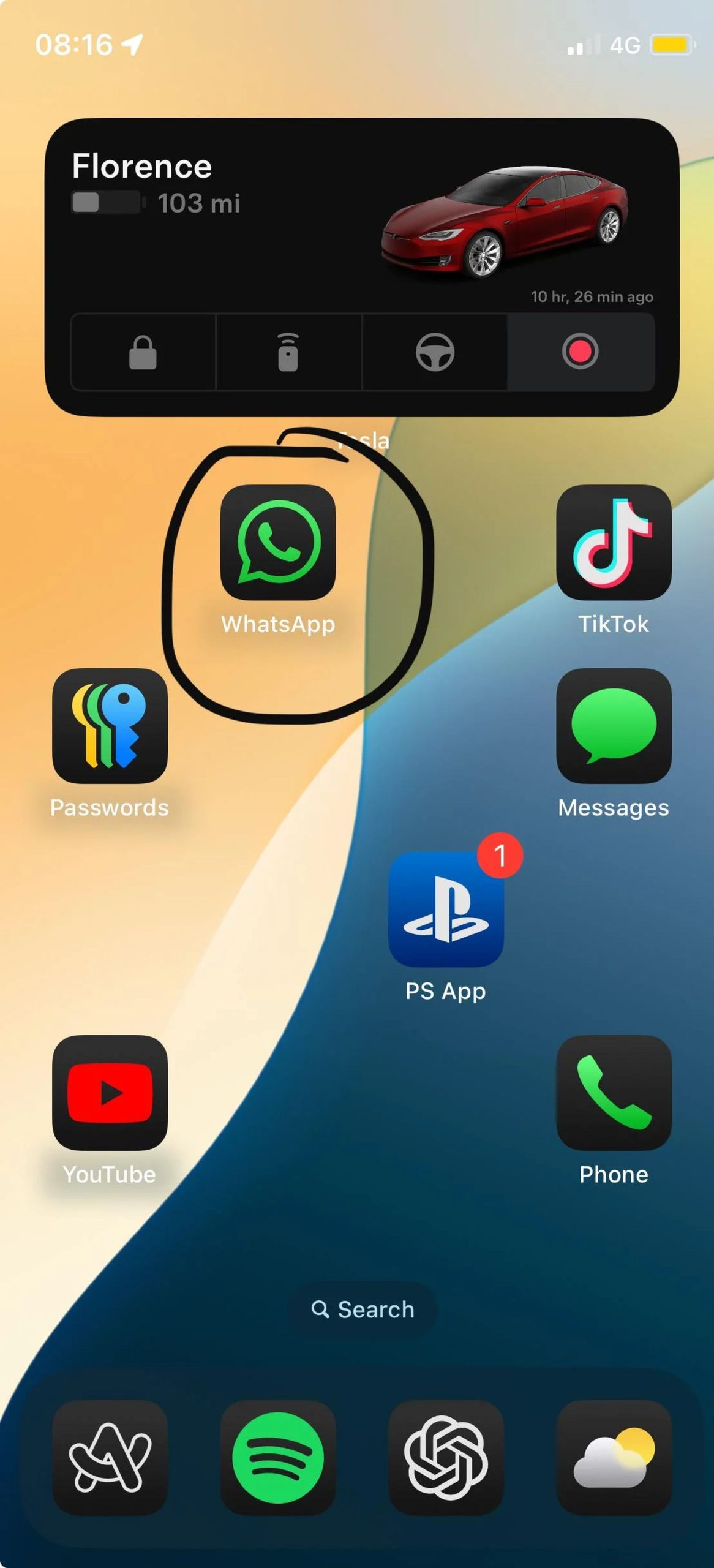
Apple has refined several Dark Mode icons to enhance visual consistency and usability.
Changes include
- Maps Icon: The Maps icon now features a sleek black, white, gray, and blue color scheme, eliminating other colors for a more cohesive look.
- Find My Icon: Updated with more distinct green rings, making it easier to identify.
- Search Interface: When searching for apps, the icons now correctly display in Dark Mode, aligning with the overall dark theme.
Control Center Redesigns
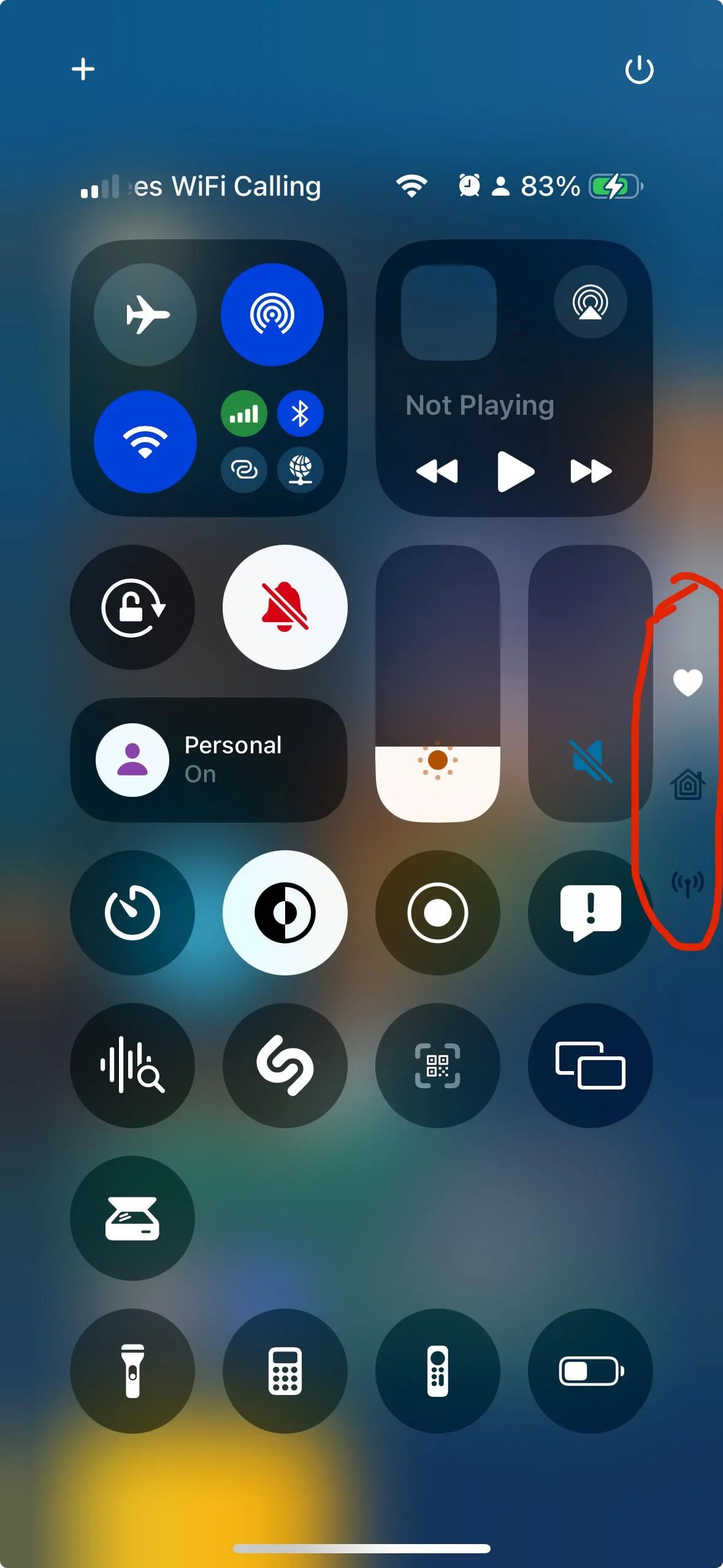
Apple has made numerous updates to the Control Center icons to improve clarity and usability.
Icon updates
- Larger Graphics: Icons for Voice Memo, Stopwatch, Airplane Mode, Home, Remote, Shortcuts, Calculator, Scan Code, Magnifier, Wallet, Tap to Cash, and various accessibility features now feature larger graphics for better visibility.
- Design Tweaks:
- Orientation Lock: Now features a red lock with a pink arrow.
- Screen Recording: The icon now has a smaller inner dot and a thicker outer dot. When activated, the outer circle turns a darker red while the inner circle remains bright red.
- Screen Mirroring: Features rectangles of different sizes, with one darker and one lighter.
- Cellular Data: The icon now displays four signal bars instead of an antenna.
- Shortcuts: Includes a black and white version of the Shortcuts icon.
- Low Power Mode: The battery graphic now shows less charge, with the outline turning gray. When enabled, both the battery level and outline turn yellow.
- Live Speech: Features a white keyboard with a gray sound wave.
- Headphone Accommodations: Now displays an ear icon instead of headphones.
- Vehicle Motion Cues: Updated with a car icon.
- Smart Invert: Features colors swapped to white main and gray star.
- Bluetooth Power Toggle: Removed due to non-functionality in the last beta.
Additional changes
Apart from the major updates, iOS 18 Beta 5 includes several smaller changes that enhance the overall user experience:
- Orientation Lock Arrow: Now features a gray arrow instead of white.
- Screen Recording Dot: Smaller inner dot with a thicker outer circle.
- Cellular Data Signal: Displays four signal bars.
- Shortcuts Icon: Updated with a monochrome version.
- Low Power Mode Battery: Shows less charge and turns yellow when activated.
- Live Speech Toggle: Updated icon design.
- Headphone Accommodations: Features an ear icon.
- Vehicle Motion Cues: New car icon.
- Smart Invert Colors: White main and gray star.
- Removal of Bluetooth Toggle: Non-functional toggle has been removed.
You can check out all the release notes by clicking here.
To sum up, iOS 18 Beta 5 brings several updates and new features based on user feedback. The Photos app has been streamlined, Distraction Control has been introduced in Safari, and there are numerous icon and design changes across the system. These updates aim to enhance usability and provide a more intuitive interface.