
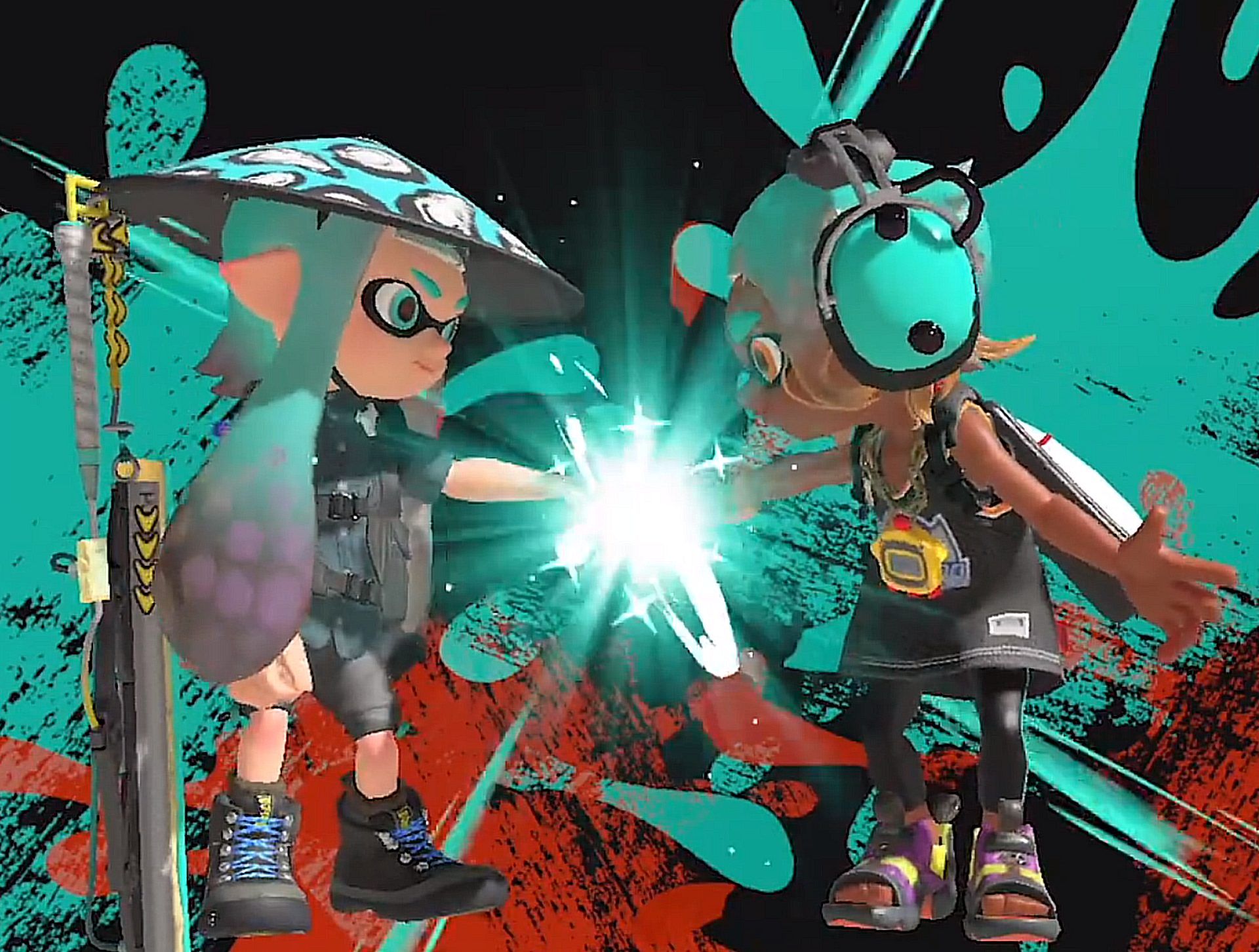

With this article, you can learn how to fist bump in Splatoon 3 easily!
Splatoon 3 is back with a splash, and it’s not just about the ink-splattering action anymore! Among the new features, the beloved Fist Bump returns, bringing camaraderie and excitement to the colorful world of Splatoon. Let’s dive into the pro tips for mastering the Fist Bump in Splatoon 3!
🤜✨🤛
Fist bumps are in fashion in #Splatoon3's Sizzle Season 2023, as the team's top performers show mutual admiration for a successful splatting! pic.twitter.com/iSLEn8XvUg
— Nintendo of Europe (@NintendoEurope) May 30, 2023
Fist Bump is a returning feature in Splatoon 3, connecting players in a moment of victory and camaraderie. This delightful gesture celebrates your triumphs in battles, making the whole experience even more engaging. But remember, Fist Bump can only be experienced after achieving a top-2 victory in the game. That means you need to finish ahead of your competitors in style! So, how to fist bump in Splatoon 3 easily? Keep reading and find out!
How to fist bump in Splatoon 3
Here is how to fist bump in Splatoon 3:
- Victory Is key: Before you can bask in the glory of a Fist Bump, you need to secure your place in the top 2 of the battle. Whether you dominate the turf or conquer foes in ranked battles, strive for victory and make sure you finish among the best.
- Controls know-how: Once you’ve proven your prowess and claimed your spot in the top 2, it’s time to execute the Fist Bump. The controls may vary depending on your gaming platform, but the principle is simple. Engage the Fist Bump by using the designated controls on your platform – it’s the icing on the cake of your victory!
- Share the joy: Fist Bump isn’t just about you – it’s a chance to congratulate your fellow winners. After all, splatting enemies is more fun when you can share the glory with friends and teammates. Spread the positive vibes and celebrate your victory together!
Why does a fist bump matter?
Fist Bump isn’t just a gesture; it’s a celebration of Splatoon’s essence – a vibrant world where teamwork and victory go hand in hand. The developers at Splatoon 3 have once again proven their dedication to creating an immersive and engaging experience. Bringing back the Fist Bump gives players a meaningful way to connect and celebrate their achievements.

In conclusion, Splatoon 3 isn’t just about ink battles; it’s about creating memorable moments with friends and fellow players. The Fist Bump feature brings extra excitement and camaraderie to your victories, making each battle even more satisfying. So, get out there, claim those top 2 spots, and exchange fist bumps with pride. It’s time to celebrate in style, Splatoon 3 style!
These were all you need to know about how to fist bump in Splatoon 3 . Remember, in the colorful world of Splatoon, victory tastes even sweeter when shared. So claim your victories, engage in Fist Bump glory, and celebrate the Splatoon 3 way!
Do you know how to draw in Splatoon 2? Visit the related article and learn!
Featured image credit: Splatoon 3/X


