


TechBriefly
  • Tech
  • Business
  • Crypto
  • Science
  • Geek
  • How to
  • About
    • About TechBriefly
    • Terms and Conditions
    • Privacy Policy
    • Contact Us
    • Languages
      • 中文 (Chinese)
      • Dansk
      • Deutsch
      • Español
      • English
      • Français
      • Nederlands
      • Italiano
      • 日本语 (Japanese)
      • 한국인 (Korean)
      • Norsk
      • Polski
      • Português
      • Pусский (Russian)
      • Suomalainen
      • Svenska
No Result
View All Result
TechBriefly
Home How to
What are the differences between Emoji, Animoji, Memoji and Memoji Stickers?

What are the differences between Emoji, Animoji, Memoji and Memoji Stickers?

Kerem GülenbyKerem Gülen
5 April 2021
in How to
Reading Time: 3 mins read
Share on FacebookShare on Twitter

On Apple devices, there are several ways to express a feeling when we are chatting such as Emojis, Memojis, Animojis, or Memoji Stickers. The terms are very similar, but they refer to quite different elements. Let’s clarify the differences and what we can do with each of them.

What are the differences between Emoji, Animoji, Memoji, and Memoji Sticker?

Emojis

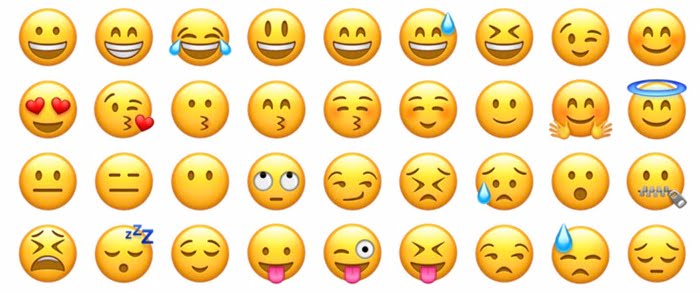
Emojis are small icons that represent a feeling. The term “emoji” comes from Japanese, it is the union between “e” which means drawing and “moji” which means character. Emoji is a character drawing.

The arrival of new emojis to our devices is a two-step process. First, there is the Unicode Consortium responsible for the Unicode standard to encode characters. This organization creates the descriptions of the emoji, for example “radiant face with smiling eyes”, and assigns them the code “U+1F601”. Periodically this consortium publishes the updated list of emoji icons.
What are the differences between Emoji, Animoji, Memoji and Memoji Stickers?
The classic emojis.

In a second place, we find the different companies like Apple, Google, Facebook, Microsoft, Emojipedia, Twitter, Samsung, etc. These companies create, starting from the Unicode description, a graphical representation of an emoji by maintaining the concept.

We can use emoji in any text, in fact it is just another character that each system will interpret in its own way.

Animojis

To properly understand the Animoji we have to go back to the launch of the iPhone X. This was the first iPhone to replace the Home button with Touch ID with a camera system and Face ID. To identify us and unlock our iPhone it creates a three-dimensional map of our face to subsequently recognize us.

The Animoji live inside the Messages app, we access them through the monkey-shaped button that appears above the keyboard. They are basically characters, such as the bear, the shark, the cat, the dog, the panda, the dinosaur, etc.

What are the differences between Emoji, Animoji, Memoji and Memoji Stickers?

Thanks to the True Depth camera that the iPhone X and later have, these Animojis mimic our facial expressions. We can send them as a video by tapping the red button to start recording or drag them into the conversation to send them as an image.

Animoji images and videos are generated on our device and sent in such a way that anyone we send them to will see them just as we do.

Memojis

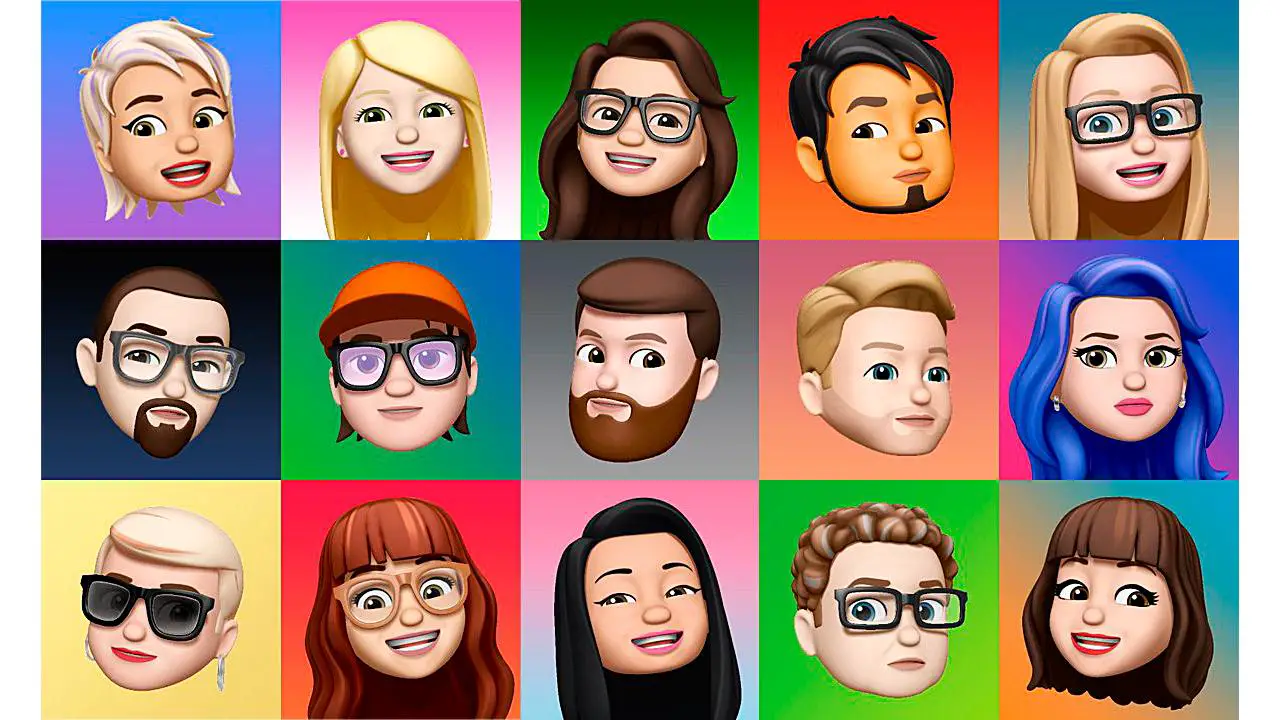
We can define Memoji as an Animoji with our face. Instead of using one of the default characters we can customize a human face with all its features (eyes, ears, nose, mouth, hair, etc.) to make it a representation of ourselves.

Once we have customized this Memoji we can use it just like any other Animoji.
What are the differences between Emoji, Animoji, Memoji and Memoji Stickers?

Memoji Stickers or Animojis

Stickers are small images that we can “stick” in conversations to express ideas. Stickers are generated from the Animoji characters that come by default plus all the Memoji characters that we create and show different emotions or actions such as surprise, approval, dream, greeting, etc.

We can use the Stickers from the Emoji keyboard, we will find them on the left side of the selector, next to the most used Emoji.

As with Memoji or Animoji, our device generates the image so that we can send it through any messaging app besides iMessage, such as Telegram or even email. It will always look exactly as we see it.

Tags: ApplechatemojiiOSiPhoneMemojisticker
ShareTweet
Kerem Gülen

Kerem Gülen

Kerem from Turkey has an insatiable curiosity for the latest advancements in tech gadgets and a knack for innovative thinking.With 3 years of experience in editorship and a childhood dream of becoming a journalist, Kerem has always been curious about the latest tech gadgets and is constantly seeking new ways to create.As a Master's student in Strategic Communications, Kerem is eager to learn more about the ever-evolving world of technology. His primary focuses are artificial intelligence and digital inclusion, and he delves into the most current and accurate information on these topics.

Related Posts

How to install mods and custom content in The Sims 2

How to install mods and custom content in The Sims 2

26 December 2025
Running Python files and fixing path errors on Windows

Running Python files and fixing path errors on Windows

26 December 2025
How to boot your PC into Command Prompt for troubleshooting

How to boot your PC into Command Prompt for troubleshooting

26 December 2025
How to delete a virus using Command Prompt

How to delete a virus using Command Prompt

26 December 2025
Please login to join discussion

LATEST

How to install mods and custom content in The Sims 2

Running Python files and fixing path errors on Windows

How to boot your PC into Command Prompt for troubleshooting

How to delete a virus using Command Prompt

How to connect a PS4 controller to Steam via USB or Bluetooth

How to connect your phone to Wi-Fi and fix connection issues

Apple begins iPhone 18 series production testing in January

EA investigates AI claims in Battlefield 6 cosmetics

Amazon Alexa+ will book your hotels and salons starting in 2026

OpenAI launches Skills in Codex

TechBriefly

© 2021 TechBriefly is a Linkmedya brand.

  • Tech
  • Business
  • Science
  • Geek
  • How to
  • About
  • Privacy
  • Terms
  • Contact
  • | Network Sites |
  • Digital Report
  • LeaderGamer

Follow Us

No Result
View All Result
  • Tech
  • Business
  • Crypto
  • Science
  • Geek
  • How to
  • About
    • About TechBriefly
    • Terms and Conditions
    • Privacy Policy
    • Contact Us
    • Languages
      • 中文 (Chinese)
      • Dansk
      • Deutsch
      • Español
      • English
      • Français
      • Nederlands
      • Italiano
      • 日本语 (Japanese)
      • 한국인 (Korean)
      • Norsk
      • Polski
      • Português
      • Pусский (Russian)
      • Suomalainen
      • Svenska