


YouTube Music has always been active in incorporating technology into its platform to ensure users have the best experience.
Currently, the platform has also introduced sound search and is also experimenting with an AI talk radio for US Premium users. These developments aim to give users a more engaging and easy way to search for music.
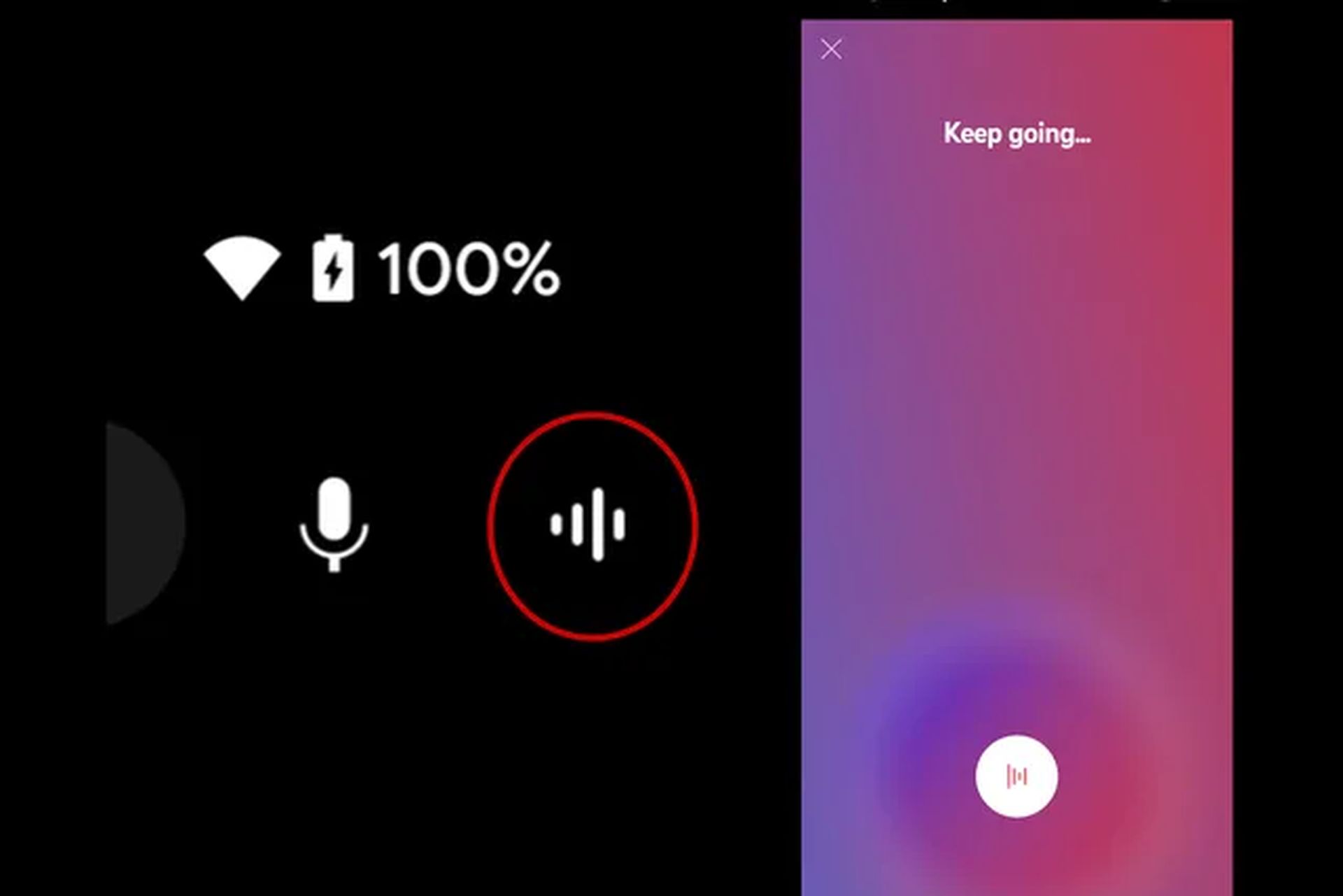
Sound search on YouTube Music
The latest innovation in YouTube music allows users to search for songs by singing or even humming a tune. Reminiscent of the humming search functionality that previously existed on other platforms, the feature will be rolled out across YouTube Music’s library of more than 100 million official songs. YouTube Music helps people search for music through sounds, making it easier for people to find a song despite forgetting the title or lyrics.
To use sound search, one has to tap the magnifying glass option in the top right corner of the YouTube Music app, which now has a new waveform button next to the microphone for sound search. This launches a full screen where users can hum, sing, or play a song, the app identifies the song and shows results. The results page includes detailed information such as album art, track title, artist, album, release year, and download progress, as well as buttons to play songs or add them directly to a playlist.
The feature is available for both Android and iOS users starting today. Although the app was rolled out to some users back in May, it was withdrawn for some as yet undisclosed reasons. Now, its official release guarantees a convenient and hassle-free way to find music through audio.
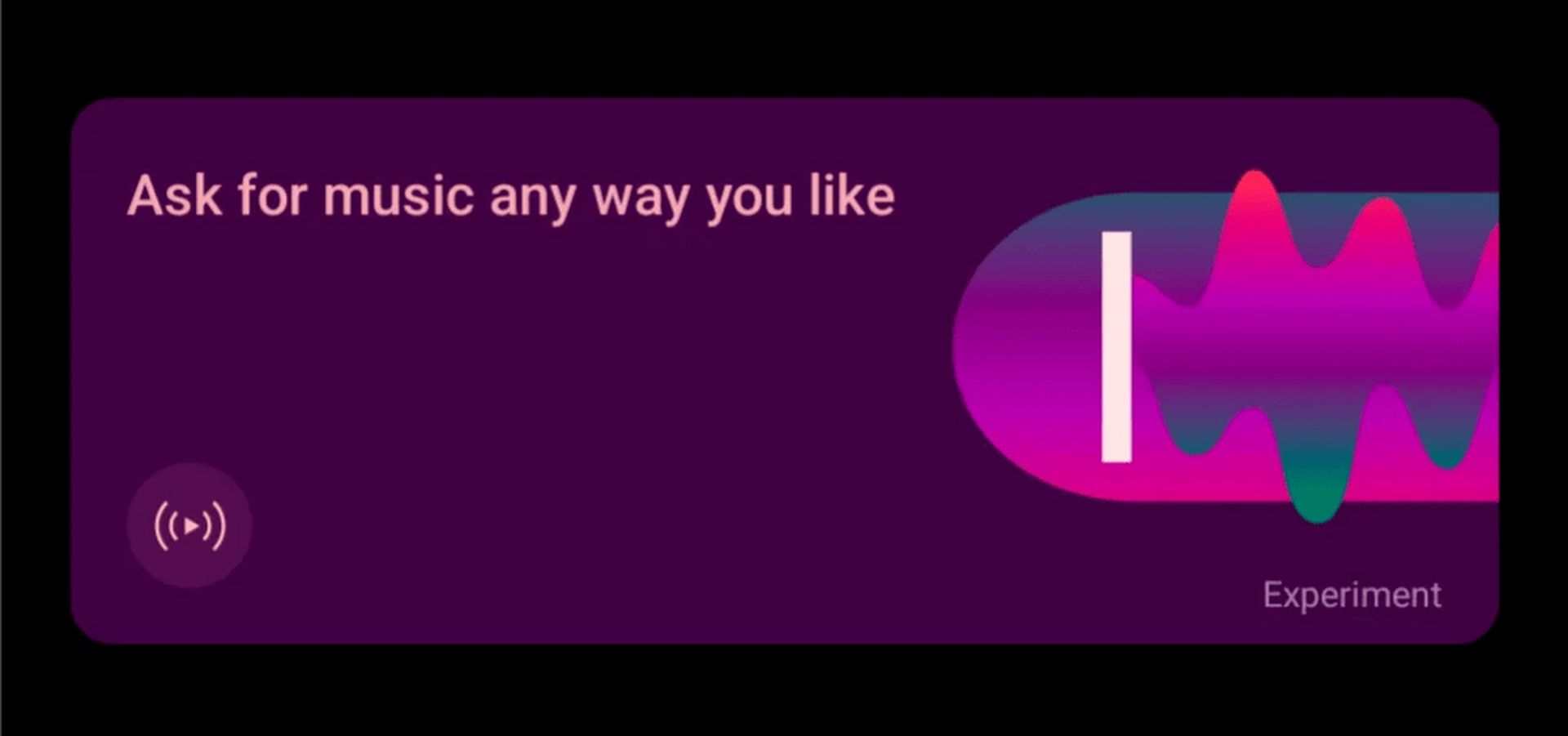
The transformative impact of conversational radio created through AI
Alongside sound search, YouTube Music is also experimenting with conversational AI radio. While this feature is still in the testing phase and is currently only available to those with a US Premium membership, it has the potential to offer a truly unique music listening experience driven by the input of simple text-based queries that allow users to create radio stations. When users describe what they want to listen to, the AI designs a radio station that the user would enjoy listening to.
Users can access this feature via the “Ask for music any way you like” card that appears in the Home feed, creating a chat-like environment. Here they have the option to add a custom prompt or find one of the suggestions offered to create cutting-edge radio stations. This is more of a conversational rather than a direct approach when it comes to using technology when selecting users’ preferred songs through AI technology.
The feature is consistent with similar experimental moves by YouTube Music, which is constantly incorporating new technologies. It is expected to be rolled out to more users in the future and change perceptions of how users interact with their music collections.
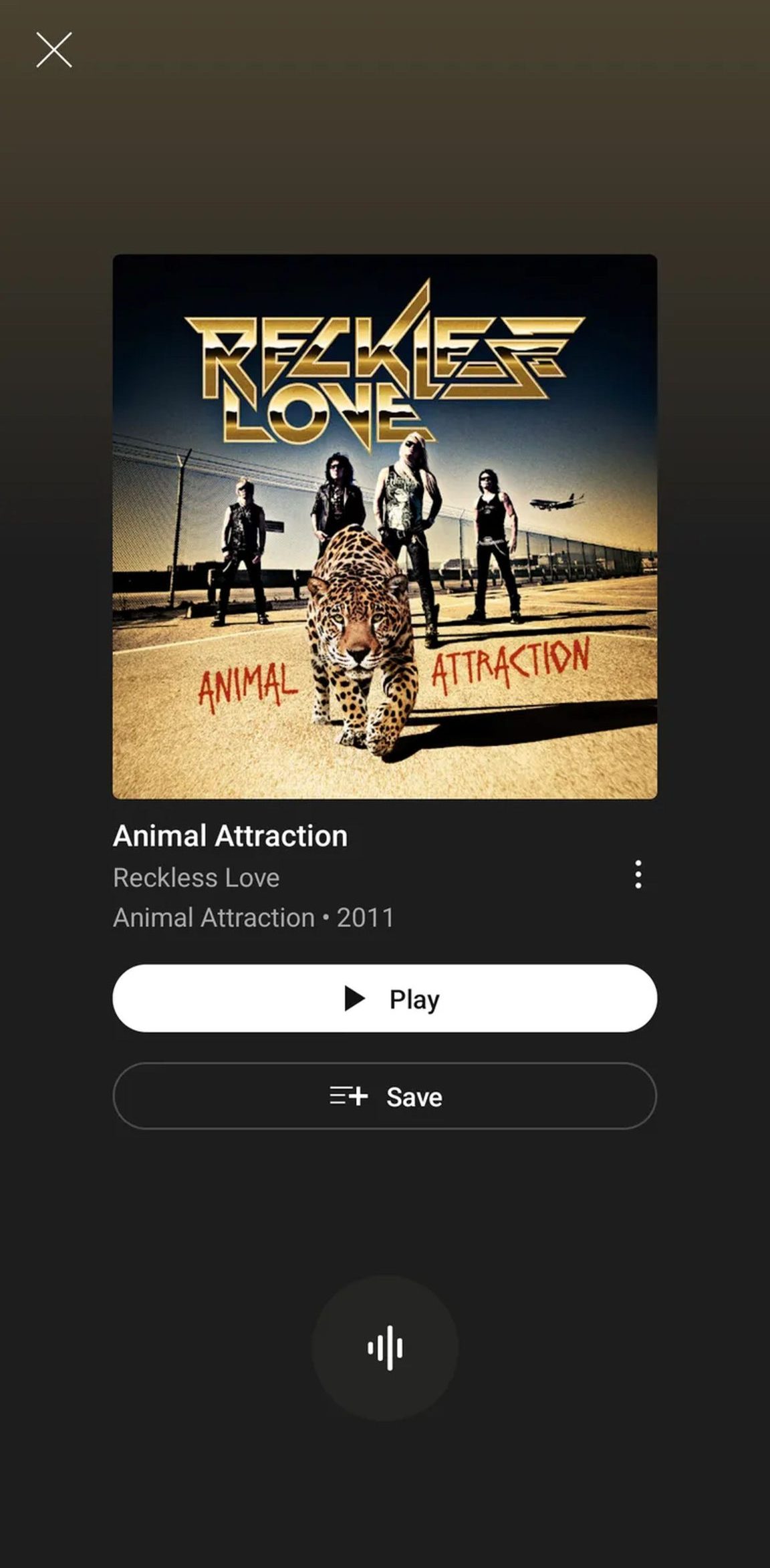
Sound search and conversational radio as implemented also present major progress towards making music consumption seamless and tailored. That’s where advanced search and AI come in, helping to completely transform the way users interact with their music collections on YouTube Music.
Over time, as these technologies continually adapt to make searching and listening to music more personalized to users’ options, consumers will see improved integration and excitement. Voice search provides a simple and utilitarian way to find songs, while talk radio, powered by AI, offers a fascinating glimpse into the potential form of user-customized radio playlists. In the end, the new changes on YouTube Music show that the company is focused on improving the utility of the applications by using innovative solutions.
Featured image credit: Alvaro Reyes / Unsplash


