

After Spotify started to send notifications about Wrapped 2022, some users started asking: “Does YouTube Music have a yearly recap?” The end of the year is quickly approaching, which means it’s time for the major music streaming services in the world to compile an overview of your listening preferences in the most memorable ways. This year’s first release is YouTube Music’s 2022 Recap feature, which went live today.
The personalized music statistics it compiles, which showcase the musicians, songs, music videos, and playlists you’ve most frequently listened to and seen during the year, are the main draw, just like last year. However, there are also some brand-new additions, such as highlights of musicians you may have missed before they became well-known and a brand-new “music personality” function that tries to assess your listening preferences in order to determine your “music vibe.”
Does YouTube Music have a yearly recap?
Yes, similar to Spotify, YouTube has its own yearly recap feature. Based on your YouTube Music and YouTube listening history, YouTube Music Recap compiles a playlist of your favorite songs. YouTube announced YouTube Music 2021 Recap in December 2018 to provide music fans with access to their yearly listening statistics.
YouTube introduced YouTube Music Spring Recap on June 15, 2022, bringing their favorite performers, songs, albums, and playlists from the previous season.
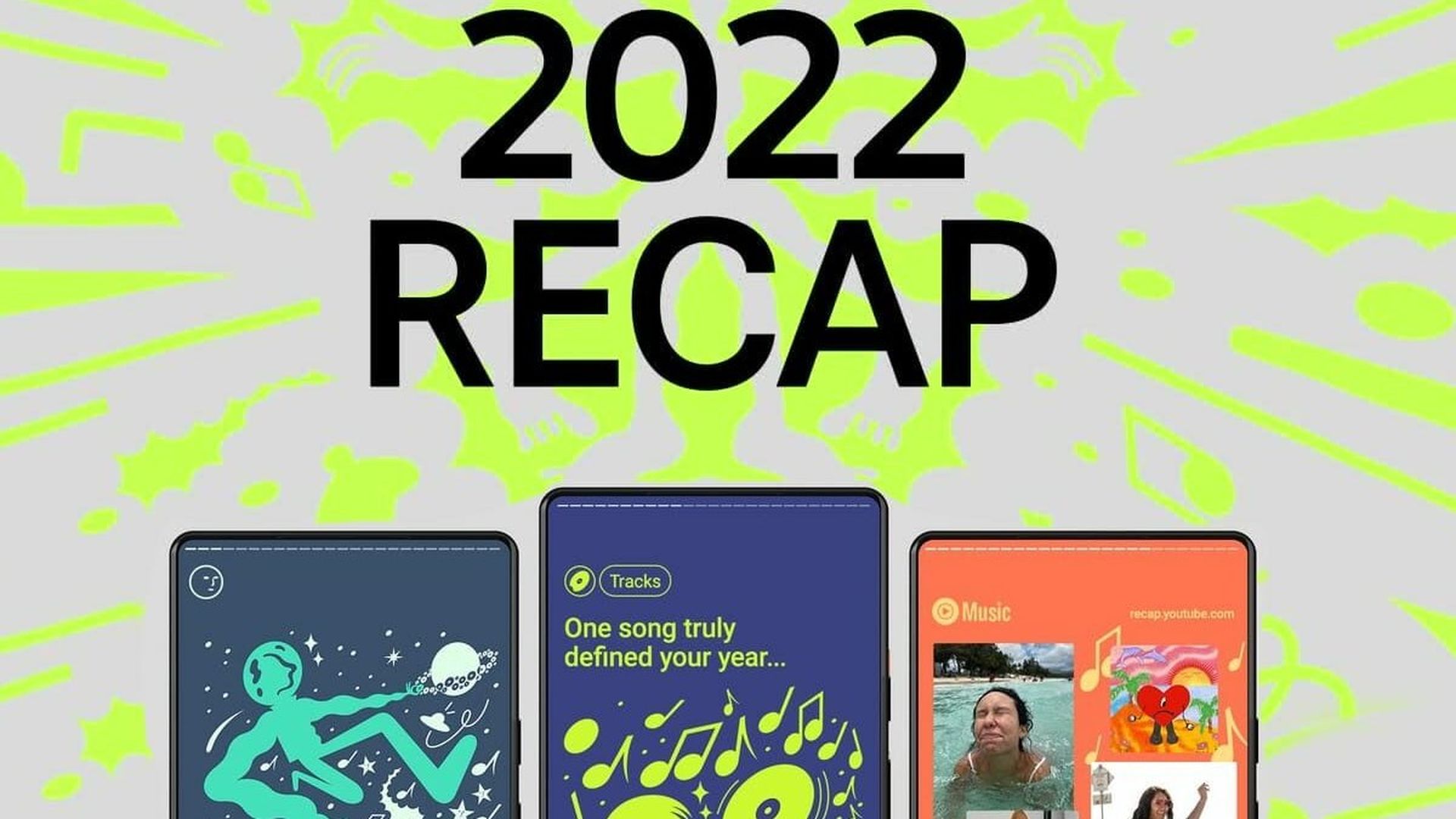
You may now access 2022 Spring Recap to find your favorite YouTube Music tracks from the previous season. In order to see your 2021 in music once again, you can also view your YouTube Music 2021 Recap.
WARNING: You must listen to music on YouTube Music and YouTube for at least two hours between March 1 and May 20, 2022, in order to view your 2022 seasonal Recap.
- To access the Recap page, mobile users must install the YouTube Music app on Android 4.54 or later, iOS 4.55, or iOS 14 or later devices.
- If the YouTube Music Recap playlist does not appear on your PC, you can view it on the YouTube Music app for Android and iOS.
In addition, Google will start displaying these music summaries on iOS and Android’s default YouTube app starting in 2022. By typing “2022 Recap” into the search bar, you should be able to access your customized playlist and choose to view the statistics slide show in the app’s stories banner.
Finally, this year, Google Photos will also be integrated with the recap feature. The YouTube Music app now enables you to illustrate your favorite songs from each season by importing pictures from your Google Photos account.
How to see YouTube Music Recap?
Only the YouTube Music Spring Recap and YouTube Music 2021 Recap are available right now. You’ll be able to access your YouTube Music 2022 Recap at the end of the year.
Find your favorite songs for Spring 2022 and a detailed YouTube Music 2021 Recap by following the instructions below.
On PC:
- Launch YouTube Music on a browser and log in using your account information.
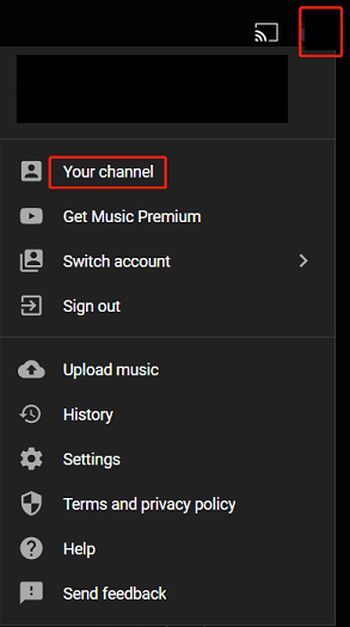
- Select Your channel by clicking on your profile photo in the top right corner.
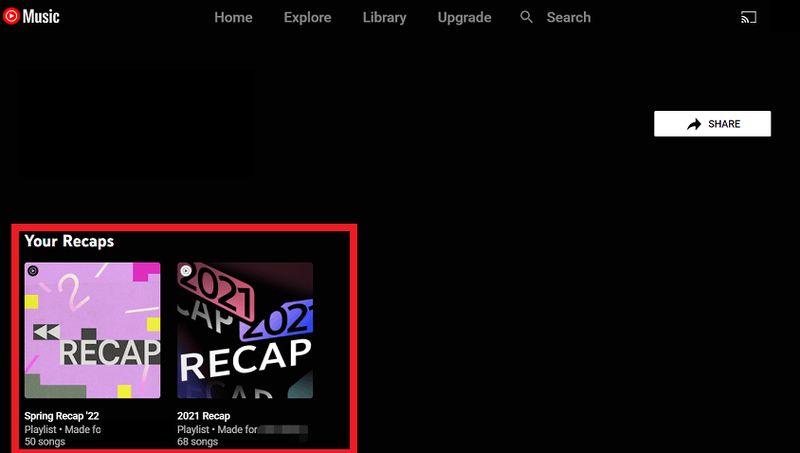
- You can find the Spring Recap and the 2021 Recap in the Your Recaps section on the left.
- You can now open the Spring Recap playlist by clicking on it. You can then listen to your favorite tunes from the spring of 2022. Under Spring Recap ’22, the number of the top tracks and listening time will be displayed.
- To start playing the playlist, click the shuffle button. Click the three dots and select “Share” to send your friends the YouTube playlist of your favorite songs from spring 2022.
On Android, iPhone, and iPad:
- Launch the YouTube Music app and log in using your credentials.
- Select Your Recap by tapping your profile picture.
- You’ll see your listening history from the spring of 2022 along with the Recap playlist.
Conclusion
We hope this guide was helpful for those who were asking “Does YouTube Music have a yearly recap?” Even though recap features like this one and Spotify’s Wrapped (which usually debuts at the beginning of December) provide an entertaining look back at your listening habits over the course of the year, the social media content they produce is excellent for promoting the individual streaming services. Even Apple has updated its year-in-review feature for 2022 to provide additional statistics about its members’ listening habits, even though Apple Music Replay has generally lagged behind its competitors.


