

TechBriefly
  • Tech
  • Business
  • Crypto
  • Science
  • Geek
  • How to
  • About
    • About TechBriefly
    • Terms and Conditions
    • Privacy Policy
    • Contact Us
    • Languages
      • 中文 (Chinese)
      • Dansk
      • Deutsch
      • Español
      • English
      • Français
      • Nederlands
      • Italiano
      • 日本语 (Japanese)
      • 한국인 (Korean)
      • Norsk
      • Polski
      • Português
      • Pусский (Russian)
      • Suomalainen
      • Svenska
No Result
View All Result
TechBriefly
Home How to
How to stop music at Rave Cave in Fortnite?

How to stop music at Rave Cave in Fortnite?

Today we are here to show you how to stop music at Rave Cave in Fortnite. Complete the challenge and receive 15,000 XP!

Kerem GülenbyKerem Gülen
22 July 2022
in How to
Reading Time: 2 mins read
Share on FacebookShare on Twitter

Let’s learn how to stop music at Rave Cave in Fortnite in order to complete the challenge. You must demolish all of the musical instruments in the disco area of Rave Cave in Fortnite to stop the music there. In Fortnite, the Rave Cave is a sizable party area with a variety of loot, the Baller vehicles, and a vibrant dance floor with energetic music. Unfortunately, you have to ruin the fun for this week’s challenge, but at least you’ll get some experience points. To accomplish the Fortnite weekly challenge to halt the music at Rave Cave, follow the steps that we’ve detailed below!
How to stop music at Rave Cave in Fortnite?

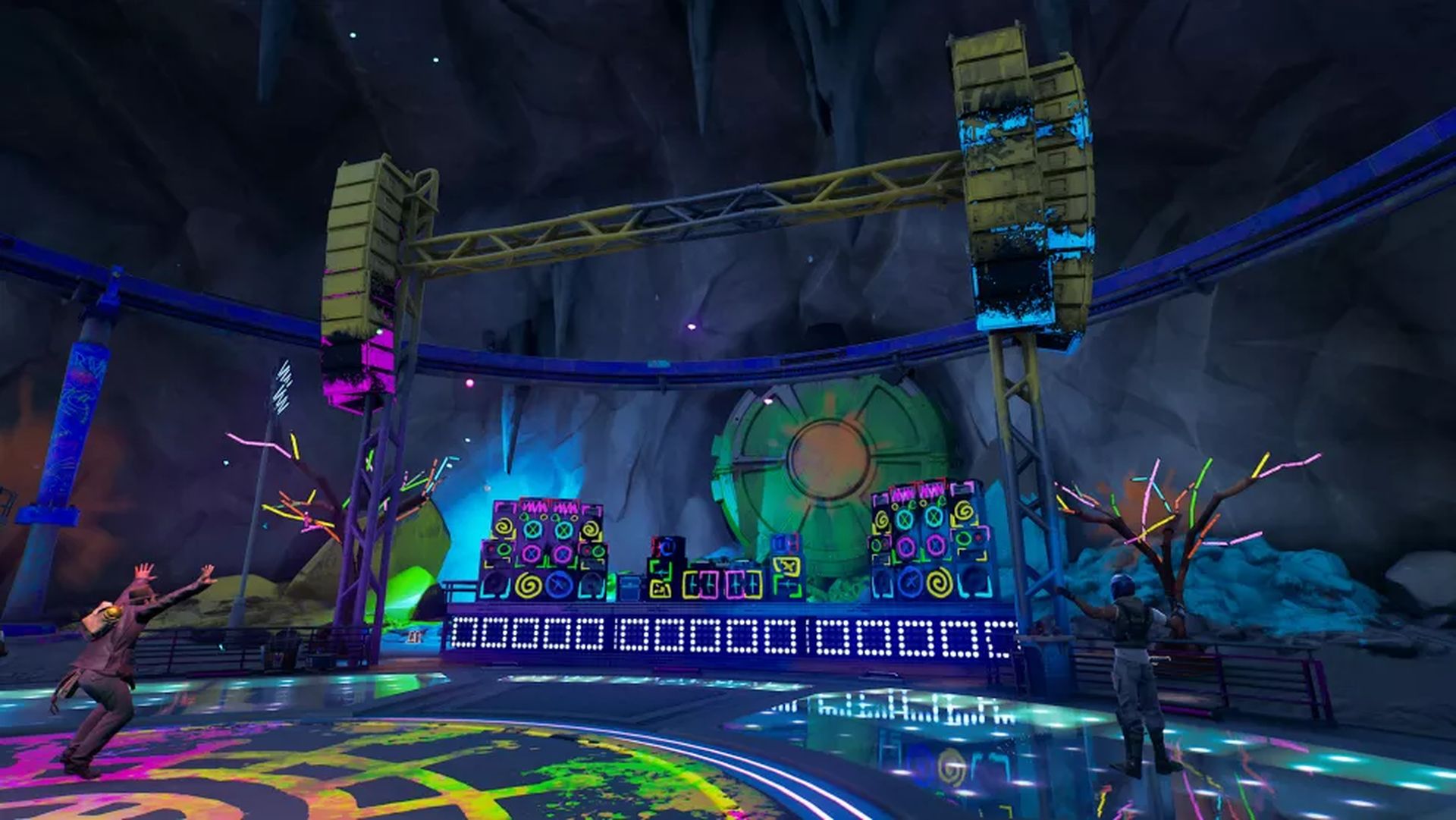
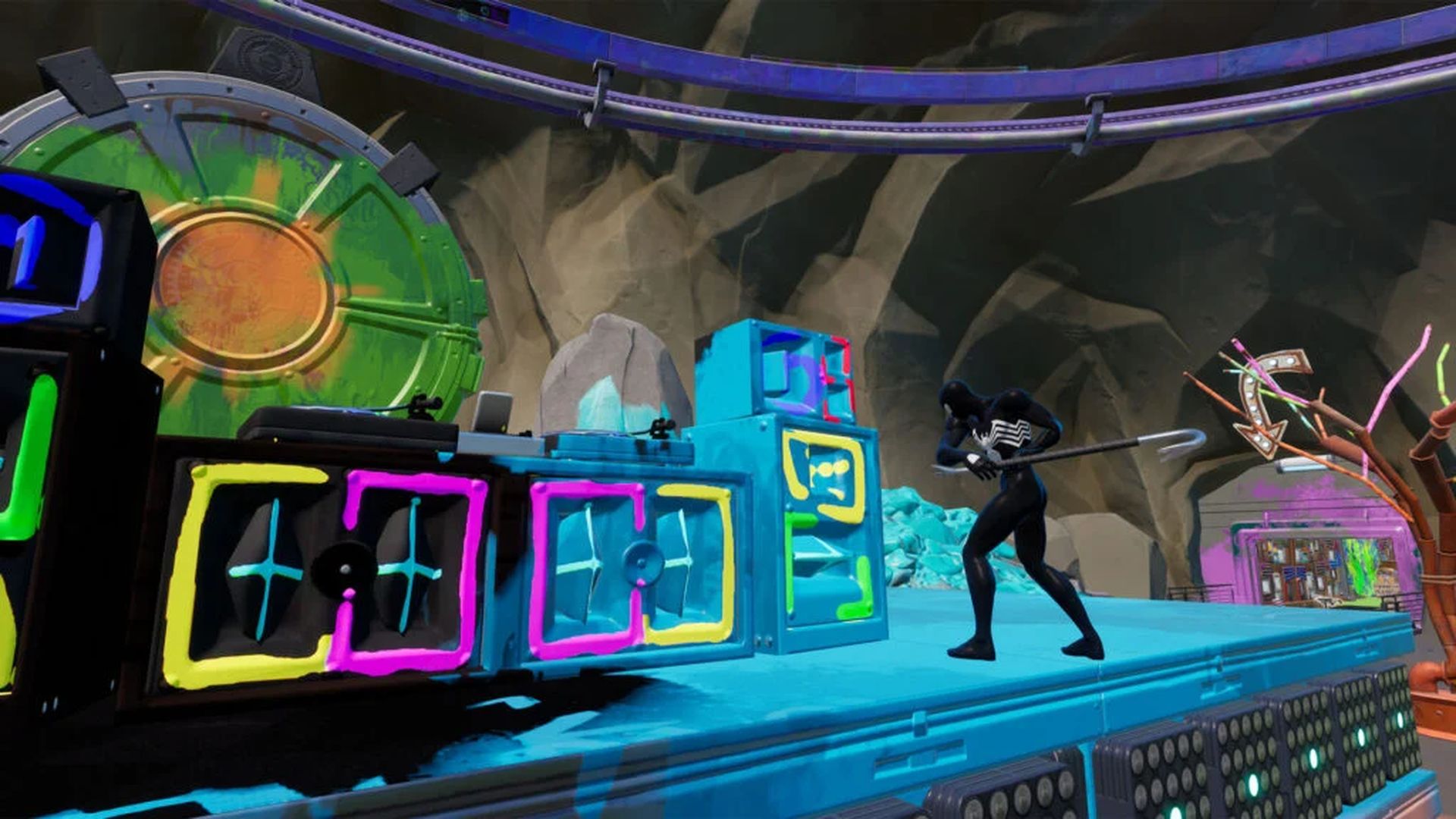
So how precisely does Rave Cave’s music come to an end? Well, in order to finish the task, you must destroy every construction that is playing music there. These are the speakers and DJ decks that are located at the main stage. You must enter Rave Cave using the northernmost entrance in order to reach this location. As soon as you arrive, go inside to find the constructions, which are immediately following the stage.

How to stop music at Rave Cave in Fortnite?

You must destroy all the music and DJ gear close to the dancefloor area of Rave Cave in order to stop the music there. The dancefloor is located in the wide, open area of the cave, which is located in the northwest corner of the Fortnite map. Find these items at the slightly elevated area where the DJ decks are located in front of the dancefloor, then simply whack them with your pickaxe enough times to demolish them.
How to stop music at Rave Cave in Fortnite?

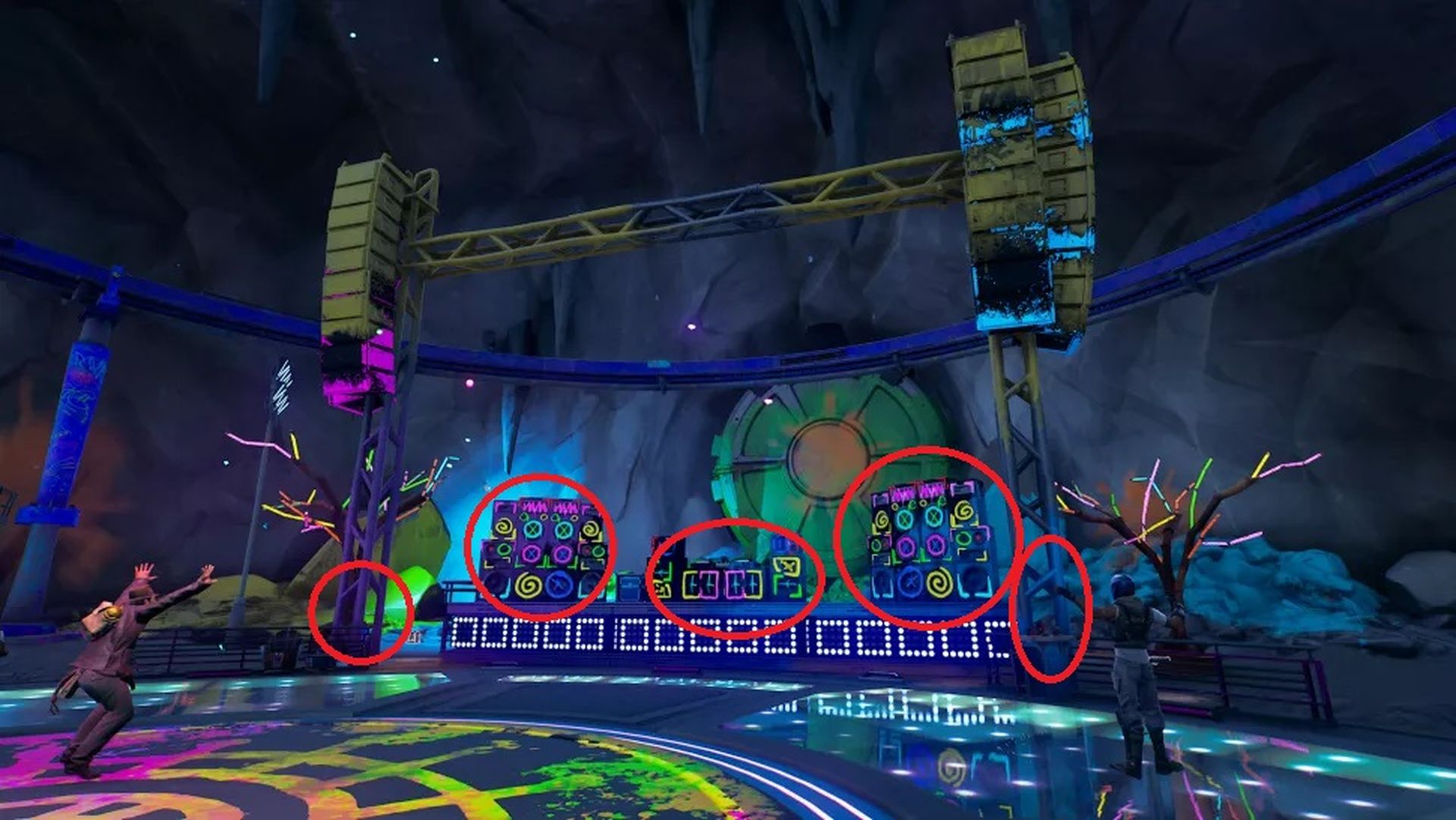
Destroy the items we showed in the above image in order to stop the Rave Cave music in Fortnite:

  • The DJ decks
  • The substantial speaker arrays that flank the DJ decks on either side
  • The framework above the dance floor that supports additional speakers
How to stop music at Rave Cave in Fortnite?

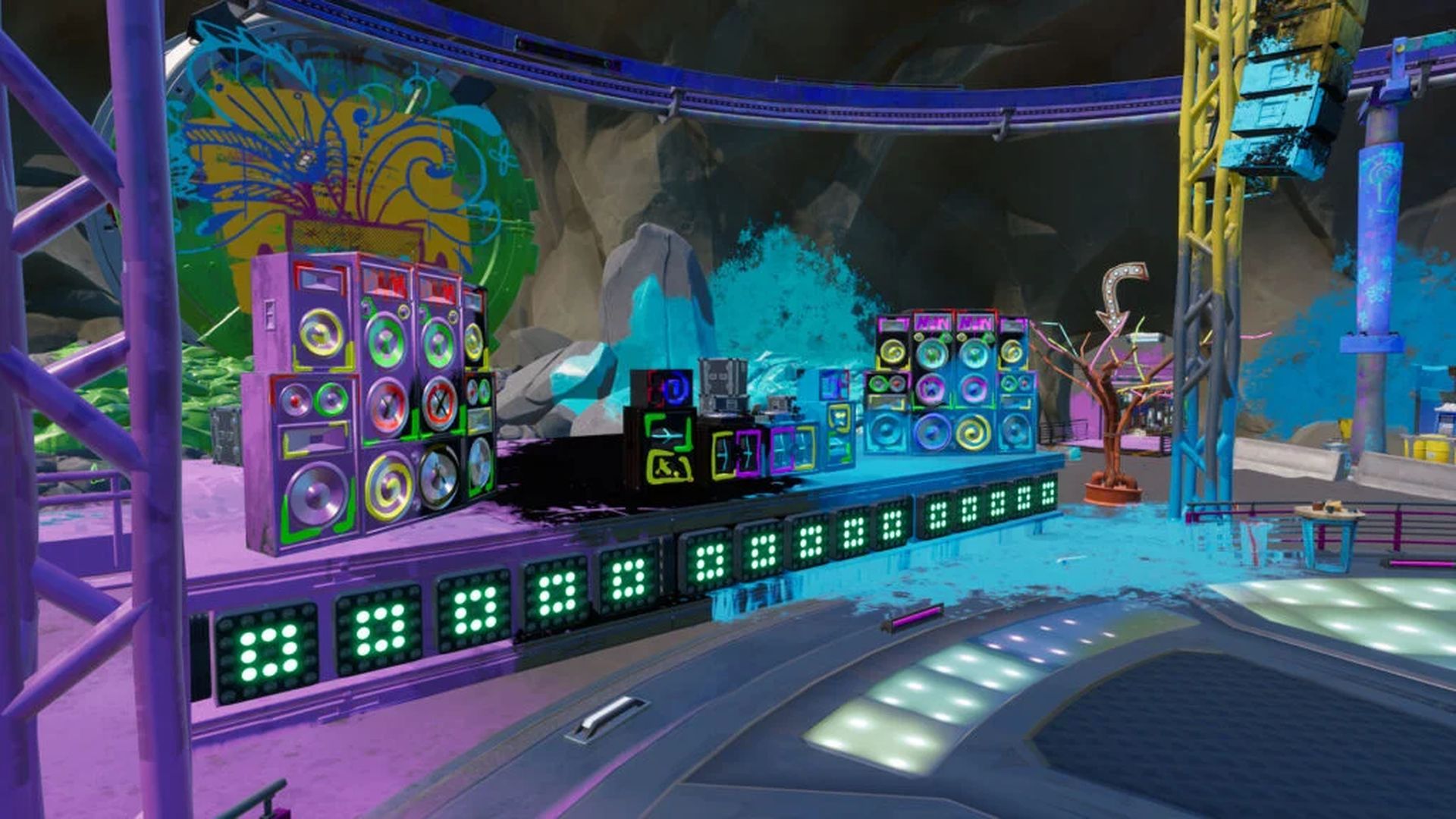
You should note that the main Rave Cave music has stopped once those have all been destroyed, though the dance floor still has some music playing. The equipment you’ve just destroyed should be enough to complete the task even though it looks to be coming from the soldiers on the dance floor.

When the task is over, you’ll receive 15,000 XP in reward for your work and be able to cross another week 7 Fortnite quest off your list. This way you’ve learned how to stop music at Rave Cave in Fortnite. By the way in Chapter 3: Season 3, the gameplay element that is known as “geysers” made a comeback in Fortnite: Battle Royale So if you like cool movements, check out our what is a geyser in Fortnite guide for more information! In this article, you’ve learned how to perform an aerial 360 spin in Fortnite!

Tags: fortnitehow to
ShareTweet
Kerem Gülen

Kerem Gülen

Kerem from Turkey has an insatiable curiosity for the latest advancements in tech gadgets and a knack for innovative thinking. With 3 years of experience in editorship and a childhood dream of becoming a journalist, Kerem has always been curious about the latest tech gadgets and is constantly seeking new ways to create. As a Master's student in Strategic Communications, Kerem is eager to learn more about the ever-evolving world of technology. His primary focuses are artificial intelligence and digital inclusion, and he delves into the most current and accurate information on these topics.

Related Posts

How to install mods and custom content in The Sims 2

How to install mods and custom content in The Sims 2

26 December 2025
Running Python files and fixing path errors on Windows

Running Python files and fixing path errors on Windows

26 December 2025
How to boot your PC into Command Prompt for troubleshooting

How to boot your PC into Command Prompt for troubleshooting

26 December 2025
How to delete a virus using Command Prompt

How to delete a virus using Command Prompt

26 December 2025

LATEST

How to install mods and custom content in The Sims 2

Running Python files and fixing path errors on Windows

How to boot your PC into Command Prompt for troubleshooting

How to delete a virus using Command Prompt

How to connect a PS4 controller to Steam via USB or Bluetooth

How to connect your phone to Wi-Fi and fix connection issues

Apple begins iPhone 18 series production testing in January

EA investigates AI claims in Battlefield 6 cosmetics

Amazon Alexa+ will book your hotels and salons starting in 2026

OpenAI launches Skills in Codex

TechBriefly

© 2021 TechBriefly is a Linkmedya brand.

  • Tech
  • Business
  • Science
  • Geek
  • How to
  • About
  • Privacy
  • Terms
  • Contact
  • | Network Sites |
  • Digital Report
  • LeaderGamer

Follow Us

No Result
View All Result
  • Tech
  • Business
  • Crypto
  • Science
  • Geek
  • How to
  • About
    • About TechBriefly
    • Terms and Conditions
    • Privacy Policy
    • Contact Us
    • Languages
      • 中文 (Chinese)
      • Dansk
      • Deutsch
      • Español
      • English
      • Français
      • Nederlands
      • Italiano
      • 日本语 (Japanese)
      • 한국인 (Korean)
      • Norsk
      • Polski
      • Português
      • Pусский (Russian)
      • Suomalainen
      • Svenska