


TechBriefly
  • Tech
  • Business
  • Crypto
  • Science
  • Geek
  • How to
  • About
    • About TechBriefly
    • Terms and Conditions
    • Privacy Policy
    • Contact Us
    • Languages
      • 中文 (Chinese)
      • Dansk
      • Deutsch
      • Español
      • English
      • Français
      • Nederlands
      • Italiano
      • 日本语 (Japanese)
      • 한국인 (Korean)
      • Norsk
      • Polski
      • Português
      • Pусский (Russian)
      • Suomalainen
      • Svenska
No Result
View All Result
TechBriefly
Home How to
Stray notebook locations: Where to find all notebooks in Stray Chapter 4?

Stray notebook locations: Where to find all notebooks in Stray Chapter 4?

Here are all the locations where you can find notes in The Slums, which is one of the most crucial parts of Stray.

Eray EliaçıkbyEray Eliaçık
21 July 2022
in How to
Reading Time: 2 mins read
Share on FacebookShare on Twitter

We gathered the all 4 Stray notebook locations in this article. As one of the better animal games, Stray has proven to be popular with gamers, especially pet lovers. In it, you take control of an intrepid cat that is highly resourceful.

Throughout Stray’s respectable running duration, a plot development necessitates that your adorable kitten locate various notebooks. Here is a quick guide to assist you because it is not immediately evident where to look for them.

Stray notebook locations in Chapter 4

Early on in the game, a guy by the name of Momo lays down a significant portion of the plot and cites certain notebooks in and around The Slums that hold essential details.

The following job is to find four notebooks, which you can do by going to this location.

If you want to know all Stray energy drink locations, we have already gathered them.

Stray notebook location 1: Momo’s notebook location

With the first notebook, Stray very much holds your hand because you’ll get Momo’s notebook directly from the character after visiting his residence and speaking with him.

The tall flat with the enormous orange sign outside is it. B12 chirps for you to go there, so you can’t miss it.
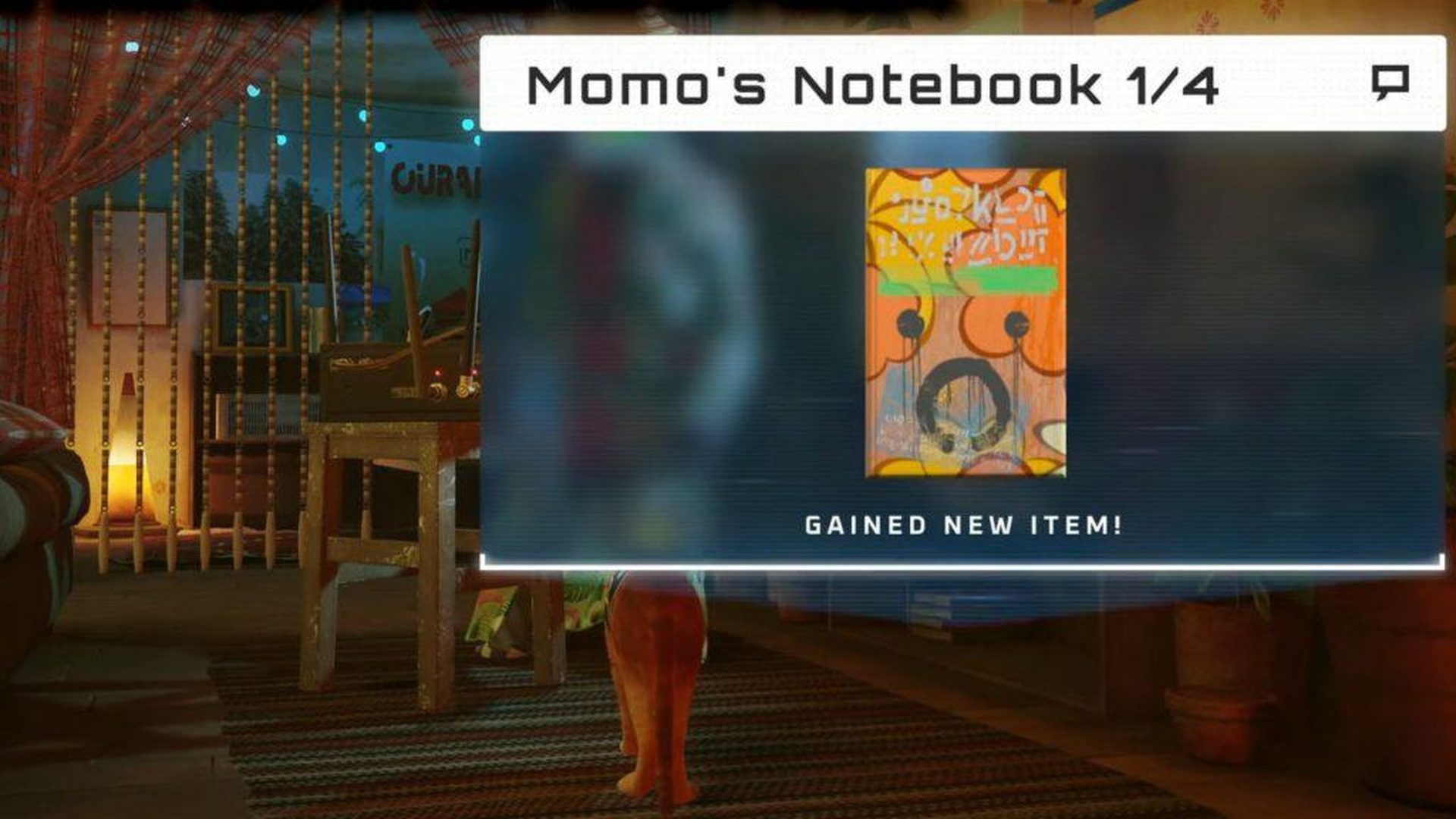
Stray notebook locations
Stray notebook location 1: Momo’s notebook location

Stray notebook location 2: Zbaltazar’s notebook location

Search the rooftops for a blue face square that appears to be hidden behind bars in order to get there.

Once there, ascend to the top, then turn off the fan’s electricity by going to the vent’s left. You will be on a bed when you jump down the vent and into the room.

The notepad will fall out when you knock over the box stacks for you to grab.
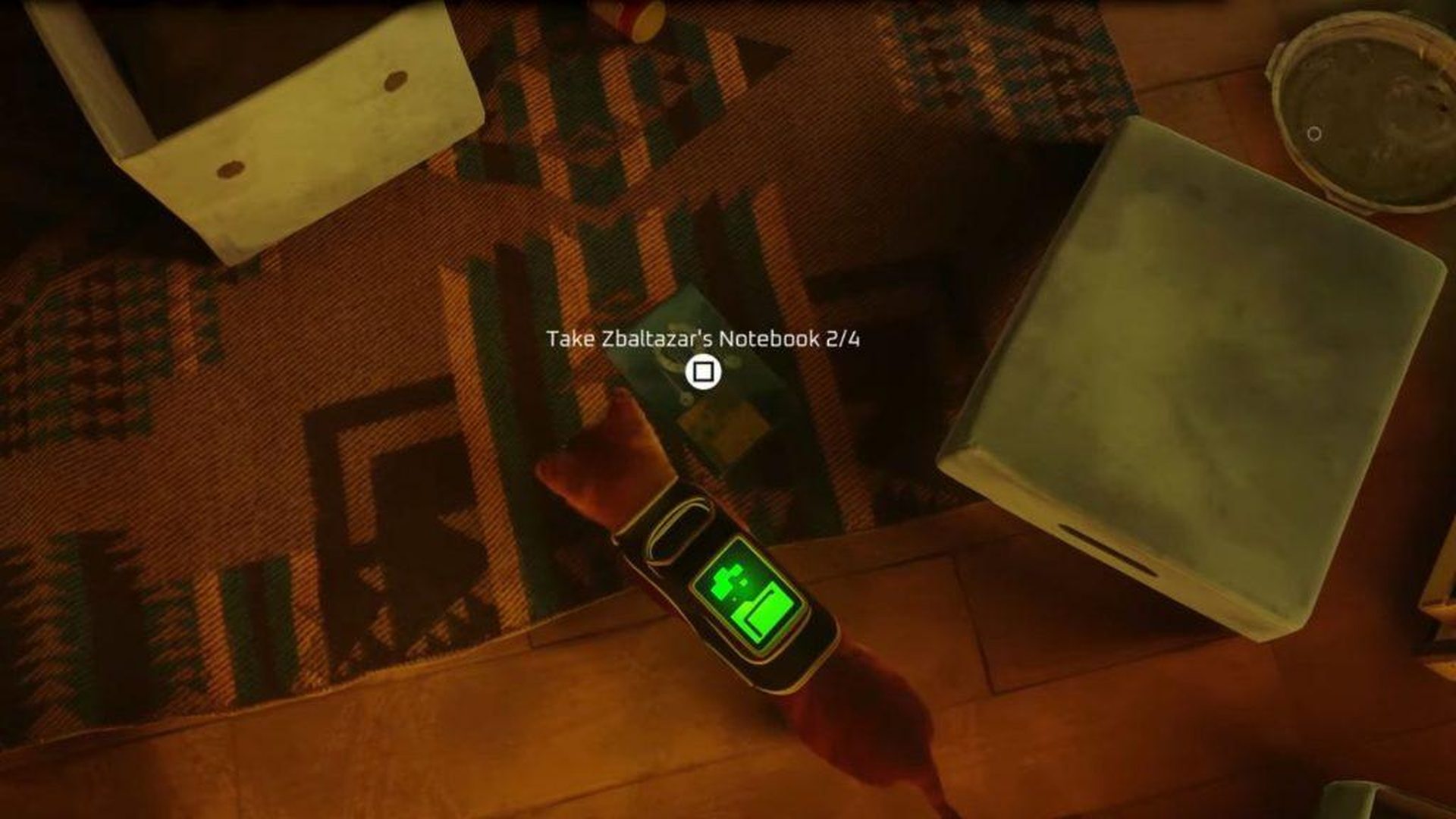
Stray notebook locations
Stray notebook location 2: Zbaltazar’s notebook location

Stray notebook location 3: Doc’s notebook location

On the roofs, keep an eye out for a square blue face with two red lanterns this time and a simple balcony.

Once inside, locate the set of keys neatly positioned on a bed at the library’s back. To get the keys, you’ll need to translate a note. Now proceed to the middle aisle and tip over three huge book stacks.

The third notebook will be inside the safe, which you can open with the key, which will be visible.
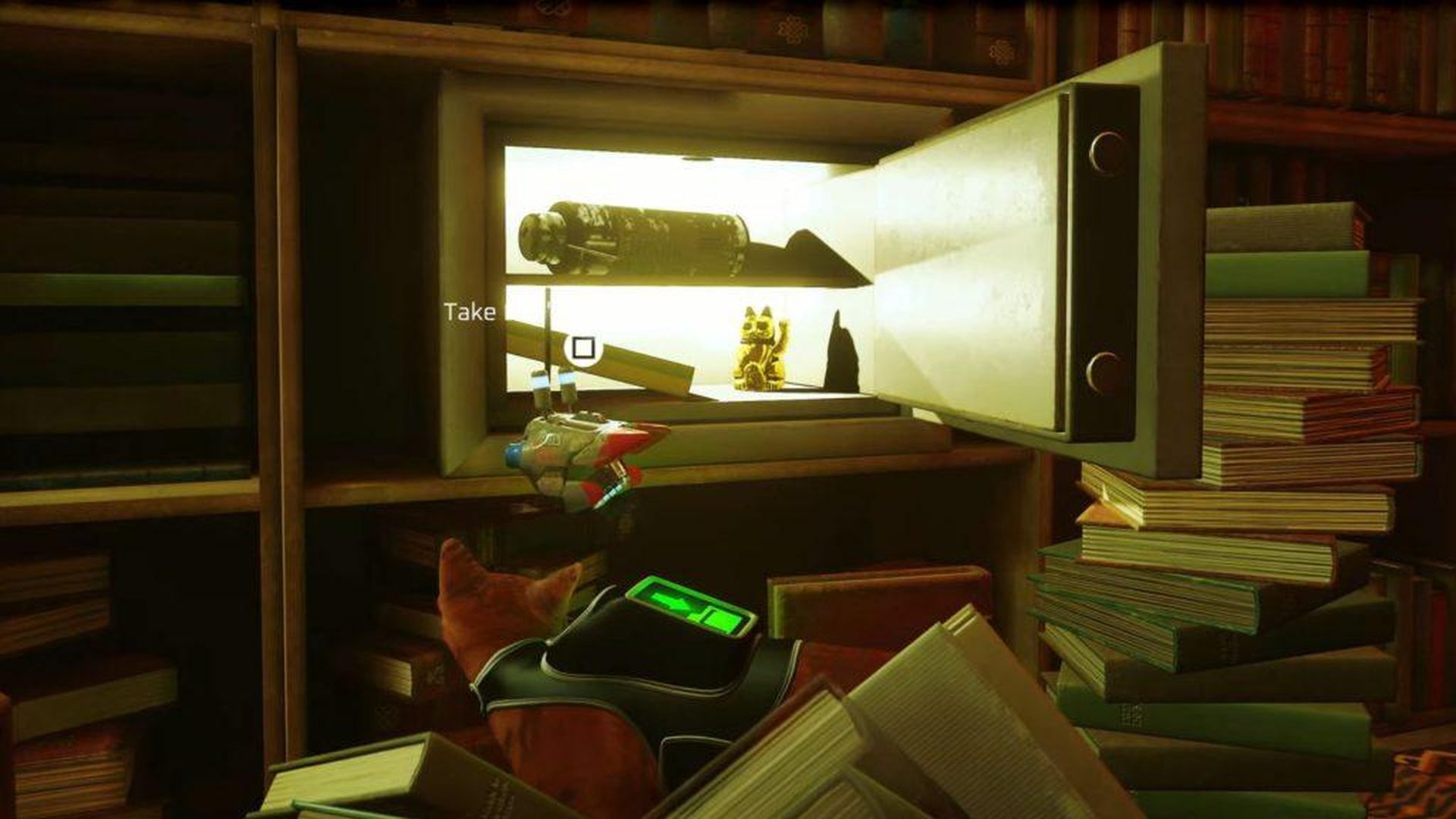
Stray notebook locations
Stray notebook location 3: Doc’s notebook location

Stray notebook location 4: Clementine’s notebook location

If you turn around and travel down a diagonal pipe from Momo’s flat, you can see where Clementine’s notebook is located.

The notebook will be visible on a monitor throughout the apartment, making it simple to find. After completing this, return to Momo to advance the story of the game.
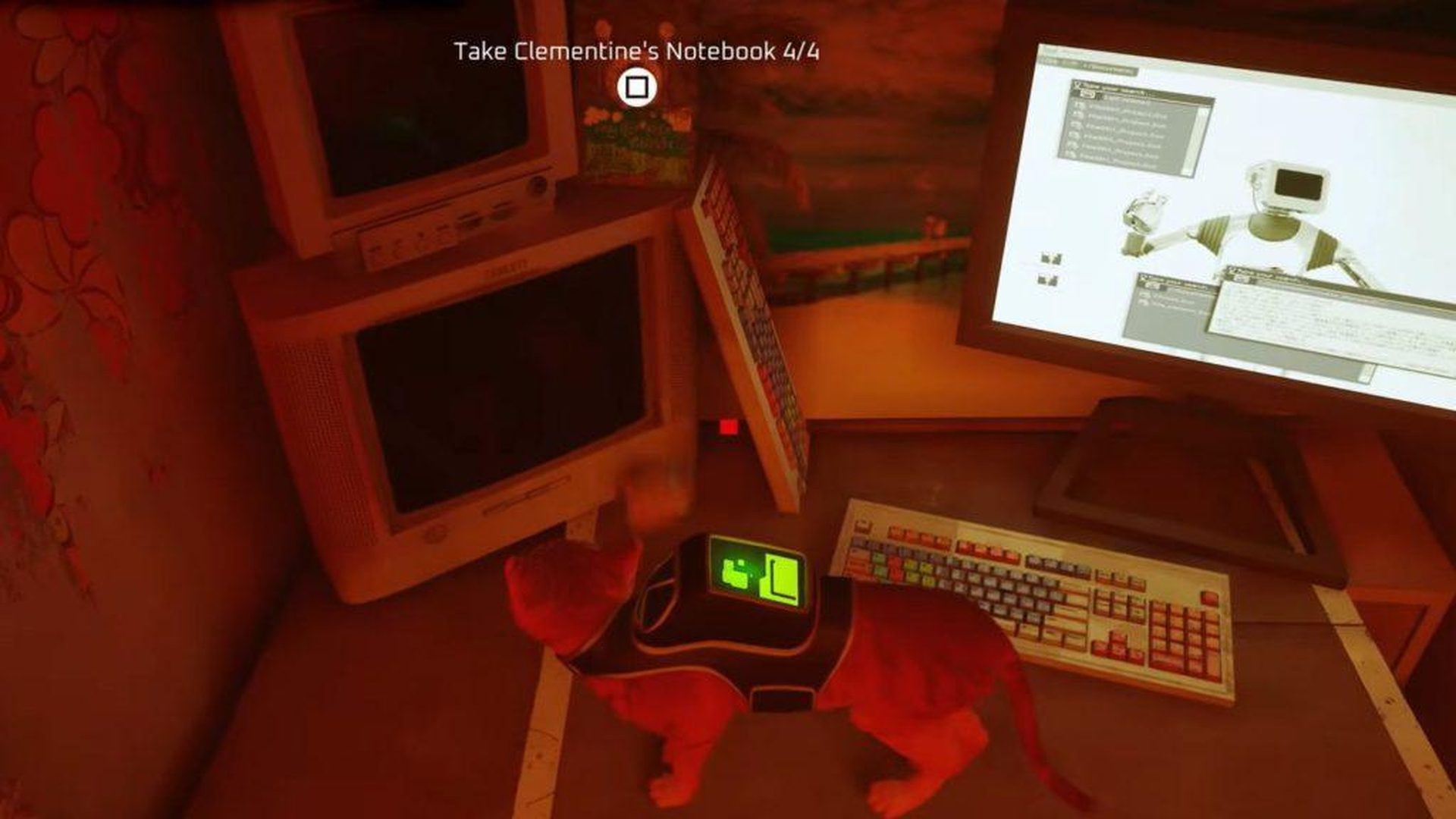
Stray notebook location 4: Clementine’s notebook location

Congratulations! Also, we have already explained if you wonder how to solve the Stray mysterious password.

Tags: stray
ShareTweet
Eray Eliaçık

Eray Eliaçık

Meet Eray, a tech enthusiast passionate about AI, crypto, gaming, and more. Eray is always looking into new developments, exploring unique topics, and keeping up with the latest trends in the industry.

Related Posts

How to use the exit command in Windows Command Prompt

How to use the exit command in Windows Command Prompt

7 January 2026
How to view your TikTok watch history

How to view your TikTok watch history

7 January 2026
How to play the classic game of cribbage for beginners

How to play the classic game of cribbage for beginners

7 January 2026
Simple steps to create a stop-motion film using Photoshop

Simple steps to create a stop-motion film using Photoshop

7 January 2026

LATEST

How to use the exit command in Windows Command Prompt

How to view your TikTok watch history

How to play the classic game of cribbage for beginners

Simple steps to create a stop-motion film using Photoshop

Motorola unveils Moto Things accessories at CES 2026

Lenovo unveils Qira AI assistant for PCs and Motorola phones

iPolish unveils press-on acrylic smart nails at CES 2026

Meta unveils neural wristband expansions at CES 2026

How to download and migrate your content from Microsoft Stream

Easy ways to make a YouTube music video with just pictures

TechBriefly

© 2021 TechBriefly is a Linkmedya brand.

  • Tech
  • Business
  • Science
  • Geek
  • How to
  • About
  • Privacy
  • Terms
  • Contact
  • | Network Sites |
  • Digital Report
  • LeaderGamer

Follow Us

No Result
View All Result
  • Tech
  • Business
  • Crypto
  • Science
  • Geek
  • How to
  • About
    • About TechBriefly
    • Terms and Conditions
    • Privacy Policy
    • Contact Us
    • Languages
      • 中文 (Chinese)
      • Dansk
      • Deutsch
      • Español
      • English
      • Français
      • Nederlands
      • Italiano
      • 日本语 (Japanese)
      • 한국인 (Korean)
      • Norsk
      • Polski
      • Português
      • Pусский (Russian)
      • Suomalainen
      • Svenska

