

If you don’t know how to beat Sea of Indolence dungeon in Lost Ark we are here to help. There are two bosses in the dungeon that give a hard time to players. In general, this is a fantastic adventure, especially if you have a nice crewto beat it. We will share you a mechanics guide of Sea of Indolence Abyss dungeon in Lost Ark, by following our instructions you will have an easy time beating two bosses.
There’s a big hype, only 24 hours after its release Lost Ark has become the second most played in Steam history. If you want to play this trending MMORPG you can check system requirements here. Plus, if you want to know which classes are the best in the game right now, we’ve got you covered. You can download the game here. If you don’t have a Windows 11 PC, it is possible to play Lost Ark on Mac.
Lost Ark Guide: Sea of Indolence dungeon mechanics and bosses
To begin with, you’ll need 8 players to enter this dungeon. To complete this adventure, you must defeat two bosses.
Sea of Indolence in Lost Ark: Defeat first boss
Before you begin, familiarize yourself with your character’s special diving suit. This is because this suit allows you to learn new abilities, so knowing how they operate will be beneficial and you won’t have to learn about them during the fight. Let’s go through the procedures for defeating it.
- You will face a dragon with three heads.
- Attack the dragon and dodge its attacks.
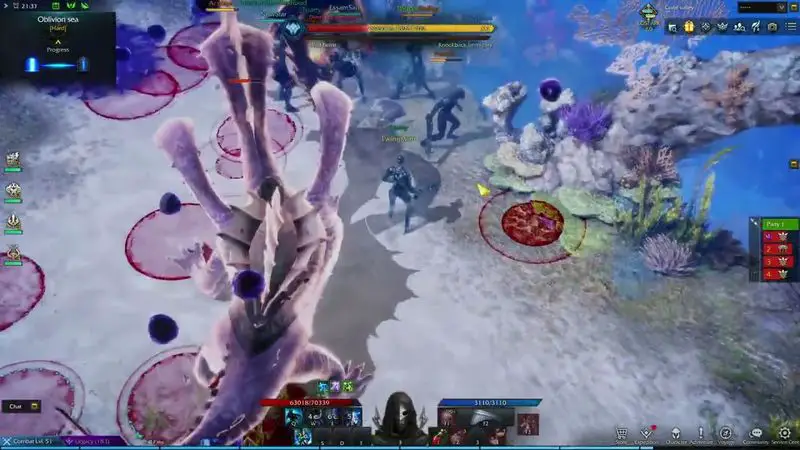
- The attacks are recognized by their red color. They will either be a circle to indicate how much ground the attack will cover when fired. Alternatively, it will show a route, indicating the range of the attack.
- Dogde those red indications and get out of the circles.
- You will see a minion which looks like a shark.
- Make sure to kill this little shark when it spawns, it will give you an attack boost.
- Follow these steps again and again until you defeat the dragon.
Sea of Indolence in Lost Ark: Defeat second boss
In the second part, you’ll encounter an water oxygen bar that reveals your oxygen levels depleting underwater. You can refil lthe oxygen bar by standing on top of an air bubble or eating a flower. Both of these refilling items respawn several seconds after you consume them.
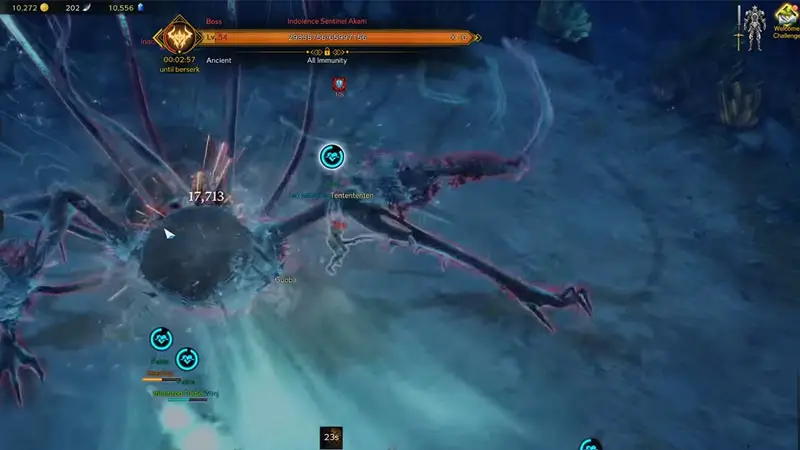
This boss looks like an octopus and there are two phases you should beat:
Phase 1:
- In the first phase you will face 4 different attack types.
- Stomp: You will see a red circle that indicates where octopus will perform stomp attacks, dodge them.
- Hand sweep: You will see a red line that indicates where octopus will perform sweep attacks, dodge them.
- Red balls: These balls will be showing yellow circles instead of red to show their range. This yellow circle indicates that the assault will reduce your oxygen level.
- Safe zone attack: This is a defensive maneuver that will keep you safe. This assault protects the whole zone except for one specific location. As a result, the only way to avoid being struck by this assault is to huddle in this protected area with your party.
- This phase will end as soon as you destroy the beast’s legs.
Phase 2:
- In the second phase you will face 5 different attack types.
- Red balls: These balls will be showing yellow cones this time instead of red to show their range. This yellow cone indicates that the assault will reduce your oxygen level.
- Smack: The steps are identical to the ones in phase 1. It will often strike at players, and its smacked attacks will display a red range to indicate them. This attack is far more frequent than the stomp so be careful.
- Dash: The boss will jump back to recharge and then pursue the players in a petrifying frenzy. If a player is unable to avoid this attack, they will be petrified.
- Hand Sweep: You will see a blue line that indicates where octopus will perform sweep attacks, dodge them.
- Safe Zone: This is a defensive maneuver that will keep you safe. This assault protects the whole zone except for one specific location. As a result, the only way to avoid being struck by this assault is to huddle in this protected area with your party.
- Dodge these attack until you kill the boss.


