
TechBriefly
  • Tech
  • Business
  • Crypto
  • Science
  • Geek
  • How to
  • About
    • About TechBriefly
    • Terms and Conditions
    • Privacy Policy
    • Contact Us
    • Languages
      • 中文 (Chinese)
      • Dansk
      • Deutsch
      • Español
      • English
      • Français
      • Nederlands
      • Italiano
      • 日本语 (Japanese)
      • 한국인 (Korean)
      • Norsk
      • Polski
      • Português
      • Pусский (Russian)
      • Suomalainen
      • Svenska
No Result
View All Result
TechBriefly
Home Tech Software
The new Opera R5 will allow making Zoom, Meet or Teams video calls through the browser

The new Opera R5 will allow making Zoom, Meet or Teams video calls through the browser

Barış SelmanbyBarış Selman
25 June 2021
in Software, Tech
Reading Time: 2 mins read
Share on FacebookShare on Twitter

The browser is called Opera R5 and its video calling tool supports Zoom, Google Meet, and Microsoft Teams.

The Opera browser has released a new version of its browser that will allow users to make video calls from a pop-up window.

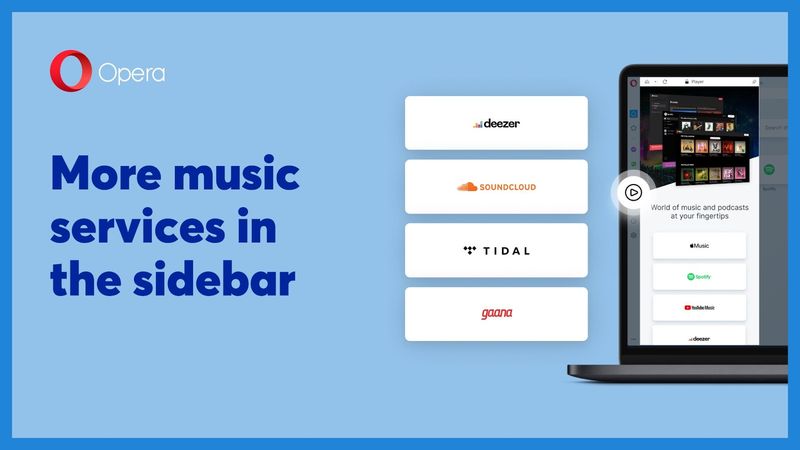
Its name is Opera R5 and it was launched on Thursday, June 24. It is a browser that not only brings the option of video calls but also other new features such as greater integration of music or ‘pinboards’ to organize, save and share content.

Since the pandemic began, the use of video calls has increased progressively in the last two years, something that the browser will try to take advantage of so that its users use this form of communication through its platform.

This information was released by Opera through a statement in which it explains that 65% of users have spent more time connected during the last year.

According to data provided by the company itself, 57% of users have accessed video call platforms in recent months through their browser, which is why it decided to incorporate the tool into its browsing service.

The new Opera R5 will allow making Zoom, Meet or Teams video calls through the browser

This is the new version of Opera that allows video calls

The new Opera R5 browser has a video calling tool that works with the main video conferencing platforms known as Zoom, Google Meet, and Microsoft Teams.

The browser’s video call window works independently and extracts the video from the navigation tab so that users do not have problems when switching from one window to another and the video remains visible, something that will make multitasking much easier.

In addition, the tool allows configuration settings and one of the options is that the floating window becomes transparent, allowing users greater ability to maintain contact with the call while having greater visualization.

Other Opera R5 features

This is the new version of Opera that allows video calls

Video calls are not the only new feature in this new version of Opera. Another feature is ‘pinboards’, a virtual wall where users can visually collect web pages, links, and notes and share them with others.
This is the new version of Opera that allows video calls
The new Opera R5 will allow making Zoom, Meet or Teams video calls through the browser

To share a ‘pinboard’ you only need a link so that others can see everything that the owner shares and they can react to the content using emojis.


Tags: featuresnewOperasoftware
ShareTweet
Barış Selman

Barış Selman

A technology and gaming enthusiast by day, Barış is a passionate composer and black/death metal guitarist by night. He keeps his finger on the pulse of the intersection of art and technology whenever he can from his tours worldwide.

Related Posts

Apple begins iPhone 18 series production testing in January

Apple begins iPhone 18 series production testing in January

24 December 2025
EA investigates AI claims in Battlefield 6 cosmetics

EA investigates AI claims in Battlefield 6 cosmetics

24 December 2025
Amazon Alexa+ will book your hotels and salons starting in 2026

Amazon Alexa+ will book your hotels and salons starting in 2026

24 December 2025
OpenAI launches Skills in Codex

OpenAI launches Skills in Codex

24 December 2025
Please login to join discussion

LATEST

How to install mods and custom content in The Sims 2

Running Python files and fixing path errors on Windows

How to boot your PC into Command Prompt for troubleshooting

How to delete a virus using Command Prompt

How to connect a PS4 controller to Steam via USB or Bluetooth

How to connect your phone to Wi-Fi and fix connection issues

Apple begins iPhone 18 series production testing in January

EA investigates AI claims in Battlefield 6 cosmetics

Amazon Alexa+ will book your hotels and salons starting in 2026

OpenAI launches Skills in Codex

TechBriefly

© 2021 TechBriefly is a Linkmedya brand.

  • Tech
  • Business
  • Science
  • Geek
  • How to
  • About
  • Privacy
  • Terms
  • Contact
  • | Network Sites |
  • Digital Report
  • LeaderGamer

Follow Us

No Result
View All Result
  • Tech
  • Business
  • Crypto
  • Science
  • Geek
  • How to
  • About
    • About TechBriefly
    • Terms and Conditions
    • Privacy Policy
    • Contact Us
    • Languages
      • 中文 (Chinese)
      • Dansk
      • Deutsch
      • Español
      • English
      • Français
      • Nederlands
      • Italiano
      • 日本语 (Japanese)
      • 한국인 (Korean)
      • Norsk
      • Polski
      • Português
      • Pусский (Russian)
      • Suomalainen
      • Svenska