
TechBriefly
  • Tech
  • Business
  • Crypto
  • Science
  • Geek
  • How to
  • About
    • About TechBriefly
    • Terms and Conditions
    • Privacy Policy
    • Contact Us
    • Languages
      • 中文 (Chinese)
      • Dansk
      • Deutsch
      • Español
      • English
      • Français
      • Nederlands
      • Italiano
      • 日本语 (Japanese)
      • 한국인 (Korean)
      • Norsk
      • Polski
      • Português
      • Pусский (Russian)
      • Suomalainen
      • Svenska
No Result
View All Result
TechBriefly
Home How to
How to clean a smartphone speaker after exposure to water or dust?

How to clean a smartphone speaker after exposure to water or dust?

Barış SelmanbyBarış Selman
11 June 2021
in How to
Reading Time: 2 mins read
Share on FacebookShare on Twitter

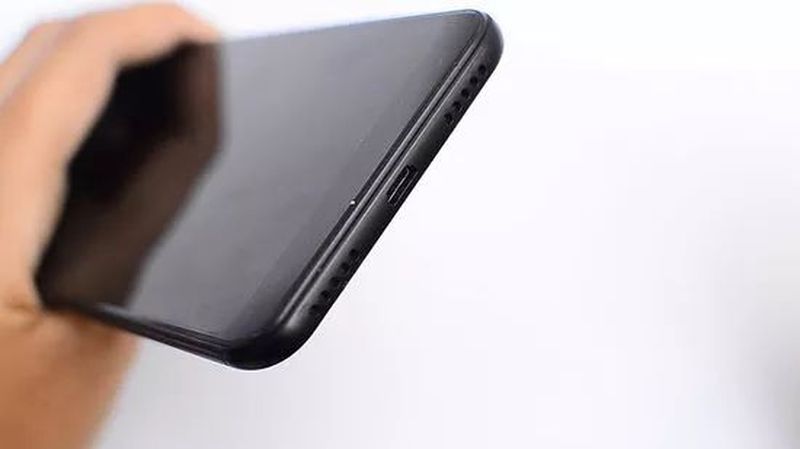
Today we’ll tell you how to clean a smartphone speaker after exposure to water or dust. It is increasingly common to find in certain smartphones the feature that these are resistant to water and/or dust, under different levels of endurance.

In the case of speakers, when exposed to these elements, their membranes could become clogged and therefore, the sound quality could be compromised. If action is taken in time, before the device is damaged, it is possible to recover its original state.

How to clean a smartphone speaker after exposure to water or dust?

The solution comes through the speaker itself. When emitting sound, its membrane vibrates according to the frequencies of the emitted waves.

Within the range of sounds that these small sound boxes support, some frequencies reach a level that, when vibrating, can clear the obstacles that could be damaging its sound, after being exposed to water or dust.

The 165Hz frequency vibrates the outer layer of the speaker in such a way that, in most cases, it can remove grains of sand or small obstacles dragged by water.

In addition to the attached video, platforms such as Clean My Speaker offer similar solutions via the web. The access route is at the discretion of whoever needs it, what matters is the sound itself.

If a speaker has been subjected to any kind of damage for a prolonged period for these reasons, the damage is likely to be permanent. In any case, it is worth a try.
How to clean a smartphone speaker after exposure to water or dust?

Practical reminders for rescuing a wet smartphone

If mobile is subjected to a fall into the water, it is worth turning it off immediately, whether it is waterproof or not. Having the latter condition, logically, ensures a higher success rate.

Once turned off, it is important to dry it as thoroughly as possible. Let the water drain out in a favorable position, dry it with a cloth and remove any removable parts to make the drying process more intensive.

It is important to avoid touching those parts that are not easily accessible, such as card slots, charging ports, or headphones. Similarly, the use of hair dryers or any other external source of hot air is not recommended.

Once the phone is dry, after waiting a reasonable period, it is only recommended to turn it on and charge it if necessary. In case the speaker has been compromised, the above solutions can be applied.

Tags: Cell PhoneCleanhow tosmartphonesspeakertechnology
ShareTweet
Barış Selman

Barış Selman

A technology and gaming enthusiast by day, Barış is a passionate composer and black/death metal guitarist by night. He keeps his finger on the pulse of the intersection of art and technology whenever he can from his tours worldwide.

Related Posts

How to install mods and custom content in The Sims 2

How to install mods and custom content in The Sims 2

26 December 2025
Running Python files and fixing path errors on Windows

Running Python files and fixing path errors on Windows

26 December 2025
How to boot your PC into Command Prompt for troubleshooting

How to boot your PC into Command Prompt for troubleshooting

26 December 2025
How to delete a virus using Command Prompt

How to delete a virus using Command Prompt

26 December 2025
Please login to join discussion

LATEST

New WhatsApp update brings 2026 stickers and video call effects

Leaker reveals Xiaomi plans for high end eSIM device in 2026

HP prepares OMEN OLED monitor reveal for CES 2026

High RAM costs from AI boom could delay next Xbox and PlayStation

LG to unveil its Gallery TV at CES 2026

Bitcoin drops 3% to $87,300 as altcoins decline

How to install mods and custom content in The Sims 2

Running Python files and fixing path errors on Windows

How to boot your PC into Command Prompt for troubleshooting

How to delete a virus using Command Prompt

TechBriefly

© 2021 TechBriefly is a Linkmedya brand.

  • Tech
  • Business
  • Science
  • Geek
  • How to
  • About
  • Privacy
  • Terms
  • Contact
  • | Network Sites |
  • Digital Report
  • LeaderGamer

Follow Us

No Result
View All Result
  • Tech
  • Business
  • Crypto
  • Science
  • Geek
  • How to
  • About
    • About TechBriefly
    • Terms and Conditions
    • Privacy Policy
    • Contact Us
    • Languages
      • 中文 (Chinese)
      • Dansk
      • Deutsch
      • Español
      • English
      • Français
      • Nederlands
      • Italiano
      • 日本语 (Japanese)
      • 한국인 (Korean)
      • Norsk
      • Polski
      • Português
      • Pусский (Russian)
      • Suomalainen
      • Svenska