

Today we are going to review the best alternatives to Google Photos if you want to upload your photos to the cloud for free. It is one of Google’s best services, without a doubt, even though it has stiff competition. The cloud-based photo and video storage platform is a safe place to keep your personal media.
However, after the elimination of Google Photos’ free unlimited storage, you may be looking for an alternative that allows you to continue saving your images in the cloud without having to pay in return.
Best alternatives to Google Photos
Amazon Photos

Amazon offers its users an image storage service in the cloud. Its name is Amazon Photos and it is multiplatform, so you can save and view your photos and videos from different devices.
Like Google Photos, Amazon’s service can also automatically save your backup, so you don’t have to worry about doing it manually.
One of the advantages of being an Amazon Prime user is to enjoy unlimited storage of your photos in Amazon Photos. For videos, on the other hand, you will have a 5GB free storage limit.
Those who are not subscribed to Amazon Prime can also access 5GB free storage of photos and videos on Amazon Photos, although to expand this space they must pay for one of the plans available on the service:
- Prime: users of Amazon’s paid service get unlimited space for photos and 5GB for videos.
- 100GB: for $1.99 per month, you can have 100 GB of storage in Amazon Photos.
- 1TB: for $9.99 per month, you have up to 1TB to store all your photos and videos.
Telegram

Telegram is also a platform that you can use as an unlimited cloud storage service for your photos, videos, and other types of documents.
To store all your files in Telegram, you must use the chat “Saved messages“, which acts as a kind of conversation with yourself. There you can share all those photos and videos that you do not want to lose in the future, of course, the size of each file can not exceed 2GB.
To access them again, just go to “Saved messages”, no matter if you do it from your mobile, tablet, or computer. In short, in Telegram, you can store all your multimedia content without space limits and, most importantly, for free.
MEGA
MEGA also allows you to save your photos and videos for free.
Specifically, if you register on MEGA, you get access to 50GB cloud storage for free to keep all those files that you do not want to lose under any circumstances.
If you want to expand the limit, you can subscribe to one of the following MEGA payment plans:
- Lite Plan: for $4.99 per month, you get 400GB cloud storage.
- Plan Pro I: for $9.99 per month, you get 2TB cloud storage.
- Plan Pro II: for $19.99 per month, you get 8TB cloud storage.
- Plan Pro III: priced at $29.99 per month and recommended for professionals, this plan gives you 16TB storage.
Icedrive
Another good alternative to Google Photos to store your photos and videos is Icedrive, which offers users who register 10GB free cloud storage.
With Icedrive you can also make backup copies and in addition, this platform ensures fast file transfer so you don’t waste too much time using it.
Simple, fast, and, most importantly, secure. These are the three qualities that stand out in Icedrive, where you can enjoy 10 GB of free storage. If you want more, you will have to subscribe to one of their paid plans.
pCloud
If we talk about services similar to Google Photos, we must mention pCloud.
Like Icedrive, pCloud offers 10GB free cloud storage to all its users. It also highlights that it can back up your devices, with two-step verification and fast file transfer features.
pCloud has these two payment plans:
- Premium 500 GB: for a one-time payment, $480, you can get 500 GB cloud storage for life.
- Premium Plus: for a one-time payment, $980, you can get 2TB cloud storage for life.
Both plans are one-time payments and can usually be found at significant discounts.
MediaFire

Another option for saving your photos and videos is MediaFire, which offers 10GB free online file storage.
On this platform you can upload several files at once, with no bandwidth limit, organize them as you like, and share them with others. In addition, it has available these payment plans to have even more space to store your images:
- Pro: for $3.75 per month if you pay for a year in advance, you get 1TB storage.
- Business: for $40 per month if you pay a year in advance, you have 100TB available for 100 users.
Dubox
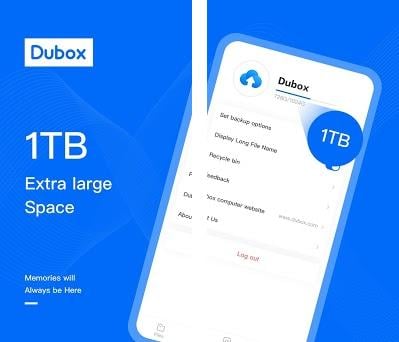
If you need a new home for your photos and videos, you should seriously consider Dubox, which offers each of its users 1TB free cloud storage.
In this case, Dubox has no paid plans, so that’s the maximum space users can use to keep their files.
We should also mention that Dubox can backup photos from your devices.
What will happen to Google Photos after June 2021?
Google Photos allowed us to save all our memories with no storage space limit. However, in early November 2020, we learned that Google was already thinking about including paid plans in Google Photos.
The tragic news was confirmed shortly after when the company announced that it was eliminating free unlimited storage for photos and videos. This measure will take effect on June 1, 2021, so until then you can continue to enjoy this unlimited storage in the cloud.
There is one detail that you should keep in mind: everything you upload before June 1 will not count within the 15GB free storage that Google Photos will offer from that date.
How much does it cost to have more storage on Google Photos?
The only users who are saved from this negative change are those who have a Google Pixel phone, as Google has confirmed that these mobile phones will have the free and unlimited storage on Google Photos.
The rest of the users who want to have more storage on Google Photos will have to subscribe to one of the following Google One plans:
- 100GB Plan: for $1.99 per month, you can get 100GB storage in the Google cloud.
- 200GB Plan: for $2.99 per month, you get 200GB Google cloud storage.
- 2TB Plan: for $9.99 per month, you get 2TB storage in the Google cloud.