
TechBriefly
  • Tech
  • Business
  • Crypto
  • Science
  • Geek
  • How to
  • About
    • About TechBriefly
    • Terms and Conditions
    • Privacy Policy
    • Contact Us
    • Languages
      • 中文 (Chinese)
      • Dansk
      • Deutsch
      • Español
      • English
      • Français
      • Nederlands
      • Italiano
      • 日本语 (Japanese)
      • 한국인 (Korean)
      • Norsk
      • Polski
      • Português
      • Pусский (Russian)
      • Suomalainen
      • Svenska
No Result
View All Result
TechBriefly
Home Tech Cameras
Samsung explains how its new HDR technology Smart-ISO Pro works

Samsung explains how its new HDR technology Smart-ISO Pro works

Barış SelmanbyBarış Selman
12 February 2021
in Cameras, Tech
Reading Time: 2 mins read
Share on FacebookShare on Twitter

Samsung explains how Smart-ISO Pro, its new HDR technology, works.

With the arrival of the new Samsung Galaxy S21 Ultra came a new camera sensor, the ISOCELL HM3. One of the main improvements in this sensor has to do with the treatment of ISO, one of the key points in Samsung’s HDR. The company has detailed how this HDR works, through Smart ISO Pro, the name they give to this image treatment.

The summary is that different ISO values are combined to expand the dynamic range of the photographs, but the explanation goes further. Let’s tell you how they achieve such a complete HDR and the steps they had to take to get there.

Smart-ISO Pro: Samsung’s technology to improve dynamic range

Samsung has explained how its new Smart ISO Pro technology works, renewal on the basis that they already used. We are going to try to explain it as simply as possible, although the first thing we need to know is what ISO (or at least an ISO level) is.

The lower the ISO, the lower the light sensitivity, the higher, the higher. Samsung combines two ISO inputs (high and low) to obtain a higher dynamic range.
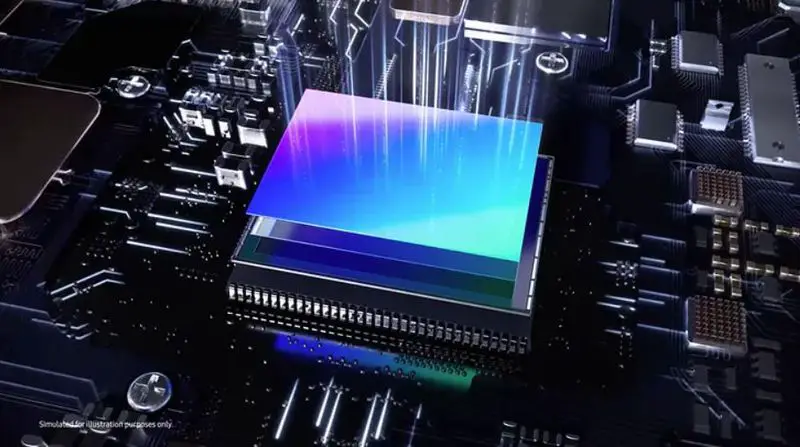
Samsung explains how Smart-ISO Pro, its new HDR technology, works

The ISO level indicates the light sensitivity of the sensor. If the value is low (e.g. ISO 100), the sensor will be less sensitive to light, and if the value is high (e.g. ISO 3200), more sensitive. This ‘sensitivity’ is possible because ISO values are precisely what adjust how the light signal reaches a sensor.

In Samsung’s case, its sensor has two interpretations for ISO, one for low ISO and one for high ISO, to regulate the light entering the sensor through two channels. That is, when we take a picture, Smart ISO Pro takes both the high ISO reading and the low ISO reading, to combine the information from both.

Apart from capturing a large dynamic range by combining the high and low ISO values, the new sensor with Smart-ISO Pro has a color depth of 12 bits, allowing it to reproduce more colors than sensors with 8- and 10-bit depths.

Tags: featuredSamsungsmartphonestechnologyWorks
ShareTweet
Barış Selman

Barış Selman

A technology and gaming enthusiast by day, Barış is a passionate composer and black/death metal guitarist by night. He keeps his finger on the pulse of the intersection of art and technology whenever he can from his tours worldwide.

Related Posts

New WhatsApp update brings 2026 stickers and video call effects

New WhatsApp update brings 2026 stickers and video call effects

30 December 2025
Leaker reveals Xiaomi plans for high end eSIM device in 2026

Leaker reveals Xiaomi plans for high end eSIM device in 2026

30 December 2025
HP prepares OMEN OLED monitor reveal for CES 2026

HP prepares OMEN OLED monitor reveal for CES 2026

30 December 2025
High RAM costs from AI boom could delay next Xbox and PlayStation

High RAM costs from AI boom could delay next Xbox and PlayStation

30 December 2025
Please login to join discussion

LATEST

New WhatsApp update brings 2026 stickers and video call effects

Leaker reveals Xiaomi plans for high end eSIM device in 2026

HP prepares OMEN OLED monitor reveal for CES 2026

High RAM costs from AI boom could delay next Xbox and PlayStation

LG to unveil its Gallery TV at CES 2026

Bitcoin drops 3% to $87,300 as altcoins decline

How to install mods and custom content in The Sims 2

Running Python files and fixing path errors on Windows

How to boot your PC into Command Prompt for troubleshooting

How to delete a virus using Command Prompt

TechBriefly

© 2021 TechBriefly is a Linkmedya brand.

  • Tech
  • Business
  • Science
  • Geek
  • How to
  • About
  • Privacy
  • Terms
  • Contact
  • | Network Sites |
  • Digital Report
  • LeaderGamer

Follow Us

No Result
View All Result
  • Tech
  • Business
  • Crypto
  • Science
  • Geek
  • How to
  • About
    • About TechBriefly
    • Terms and Conditions
    • Privacy Policy
    • Contact Us
    • Languages
      • 中文 (Chinese)
      • Dansk
      • Deutsch
      • Español
      • English
      • Français
      • Nederlands
      • Italiano
      • 日本语 (Japanese)
      • 한국인 (Korean)
      • Norsk
      • Polski
      • Português
      • Pусский (Russian)
      • Suomalainen
      • Svenska
