
TechBriefly
  • Tech
  • Business
  • Crypto
  • Science
  • Geek
  • How to
  • About
    • About TechBriefly
    • Terms and Conditions
    • Privacy Policy
    • Contact Us
    • Languages
      • 中文 (Chinese)
      • Dansk
      • Deutsch
      • Español
      • English
      • Français
      • Nederlands
      • Italiano
      • 日本语 (Japanese)
      • 한국인 (Korean)
      • Norsk
      • Polski
      • Português
      • Pусский (Russian)
      • Suomalainen
      • Svenska
No Result
View All Result
TechBriefly
Home Tech Hardware
ASRock launches Beta BIOS to support AMD Ryzen 5000 with X370, B350, and A320 motherboards

ASRock launches Beta BIOS to support AMD Ryzen 5000 with X370, B350, and A320 motherboards

Barış SelmanbyBarış Selman
24 December 2020
in Hardware, Tech
Reading Time: 3 mins read
Share on FacebookShare on Twitter

ASRock launches a Beta BIOS to support AMD Ryzen 5000 processors with X370, B350, and A320 motherboards.

ASRock’s new Beta BIOS supports AMD X370, B350, and A320 motherboards with AMD Ryzen 5000 processors, so many users can save a significant amount of money if we consider the high prices of these processors along with the “need” to also upgrade their platform. In total, this BIOS is present on a total of 16 motherboards: 8x of them X370, 3x of the B350 series, and 4x of the A320.

  • AMD will announce Ryzen 9 5900, Ryzen 7 5800, Ryzen 7 5700G and Ryzen 5 5600G

ASRock Beta BIOS will provide support for AMD Ryzen 5000 series processors on AMD 300 series motherboards

You can download the related files below.

  • A320M PRO4(P6.71).zip
  • A320M-HDV R3(P3.62).zip
  • A320M-HDV R4(P4.22).zip
  • A320M-HDV(P6.21).zip
  • A320M-ITX(P6.61).zip
  • AB350 Gaming K4(P6.41).zip
  • AB350 Gaming-ITXac(P6.61).zip
  • AB350M-HDV(P6.21).zip
  • X370 Gaming X(P6.11).zip
  • X370 Gaming-ITXac(P6.61).zip
  • X370 Killer SLI(P6.61).zip
  • X370 PRO4(P6.41).zip
  • X370 Professional Gaming(P6.61).zip
  • X370 TAICHI(P6.61).zip
  • X370M Pro4(P6.71).zip
  • X370M-HDV(P4.20).zip

It might review older motherboards

It is understood that AMD did not intend to allow the 400 Series motherboards to support the Ryzen 5000 processors, but after receiving too many complaints from AMD’s own users, it made a concession and decided to allow the B450 / X470 motherboards to be upgraded to support Ryzen 5000 processors, but the older 300 Series motherboards would no longer support Zen3 CPUs. However, the older 300 Series motherboards have received an unofficial Beta BIOS from ASRock, so the older ASRock A320 / B350 / X370 motherboards can also be revived.
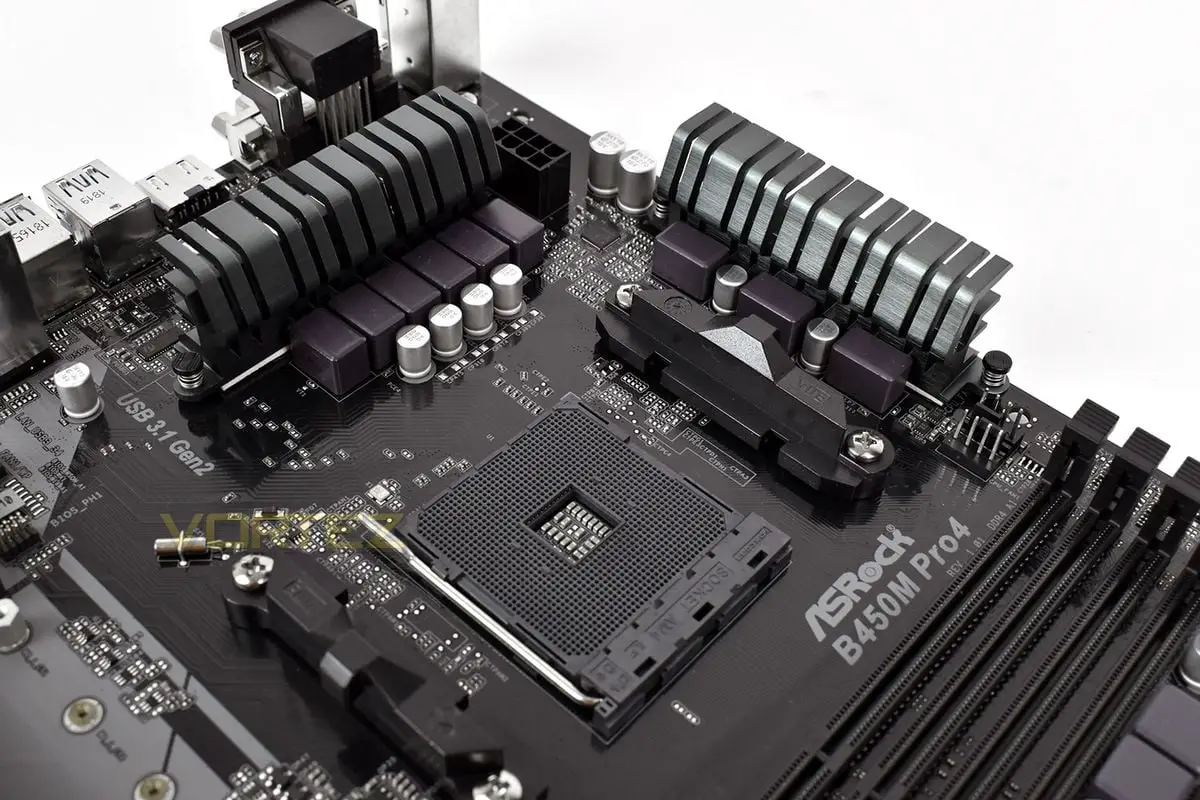
ASRock Launches Beta BIOS to Support AMD Ryzen 5000 with X370, B350, and A320 Motherboards
ASRock launches Beta BIOS to support AMD Ryzen 5000 series processors with X370, B350, and A320 motherboards

The new BIOS has been tested to work properly with the new generation AMD Ryzen 5000 CPU. If you are a user with an ASRock 300 motherboard and want to save money, you can download it and play with it, but we don’t guarantee the stability.

Tags: featuredmotherboardssupportupdates
ShareTweet
Barış Selman

Barış Selman

A technology and gaming enthusiast by day, Barış is a passionate composer and black/death metal guitarist by night. He keeps his finger on the pulse of the intersection of art and technology whenever he can from his tours worldwide.

Related Posts

Apple begins iPhone 18 series production testing in January

Apple begins iPhone 18 series production testing in January

24 December 2025
EA investigates AI claims in Battlefield 6 cosmetics

EA investigates AI claims in Battlefield 6 cosmetics

24 December 2025
Amazon Alexa+ will book your hotels and salons starting in 2026

Amazon Alexa+ will book your hotels and salons starting in 2026

24 December 2025
OpenAI launches Skills in Codex

OpenAI launches Skills in Codex

24 December 2025
Please login to join discussion

LATEST

How to install mods and custom content in The Sims 2

Running Python files and fixing path errors on Windows

How to boot your PC into Command Prompt for troubleshooting

How to delete a virus using Command Prompt

How to connect a PS4 controller to Steam via USB or Bluetooth

How to connect your phone to Wi-Fi and fix connection issues

Apple begins iPhone 18 series production testing in January

EA investigates AI claims in Battlefield 6 cosmetics

Amazon Alexa+ will book your hotels and salons starting in 2026

OpenAI launches Skills in Codex

TechBriefly

© 2021 TechBriefly is a Linkmedya brand.

  • Tech
  • Business
  • Science
  • Geek
  • How to
  • About
  • Privacy
  • Terms
  • Contact
  • | Network Sites |
  • Digital Report
  • LeaderGamer

Follow Us

No Result
View All Result
  • Tech
  • Business
  • Crypto
  • Science
  • Geek
  • How to
  • About
    • About TechBriefly
    • Terms and Conditions
    • Privacy Policy
    • Contact Us
    • Languages
      • 中文 (Chinese)
      • Dansk
      • Deutsch
      • Español
      • English
      • Français
      • Nederlands
      • Italiano
      • 日本语 (Japanese)
      • 한국인 (Korean)
      • Norsk
      • Polski
      • Português
      • Pусский (Russian)
      • Suomalainen
      • Svenska