
TechBriefly
  • Tech
  • Business
  • Crypto
  • Science
  • Geek
  • How to
  • About
    • About TechBriefly
    • Terms and Conditions
    • Privacy Policy
    • Contact Us
    • Languages
      • 中文 (Chinese)
      • Dansk
      • Deutsch
      • Español
      • English
      • Français
      • Nederlands
      • Italiano
      • 日本语 (Japanese)
      • 한국인 (Korean)
      • Norsk
      • Polski
      • Português
      • Pусский (Russian)
      • Suomalainen
      • Svenska
No Result
View All Result
TechBriefly
Home Tech Gaming
DualShock instead of DualSense: PlayStation 5 will support PS4 controller – for PS4 games

DualShock instead of DualSense: PlayStation 5 will support PS4 controller – for PS4 games

Rafi PrattbyRafi Pratt
3 August 2020
in Gaming, Tech
Reading Time: 2 mins read
Share on FacebookShare on Twitter

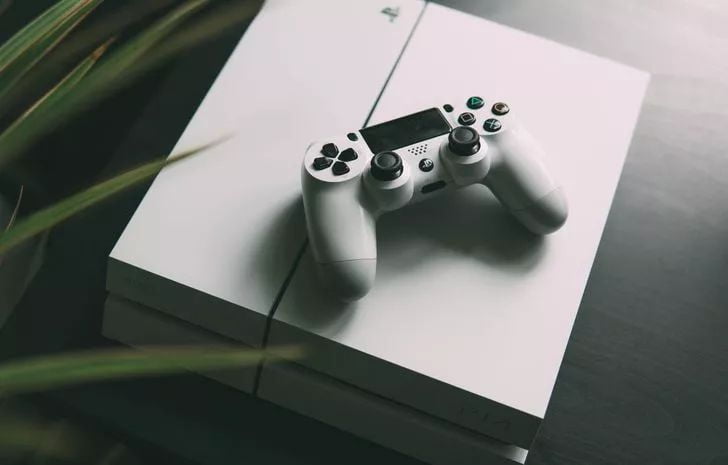
In a blog post, Sony revelead that the PlayStation 4 DualShock 4 wireless controller can also be used on the PlayStation 5 – but only for PS4 games.

According to Sony, the DualShock 4 controller and the officially licensed PlayStation gamepad controllers can be used for supported PS4 games on the PlayStation 5, but not for new PlayStation 5 games. They require the new controllers because Sony wants the new features of the PS5’s new DualSense wireless controller to be used.

  • PS5 game prices may be higher according to PlayStation CEO
  • PlayStation 5 controller is compatible with PS4
  • Sony PlayStation 5 may still support older PS1, PS2 and PS3 games

Steering wheels and flight sticks will work with PS5 games

Sony also takes a closer look at the compatibility of other peripheral devices. For example, special peripheral devices such as officially licensed steering wheels, arcade sticks and flight sticks should be compatible with new PlayStation 5 games as well as supported PS4 games and continue to be used without restrictions. The platinum and gold edition wireless headsets as well as third-party headsets that are connected via a USB or audio connection can still be used on the PlayStation 5, but not the headset companion app.

Sony generally points out that the compatibility only applies to officially licensed peripheral devices and that in case of doubt the user should contact the manufacturer directly to determine whether the accessory will be compatible with the PlayStation 5.

PS-VR accessories and camera will be compatible with PS5

Both the PS Move motion controller and the PlayStation VR target controller are compatible with supported PS VR games on the PS5. The PlayStation Camera for PS4 is also compatible with the PS5. This can also be used to play 5 PS VR games on the PlayStation. However, a camera adapter is required for this, which should be made available to PS-VR users at no additional cost.

Sony does not yet give details of this and when it will be sent to users, but refers to further information at a later date. It is therefore still unclear whether the PlayStation Camera can already be used to start the PlayStation 5.

Tags: compatibilitycontrollerDualSenseDualShockfeaturedPS4PS5
ShareTweet
Rafi Pratt

Rafi Pratt

Related Posts

New WhatsApp update brings 2026 stickers and video call effects

New WhatsApp update brings 2026 stickers and video call effects

30 December 2025
Leaker reveals Xiaomi plans for high end eSIM device in 2026

Leaker reveals Xiaomi plans for high end eSIM device in 2026

30 December 2025
HP prepares OMEN OLED monitor reveal for CES 2026

HP prepares OMEN OLED monitor reveal for CES 2026

30 December 2025
High RAM costs from AI boom could delay next Xbox and PlayStation

High RAM costs from AI boom could delay next Xbox and PlayStation

30 December 2025
Please login to join discussion

LATEST

New WhatsApp update brings 2026 stickers and video call effects

Leaker reveals Xiaomi plans for high end eSIM device in 2026

HP prepares OMEN OLED monitor reveal for CES 2026

High RAM costs from AI boom could delay next Xbox and PlayStation

LG to unveil its Gallery TV at CES 2026

Bitcoin drops 3% to $87,300 as altcoins decline

How to install mods and custom content in The Sims 2

Running Python files and fixing path errors on Windows

How to boot your PC into Command Prompt for troubleshooting

How to delete a virus using Command Prompt

TechBriefly

© 2021 TechBriefly is a Linkmedya brand.

  • Tech
  • Business
  • Science
  • Geek
  • How to
  • About
  • Privacy
  • Terms
  • Contact
  • | Network Sites |
  • Digital Report
  • LeaderGamer

Follow Us

No Result
View All Result
  • Tech
  • Business
  • Crypto
  • Science
  • Geek
  • How to
  • About
    • About TechBriefly
    • Terms and Conditions
    • Privacy Policy
    • Contact Us
    • Languages
      • 中文 (Chinese)
      • Dansk
      • Deutsch
      • Español
      • English
      • Français
      • Nederlands
      • Italiano
      • 日本语 (Japanese)
      • 한국인 (Korean)
      • Norsk
      • Polski
      • Português
      • Pусский (Russian)
      • Suomalainen
      • Svenska
