


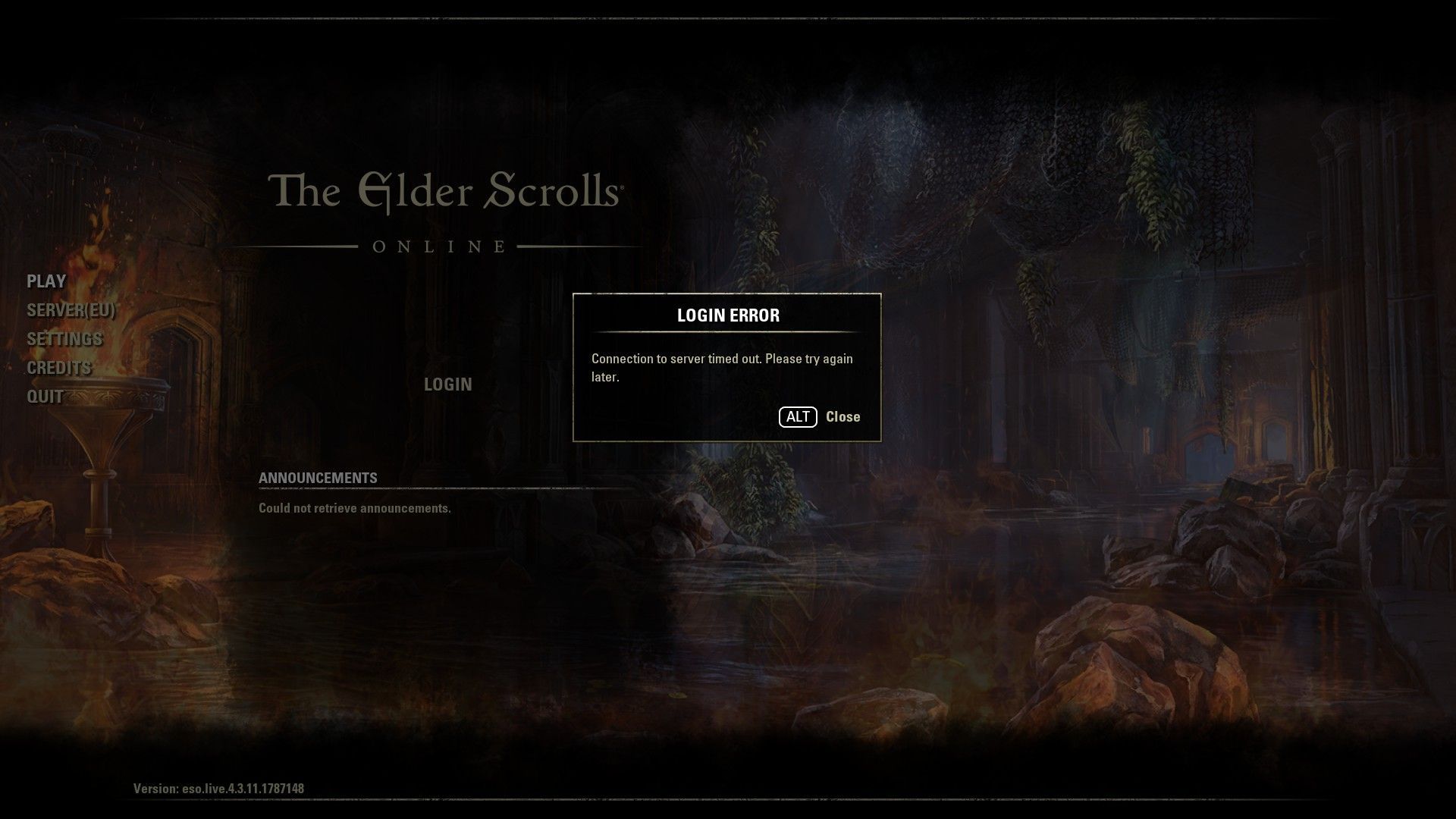
Due to the ESO connection to server timed out error, players are having difficulty accessing the popular MMORPG game. We believe that there are several easy ways to solve this problem, especially in the game that increased the player database with the Season of the Dragon Celebration event update.
The Elder Scrolls Online (ESO) has been available on PC for six years and has become a highly sought-after MMORPG. Despite its popularity, the game experiences issues like many others, with players reporting an ESO Connection to server timed out error when logging in or during gameplay. This can greatly detract from the enjoyment of the game. However, there are several steps you can take to resolve the issue and regain your connection to the server.
Check out Elder Scroll Online’s cinematic trailer from the video below.
How to fix the ESO connection to server timed out error?
Before answering the question of how to fix ESO connection to server timed out error, it is useful to understand the cause of the error. These are the main reasons why the “Connection to server timed out” error occurs in ESO:
- Timeouts: The system times out to prevent it from waiting indefinitely for a response from the game server.
- Network infrastructure error: The game server can become too busy, leading to a timeout in the request from the device. This can happen when there are too many players online at once.
- Network hardware error: The issue can also arise if the request from the device never reaches the game server, due to issues with the router port or firewall settings.
- Data request error: The error can occur if the data being requested does not reach the device, even though the request was received by the server. This can happen if the data is lost or fails to return during transmission.
While many of the above reasons are problems that the game maker should solve, there are some things that you, our dear readers, can do to solve the ESO connection to server timed out error. Let’s take a look at them together.
Check the server status
Before attempting any fixes, it’s important to check the official server status page for ESO. The “Connection to server timed out” error may occur because the game servers are undergoing maintenance. The game developers typically notify players of any scheduled maintenance, but it’s still a good idea to verify the server status through the official page to ensure that this is not the cause of the issue.
Restart your router and PC
To restart your router to resolve the ESO connection to server timed out error:
- Unplug the router from the power source for at least one minute
- Plug the router back in and wait until it is fully operational
Restarting the router can often resolve the issue and is a simple solution to try. Additionally, regularly restarting the router can help reduce lag and improve overall connectivity.
Restart ESO
Exiting the game and restarting your PC is another simple solution for the “Connection to server timed out” error in ESO. Here are the steps:
- Close Elder Scrolls Online
- Restart your computer
- Relaunch the game and check if the error still occurs
If the error persists, try the next fix listed. Restarting your PC can help resolve any temporary software or hardware conflicts that may be causing the issue.
Change your ESO launcher
If you are using the Steam launcher and encountering the ESO connection to server timed out error, try the following steps to use a different launcher:
- Navigate to the Steam installation folder, typically located at C:\Program Files (x86)
- Go to the Steam library, then follow this path: Steam\steamapps\common\Zenimax Online\The Elder Scrolls Online\game\client\ESO64.exe
- Right-click on the .exe file and select “Run as administrator“
- Check if the login functionality works
This solution may resolve the issue if the Steam servers are not working correctly and are unable to handle the traffic. Running the .exe file as an administrator may help bypass the Steam servers and establish a connection to the game server directly.
Allow ESO through your Firewall
This method involves checking Windows Firewall to ensure that it does not block ESO connections. To do this, follow these steps:
- Open the Control Panel by searching for it in the Cortana search bar
- Click Windows Defender Firewall
- Select “Allow an app or feature through Windows Defender Firewall“
- Click “Change settings”
- Check if ESO.exe and Bethesda.net_Launcher.exe are in the allowed list and allow them through Windows Firewall by checking the boxes for Domain, Private, and Public
- If ESO.exe is not in the list, select “Allow another app” and browse to add it
- Allow ESO.exe through Windows Firewall
- Click OK to save the changes
Restart your computer and try launching the game again to see if it works to fix the ESO connection to server timed out issue.
In conclusion, the ESO connection to server timed out error can be caused by various reasons such as network infrastructure error, network hardware error, and Windows Firewall blocking. To resolve the issue, you can try checking the official server status, restarting your router, exiting the game and restarting your PC, using a different launcher, and allowing ESO connections through Windows Firewall. By following these simple steps, you can improve your gaming experience and avoid frustrating connection errors.
If you were able to solve the ESO connection to server timed out error with our guide, it’s time to take a look at our guide called Bane of Dragons ESO: How to complete the quest.




