


TechBriefly
  • Tech
  • Business
  • Crypto
  • Science
  • Geek
  • How to
  • About
    • About TechBriefly
    • Terms and Conditions
    • Privacy Policy
    • Contact Us
    • Languages
      • 中文 (Chinese)
      • Dansk
      • Deutsch
      • Español
      • English
      • Français
      • Nederlands
      • Italiano
      • 日本语 (Japanese)
      • 한국인 (Korean)
      • Norsk
      • Polski
      • Português
      • Pусский (Russian)
      • Suomalainen
      • Svenska
No Result
View All Result
TechBriefly
Home How to
How to use TikTok Stitch to create videos?

Stitch: This is how the new TikTok option works

How to use TikTok Stitch to create videos?

Kerem GülenbyKerem Gülen
7 September 2020
in How to
Reading Time: 2 mins read
Share on FacebookShare on Twitter

Stitch is the name of the  new tool available on TikTok. An option with which users can create reactions and new content based on that published by other users of the platform. A kind of Duo, although with some other nuance. So let’s see how it works exactly.

Along with many other things, such as making content easy and fast to consume, originality and that viral point that is so popular, one of the key ideas of TikTok has also been to promote interaction among its users. Hence, in addition to all the tools that practically all of us already know, Duo played an important role in recent months. Since it allowed to generate new content from that published by other users.

What is TikTok Stitch?

Well, now a new option called Stitch comes and we can easily say that is basically the same as Duo, only with some differences or “limitations”. And the idea is to create chain reactions.

So, when you find content published by another user, you can take a part of it and then Stitch on your own. This way, a kind of reaction is created with a dance or a song. The possibilities are practically endless, since they depend on the starting point.

  • The sale of TikTok has become a little complicated
  • How to find a song on TikTok?
  • Triller and Centricus will bid $20 billion for TikTok assets

With this new function, any content can be a new trend. But it is still easier if we see how it works and some examples so that you understand what the whole thing is about.
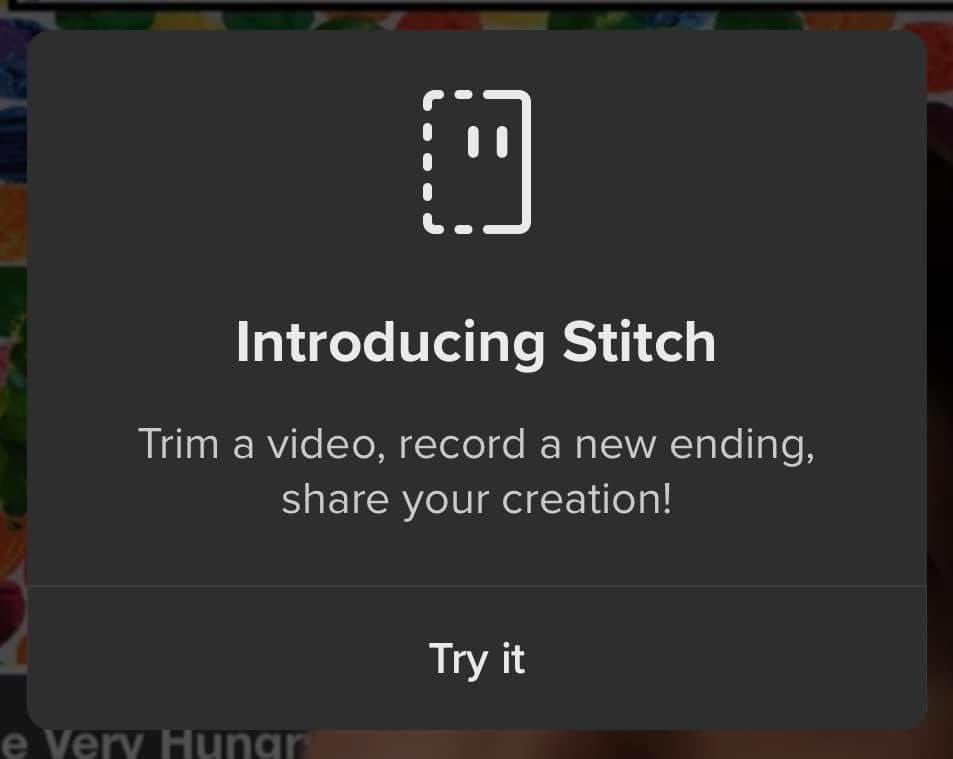
Stitch: This is how the new TikTok option works

How to create your first content with TikTok Stitch feature?

To use the Stitch function on TikTok , the first thing you should know is how to access this new tool. To do this, all you have to do is go to the share button within the application and then click on the Stitch icon while you are viewing the publication of another tiktoker that has caught your attention for any reason.

Once you have clicked Share and Stitch, the next step is to select up to a maximum of five seconds of the content you have seen. For example, you share an opinion, do a certain dance step or whatever else you want to use as a starting point.

That five-second fragment can be adjusted with some controls offered by the application for greater precision. Once you have it, the next step is to record your reaction in the same way that you do, upload a tiktok to your account. If it is interesting to know that if a song is playing during the opening segment, it will continue to play during your recording of the reaction.

Now that you have everything, the only thing left is to publish and see what happens. If your reaction encourages others to do the same with your published or original content. Anyway, here it will depend on how the community of tiktokers is experimenting.

Tags: how toInstagram ReelspopularReelssocial mediastep by stepTikToktrendtricks
ShareTweet
Kerem Gülen

Kerem Gülen

Kerem from Turkey has an insatiable curiosity for the latest advancements in tech gadgets and a knack for innovative thinking.With 3 years of experience in editorship and a childhood dream of becoming a journalist, Kerem has always been curious about the latest tech gadgets and is constantly seeking new ways to create.As a Master's student in Strategic Communications, Kerem is eager to learn more about the ever-evolving world of technology. His primary focuses are artificial intelligence and digital inclusion, and he delves into the most current and accurate information on these topics.

Related Posts

How to install mods and custom content in The Sims 2

How to install mods and custom content in The Sims 2

26 December 2025
Running Python files and fixing path errors on Windows

Running Python files and fixing path errors on Windows

26 December 2025
How to boot your PC into Command Prompt for troubleshooting

How to boot your PC into Command Prompt for troubleshooting

26 December 2025
How to delete a virus using Command Prompt

How to delete a virus using Command Prompt

26 December 2025
Please login to join discussion

LATEST

How to install mods and custom content in The Sims 2

Running Python files and fixing path errors on Windows

How to boot your PC into Command Prompt for troubleshooting

How to delete a virus using Command Prompt

How to connect a PS4 controller to Steam via USB or Bluetooth

How to connect your phone to Wi-Fi and fix connection issues

Apple begins iPhone 18 series production testing in January

EA investigates AI claims in Battlefield 6 cosmetics

Amazon Alexa+ will book your hotels and salons starting in 2026

OpenAI launches Skills in Codex

TechBriefly

© 2021 TechBriefly is a Linkmedya brand.

  • Tech
  • Business
  • Science
  • Geek
  • How to
  • About
  • Privacy
  • Terms
  • Contact
  • | Network Sites |
  • Digital Report
  • LeaderGamer

Follow Us

No Result
View All Result
  • Tech
  • Business
  • Crypto
  • Science
  • Geek
  • How to
  • About
    • About TechBriefly
    • Terms and Conditions
    • Privacy Policy
    • Contact Us
    • Languages
      • 中文 (Chinese)
      • Dansk
      • Deutsch
      • Español
      • English
      • Français
      • Nederlands
      • Italiano
      • 日本语 (Japanese)
      • 한국인 (Korean)
      • Norsk
      • Polski
      • Português
      • Pусский (Russian)
      • Suomalainen
      • Svenska