
TechBriefly
  • Tech
  • Business
  • Crypto
  • Science
  • Geek
  • How to
  • About
    • About TechBriefly
    • Terms and Conditions
    • Privacy Policy
    • Contact Us
    • Languages
      • 中文 (Chinese)
      • Dansk
      • Deutsch
      • Español
      • English
      • Français
      • Nederlands
      • Italiano
      • 日本语 (Japanese)
      • 한국인 (Korean)
      • Norsk
      • Polski
      • Português
      • Pусский (Russian)
      • Suomalainen
      • Svenska
No Result
View All Result
TechBriefly
Home How to
How to use sensor backpack Fortnite?

How to use sensor backpack Fortnite?

Eray EliaçıkbyEray Eliaçık
11 May 2022
in How to
Reading Time: 2 mins read
Share on FacebookShare on Twitter

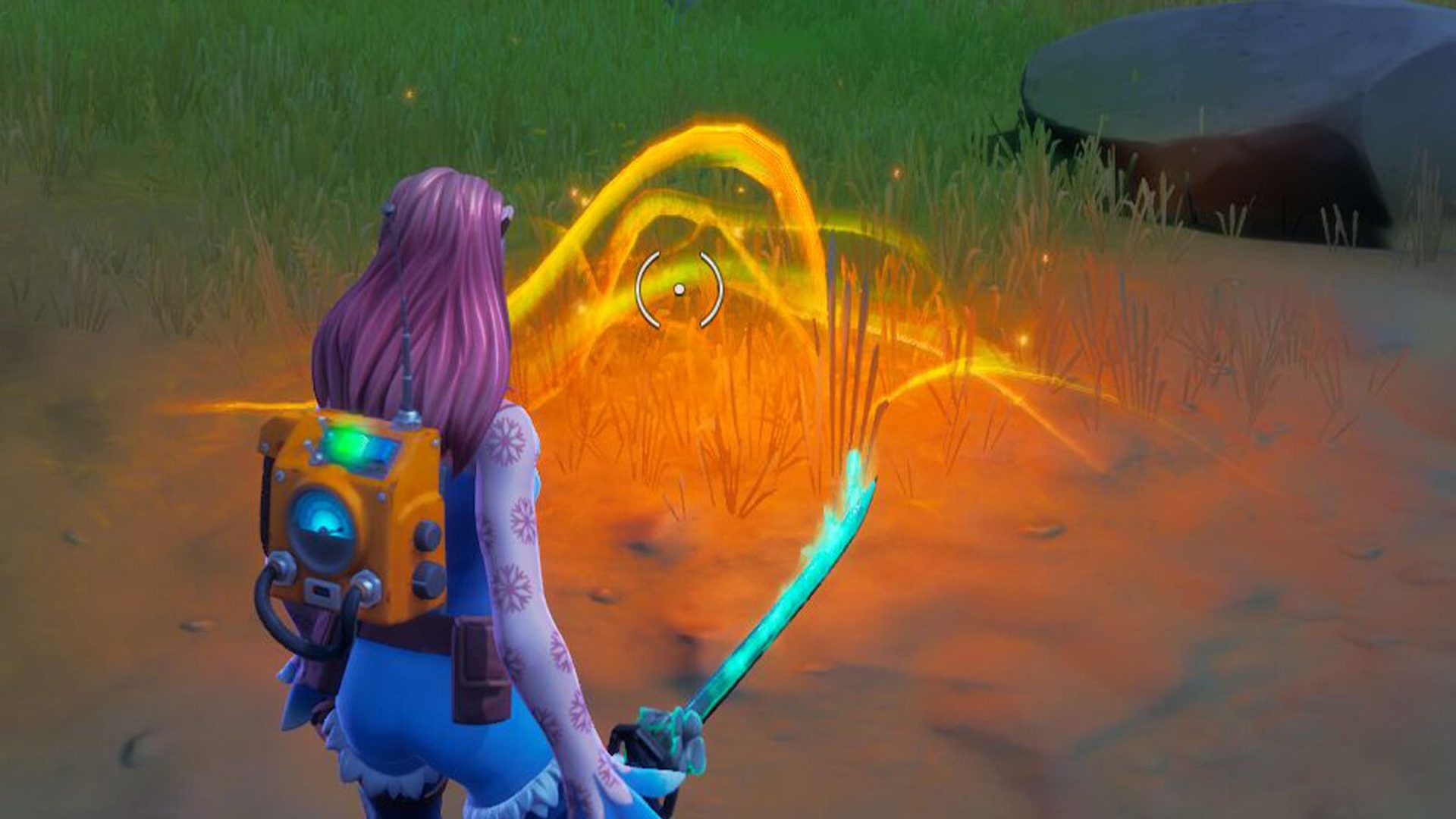
Do you know how to use sensor backpack Fortnite? We’re now in the last week of Resistance quests, which means we’ll need to deal with trash removal and signal jammers. In Fortnite Chapter 3 Season 2, we’ll have to figure out how to equip a sensor backpack and scan energy fluctuation.

How to use sensor backpack Fortnite?

We’ve reached the eighth and final week of Resistance tasks. So, what do we need to do?

How to establish device uplink in Fortnite?

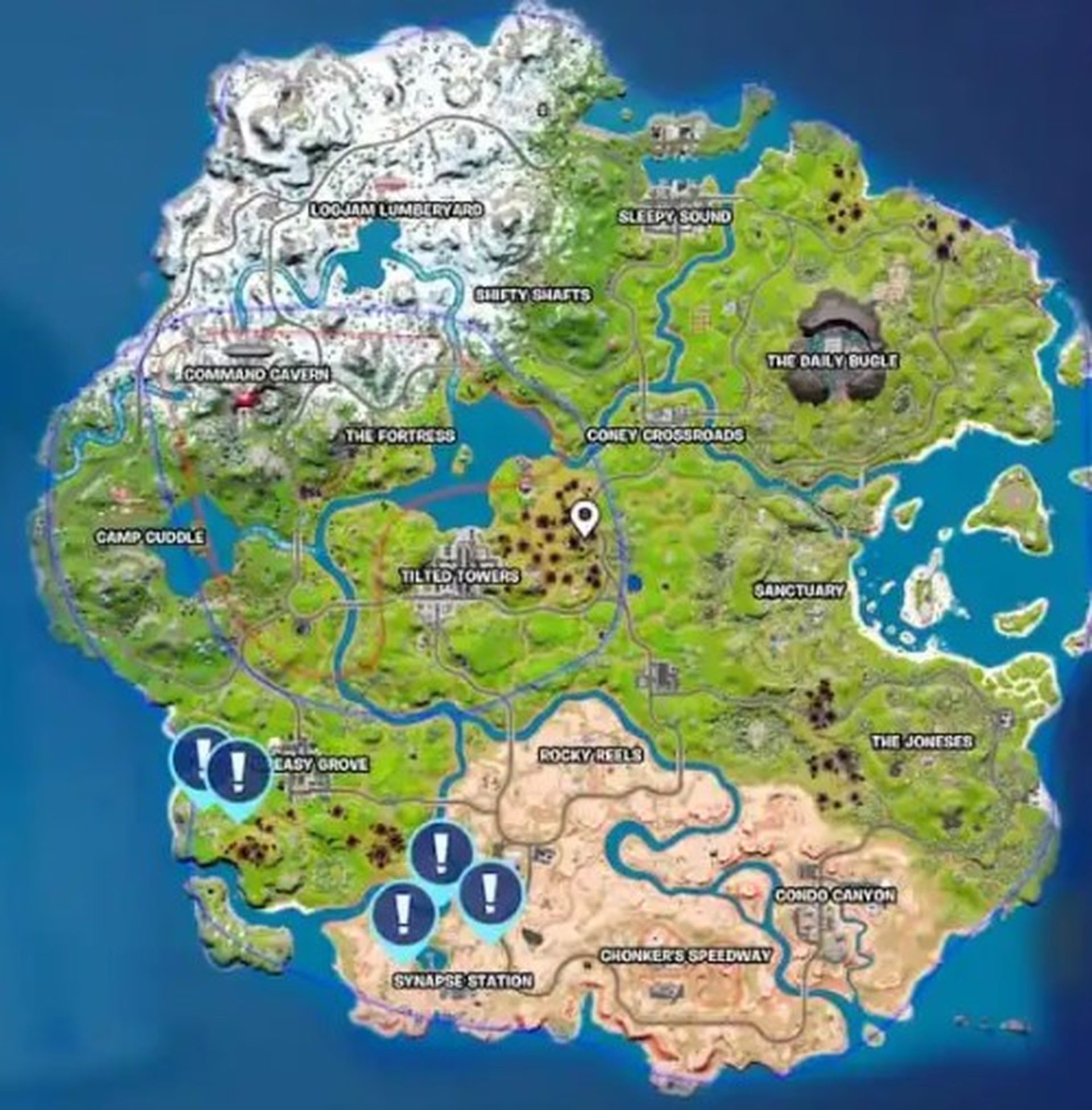
Before moving on to the stated goal, you must complete the opener objective of “Establish a Device Uplink near Seven Outpost I or Synapse Station.” This can be completed at the following locations on the map.
How to use sensor backpack Fortnite?

An audio log of the hologram will be found here, overlooking both Seven Outpost I and Greasy Grove.

How to equip sensor backpack in Fortnite Chapter 3 Season 2?

When you tap the hologram audio log, your new goal will be “Equip the Sensor Backpack.”

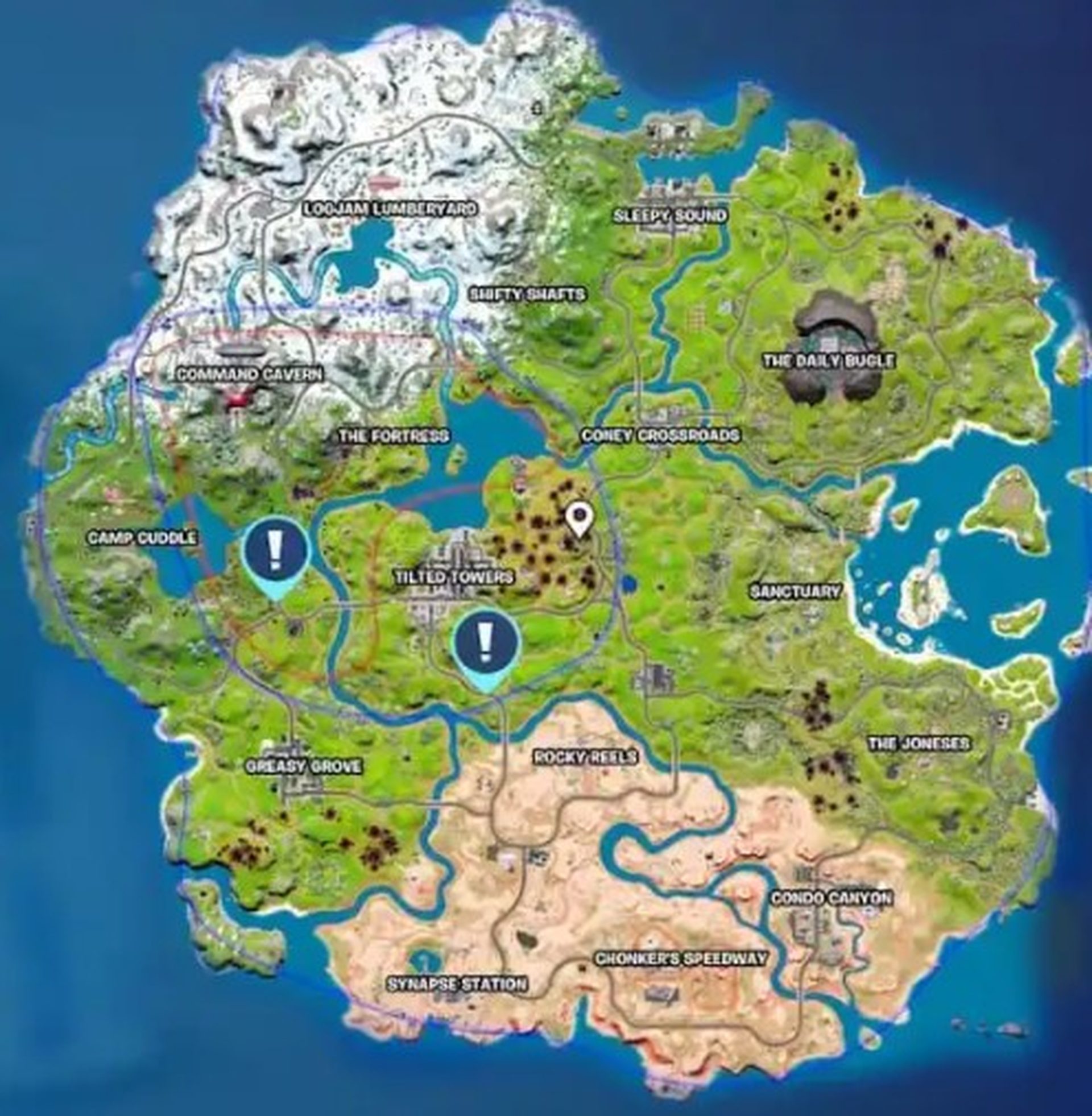
There are two choices for this. Because the south marker is too close to Tilted Towers and a poor option, we headed to the region between Camp Cuddle and Tilted Towers.
How to use sensor backpack Fortnite?

You’ll find the backpack on the ground. It’s difficult to tell where it will be, but it does somewhat blend in.

How to scan energy fluctuation in Fortnite?

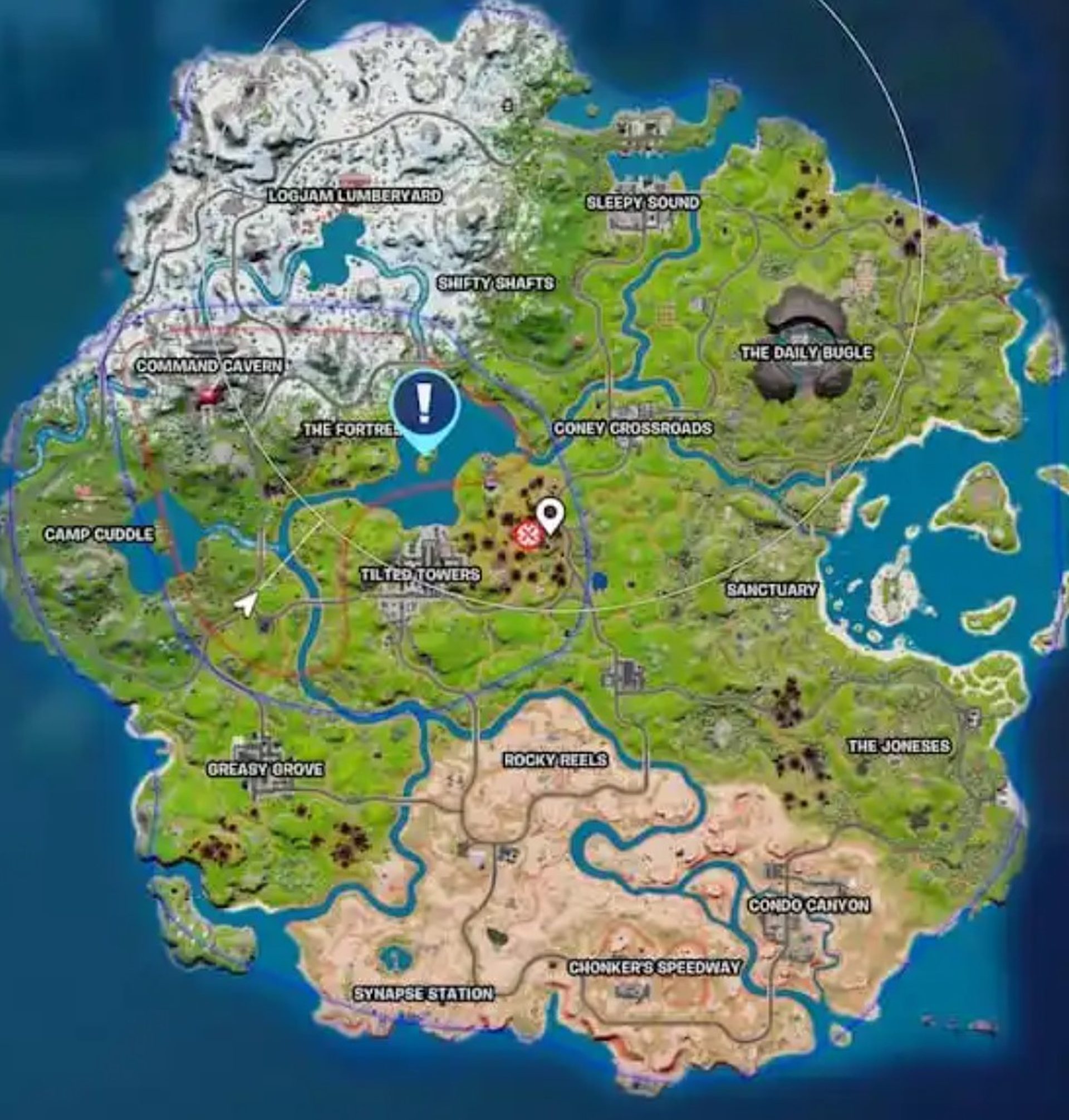
You’ll now be able to find an energy fluctuation around Loot Lake with the Sensor Backpack.
How to use sensor backpack Fortnite?

While the marker is clearly visible on Loot Lake on this map, it isn’t one of those activities that you’ll have to complete there. As you get closer to loot lake, the Sensor Backpack’s beeping will become more frequent.

Normally, you’d have to follow the beeps in a game of Hot and Cold, but we discovered the location so you don’t have to look for it. It’s possible that there are additional energy fluctuations in the area.

That’s all there is to know about how to use a Sensor Backpack and detect Energy Fluctuation in Fortnite Chapter 3 Season 2.


Tags: fortniteFortnite Chapter 3 Season 2how to
ShareTweet
Eray Eliaçık

Eray Eliaçık

Meet Eray, a tech enthusiast passionate about AI, crypto, gaming, and more. Eray is always looking into new developments, exploring unique topics, and keeping up with the latest trends in the industry.

Related Posts

Simple ways to install and remove programs on Ubuntu

Simple ways to install and remove programs on Ubuntu

12 January 2026
A guide to preventing accidental typing on Windows and Mac

A guide to preventing accidental typing on Windows and Mac

12 January 2026
Accessing your Google Chrome bookmarks

Accessing your Google Chrome bookmarks

12 January 2026
A guide to installing restricted extensions in Google Chrome

A guide to installing restricted extensions in Google Chrome

12 January 2026

LATEST

Xiaomi to launch fully self-developed smartphone in 2026

New WhatsApp parental controls will block strangers

Galaxy Unpacked 2026: S26 Ultra arrives just before MWC

Meta purges 550,000 Australian accounts to comply with under-16 ban

Simple ways to install and remove programs on Ubuntu

A guide to preventing accidental typing on Windows and Mac

Accessing your Google Chrome bookmarks

A guide to installing restricted extensions in Google Chrome

Anthropic launches health features for Claude

Google removes AI Overviews from medical queries

TechBriefly

© 2021 TechBriefly is a Linkmedya brand.

  • Tech
  • Business
  • Science
  • Geek
  • How to
  • About
  • Privacy
  • Terms
  • Contact
  • | Network Sites |
  • Digital Report
  • LeaderGamer

Follow Us

No Result
View All Result
  • Tech
  • Business
  • Crypto
  • Science
  • Geek
  • How to
  • About
    • About TechBriefly
    • Terms and Conditions
    • Privacy Policy
    • Contact Us
    • Languages
      • 中文 (Chinese)
      • Dansk
      • Deutsch
      • Español
      • English
      • Français
      • Nederlands
      • Italiano
      • 日本语 (Japanese)
      • 한국인 (Korean)
      • Norsk
      • Polski
      • Português
      • Pусский (Russian)
      • Suomalainen
      • Svenska