TechBriefly
  • Tech
  • Business
  • Crypto
  • Science
  • Geek
  • How to
  • About
    • About TechBriefly
    • Terms and Conditions
    • Privacy Policy
    • Contact Us
    • Languages
      • 中文 (Chinese)
      • Dansk
      • Deutsch
      • Español
      • English
      • Français
      • Nederlands
      • Italiano
      • 日本语 (Japanese)
      • 한국인 (Korean)
      • Norsk
      • Polski
      • Português
      • Pусский (Russian)
      • Suomalainen
      • Svenska
No Result
View All Result
TechBriefly
Home Tech Smartphones
Google Messages debuts Android 11 Beta chat bubbles

Google Messages debuts Android 11 Beta chat bubbles, how to use them?

Google Messages debuts Android 11 Beta chat bubbles

Aron HardingbyAron Harding
3 July 2020
in Smartphones, Software, Tech
Reading Time: 2 mins read
Share on FacebookShare on Twitter

In first impressions of Android 11 Beta, it is seen that the new chat bubbles could not be used, now Google messages support it and we will show you how to use them.

Unlike the first previews that did work for most messaging apps, in beta they will only be available for supported apps, and that time has come now.

  • What’s new in iOS 14: Features, release date, beta
  • Find out if your iPhone is compatible with iOS 14
  • How to write faster on Android?

Google Messaging is unsurprisingly the first messaging app to support the chat bubbles feature. Its latest update is activated this new way of chatting that a few years ago made Facebook Messenger popular.

So how to use the chat bubbles in Android 11?

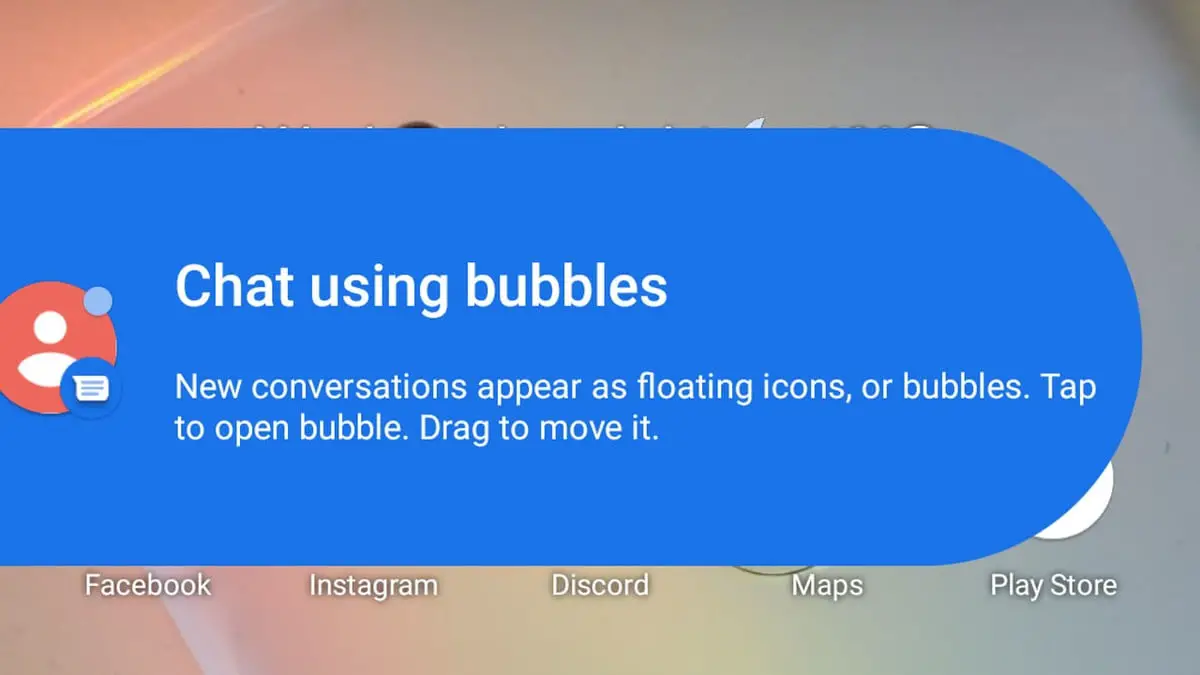
The update to Google Messages 6.3.052 Beta is activating support for chat bubbles in the new Android Beta version. When we receive a new message, a new bubble will appear, welcoming us to the new floating conversations.
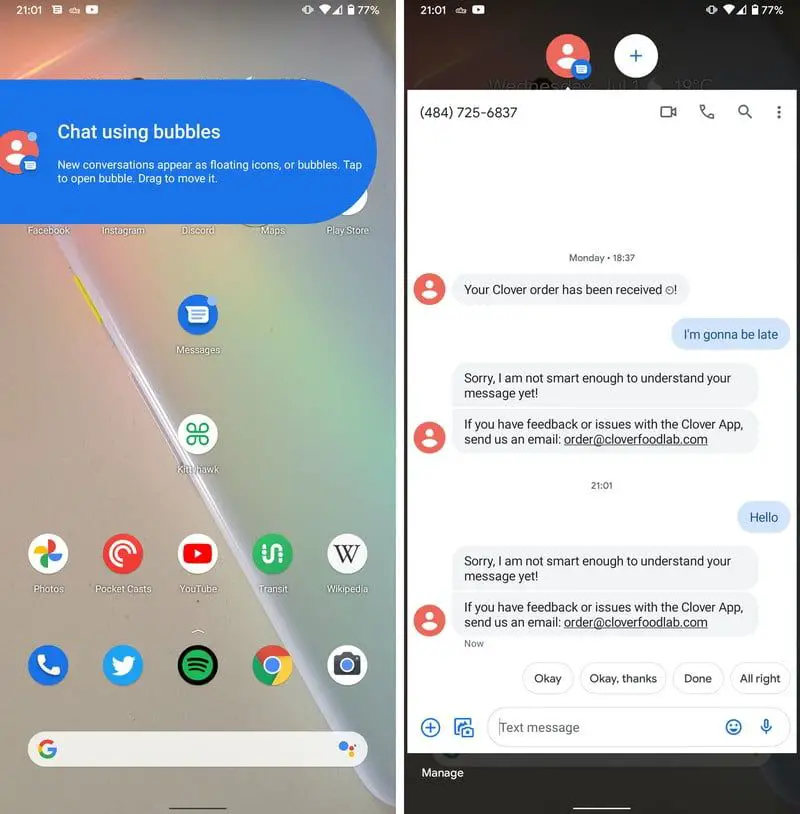
Google Messages debuts Android 11 Beta chat bubbles, how to use them?

Pressing on the bubble will open the floating chat that allows us to chat from any application. We can have all the chat bubbles of any compatible application in one place.

Chat bubbles are configured from the notification settings of each application, allowing us to choose whether we want all conversations to be displayed in bubbles or only selected conversations. A shortcut to the bubble settings will appear in the Google Messaging settings.

The developers will have to activate in their messaging applications the compatibility with the chat bubbles of the new Android. Surely in the next few weeks WhatsApp, Telegram and co will begin to support this new feature, whose official launch is expected at the end of this summer.


Tags: Android 11featuredGoogle Messages
ShareTweet
Aron Harding

Aron Harding

Related Posts

Apple begins iPhone 18 series production testing in January

Apple begins iPhone 18 series production testing in January

24 December 2025
EA investigates AI claims in Battlefield 6 cosmetics

EA investigates AI claims in Battlefield 6 cosmetics

24 December 2025
Amazon Alexa+ will book your hotels and salons starting in 2026

Amazon Alexa+ will book your hotels and salons starting in 2026

24 December 2025
OpenAI launches Skills in Codex

OpenAI launches Skills in Codex

24 December 2025
Please login to join discussion

LATEST

How to install mods and custom content in The Sims 2

Running Python files and fixing path errors on Windows

How to boot your PC into Command Prompt for troubleshooting

How to delete a virus using Command Prompt

How to connect a PS4 controller to Steam via USB or Bluetooth

How to connect your phone to Wi-Fi and fix connection issues

Apple begins iPhone 18 series production testing in January

EA investigates AI claims in Battlefield 6 cosmetics

Amazon Alexa+ will book your hotels and salons starting in 2026

OpenAI launches Skills in Codex

TechBriefly

© 2021 TechBriefly is a Linkmedya brand.

  • Tech
  • Business
  • Science
  • Geek
  • How to
  • About
  • Privacy
  • Terms
  • Contact
  • | Network Sites |
  • Digital Report
  • LeaderGamer

Follow Us

No Result
View All Result
  • Tech
  • Business
  • Crypto
  • Science
  • Geek
  • How to
  • About
    • About TechBriefly
    • Terms and Conditions
    • Privacy Policy
    • Contact Us
    • Languages
      • 中文 (Chinese)
      • Dansk
      • Deutsch
      • Español
      • English
      • Français
      • Nederlands
      • Italiano
      • 日本语 (Japanese)
      • 한국인 (Korean)
      • Norsk
      • Polski
      • Português
      • Pусский (Russian)
      • Suomalainen
      • Svenska