
TechBriefly
  • Tech
  • Business
  • Crypto
  • Science
  • Geek
  • How to
  • About
    • About TechBriefly
    • Terms and Conditions
    • Privacy Policy
    • Contact Us
    • Languages
      • 中文 (Chinese)
      • Dansk
      • Deutsch
      • Español
      • English
      • Français
      • Nederlands
      • Italiano
      • 日本语 (Japanese)
      • 한국인 (Korean)
      • Norsk
      • Polski
      • Português
      • Pусский (Russian)
      • Suomalainen
      • Svenska
No Result
View All Result
TechBriefly
Home How to
How to fix PlayStation 4 error code NP-37602-8 for YouTube?

How to fix PlayStation 4 error code NP-37602-8 for YouTube?

Florian MaximilianobyFlorian Maximiliano
29 May 2020
in How to
Reading Time: 2 mins read
Share on FacebookShare on Twitter

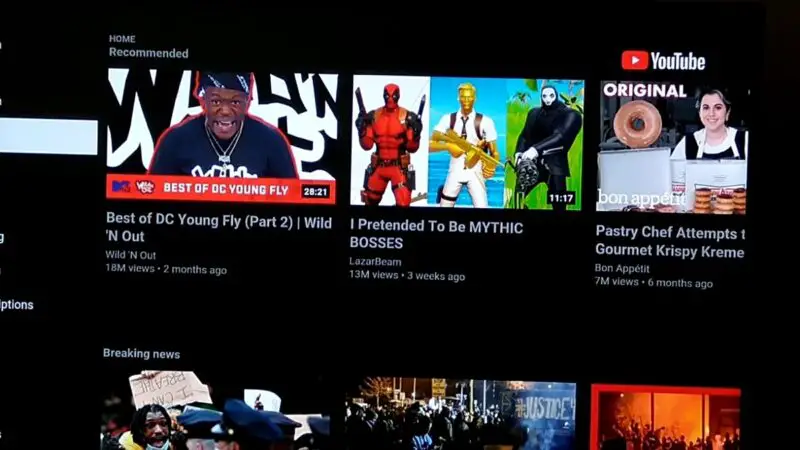
We prepared a guide to show you how to fix the PlayStation 4 error code NP-37602-8 that sometimes occurs when you are trying to connect your PS4 to a service such as YouTube or Twitter.

People started seeing this error on PlayStation 4 consoles, after they installed PS update 7.51. This error occurs especially when you attemp to upload videos to YouTube via PS4. And if you take a quick look at the DownDetector, which shows downtime of online services, you can see that Youtube PS4 errors are happening.

People are complaining on Twitter, also writing to Google Forums as we speak. An official PlayStation support page wrote this message, which made people furious: “We couldn’t find a matching error. Please check and try again.”

If you have seen this error, no worries. Otherwise known as YouTube sign in error, needs a fix to be sorted out and after this fix we will be able to get our PS4 consoles online.

How to fix PlayStation 4 YouTube error (code NP-37602-8)?

When this happens, while you are able to probably connect to YouTube using other devices, such as your smartphone, the bridging service that exists between the PSN and Youtube seems to fail.

Currently there is only one solution for this YouTube problem (Error Code NP-37602-8) on PlayStation 4.  At the time of our writing, Sony engineers are working on the issue with YouTube and the service is expected to be restored in a short period of time. So until it is fixed, what you can do is wait and try uploading your videos with other devices.

Here are the articles that we explain what to do when you get PS4 YouTube sign-in error and why is YoutTube not working on PlayStation 4.

Tags: connectionconsoleerrorGoogleguidehow toPlayStation 4PS4solutionYouTube
ShareTweet
Florian Maximiliano

Florian Maximiliano

Related Posts

How to gain full control by jailbreaking iPhone and rooting Android

How to gain full control by jailbreaking iPhone and rooting Android

19 January 2026
How to create folders and add widgets on Android

How to create folders and add widgets on Android

19 January 2026
How to tell if your iPhone or Android phone is carrier unlocked

How to tell if your iPhone or Android phone is carrier unlocked

16 January 2026
How to apply screen protectors without air bubbles

How to apply screen protectors without air bubbles

16 January 2026
Please login to join discussion

LATEST

Nvidia Rubin GPUs: 200 teraFLOPS FP64 from software emulation

Walmart maintains Apple Pay blockade across US stores for 2026

Musk demands $134 billion from OpenAI and Microsoft for wrongful gains

Apple shifts iOS 27 focus to quality and underlying performance

Google integrates Wallet and Tasks into Pixel 10 Magic Cue

Threads overtakes X with 141.5M mobile users

Microsoft issues emergency fix for Windows 11 shutdown bugs

How to gain full control by jailbreaking iPhone and rooting Android

How to create folders and add widgets on Android

OpenAI rockets $250 million into Altman’s Merge Labs brain-AI bridge

TechBriefly

© 2021 TechBriefly is a Linkmedya brand.

  • Tech
  • Business
  • Science
  • Geek
  • How to
  • About
  • Privacy
  • Terms
  • Contact
  • | Network Sites |
  • Digital Report
  • LeaderGamer

Follow Us

No Result
View All Result
  • Tech
  • Business
  • Crypto
  • Science
  • Geek
  • How to
  • About
    • About TechBriefly
    • Terms and Conditions
    • Privacy Policy
    • Contact Us
    • Languages
      • 中文 (Chinese)
      • Dansk
      • Deutsch
      • Español
      • English
      • Français
      • Nederlands
      • Italiano
      • 日本语 (Japanese)
      • 한국인 (Korean)
      • Norsk
      • Polski
      • Português
      • Pусский (Russian)
      • Suomalainen
      • Svenska