
TechBriefly
  • Tech
  • Business
  • Crypto
  • Science
  • Geek
  • How to
  • About
    • About TechBriefly
    • Terms and Conditions
    • Privacy Policy
    • Contact Us
    • Languages
      • 中文 (Chinese)
      • Dansk
      • Deutsch
      • Español
      • English
      • Français
      • Nederlands
      • Italiano
      • 日本语 (Japanese)
      • 한국인 (Korean)
      • Norsk
      • Polski
      • Português
      • Pусский (Russian)
      • Suomalainen
      • Svenska
No Result
View All Result
TechBriefly
Home Tech AV
Google Photos begins to reach Android TV in its ambient mode

Google Photos begins to reach Android TV in its ambient mode

Emilis DelgadobyEmilis Delgado
27 May 2020
in AV, Software, Tech
Reading Time: 1 min read
Share on FacebookShare on Twitter

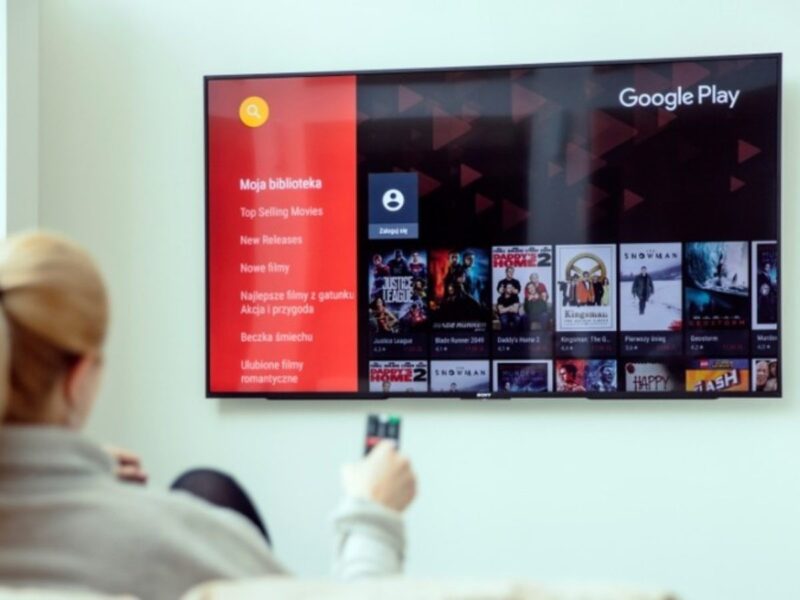
Televisions and players with Android TV begin to receive a novelty for their ambient mode, the static screen that welcomes the system before entering desktops: images from Google Photos can be anchored now. At the moment this feature is being tested with some of the user base.

Turning on the Android TV means entering the system desktop, at least until the ambient screen pops up, the one that appears when the controller is no longer used. By default, artistic photos chosen by Google appear, a content that can be minimally personalized from the Google Home application. Although there will soon be a new possibility: the Google Photos galleries. This option is currently in testing.

Android TV tests Google Photos in ambient mode

Some users with an Android TV have seen how the options of the ambient mode or ‘Ambient mode’ released compatibility with Google Photos galleries. When activating this compatibility, the static screen of the television shows personal images that rotate to offer greater customization to the system.

Once you have selected the ‘Google Photos’ option from the Home application, you can choose which albums or favorites the Android TV will show on the ambient screen , it also allows you to select recent highlights. In this way, television will become a kind of digital photo frame; offering on the screen a more personalized content than offered by default.

This feature makes the TV a big digital frame

We do not know when Google will activate the Photos function on all Android TVs as the news indicates that the current test is very limited. Nor is it possible to take any action to test it: Google activates it from the server side.

Tags: Android TVfeatureGoogleGoogle Photos
ShareTweet
Emilis Delgado

Emilis Delgado

Related Posts

New WhatsApp update brings 2026 stickers and video call effects

New WhatsApp update brings 2026 stickers and video call effects

30 December 2025
Leaker reveals Xiaomi plans for high end eSIM device in 2026

Leaker reveals Xiaomi plans for high end eSIM device in 2026

30 December 2025
HP prepares OMEN OLED monitor reveal for CES 2026

HP prepares OMEN OLED monitor reveal for CES 2026

30 December 2025
High RAM costs from AI boom could delay next Xbox and PlayStation

High RAM costs from AI boom could delay next Xbox and PlayStation

30 December 2025
Please login to join discussion

LATEST

New WhatsApp update brings 2026 stickers and video call effects

Leaker reveals Xiaomi plans for high end eSIM device in 2026

HP prepares OMEN OLED monitor reveal for CES 2026

High RAM costs from AI boom could delay next Xbox and PlayStation

LG to unveil its Gallery TV at CES 2026

Bitcoin drops 3% to $87,300 as altcoins decline

How to install mods and custom content in The Sims 2

Running Python files and fixing path errors on Windows

How to boot your PC into Command Prompt for troubleshooting

How to delete a virus using Command Prompt

TechBriefly

© 2021 TechBriefly is a Linkmedya brand.

  • Tech
  • Business
  • Science
  • Geek
  • How to
  • About
  • Privacy
  • Terms
  • Contact
  • | Network Sites |
  • Digital Report
  • LeaderGamer

Follow Us

No Result
View All Result
  • Tech
  • Business
  • Crypto
  • Science
  • Geek
  • How to
  • About
    • About TechBriefly
    • Terms and Conditions
    • Privacy Policy
    • Contact Us
    • Languages
      • 中文 (Chinese)
      • Dansk
      • Deutsch
      • Español
      • English
      • Français
      • Nederlands
      • Italiano
      • 日本语 (Japanese)
      • 한국인 (Korean)
      • Norsk
      • Polski
      • Português
      • Pусский (Russian)
      • Suomalainen
      • Svenska
