

TechBriefly
  • Tech
  • Business
  • Crypto
  • Science
  • Geek
  • How to
  • About
    • About TechBriefly
    • Terms and Conditions
    • Privacy Policy
    • Contact Us
    • Languages
      • 中文 (Chinese)
      • Dansk
      • Deutsch
      • Español
      • English
      • Français
      • Nederlands
      • Italiano
      • 日本语 (Japanese)
      • 한국인 (Korean)
      • Norsk
      • Polski
      • Português
      • Pусский (Russian)
      • Suomalainen
      • Svenska
No Result
View All Result
TechBriefly
Home How to
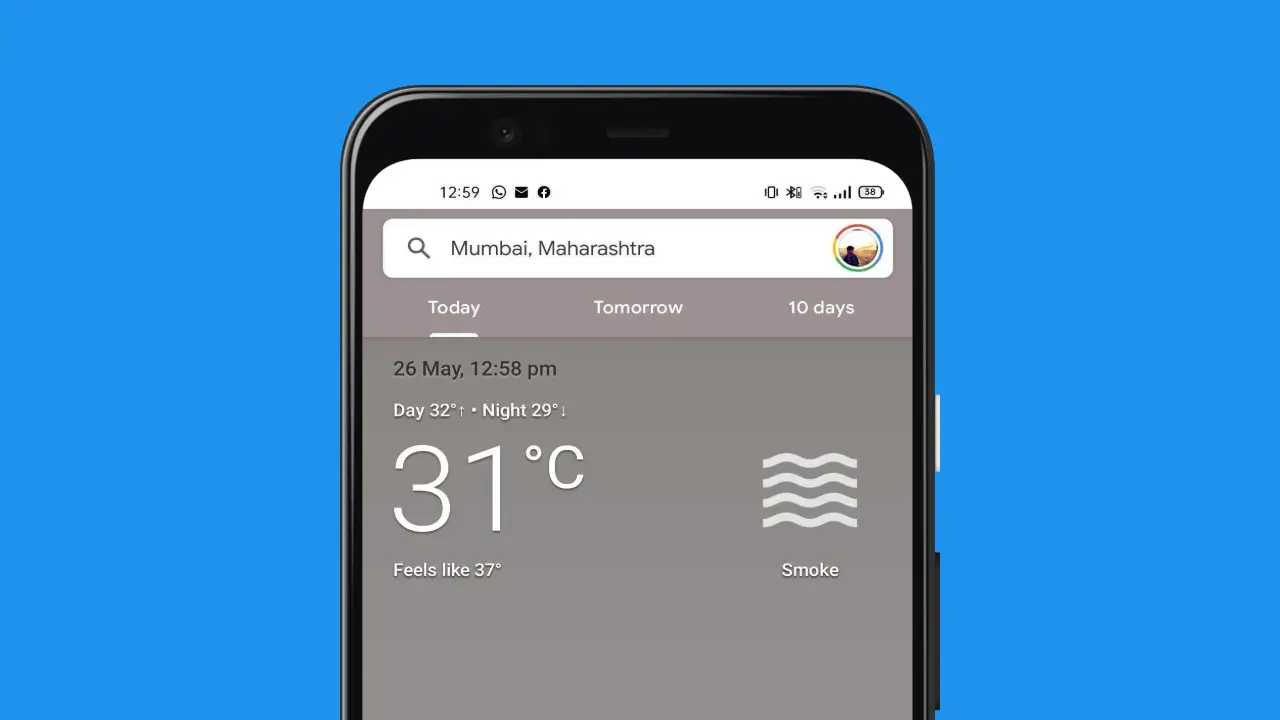
How to add Google Weather to the home screen on Android?

How to add Google Weather to the home screen on Android?

Find out how to add Google Weather to home screen on Android by following our step by step guide.

Kerem GülenbyKerem Gülen
21 September 2021
in How to
Reading Time: 2 mins read
Share on FacebookShare on Twitter

If you don’t know how to add Google Weather to the home screen on Android, we are going to help you out. Probably, weather forecasts applications are one of the most useful tools in our daily lives. There are a lot of applications that you can use but let’s not forget Google Weather, which is already installed in all Android phones, although many are unaware of its existence. Do not expect to find it in the app drawer it is a web application that you can pin to your desktop.

How to add Google Weather to the home screen on Android?

The Google News and Weather app has disappeared from Google Play. But that doesn’t mean we can’t check the Google weather forecast quickly on our mobile phone.

Google Weather app can not be downloaded because it is not a mobile phone app, but it is possible to add this tool on any of the Android smartphone’s home screens. Follow these steps:

  • Open Discover on your mobile phone and click on the “G” in the widget or open the browser and search for the word “weather.”
  • You will instantly see the weather information for your current location, click on it and it will take you to the Google weather section.
How to add Google Weather to the home screen on Android?
  • Tap the three menu dots and click on “Add to home screen“.
  • You will instantly have a shortcut to the application on your desktop with an icon that, when tapped, will take you to the Google Weather section.

It is a web app and, therefore, offers the same information that Google delivers in its search engine, but the shortcut behaves like a mobile weather app. It has an attractive and very visual design, provides a lot of data and does not include ads or in-app purchases. This way you’ve learned how to add Google Weather to the home screen on Android, thanks to this simple trick.

Tags: addAndroidGoogleguidehome screenhow tostep by steptutorialweatherwidget
ShareTweet
Kerem Gülen

Kerem Gülen

Kerem from Turkey has an insatiable curiosity for the latest advancements in tech gadgets and a knack for innovative thinking.With 3 years of experience in editorship and a childhood dream of becoming a journalist, Kerem has always been curious about the latest tech gadgets and is constantly seeking new ways to create.As a Master's student in Strategic Communications, Kerem is eager to learn more about the ever-evolving world of technology. His primary focuses are artificial intelligence and digital inclusion, and he delves into the most current and accurate information on these topics.

Related Posts

How to gain full control by jailbreaking iPhone and rooting Android

How to gain full control by jailbreaking iPhone and rooting Android

19 January 2026
How to create folders and add widgets on Android

How to create folders and add widgets on Android

19 January 2026
How to tell if your iPhone or Android phone is carrier unlocked

How to tell if your iPhone or Android phone is carrier unlocked

16 January 2026
How to apply screen protectors without air bubbles

How to apply screen protectors without air bubbles

16 January 2026
Please login to join discussion

LATEST

OpenAI appoints Barret Zoph to lead enterprise sales

Vimeo begins global staff reductions following Bending Spoons acquisition

LiveKit reaches unicorn status with $100 million in new funding

Substack launches TV app for Apple and Google platforms

Oracle and Silver Lake lead consortium in landmark TikTok US deal

JBL enters the practice amp market with AI-driven Stem separation technology

Google Search adds “Personal Intelligence” to AI Mode

Amazon set to launch second wave of corporate layoffs next week

Blue Origin’s New Glenn-3 mission to deploy AST SpaceMobile’s BlueBird 7

Anthropic redesigns hiring tests after Claude 4.5 “aces” human interview

TechBriefly

© 2021 TechBriefly is a Linkmedya brand.

  • Tech
  • Business
  • Science
  • Geek
  • How to
  • About
  • Privacy
  • Terms
  • Contact
  • | Network Sites |
  • Digital Report
  • LeaderGamer

Follow Us

No Result
View All Result
  • Tech
  • Business
  • Crypto
  • Science
  • Geek
  • How to
  • About
    • About TechBriefly
    • Terms and Conditions
    • Privacy Policy
    • Contact Us
    • Languages
      • 中文 (Chinese)
      • Dansk
      • Deutsch
      • Español
      • English
      • Français
      • Nederlands
      • Italiano
      • 日本语 (Japanese)
      • 한국인 (Korean)
      • Norsk
      • Polski
      • Português
      • Pусский (Russian)
      • Suomalainen
      • Svenska