

TechBriefly
  • Tech
  • Business
  • Crypto
  • Science
  • Geek
  • How to
  • About
    • About TechBriefly
    • Terms and Conditions
    • Privacy Policy
    • Contact Us
    • Languages
      • 中文 (Chinese)
      • Dansk
      • Deutsch
      • Español
      • English
      • Français
      • Nederlands
      • Italiano
      • 日本语 (Japanese)
      • 한국인 (Korean)
      • Norsk
      • Polski
      • Português
      • Pусский (Russian)
      • Suomalainen
      • Svenska
No Result
View All Result
TechBriefly
Home How to
How to fix iPhone boot loop and black screen issues?

How to fix iPhone boot loop and black screen issues?

Kerem GülenbyKerem Gülen
1 September 2021
in How to
Reading Time: 2 mins read
Share on FacebookShare on Twitter

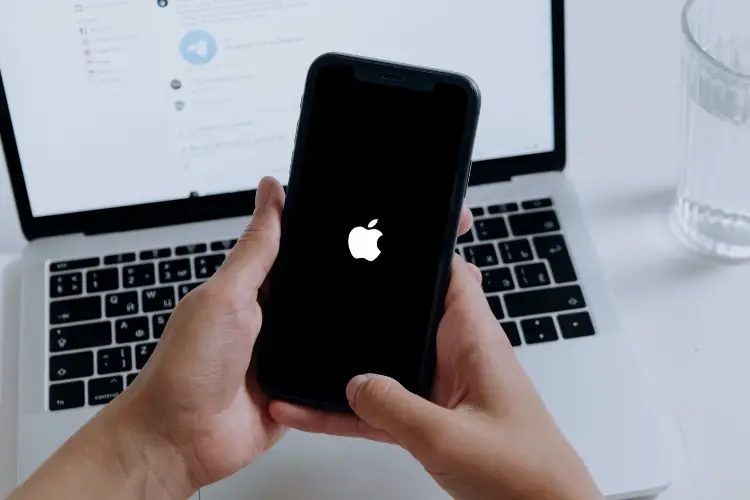
Today we are going to show you how to fix iPhone boot loop and black screen issues. Although Apple devices usually have fewer errors than Android devices, sometimes some problems occur. If your iPhone’s screen is stuck on the Apple logo, keep reading.

How to fix iPhone boot loop and black screen issues?

To be able to fix this issue, we will use a third-party tool called iMyFone Fixppo. It facilitates the recovery process without having to use iTunes or macOS. First, you need to download the program from the following link.

After you install the program select Standard Mode to be able to fix iPhone boot loop and black screen issues. Then, the program will ask you to connect the device using the original iPhone cable. Previously, we will have to start the phone in DFU mode, which can be accessed by holding down the Power and Volume Down buttons for about 10 seconds.

Once we have connected the iPhone to the computer and the program has recognized the device, the next step will be to select the iOS version we want to download, as well as the iPhone version that corresponds to the phone.

How to fix iPhone boot loop and black screen issues?

The most advisable thing to do in this case is to always download the latest iOS version available. After finishing the firmware download, the program will proceed to install iOS automatically. During this process, it is very important to keep the iPhone connected to the computer. It should be noted that after this process you will lose your personal data if you did not make a backup through iCloud.

Which iPhone and iPad models are compatible with this solution?

The biggest advantage of these two methods is that they are compatible with any generation of iPhone or iPad, even if the devices have already been discontinued by the brand itself. Specifically, the list of devices compatible with iMyFone Fixppo is as follows:

iPhone:

  • iPhone 5
  • iPhone 6
  • iPhone 6 Plus
  • iPhone 6S
  • iPhone 6S Plus
  • iPhone 7
  • iPhone 7 Plus
  • iPhone 8
  • iPhone 8 Plus
  • iPhone SE (2020)
  • iPhone X
  • iPhone XR
  • iPhone XS
  • iPhone XS Max
  • iPhone 11
  • iPhone 11 Pro
  • iPhone 11 Pro Max
  • iPhone 12 Mini
  • iPhone 12 Pro
  • iPhone 12 Pro Max
  • iPhone 12
How to fix iPhone boot loop and black screen issues?

iPad:

  • iPad 2
  • iPad 3
  • iPad 4
  • iPad 5
  • iPad 6
  • iPad 7 (2019)
  • iPad 8 (2020)
  • iPad Mini
  • iPad Mini 2
  • iPad Mini 3
  • iPad Mini 4
  • iPad Pro 10.5-inch
  • iPad Pro 12.9-inch
  • iPad Pro 11-inch 2019
  • 2019 iPad Pro 12.9-inch 12.9-inch
  • 12.9-inch iPad Pro in 2020
  • 11-inch iPad Pro in 2021
  • 12.9-inch iPad Pro in 2021

As you can see, it is really easy to fix this error. This way you’ve learned how to fix iPhone boot loop and black screen issues.

Tags: Appleguidehow toiOSiPadiPhonestep by steptutorial
ShareTweet
Kerem Gülen

Kerem Gülen

Kerem from Turkey has an insatiable curiosity for the latest advancements in tech gadgets and a knack for innovative thinking.With 3 years of experience in editorship and a childhood dream of becoming a journalist, Kerem has always been curious about the latest tech gadgets and is constantly seeking new ways to create.As a Master's student in Strategic Communications, Kerem is eager to learn more about the ever-evolving world of technology. His primary focuses are artificial intelligence and digital inclusion, and he delves into the most current and accurate information on these topics.

Related Posts

How to install mods and custom content in The Sims 2

How to install mods and custom content in The Sims 2

26 December 2025
Running Python files and fixing path errors on Windows

Running Python files and fixing path errors on Windows

26 December 2025
How to boot your PC into Command Prompt for troubleshooting

How to boot your PC into Command Prompt for troubleshooting

26 December 2025
How to delete a virus using Command Prompt

How to delete a virus using Command Prompt

26 December 2025
Please login to join discussion

LATEST

New WhatsApp update brings 2026 stickers and video call effects

Leaker reveals Xiaomi plans for high end eSIM device in 2026

HP prepares OMEN OLED monitor reveal for CES 2026

High RAM costs from AI boom could delay next Xbox and PlayStation

LG to unveil its Gallery TV at CES 2026

Bitcoin drops 3% to $87,300 as altcoins decline

How to install mods and custom content in The Sims 2

Running Python files and fixing path errors on Windows

How to boot your PC into Command Prompt for troubleshooting

How to delete a virus using Command Prompt

TechBriefly

© 2021 TechBriefly is a Linkmedya brand.

  • Tech
  • Business
  • Science
  • Geek
  • How to
  • About
  • Privacy
  • Terms
  • Contact
  • | Network Sites |
  • Digital Report
  • LeaderGamer

Follow Us

No Result
View All Result
  • Tech
  • Business
  • Crypto
  • Science
  • Geek
  • How to
  • About
    • About TechBriefly
    • Terms and Conditions
    • Privacy Policy
    • Contact Us
    • Languages
      • 中文 (Chinese)
      • Dansk
      • Deutsch
      • Español
      • English
      • Français
      • Nederlands
      • Italiano
      • 日本语 (Japanese)
      • 한국인 (Korean)
      • Norsk
      • Polski
      • Português
      • Pусский (Russian)
      • Suomalainen
      • Svenska