
TechBriefly
  • Tech
  • Business
  • Crypto
  • Science
  • Geek
  • How to
  • About
    • About TechBriefly
    • Terms and Conditions
    • Privacy Policy
    • Contact Us
    • Languages
      • 中文 (Chinese)
      • Dansk
      • Deutsch
      • Español
      • English
      • Français
      • Nederlands
      • Italiano
      • 日本语 (Japanese)
      • 한국인 (Korean)
      • Norsk
      • Polski
      • Português
      • Pусский (Russian)
      • Suomalainen
      • Svenska
No Result
View All Result
TechBriefly
Home How to
How to cancel Apple Arcade subscription?

How to cancel Apple Arcade subscription?

Barış SelmanbyBarış Selman
11 August 2021
in How to
Reading Time: 2 mins read
Share on FacebookShare on Twitter

If you are looking for a way to learn how to cancel Apple Arcade subscription, keep on reading.

On September 19, Apple Arcade officially arrived for all users. This video game subscription service offers more than a hundred games for $4,99 per month and a free trial period of one month. But how to cancel the subscription? These are the steps to follow to stop paying for Apple Arcade or cancel it before the end of the free trial period.

How to cancel Apple Arcade subscription?

The process to stop paying for Apple Arcade is the same as all other Apple subscriptions or third-party apps. We will find the subscription and its validity and price details along with the rest of our Apple ID subscriptions.

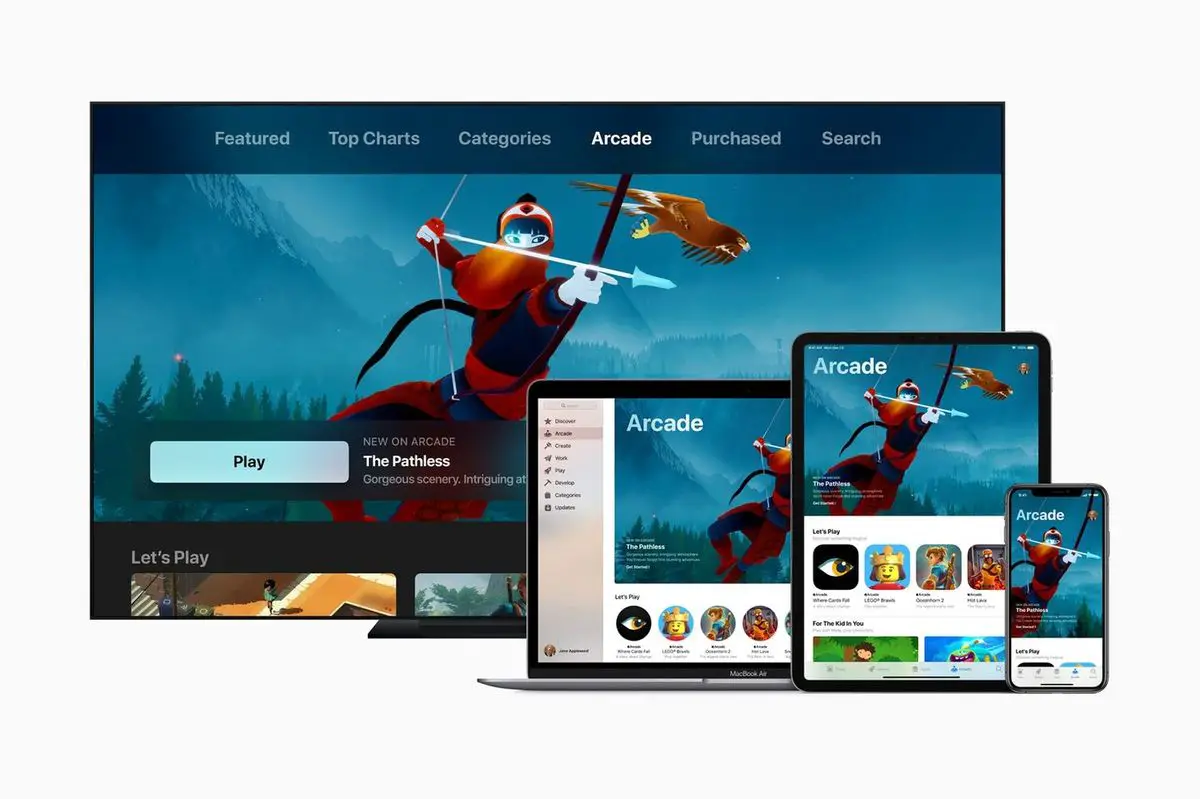
It should be noted that Apple Arcade is a multiplatform service, so it is possible to play its games on iPhone, iPad, Mac, or Apple TV. Similarly, it is also possible to subscribe or unsubscribe from all four devices.

n iPhone, iPad, Mac, and Apple TV

  • Open the App Store app and tap on the profile picture at the top right.
  • Click on ‘Subscriptions’.
  • Find ‘Apple Arcade’ in the list.
  • Click ‘Cancel free trial’ or ‘Cancel subscription’.
  • Confirm the action in the pop-up alert.

On Mac

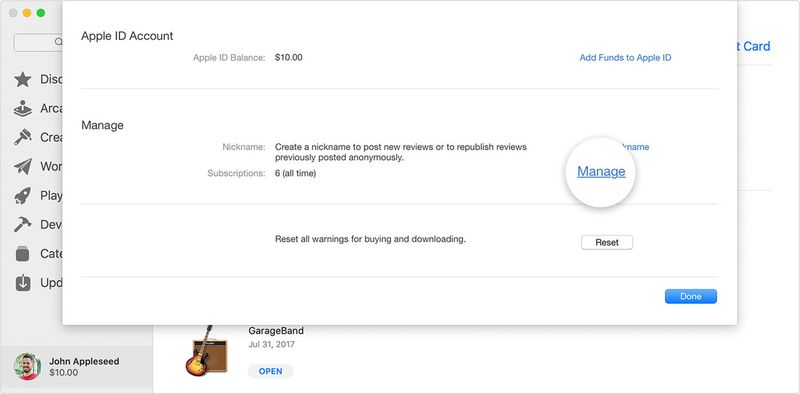
  • Open the Mac App Store app and click on the profile picture at the top.
  • Click on ‘View information’.
  • Click on ‘Manage’.
  • Find ‘Apple Arcade’ in the list.
  • Click ‘Cancel free trial’ or ‘Cancel subscription’.
  • Confirm the action in the pop-up alert.

On Apple TV

  • Open the Settings app.
  • Click on ‘Users & Accounts’.
  • Find ‘Apple Arcade’ in the list.
  • Click ‘Cancel Free Trial’ or ‘Cancel Subscription’.
  • Confirm the action in the popup alert.

This is all you need to do to stop paying for Apple Arcade. Note that if you cancel the subscription the service does not stop working immediately.
How to cancel Apple Arcade?
How to cancel Apple Arcade subscription?

The service will stop being available on the date the subscription ends. So if there are still a few days left of the free trial period or paid a monthly fee, you can still enjoy the service until then. The exact date on which the service will end is shown in the subscription section.

Tags: Appleapple arcadeapple tvcancelhow toiPadiPhonemac
ShareTweet
Barış Selman

Barış Selman

A technology and gaming enthusiast by day, Barış is a passionate composer and black/death metal guitarist by night. He keeps his finger on the pulse of the intersection of art and technology whenever he can from his tours worldwide.

Related Posts

How to choose the right reset method for Samsung Galaxy devices

How to choose the right reset method for Samsung Galaxy devices

9 January 2026
What resetting end-to-end encryption does on iPhone, iPad or Mac

What resetting end-to-end encryption does on iPhone, iPad or Mac

9 January 2026
How to easily monitor your AT&T data usage and avoid overages

How to easily monitor your AT&T data usage and avoid overages

9 January 2026
How to reset your Bosch dishwasher when buttons won’t respond

How to reset your Bosch dishwasher when buttons won’t respond

9 January 2026
Please login to join discussion

LATEST

How to choose the right reset method for Samsung Galaxy devices

What resetting end-to-end encryption does on iPhone, iPad or Mac

How to easily monitor your AT&T data usage and avoid overages

How to reset your Bosch dishwasher when buttons won’t respond

Disney+ brings TikTok-style scrolling to its streaming app

Xbox reveals lineup for next Developer Direct: Fable, Forza and more

FIFA and TikTok partner to stream live World Cup clips

YouTube updates search filters to separate Shorts from long videos

Google introduces AI Inbox to organize Gmail tasks and updates

Announcements made by Samsung Display at CES 2026

TechBriefly

© 2021 TechBriefly is a Linkmedya brand.

  • Tech
  • Business
  • Science
  • Geek
  • How to
  • About
  • Privacy
  • Terms
  • Contact
  • | Network Sites |
  • Digital Report
  • LeaderGamer

Follow Us

No Result
View All Result
  • Tech
  • Business
  • Crypto
  • Science
  • Geek
  • How to
  • About
    • About TechBriefly
    • Terms and Conditions
    • Privacy Policy
    • Contact Us
    • Languages
      • 中文 (Chinese)
      • Dansk
      • Deutsch
      • Español
      • English
      • Français
      • Nederlands
      • Italiano
      • 日本语 (Japanese)
      • 한국인 (Korean)
      • Norsk
      • Polski
      • Português
      • Pусский (Russian)
      • Suomalainen
      • Svenska