TechBriefly
  • Tech
  • Business
  • Crypto
  • Science
  • Geek
  • How to
  • About
    • About TechBriefly
    • Terms and Conditions
    • Privacy Policy
    • Contact Us
    • Languages
      • 中文 (Chinese)
      • Dansk
      • Deutsch
      • Español
      • English
      • Français
      • Nederlands
      • Italiano
      • 日本语 (Japanese)
      • 한국인 (Korean)
      • Norsk
      • Polski
      • Português
      • Pусский (Russian)
      • Suomalainen
      • Svenska
No Result
View All Result
TechBriefly
Home Tech Software
Google Maps dark mode is now official

Google Maps dark mode is now official

Barış SelmanbyBarış Selman
5 August 2021
in Software, Tech
Reading Time: 1 min read
Share on FacebookShare on Twitter

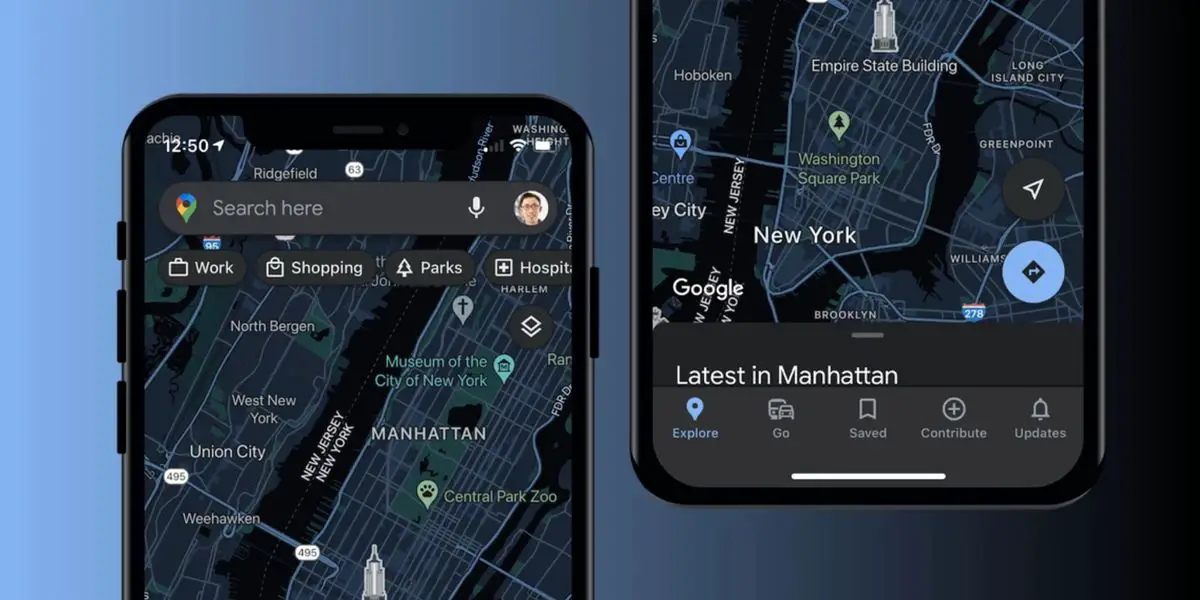
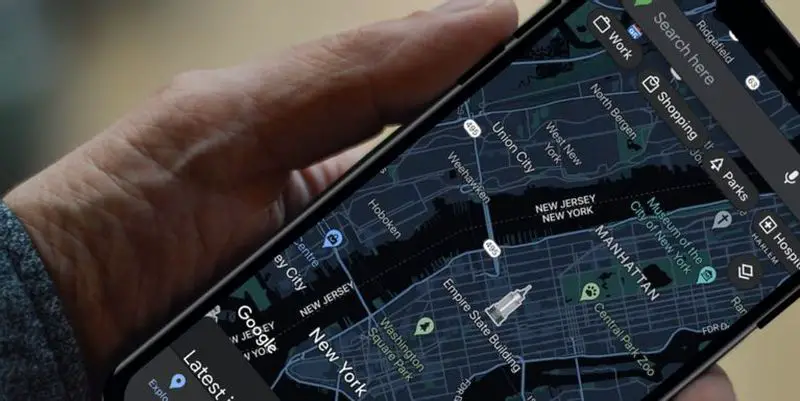
Google Maps dark mode is now official. The search giant has been testing for the past two months the dark mode in its maps application for iOS, a dark mode that is finally launched for all users and allows the user to enjoy the entire application in dark tones when the device has the dark mode activated.

Feeling screen fatigue or want to customize your app? You’re in luck: the dark mode of Google Maps for iOS will start working in the coming weeks so you can give your eyes a break or save battery. To activate it, head to Settings, tap on dark mode and select “On”.
Google Maps dark mode is now official

The dark mode that was previously available in the Google Maps app only affected the map, not the app’s menus, which made it difficult to use the app in unfavorable lighting conditions due to the sudden changes in lighting when switching between the menus and the map.

Within the configuration options, Google Maps allows us if we want the dark mode to be activated when it is running on the device or if we want it to be always on (as we can see in the image above).

Along with the implementation of the full dark mode in Google Maps, the search giant has also added the ability to share the location through the Messages application.

According to Google, the dark mode will become available to all users in the next 30 days, so if you still do not have it activated, just sit back and wait or use Apple Maps in the meantime, as Apple’s map service does support the full dark mode.


Tags: applicationdark modeGoogle Mapsofficialsoftware
ShareTweet
Barış Selman

Barış Selman

A technology and gaming enthusiast by day, Barış is a passionate composer and black/death metal guitarist by night. He keeps his finger on the pulse of the intersection of art and technology whenever he can from his tours worldwide.

Related Posts

Apple begins iPhone 18 series production testing in January

Apple begins iPhone 18 series production testing in January

24 December 2025
EA investigates AI claims in Battlefield 6 cosmetics

EA investigates AI claims in Battlefield 6 cosmetics

24 December 2025
Amazon Alexa+ will book your hotels and salons starting in 2026

Amazon Alexa+ will book your hotels and salons starting in 2026

24 December 2025
OpenAI launches Skills in Codex

OpenAI launches Skills in Codex

24 December 2025
Please login to join discussion

LATEST

How to install mods and custom content in The Sims 2

Running Python files and fixing path errors on Windows

How to boot your PC into Command Prompt for troubleshooting

How to delete a virus using Command Prompt

How to connect a PS4 controller to Steam via USB or Bluetooth

How to connect your phone to Wi-Fi and fix connection issues

Apple begins iPhone 18 series production testing in January

EA investigates AI claims in Battlefield 6 cosmetics

Amazon Alexa+ will book your hotels and salons starting in 2026

OpenAI launches Skills in Codex

TechBriefly

© 2021 TechBriefly is a Linkmedya brand.

  • Tech
  • Business
  • Science
  • Geek
  • How to
  • About
  • Privacy
  • Terms
  • Contact
  • | Network Sites |
  • Digital Report
  • LeaderGamer

Follow Us

No Result
View All Result
  • Tech
  • Business
  • Crypto
  • Science
  • Geek
  • How to
  • About
    • About TechBriefly
    • Terms and Conditions
    • Privacy Policy
    • Contact Us
    • Languages
      • 中文 (Chinese)
      • Dansk
      • Deutsch
      • Español
      • English
      • Français
      • Nederlands
      • Italiano
      • 日本语 (Japanese)
      • 한국인 (Korean)
      • Norsk
      • Polski
      • Português
      • Pусский (Russian)
      • Suomalainen
      • Svenska