

TechBriefly
  • Tech
  • Business
  • Crypto
  • Science
  • Geek
  • How to
  • About
    • About TechBriefly
    • Terms and Conditions
    • Privacy Policy
    • Contact Us
    • Languages
      • 中文 (Chinese)
      • Dansk
      • Deutsch
      • Español
      • English
      • Français
      • Nederlands
      • Italiano
      • 日本语 (Japanese)
      • 한국인 (Korean)
      • Norsk
      • Polski
      • Português
      • Pусский (Russian)
      • Suomalainen
      • Svenska
No Result
View All Result
TechBriefly
Home How to
How to unlock a smartphone if you forgot the pattern?

How to unlock a smartphone if you forgot the pattern?

Kerem GülenbyKerem Gülen
4 July 2021
in How to
Reading Time: 2 mins read
Share on FacebookShare on Twitter

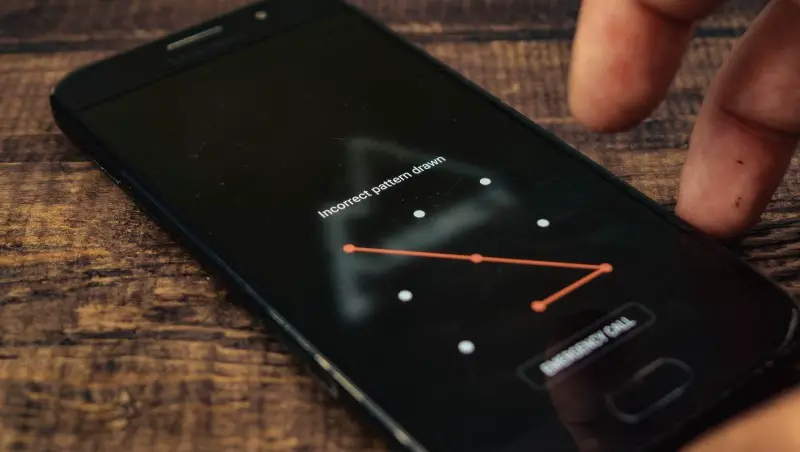
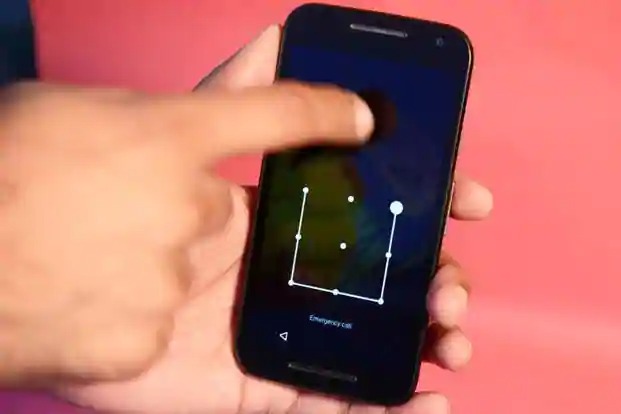
Today we are going to explain how to unlock a smartphone if you forgot the pattern. Even though most Android phones sold today include a fingerprint reader and face recognition systems, there are still many users who go for a classic PIN or dot pattern to protect their device’s security and privacy. We explain how you can remove the Android unlock pattern if you have forgotten it.

How to unlock a smartphone if you forgot the pattern?

Google Smart Lock

Google Smart Lock is a technology that was implemented in Android 5.0 Lollipop, and it can save us from big trouble if we have forgotten the unlock pattern of our mobile phone. This system allows us to unlock the phone when we are in a specific location, near a trusted device, etc.

There are specific cases of some manufacturers such as Samsung, which allow you to unlock the Android phone screen, using a service from a web browser. In the case of Samsung, it is called Find My Mobile. You must log in with the same Samsung account you use on your Android phone.
How to unlock a smartphone if you forgot the pattern?

Factory reset

There are several ways to reset an Android phone to factory settings. The most practical way when you can not unlock the phone is to access the recovery point that comes installed on the device.

The most common way to access the Android recovery is to press and hold the power and volume down buttons while the device is completely turned off. However, the combination of buttons you should use may vary in some specific models, so we recommend that you visit the manufacturer’s official website for instructions on how to access the recovery. Then, you should see an option that allows you to reset the device to its factory settings.

Tags: Androidfactory resetguidehow tolockstep by steptutorial
ShareTweet
Kerem Gülen

Kerem Gülen

Kerem from Turkey has an insatiable curiosity for the latest advancements in tech gadgets and a knack for innovative thinking.With 3 years of experience in editorship and a childhood dream of becoming a journalist, Kerem has always been curious about the latest tech gadgets and is constantly seeking new ways to create.As a Master's student in Strategic Communications, Kerem is eager to learn more about the ever-evolving world of technology. His primary focuses are artificial intelligence and digital inclusion, and he delves into the most current and accurate information on these topics.

Related Posts

How to install mods and custom content in The Sims 2

How to install mods and custom content in The Sims 2

26 December 2025
Running Python files and fixing path errors on Windows

Running Python files and fixing path errors on Windows

26 December 2025
How to boot your PC into Command Prompt for troubleshooting

How to boot your PC into Command Prompt for troubleshooting

26 December 2025
How to delete a virus using Command Prompt

How to delete a virus using Command Prompt

26 December 2025
Please login to join discussion

LATEST

ASUS to launch new AI PCs at CES 2026

GameSir announces CES 2026 participation

LG Electronics announces LG CLOiD home robot

LG revives Wallpaper OLED line with Evo W6 at CES 2026

Samsung Display starts mass production of 34-inch 360Hz QD-OLED

LG Electronics announces 2026 LG gram lineup

Samsung unveils Companion to AI Living at CES 2026

Samsung showcases C-Lab startups at CES 2026

Bosch eBike Systems adds theft protection to eBike Flow app

Bosch unveils AI extension platform, AI-powered cockpit at CES 2026

TechBriefly

© 2021 TechBriefly is a Linkmedya brand.

  • Tech
  • Business
  • Science
  • Geek
  • How to
  • About
  • Privacy
  • Terms
  • Contact
  • | Network Sites |
  • Digital Report
  • LeaderGamer

Follow Us

No Result
View All Result
  • Tech
  • Business
  • Crypto
  • Science
  • Geek
  • How to
  • About
    • About TechBriefly
    • Terms and Conditions
    • Privacy Policy
    • Contact Us
    • Languages
      • 中文 (Chinese)
      • Dansk
      • Deutsch
      • Español
      • English
      • Français
      • Nederlands
      • Italiano
      • 日本语 (Japanese)
      • 한국인 (Korean)
      • Norsk
      • Polski
      • Português
      • Pусский (Russian)
      • Suomalainen
      • Svenska