TechBriefly
  • Tech
  • Business
  • Crypto
  • Science
  • Geek
  • How to
  • About
    • About TechBriefly
    • Terms and Conditions
    • Privacy Policy
    • Contact Us
    • Languages
      • 中文 (Chinese)
      • Dansk
      • Deutsch
      • Español
      • English
      • Français
      • Nederlands
      • Italiano
      • 日本语 (Japanese)
      • 한국인 (Korean)
      • Norsk
      • Polski
      • Português
      • Pусский (Russian)
      • Suomalainen
      • Svenska
No Result
View All Result
TechBriefly
Home Business
Cryptocurrency payments come to Google Pay thanks to Coinbase

Cryptocurrency payments come to Google Pay thanks to Coinbase

Barış SelmanbyBarış Selman
16 June 2021
in Business, Fintech
Reading Time: 2 mins read
Share on FacebookShare on Twitter

Google Pay now supports mobile payments with cryptocurrencies such as Bitcoin or Ethereum thanks to its partnership with Coinbase.

Contactless payments are something that many people in some countries currently use (especially since the COVID-19 crisis), something made possible by applications such as Google Pay. This application now expands the supported payment systems thanks to its union with Coinbase. Thanks to this it is now possible to pay with cryptocurrencies using this application.

Google Pay already supports Coinbase as one of its accepted payment methods. This allows us to add our Coinbase card in the payment app on Android or Wear OS and thus be able to pay with cryptocurrencies such as Bitcoin, Ethereum, or DogeCoin.

Pay with cryptocurrencies using Google Pay
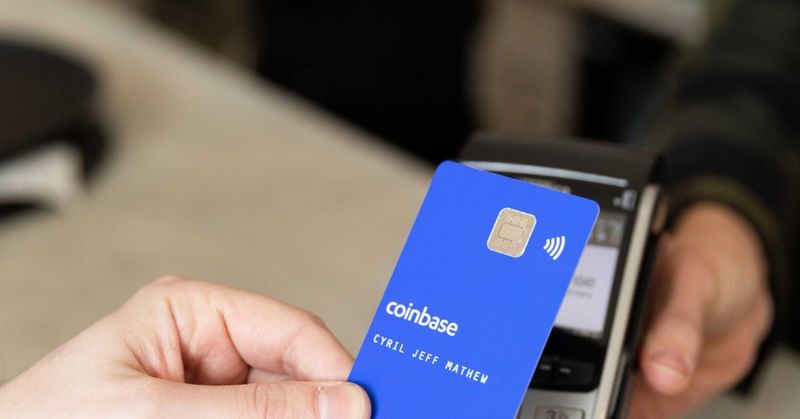
Cryptocurrency payments come to Google Pay thanks to Coinbase

This possibility is launched for the moment in the form of a limited and closed test in the United States. Due to this test, there are already several users who in their Google Pay account already can add a Coinbase card as a payment method. Coinbase also offers this option in Apple Pay, as announced today.

As many of you already know, Coinbase is one of the most popular cryptocurrency wallets on the market. Users who have virtual currencies such as Bitcoin, Ethereum, or DodgeCoin use this app to hold their coins this way. They can now link that account and card to the Google payments app.

For this to be possible, Google Pay requires users to have a physical Coinbase card, something they can request. If such a card is already in place, it can be set up as a payment method to be used in Google Pay or Apple Pay. Users will be able to set which cryptocurrency they then wish to use for their payments.

This test is first conducted in the United States. There is no data on its possible international launch, but it may be a stepping stone to global availability. Although so far neither Google nor Coinbase says anything about these plans.


Tags: coinbaseComingcryptocurrencyfeaturedfintechgoogle paypaymentstechnology
ShareTweet
Barış Selman

Barış Selman

A technology and gaming enthusiast by day, Barış is a passionate composer and black/death metal guitarist by night. He keeps his finger on the pulse of the intersection of art and technology whenever he can from his tours worldwide.

Related Posts

New  billion AstraZeneca deal targets 23% of all cancer types

New $2 billion AstraZeneca deal targets 23% of all cancer types

22 December 2025
LinkedIn CEO Roslansky deems five-year business plans outdated

LinkedIn CEO Roslansky deems five-year business plans outdated

19 December 2025
OpenAI seeks 0B funding at 0B valuation

OpenAI seeks $100B funding at $830B valuation

19 December 2025
Lovable raises 0M Series B at .6B valuation

Lovable raises $330M Series B at $6.6B valuation

19 December 2025
Please login to join discussion

LATEST

New WhatsApp update brings 2026 stickers and video call effects

Leaker reveals Xiaomi plans for high end eSIM device in 2026

HP prepares OMEN OLED monitor reveal for CES 2026

High RAM costs from AI boom could delay next Xbox and PlayStation

LG to unveil its Gallery TV at CES 2026

Bitcoin drops 3% to $87,300 as altcoins decline

How to install mods and custom content in The Sims 2

Running Python files and fixing path errors on Windows

How to boot your PC into Command Prompt for troubleshooting

How to delete a virus using Command Prompt

TechBriefly

© 2021 TechBriefly is a Linkmedya brand.

  • Tech
  • Business
  • Science
  • Geek
  • How to
  • About
  • Privacy
  • Terms
  • Contact
  • | Network Sites |
  • Digital Report
  • LeaderGamer

Follow Us

No Result
View All Result
  • Tech
  • Business
  • Crypto
  • Science
  • Geek
  • How to
  • About
    • About TechBriefly
    • Terms and Conditions
    • Privacy Policy
    • Contact Us
    • Languages
      • 中文 (Chinese)
      • Dansk
      • Deutsch
      • Español
      • English
      • Français
      • Nederlands
      • Italiano
      • 日本语 (Japanese)
      • 한국인 (Korean)
      • Norsk
      • Polski
      • Português
      • Pусский (Russian)
      • Suomalainen
      • Svenska