

TechBriefly
  • Tech
  • Business
  • Crypto
  • Science
  • Geek
  • How to
  • About
    • About TechBriefly
    • Terms and Conditions
    • Privacy Policy
    • Contact Us
    • Languages
      • 中文 (Chinese)
      • Dansk
      • Deutsch
      • Español
      • English
      • Français
      • Nederlands
      • Italiano
      • 日本语 (Japanese)
      • 한국인 (Korean)
      • Norsk
      • Polski
      • Português
      • Pусский (Russian)
      • Suomalainen
      • Svenska
No Result
View All Result
TechBriefly
Home How to
What is RAW image format and which are the best apps to edit those images?

What is RAW image format and which are the best apps to edit those images?

Kerem GülenbyKerem Gülen
6 May 2021
in How to
Reading Time: 3 mins read
Share on FacebookShare on Twitter

Today we are going to tell what RAW image format is and review the best apps to edit those images. There are many smartphones on the market that offer the possibility of taking photographs in RAW format. This technology has been with us for a long time and this format is almost always associated with professional photography.

What is RAW image format?

Sensors are semiconductors, chips made up of millions of individual cells that we can call ‘pixels’. Each of these cells is further divided into a series of smaller chips, chips that are responsible for converting the light, the information, into ones and zeros. These small cells are the photosites or photodiodes.

Since white light can be broken down into red light, green light, and blue light, each photosite captures a specific wavelength (blue light, red light, green light, redundant photosite). Thus, by merging them all, we can compose the image as perceived by the sensor through the camera lens.
What is RAW image format and which are the best apps to edit those images?
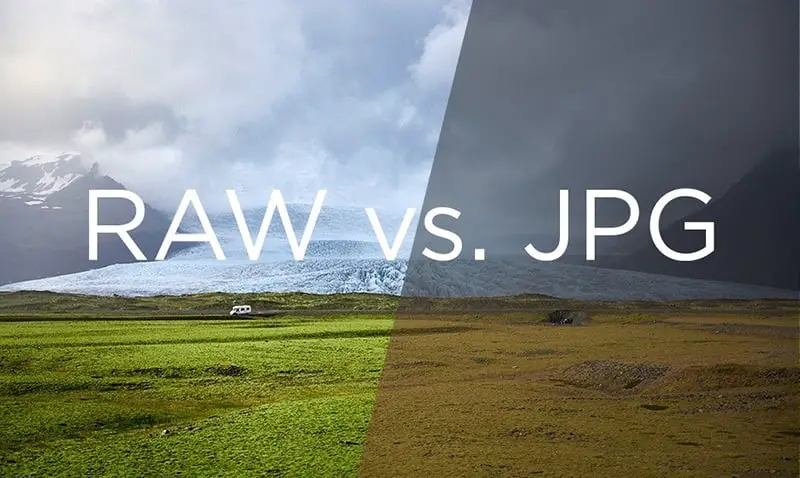
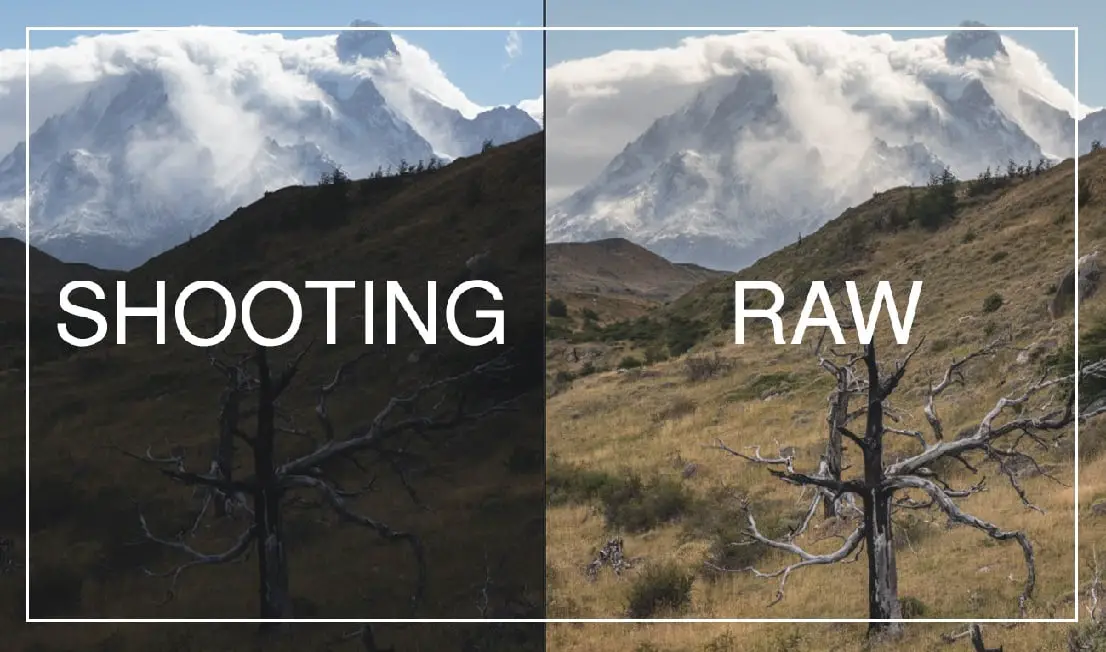
The difference between RAW and JPG.

This information separated into three is what ends up embedded in the smartphone. All the information captured by the sensor reaches the camera app, which decides what to do with it to finally produce a file that we can manipulate: our photograph. But there are two processes to produce this photograph. The information can be offered practically in its raw state, with hardly any manipulation.

When the image is processed what is produced is a JPG file. When the image is offered practically raw what is produced is a RAW file.

We say it depends on the phone app because the RAW file always exists. It is up to the camera app to let us export the raw data or not. And of course, this raw data is heavier than the processed data, that’s why RAW files take more space than JPG files.

Best apps to edit RAW images

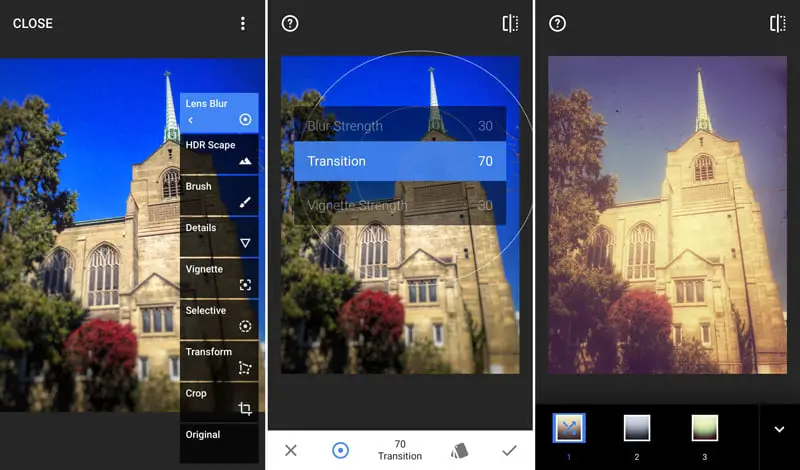
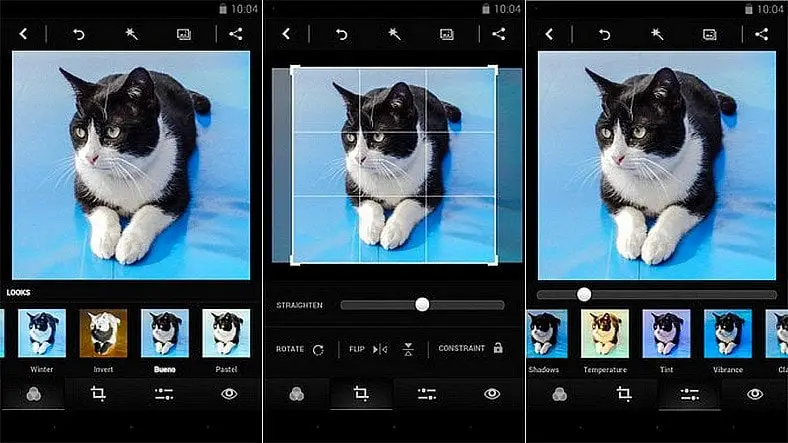
Snapseed
What is RAW image format and which are the best apps to edit those images?

With this app, we can open files in RAW format and adjust various parameters before producing a JPG file. And Snapseed is available for both iPhone and Android.

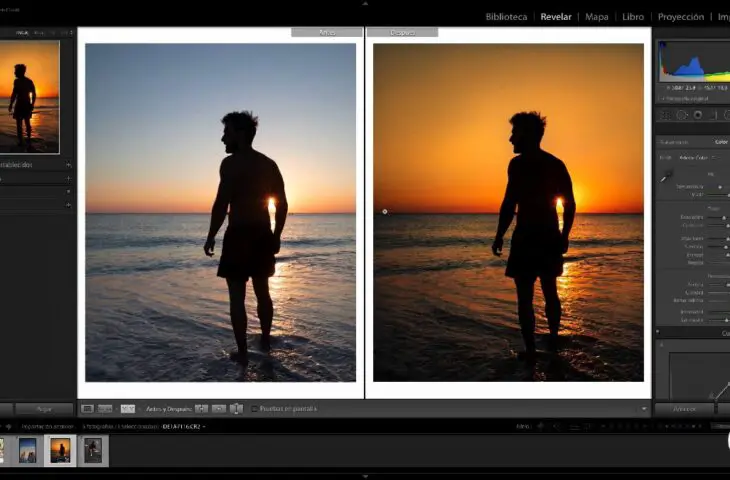
Adobe Lightroom
What is RAW image format and which are the best apps to edit those images?

One of the best-known and most powerful programs for processing RAW files in the PC world is also present on the mobile phone in the form of an official app. But in addition to letting us process RAW on smartphones, Lightroom has a built-in camera too. Even if our native camera app does not support RAW format, Lightroom will open this door for us.

Adobe Photoshop Express
What is RAW image format and which are the best apps to edit those images?

The PC version may need a specific extension to handle RAW files at some point, but this feature is supported natively on the mobile version. You can use this app on iPhone and iPad as well as on Android.

VSCO

What is RAW image format and which are the best apps to edit those images?

VSCO originally started as an app capable of editing only JPG files but it started to support RAW image format too. In addition, VSCO is also a social network itself. So you can check what other people are sharing. It is available on iOS and Android.

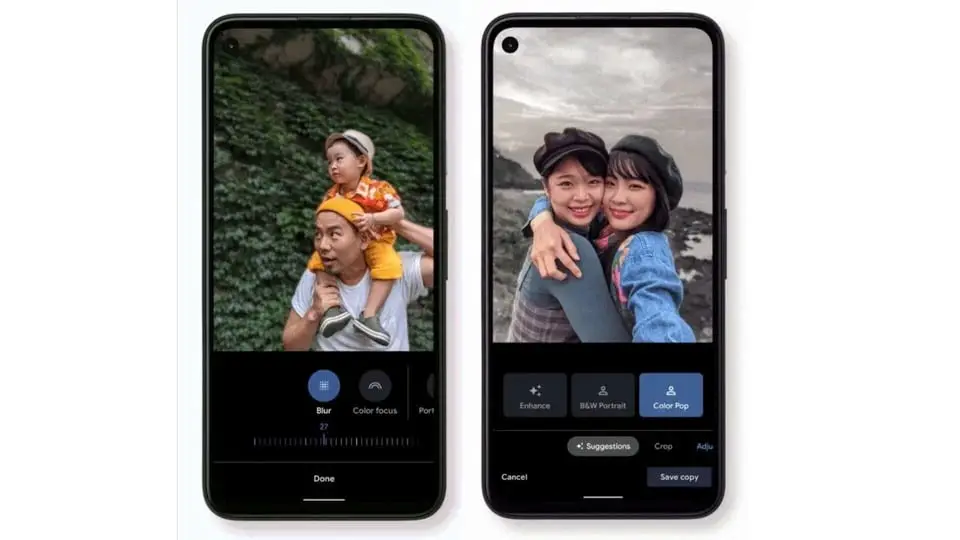
Google Photos
What is RAW image format and which are the best apps to edit those images?

We leave Google Photos for last because it is perhaps the app that offers the fewest options when it comes to handling RAW files, but it is still a good editing tool. And again, Google Photos appears in the app stores of both operating systems, for both iOS and Android. Another good option.

Tags: appsbestcameraedithow tophoto
ShareTweet
Kerem Gülen

Kerem Gülen

Kerem from Turkey has an insatiable curiosity for the latest advancements in tech gadgets and a knack for innovative thinking.With 3 years of experience in editorship and a childhood dream of becoming a journalist, Kerem has always been curious about the latest tech gadgets and is constantly seeking new ways to create.As a Master's student in Strategic Communications, Kerem is eager to learn more about the ever-evolving world of technology. His primary focuses are artificial intelligence and digital inclusion, and he delves into the most current and accurate information on these topics.

Related Posts

How to tell if your iPhone or Android phone is carrier unlocked

How to tell if your iPhone or Android phone is carrier unlocked

16 January 2026
How to apply screen protectors without air bubbles

How to apply screen protectors without air bubbles

16 January 2026
How to check if someone read your message on iPhone or iPad

How to check if someone read your message on iPhone or iPad

16 January 2026
A guide to viewing calculation history on iOS 18

A guide to viewing calculation history on iOS 18

16 January 2026
Please login to join discussion

LATEST

OpenAI rockets $250 million into Altman’s Merge Labs brain-AI bridge

Bluesky opens “Live Now” badges to all users to lure Twitch creators

Capcom reveals Resident Evil: Requiem classic mode and ink ribbons

How to tell if your iPhone or Android phone is carrier unlocked

Paramount+ slams subscribers with first price hike since 2024

Ashley St. Clair sues xAI over Grok deepfakes

Samsung launches instant-play cloud streaming in Mobile Gaming Hub update

Netflix secures Sony Pictures first-to-stream rights

How to apply screen protectors without air bubbles

How to check if someone read your message on iPhone or iPad

TechBriefly

© 2021 TechBriefly is a Linkmedya brand.

  • Tech
  • Business
  • Science
  • Geek
  • How to
  • About
  • Privacy
  • Terms
  • Contact
  • | Network Sites |
  • Digital Report
  • LeaderGamer

Follow Us

No Result
View All Result
  • Tech
  • Business
  • Crypto
  • Science
  • Geek
  • How to
  • About
    • About TechBriefly
    • Terms and Conditions
    • Privacy Policy
    • Contact Us
    • Languages
      • 中文 (Chinese)
      • Dansk
      • Deutsch
      • Español
      • English
      • Français
      • Nederlands
      • Italiano
      • 日本语 (Japanese)
      • 한국인 (Korean)
      • Norsk
      • Polski
      • Português
      • Pусский (Russian)
      • Suomalainen
      • Svenska