

TechBriefly
  • Tech
  • Business
  • Crypto
  • Science
  • Geek
  • How to
  • About
    • About TechBriefly
    • Terms and Conditions
    • Privacy Policy
    • Contact Us
    • Languages
      • 中文 (Chinese)
      • Dansk
      • Deutsch
      • Español
      • English
      • Français
      • Nederlands
      • Italiano
      • 日本语 (Japanese)
      • 한국인 (Korean)
      • Norsk
      • Polski
      • Português
      • Pусский (Russian)
      • Suomalainen
      • Svenska
No Result
View All Result
TechBriefly
Home Tech Streaming
Google TV will bring a new basic mode to disable all smart features of the device

Google TV will bring a new basic mode to disable all smart features of the device

Kerem GülenbyKerem Gülen
25 February 2021
in Streaming, Tech
Reading Time: 2 mins read
Share on FacebookShare on Twitter

Google TV will offer a new basic mode disabling all “smart” features of the device. Google TV is the interface for Android TV that several manufacturers such as TCL and Sony plan to incorporate into their TVs during 2021.

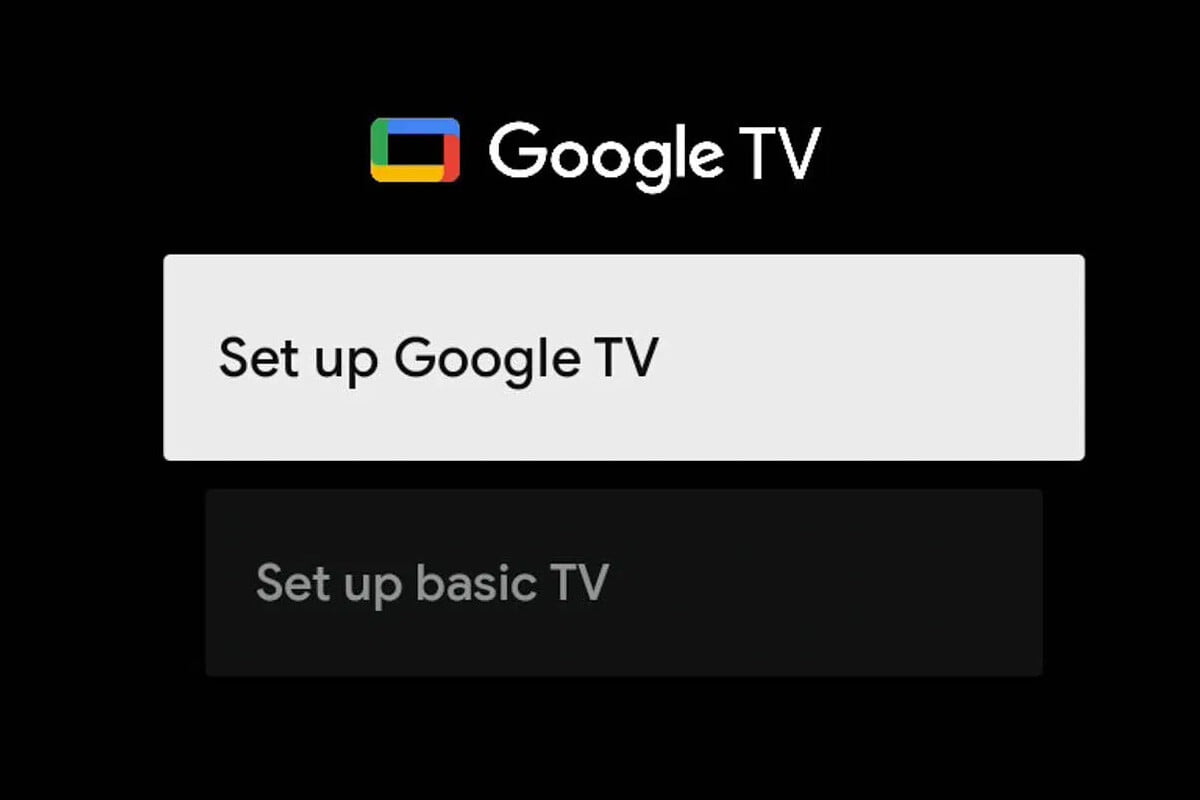
When configuring one of the new TVs, there will be two options: Google TV or Basic TV. If you choose the Basic mode, the TV will have no apps, Google Assistant, or any other smart features.

Google TV is offering a new basic mode for TVs

Some people like TVs with a bunch of buttons and smart features and other people prefer an old-fashioned TV connected to the antenna instead of the Internet. Nowadays it is getting harder and harder to find a TV that isn’t “smart”, Google TVs will include a basic mode especially for these people.

This mode eliminates applications, giving access only to live TV (DTT, cable or similar) or devices connected via HDMI. In other words, it is like removing the smart features from the TV.
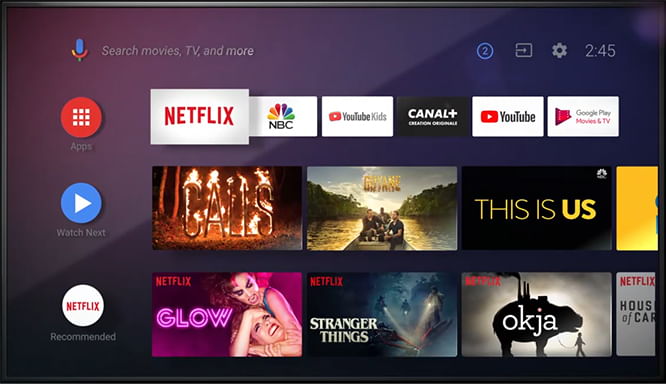
Google TV will bring a new basic mode to disable all "smart" features of the device
Google TV will bring a new basic mode to disable all “smart” features of the device

This mode can be useful when the TV doesn’t have Internet access, for people who don’t plan to use these kinds of features or to extend its life as a basic TV after the software becomes obsolete in a few years. It is not a choice with no way back, and at any time it is possible to switch from basic mode to “Smart” mode, which is simply called Google TV. But it is important to know if you want to switch modes, you need a factory reset.

This feature will be available on all TVs that include Google TV and not necessarily only to those based on the latest version of Android TV, Android TV 12, which was presented in beta form along with the first Developer Preview of Android 12.


Tags: AndroidGooglegoogle tvmodesmartSmart TVTVtvs
ShareTweet
Kerem Gülen

Kerem Gülen

Kerem from Turkey has an insatiable curiosity for the latest advancements in tech gadgets and a knack for innovative thinking.With 3 years of experience in editorship and a childhood dream of becoming a journalist, Kerem has always been curious about the latest tech gadgets and is constantly seeking new ways to create.As a Master's student in Strategic Communications, Kerem is eager to learn more about the ever-evolving world of technology. His primary focuses are artificial intelligence and digital inclusion, and he delves into the most current and accurate information on these topics.

Related Posts

Announcements made by Samsung Display at CES 2026

Announcements made by Samsung Display at CES 2026

8 January 2026
Bluetti unveils dual-input Charger 2 at CES 2026

Bluetti unveils dual-input Charger 2 at CES 2026

8 January 2026
Whisper Aero unveils T1 leaf blower at CES 2026

Whisper Aero unveils T1 leaf blower at CES 2026

8 January 2026
OpenAI announces ChatGPT Health feature

OpenAI announces ChatGPT Health feature

8 January 2026
Please login to join discussion

LATEST

Announcements made by Samsung Display at CES 2026

Bluetti unveils dual-input Charger 2 at CES 2026

Whisper Aero unveils T1 leaf blower at CES 2026

OpenAI announces ChatGPT Health feature

Google Classroom turns lessons into podcasts with Gemini

Roblox users must scan faces to unlock chat features

Caterpillar partners with Nvidia to bring AI to the construction site

WhatsApp adds member tags and text stickers to group chats

Spotify brings live listening activity to Messages

How to use the exit command in Windows Command Prompt

TechBriefly

© 2021 TechBriefly is a Linkmedya brand.

  • Tech
  • Business
  • Science
  • Geek
  • How to
  • About
  • Privacy
  • Terms
  • Contact
  • | Network Sites |
  • Digital Report
  • LeaderGamer

Follow Us

No Result
View All Result
  • Tech
  • Business
  • Crypto
  • Science
  • Geek
  • How to
  • About
    • About TechBriefly
    • Terms and Conditions
    • Privacy Policy
    • Contact Us
    • Languages
      • 中文 (Chinese)
      • Dansk
      • Deutsch
      • Español
      • English
      • Français
      • Nederlands
      • Italiano
      • 日本语 (Japanese)
      • 한국인 (Korean)
      • Norsk
      • Polski
      • Português
      • Pусский (Russian)
      • Suomalainen
      • Svenska