
TechBriefly
  • Tech
  • Business
  • Crypto
  • Science
  • Geek
  • How to
  • About
    • About TechBriefly
    • Terms and Conditions
    • Privacy Policy
    • Contact Us
    • Languages
      • 中文 (Chinese)
      • Dansk
      • Deutsch
      • Español
      • English
      • Français
      • Nederlands
      • Italiano
      • 日本语 (Japanese)
      • 한국인 (Korean)
      • Norsk
      • Polski
      • Português
      • Pусский (Russian)
      • Suomalainen
      • Svenska
No Result
View All Result
TechBriefly
Home How to
How to add new words to your Android dictionary?

How to add new words to your Android dictionary?

Barış SelmanbyBarış Selman
15 February 2021
in How to
Reading Time: 2 mins read
Share on FacebookShare on Twitter

We will tell you how to add new words to your Android dictionary in this article.

Using your vocabulary when typing on your Android phone can be tricky, as the keyboard doesn’t recognize those very personal words you use with your family and friends.

To avoid being bothered by the keyboard’s autocorrect in these situations, the easiest way is to add your own words to the Android dictionary. This way, when you use them, the keyboard won’t automatically correct them for you or tell you that they are wrong.

Adding words to the dictionary of your Android is a simple process that we explain how to do in the following lines.

How to add new words to your Android dictionary?

The default dictionary of your Android device is very useful, as it allows the keyboard to suggest words and make corrections to those you have already typed.

This dictionary does not have the particular words that you use in your close circle, for example, the expression, characteristic of Extremadura and Murcia.
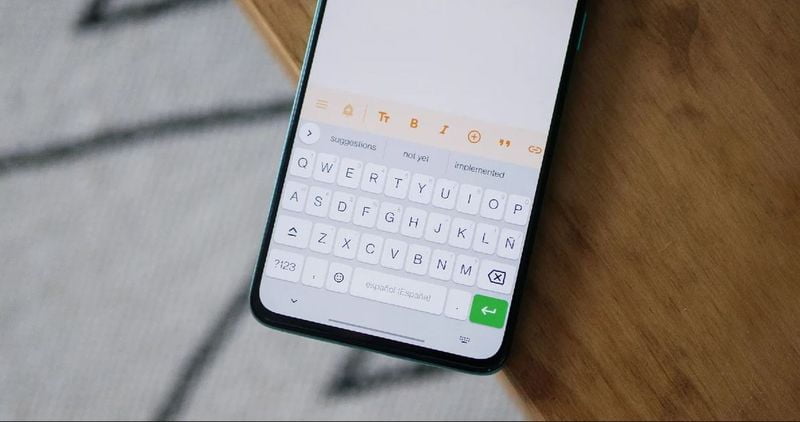
How to add new words to your Android dictionary?

To solve these small problems, you can adapt the dictionary to your vocabulary by adding those words that the dictionary does not include. The process is simple, the steps to follow are as follows:

  • Go to the settings of your cell phone.
  • Click on the “Language and text input” option.
  • Click on “Virtual keyboard” and then on Gboard, Google’s keyboard.
  • In the settings menu, select “Dictionary”.
  • Within the dictionary, select the language installed on the phone to which you are going to add a new word.
  • Click on “Personal dictionary”.
  • Tap on the + button in the upper right corner.
  • In the first text bar, type the word you are going to add, while in the second one you must enter a shortcut, a kind of shortcut to write that term faster.

Everything consists of entering Settings > Language and text input, enter the settings of your keyboard, and then in the “Dictionary” section. From there you can add all the terms you want and customize the dictionary of your Android. If you want to remove any added word, you can do it from the same section.

Tags: addAndroidhow tonew
ShareTweet
Barış Selman

Barış Selman

A technology and gaming enthusiast by day, Barış is a passionate composer and black/death metal guitarist by night. He keeps his finger on the pulse of the intersection of art and technology whenever he can from his tours worldwide.

Related Posts

How to enable cross platform play in Minecraft Bedrock Edition

How to enable cross platform play in Minecraft Bedrock Edition

14 January 2026
How to allow your Android to install apps from unknown sources

How to allow your Android to install apps from unknown sources

14 January 2026
How to connect a PS3 controller to a rooted Android device

How to connect a PS3 controller to a rooted Android device

14 January 2026
How to charge a JUUL using a phone charger hack

How to charge a JUUL using a phone charger hack

14 January 2026
Please login to join discussion

LATEST

Lego launches first-ever Pokémon sets with pre-orders up to $650

Capcom confirms 12-minute Resident Evil Showcase for tomorrow

China keeps market door half-shut for Nvidia despite US export approvals

Instagram co-founder Mike Krieger moves to Anthropic Labs

Netflix prepares all-cash offer for the Warner Bros. deal

Google rolls out automatic room check-in to Workspace users

Tesla launched 2026 Model Y with a seven-seat version

Battlefield 6 Season 2 delayed to February as EA addresses player backlash

Meta halts Quest successor plans as 1,000 Reality Labs jobs are cut

Roblox’s new AI age check is confusing adults for children

TechBriefly

© 2021 TechBriefly is a Linkmedya brand.

  • Tech
  • Business
  • Science
  • Geek
  • How to
  • About
  • Privacy
  • Terms
  • Contact
  • | Network Sites |
  • Digital Report
  • LeaderGamer

Follow Us

No Result
View All Result
  • Tech
  • Business
  • Crypto
  • Science
  • Geek
  • How to
  • About
    • About TechBriefly
    • Terms and Conditions
    • Privacy Policy
    • Contact Us
    • Languages
      • 中文 (Chinese)
      • Dansk
      • Deutsch
      • Español
      • English
      • Français
      • Nederlands
      • Italiano
      • 日本语 (Japanese)
      • 한국인 (Korean)
      • Norsk
      • Polski
      • Português
      • Pусский (Russian)
      • Suomalainen
      • Svenska