

TechBriefly
  • Tech
  • Business
  • Crypto
  • Science
  • Geek
  • How to
  • About
    • About TechBriefly
    • Terms and Conditions
    • Privacy Policy
    • Contact Us
    • Languages
      • 中文 (Chinese)
      • Dansk
      • Deutsch
      • Español
      • English
      • Français
      • Nederlands
      • Italiano
      • 日本语 (Japanese)
      • 한국인 (Korean)
      • Norsk
      • Polski
      • Português
      • Pусский (Russian)
      • Suomalainen
      • Svenska
No Result
View All Result
TechBriefly
Home How to
How to craft a natural-sounding ChatGPT output?

How to craft a natural-sounding ChatGPT output?

ChatGPT's text-to-speech (TTS) output can sometimes sound artificial or robotic, lacking the natural cadence of human speech. Let's fix it!

Emre ÇıtakbyEmre Çıtak
10 April 2024
in How to
Reading Time: 2 mins read
Share on FacebookShare on Twitter

ChatGPT is a powerful language model, capable of generating remarkably human-like text.

However, when those responses are read aloud using text-to-speech (TTS), they can sometimes have an artificial or robotic quality.

If you aim for shockingly natural spoken output, it’s time to add some spice to the mix! Let’s look at techniques to get that authentic speech feel.

How to improve your ChatGPT output

In everyday conversation, people rarely speak in perfectly formed, grammatically correct sentences. We use filler words like “um,” “uh,” “like,” and “you know”. These might seem like verbal clutter, but they actually serve an important function in natural speech.

You can instruct ChatGPT’s voice feature to include these fillers in its responses strategically. This will help it sound more conversational.

Here’s an example:

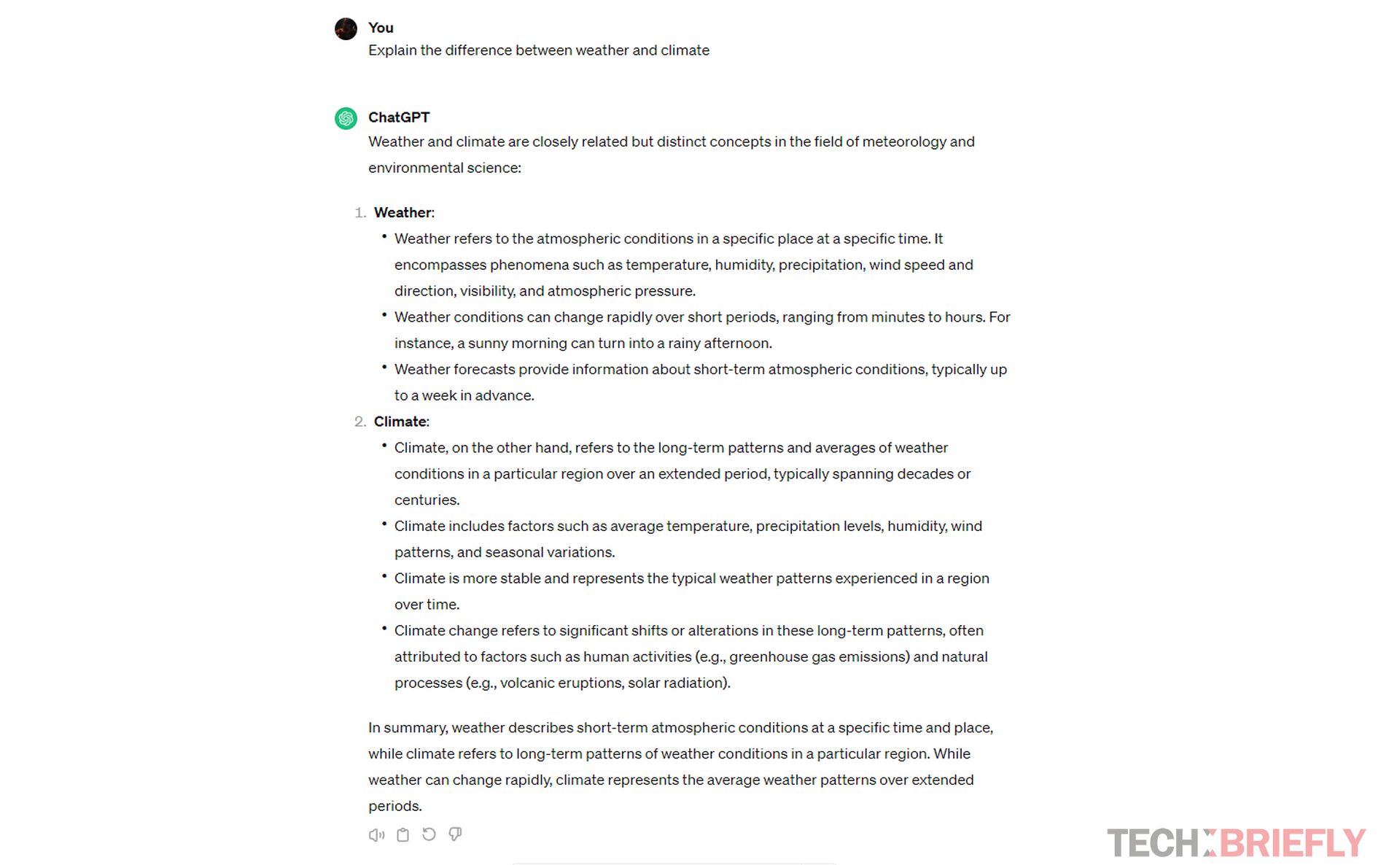
  • Prompt: Explain the difference between weather and climate.
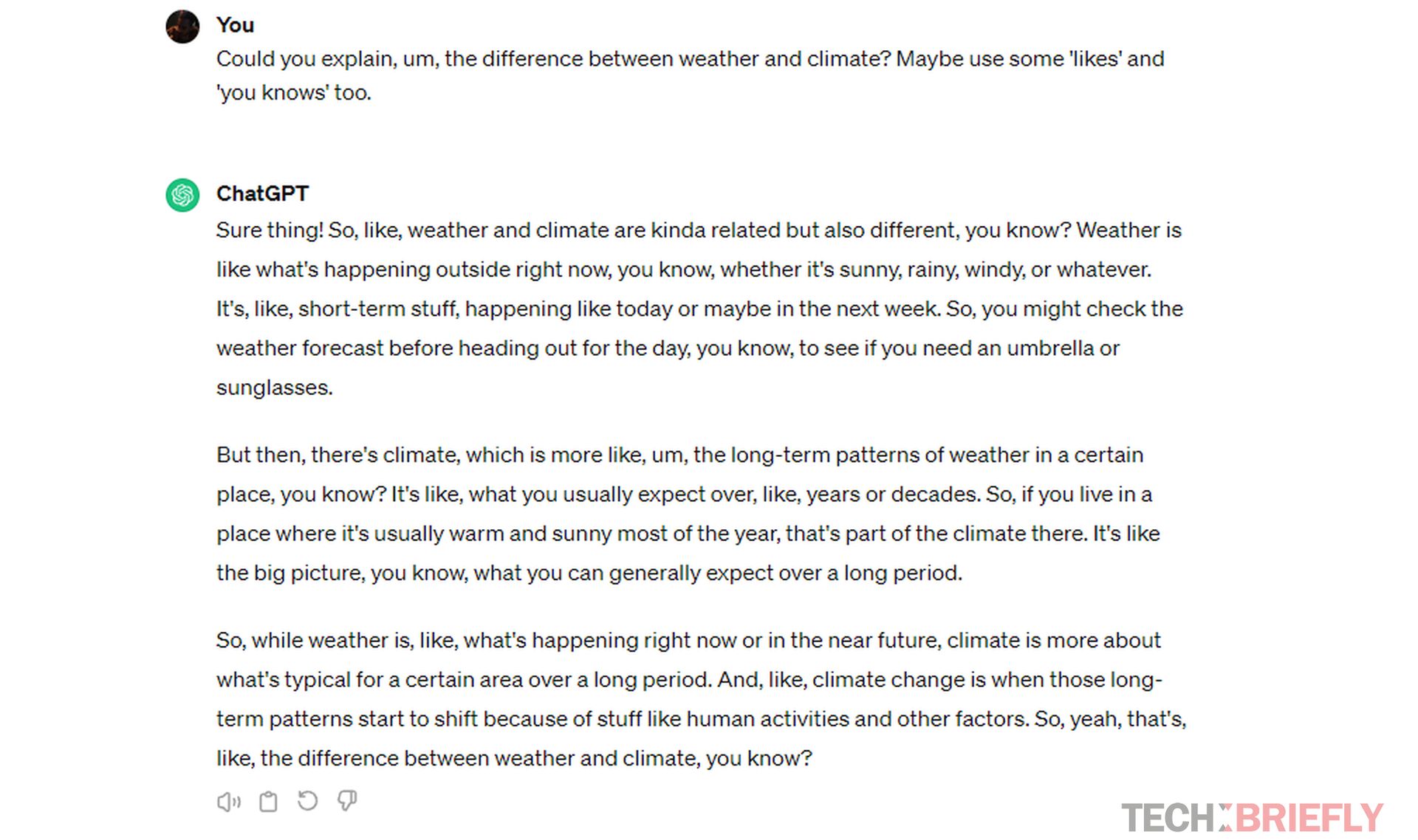
  • Tweaked prompt: Could you explain, um, the difference between weather and climate? Maybe use some ‘likes’ and ‘you knows’ too.

TTS systems will convert those filler words into pauses and hesitations, making the output feel more organic. Experiment to find the right level for your desired style!

Here is the original response:
How to craft a natural-sounding ChatGPT output
(Image credit)

And here is the response with our tweaked prompt:
How to craft a natural-sounding ChatGPT output
(Image credit)

Besides that, people naturally use contractions in everyday speech. “Cannot” becomes “can’t,” “it is” becomes “it’s,” and so on. These make speech flow more smoothly and feel conversational. You can encourage ChatGPT to use contractions to add to its “human-like” speech pattern.

Real human speech has variation in tone. We use changes in pitch, volume, and speed to stress words or add emotion. Here’s where some targeted punctuation can guide your TTS:

  • Adding commas for pauses: “The weather today is sunny, warm, and perfect for a hike.”
  • Exclamation points for excitement: “That movie was amazing! I loved the ending.”
  • Question marks convey inquisitiveness: “I’ve always wondered, how do birds learn to fly?”

Practice makes progress

Like any skill, making ChatGPT’s spoken output sound more natural takes practice. Try out different combinations of techniques. Pay attention to your favorite podcasts or audiobooks to see how professional speakers use vocal inflections and filler words to great effect.

Remember, there’s no single “right” way to do this!

A note on text-to-speech systems

The quality of your TTS system plays a big role too. Some are better at interpreting punctuation for a lifelike pronunciation than others.

Popular options include:

  • Amazon Polly
  • Google Text-to-Speech
  • Microsoft Azure Text-to-Speech

When might less be more?

While natural-sounding ChatGPT output is excellent in many cases, there are times when a more formal or ‘robotic’ delivery is appropriate. Think about these scenarios:

  • Delivering news or factual information: Conciseness and clarity matter here.
  • Accessibility: Some users may find too many fillers or tonal changes confusing.

It’s all about finding the best fit for your desired outcome!


Featured image credit: Jason Leung/Unsplash

Tags: ChatGPThow to
ShareTweet
Emre Çıtak

Emre Çıtak

Emre’s love for animals made him a veterinarian, and his passion for technology made him an editor. Making new discoveries in the field of editorial and journalism, Emre enjoys conveying information to a wide audience, which has always been a dream for him.

Related Posts

How to use the exit command in Windows Command Prompt

How to use the exit command in Windows Command Prompt

7 January 2026
How to view your TikTok watch history

How to view your TikTok watch history

7 January 2026
How to play the classic game of cribbage for beginners

How to play the classic game of cribbage for beginners

7 January 2026
Simple steps to create a stop-motion film using Photoshop

Simple steps to create a stop-motion film using Photoshop

7 January 2026

LATEST

How to use the exit command in Windows Command Prompt

How to view your TikTok watch history

How to play the classic game of cribbage for beginners

Simple steps to create a stop-motion film using Photoshop

Motorola unveils Moto Things accessories at CES 2026

Lenovo unveils Qira AI assistant for PCs and Motorola phones

iPolish unveils press-on acrylic smart nails at CES 2026

Meta unveils neural wristband expansions at CES 2026

How to download and migrate your content from Microsoft Stream

Easy ways to make a YouTube music video with just pictures

TechBriefly

© 2021 TechBriefly is a Linkmedya brand.

  • Tech
  • Business
  • Science
  • Geek
  • How to
  • About
  • Privacy
  • Terms
  • Contact
  • | Network Sites |
  • Digital Report
  • LeaderGamer

Follow Us

No Result
View All Result
  • Tech
  • Business
  • Crypto
  • Science
  • Geek
  • How to
  • About
    • About TechBriefly
    • Terms and Conditions
    • Privacy Policy
    • Contact Us
    • Languages
      • 中文 (Chinese)
      • Dansk
      • Deutsch
      • Español
      • English
      • Français
      • Nederlands
      • Italiano
      • 日本语 (Japanese)
      • 한국인 (Korean)
      • Norsk
      • Polski
      • Português
      • Pусский (Russian)
      • Suomalainen
      • Svenska

