TechBriefly
  • Tech
  • Business
  • Crypto
  • Science
  • Geek
  • How to
  • About
    • About TechBriefly
    • Terms and Conditions
    • Privacy Policy
    • Contact Us
    • Languages
      • 中文 (Chinese)
      • Dansk
      • Deutsch
      • Español
      • English
      • Français
      • Nederlands
      • Italiano
      • 日本语 (Japanese)
      • 한국인 (Korean)
      • Norsk
      • Polski
      • Português
      • Pусский (Russian)
      • Suomalainen
      • Svenska
No Result
View All Result
TechBriefly
Home Tech Software
WhatsApp chat lock feature coming to linked devices

WhatsApp chat lock feature coming to linked devices

WhatsApp is enhancing privacy by allowing users to lock sensitive chats across all linked devices, requiring a password for access.

Barış SelmanbyBarış Selman
2 April 2024
in Software, Tech
Reading Time: 2 mins read
Share on FacebookShare on Twitter
  • The messaging app takes user privacy seriously by extending its WhatsApp chat lock feature to all connected devices
  • Sensitive conversations will now be protected from prying eyes regardless of whether you use your phone, computer, or other connected devices
  • Unlocking private chats will require a user-generated password, adding an extra layer of security

WhatsApp is taking an important step to protect users’ privacy and is preparing to roll out the WhatsApp chat lock feature to linked devices. Previously, when you hid a chat on your phone, it was not hidden on other devices.

With the feature coming to linked devices, it will automatically be locked on others when you lock a chat.

What is WhatsApp chat lock, and what does it do?

If you want to know about the new feature, if you don’t want to be seen walking in the snow but also want to hide your conversations from prying eyes, this is a great feature for you.

I use this feature on my iPhone and am quite happy with it. When I first tested the feature, I noticed that the conversations I had locked were not locked on other devices I was logged into, so it’s great to see this innovation coming.

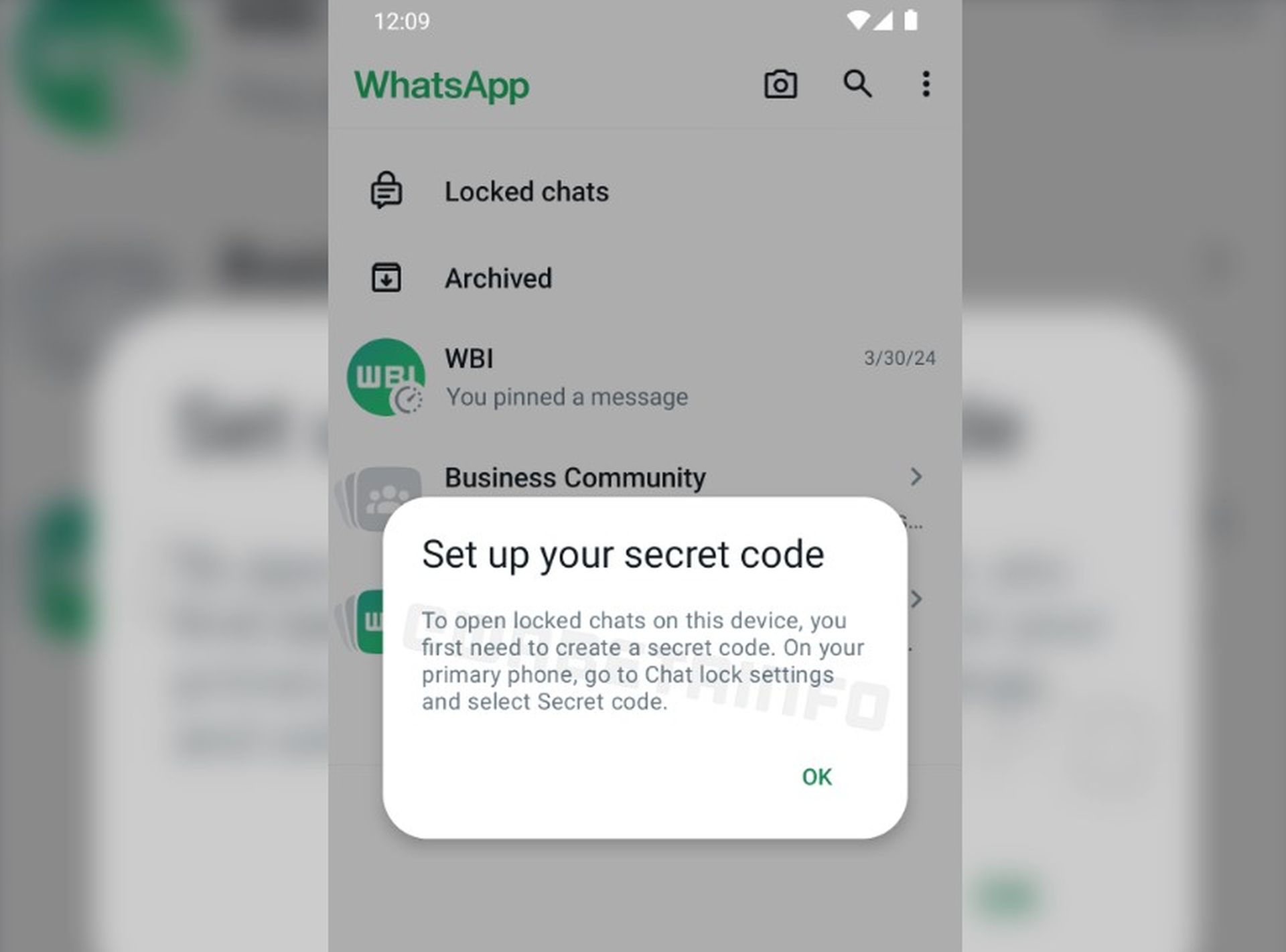
WhatsApp chat lock feature coming to linked devices
WhatsApp chat lock feature coming to linked devices (Image credit)

So how will this feature work?

Users must create a password to open the locked chats folder on a linked device. The password can be set from the primary phone. Once set, locked chats will disappear from the chat list on linked devices and can only be accessed by entering the password.

Here are some advantages of this feature:

  • Locked chats stay synchronized across all devices, increasing privacy and user convenience.
  • Keep sensitive conversations away from prying eyes across all platforms and devices.
  • Increase overall privacy and security.

How do you set up the WhatsApp chat lock feature?

iPhone users can follow the steps below:

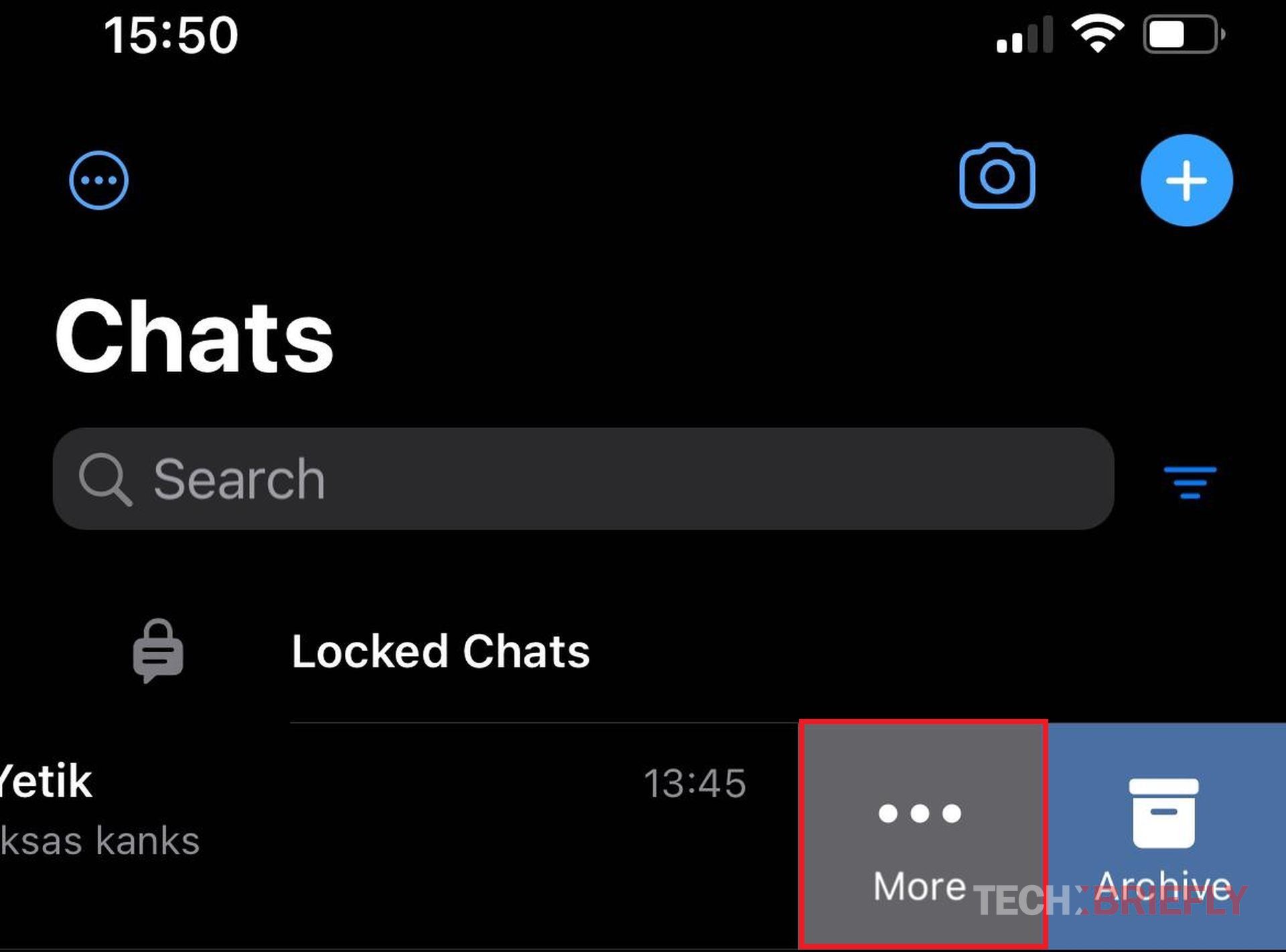
  • First, find the chat you want to lock and swipe left on the chat
  • Tap More in the mini-menu that opens

    WhatsApp chat lock feature coming to linked devices
    More section
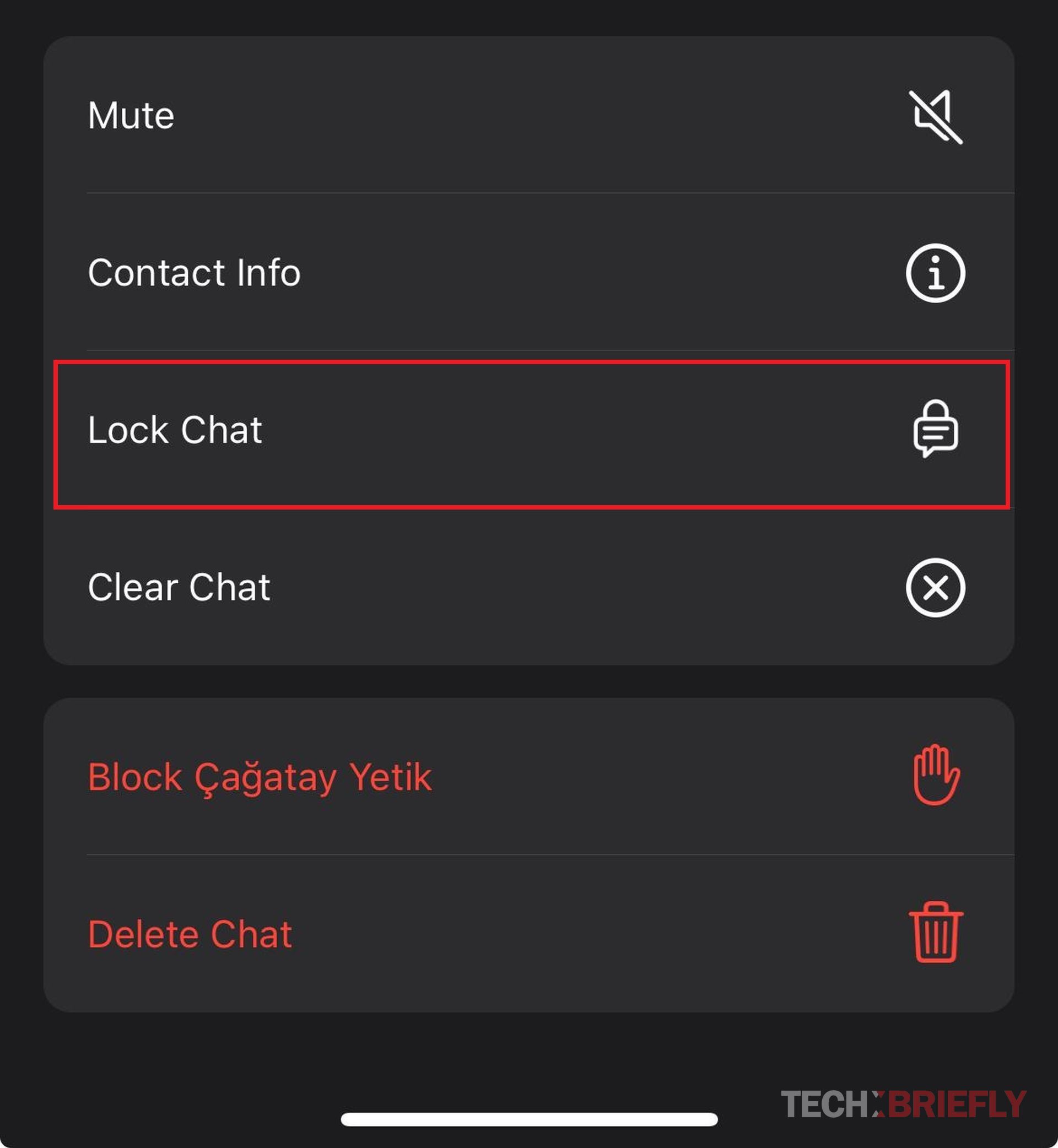
  • Tap Lock Chat

    WhatsApp chat lock feature coming to linked devices
    Tap Lock Chat
  • Tap Continue
  • Now, return to the main menu and find the Locked Chats section, as you can see in the image below
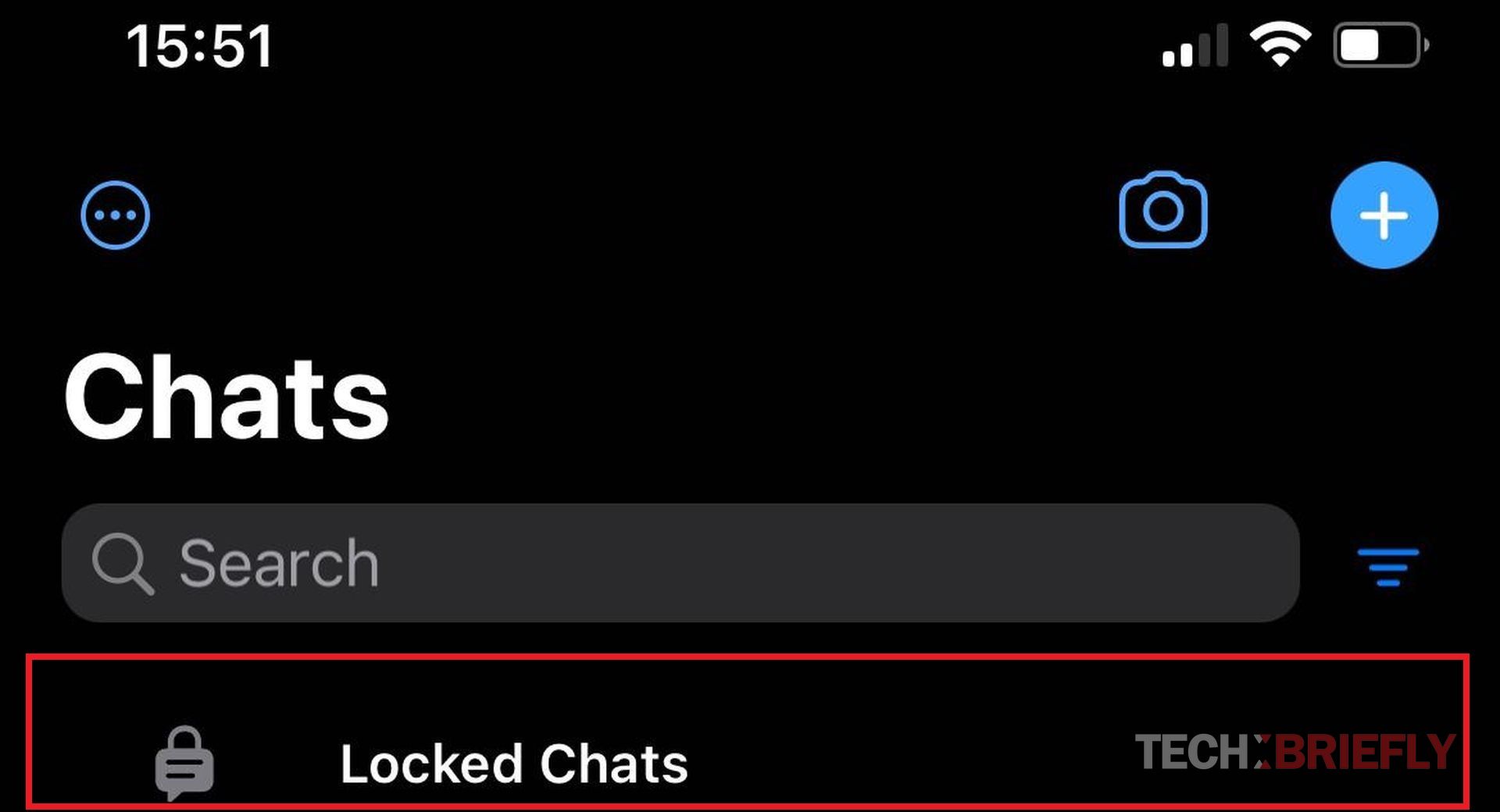
    WhatsApp chat lock feature coming to linked devices
    Locked Chats section on top of the WhatsApp chats
  • Access the menu related to your Face ID or Passcode
  • Tap Settings at the top right of the screen
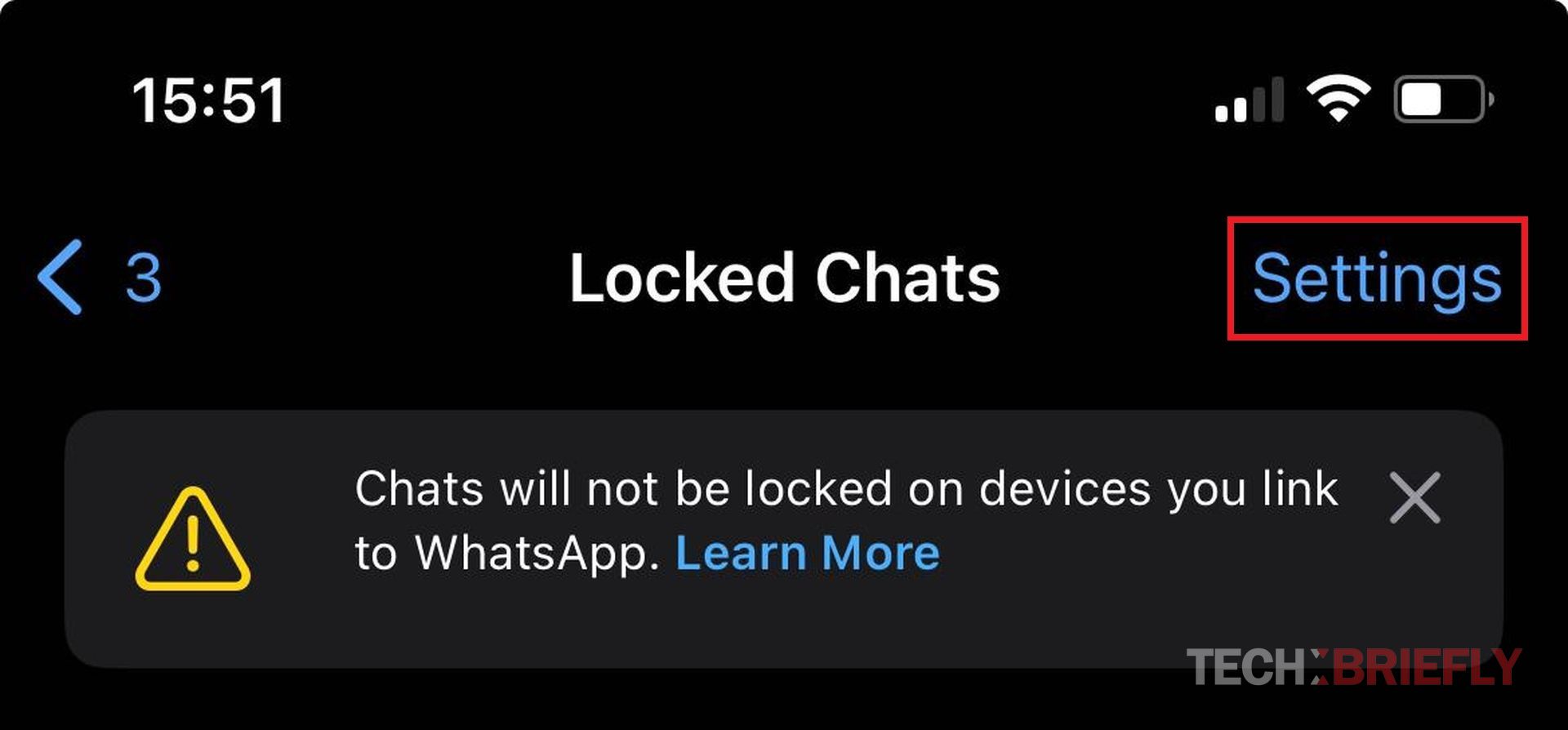
    WhatsApp chat lock feature coming to linked devices
    Settings section
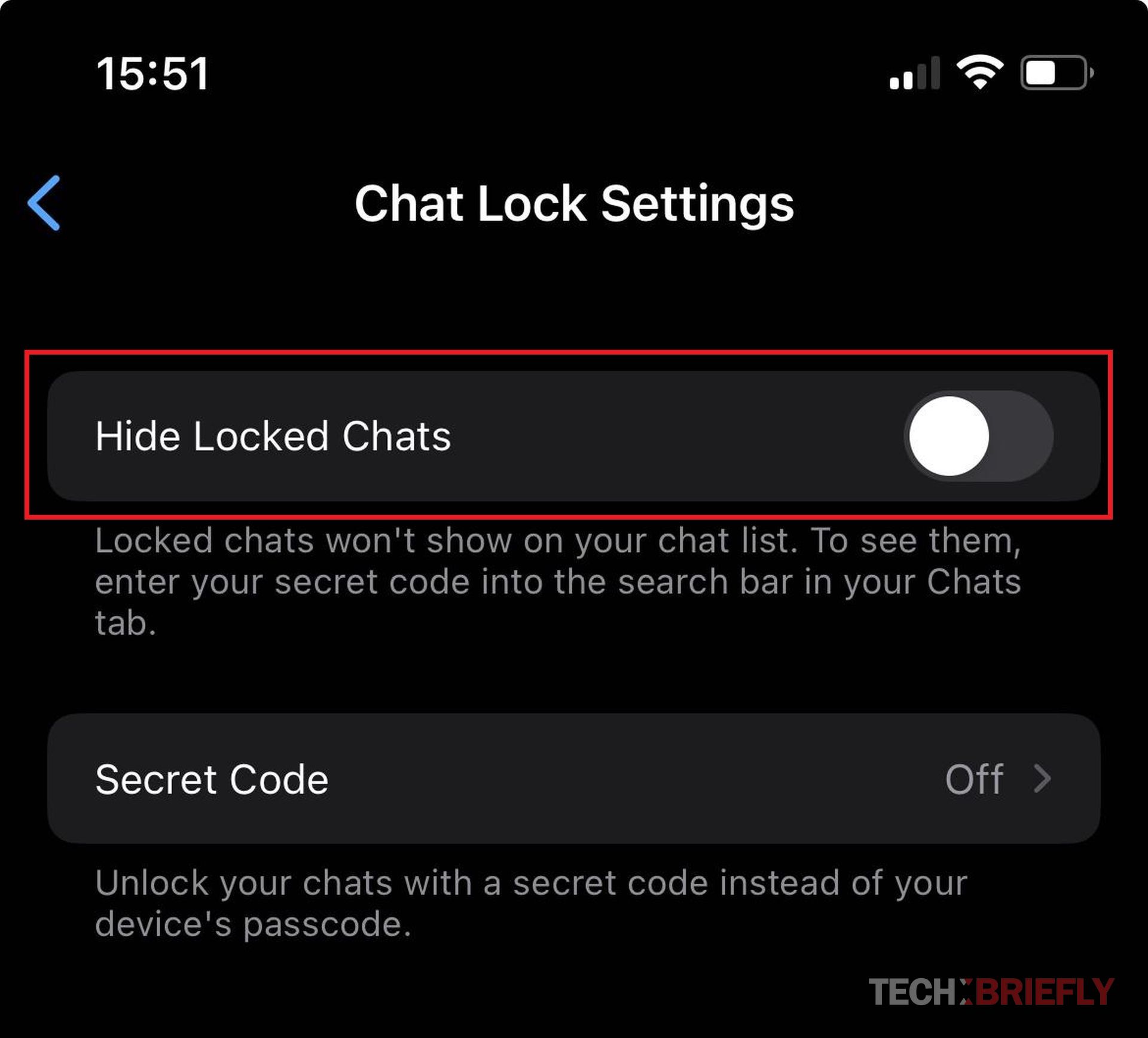
  • Activate the Hide Locked Chats option

    WhatsApp chat lock feature coming to linked devices
    Hide Locked Chats section
  • Select Create Secret Code
  • Follow the instructions on the screen
  • Now you can put a few emojis or write something in the text box that opens. But remember that with this code, you will find your locked chats.

To find locked chats, type the code you set in the search field at the app’s top!

This feature, currently only available on phones, is really cool. I’m very excited that it will be available on all linked devices.


Featured image credit: WaBetaInfo

Tags: featuredWhatsApp
ShareTweet
Barış Selman

Barış Selman

A technology and gaming enthusiast by day, Barış is a passionate composer and black/death metal guitarist by night. He keeps his finger on the pulse of the intersection of art and technology whenever he can from his tours worldwide.

Related Posts

Amazon expands healthcare portfolio with new generative Health AI tool

Amazon expands healthcare portfolio with new generative Health AI tool

22 January 2026
What to expect at Samsung Galaxy Unpacked 2026

What to expect at Samsung Galaxy Unpacked 2026

22 January 2026
YouTube enables creators to generate AI likenesses for Shorts

YouTube enables creators to generate AI likenesses for Shorts

22 January 2026
Apple overhauls Siri for iOS 27 WWDC plans AI chatbot reveal

Apple overhauls Siri for iOS 27 WWDC plans AI chatbot reveal

22 January 2026

LATEST

Amazon expands healthcare portfolio with new generative Health AI tool

What to expect at Samsung Galaxy Unpacked 2026

SpaceX targets $1.5 trillion valuation with potential July 2026 IPO

YouTube enables creators to generate AI likenesses for Shorts

Meta unleashes Threads ads globally across 400 million users

Apple overhauls Siri for iOS 27 WWDC plans AI chatbot reveal

X copies Bluesky’s Starterpacks, rolls out curated account lists

Apple targets 20M AI pin units by 2027 battles OpenAI hardware

Microsoft launches Xbox app on all Arm-based Windows 11 PCs

Adobe supercharges Acrobat packs with 12 new AI editing tools

TechBriefly

© 2021 TechBriefly is a Linkmedya brand.

  • Tech
  • Business
  • Science
  • Geek
  • How to
  • About
  • Privacy
  • Terms
  • Contact
  • | Network Sites |
  • Digital Report
  • LeaderGamer

Follow Us

No Result
View All Result
  • Tech
  • Business
  • Crypto
  • Science
  • Geek
  • How to
  • About
    • About TechBriefly
    • Terms and Conditions
    • Privacy Policy
    • Contact Us
    • Languages
      • 中文 (Chinese)
      • Dansk
      • Deutsch
      • Español
      • English
      • Français
      • Nederlands
      • Italiano
      • 日本语 (Japanese)
      • 한국인 (Korean)
      • Norsk
      • Polski
      • Português
      • Pусский (Russian)
      • Suomalainen
      • Svenska