
TechBriefly
  • Tech
  • Business
  • Crypto
  • Science
  • Geek
  • How to
  • About
    • About TechBriefly
    • Terms and Conditions
    • Privacy Policy
    • Contact Us
    • Languages
      • 中文 (Chinese)
      • Dansk
      • Deutsch
      • Español
      • English
      • Français
      • Nederlands
      • Italiano
      • 日本语 (Japanese)
      • 한국인 (Korean)
      • Norsk
      • Polski
      • Português
      • Pусский (Russian)
      • Suomalainen
      • Svenska
No Result
View All Result
TechBriefly
Home Tech Software
Microsoft Teams merging for work and personal use

Microsoft Teams merging for work and personal use

Barış SelmanbyBarış Selman
14 March 2024
in Software, Tech
Reading Time: 2 mins read
Share on FacebookShare on Twitter

Microsoft aims to streamline the user experience by combining Teams into a single app for work and personal use.

The new app will be available in preview for commercial users in April and will be officially available to all users later this year with the Windows 11 24H2 update.

Microsoft Teams unifies work and personal use under one roof

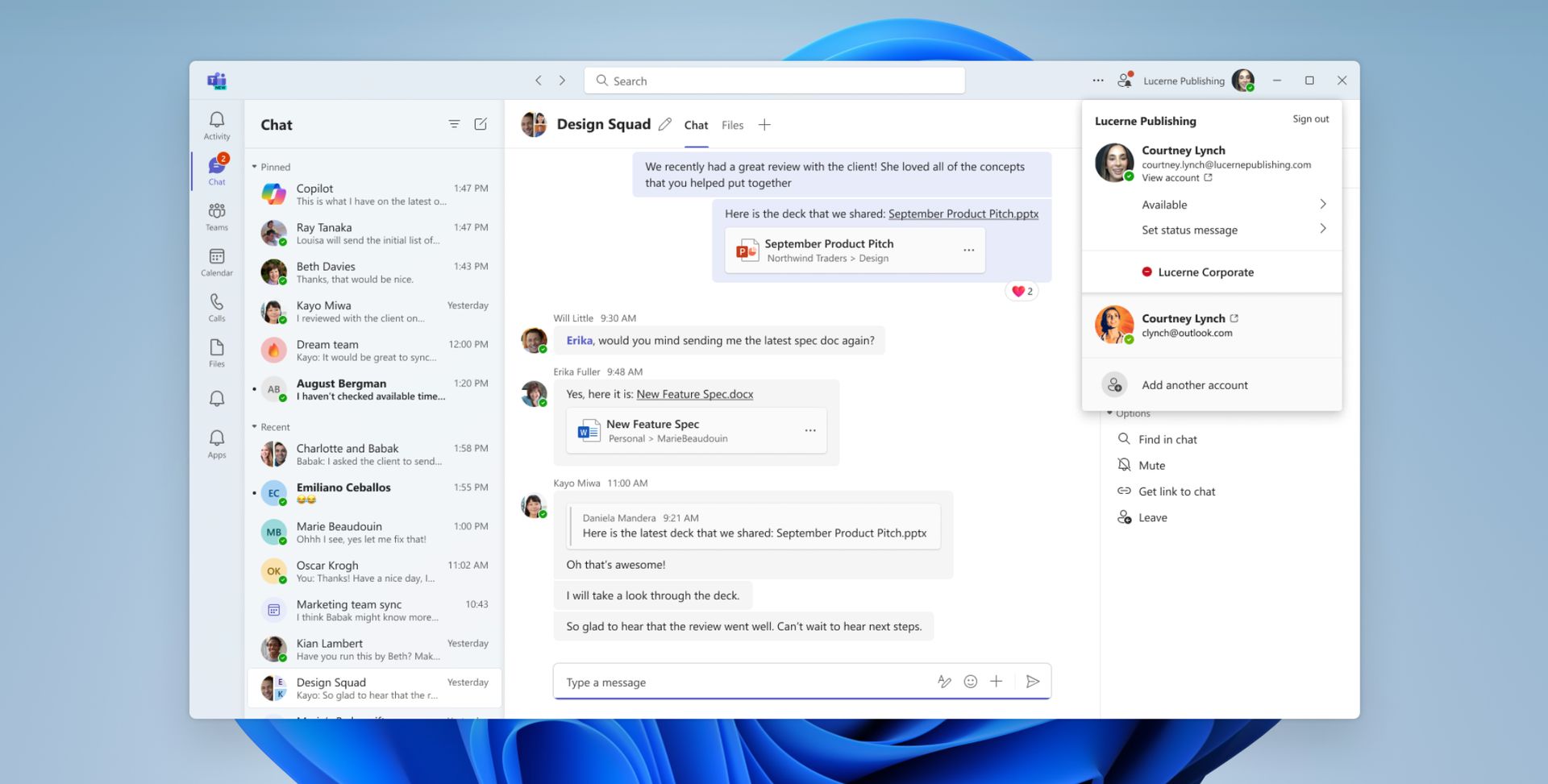
Teams on Windows 11 have two separate apps for work and personal use. The two separate apps can create confusion, making it difficult to switch between different accounts. This problem will be eliminated with the new app, and users can manage all their accounts in one app.
Microsoft Teams merging for work and personal use
The new Microsoft Teams app will streamline communication and account management (image source)

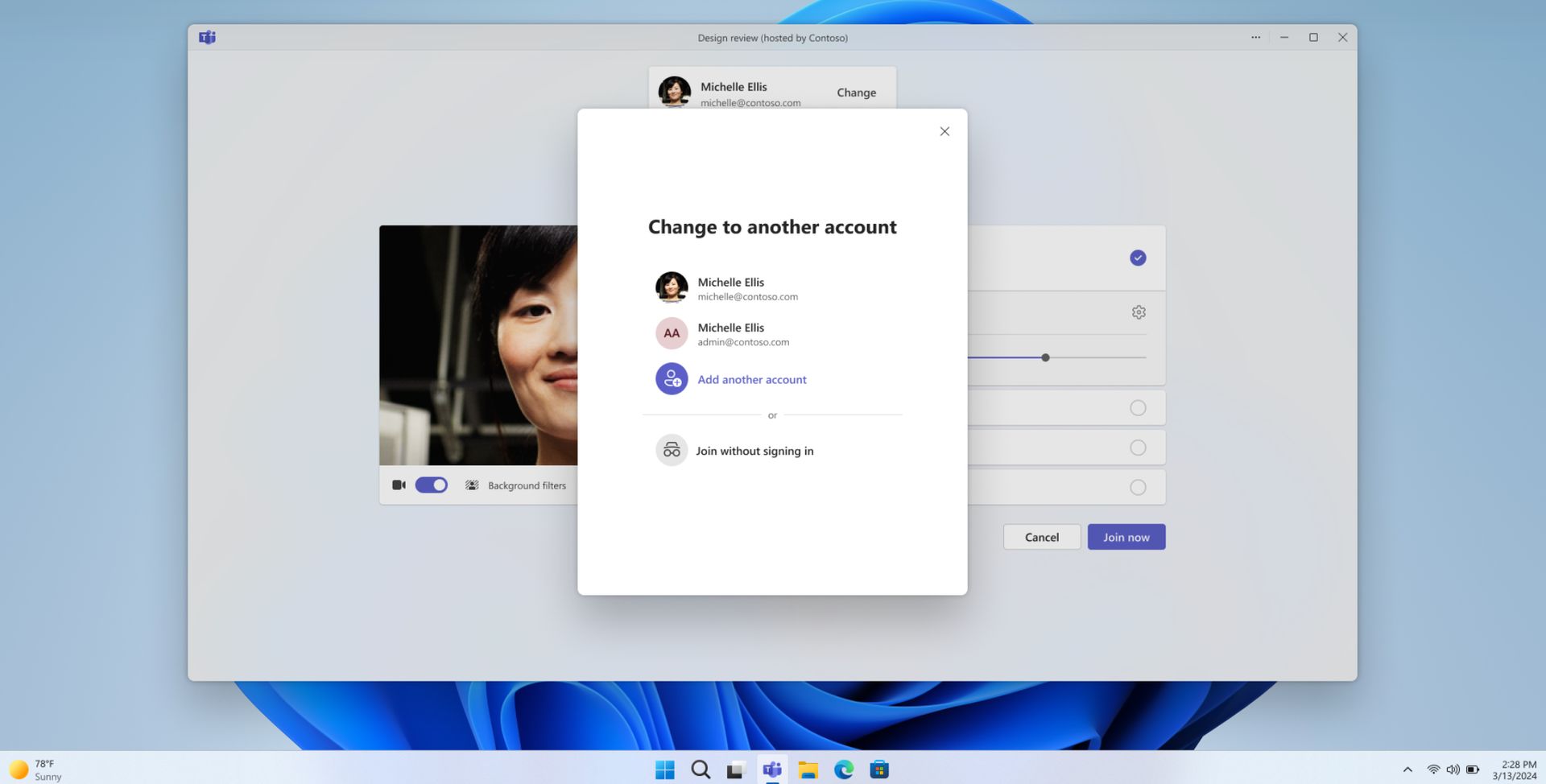
According to the Windows 11 Insider Preview Build, the new Teams app will allow users to easily switch between different accounts by clicking on their profile pictures. Joining meetings will also be easier, as users will be able to select the account they want to use when joining a meeting.

The new app will also make notifications clearer. They will show which account they belong to, so users can easily understand what is happening in which account.

Benefits of the new platform:

  • Easy account management on a single platform: You can manage all your accounts in a single application, eliminating complexity.
  • Easy account switching: Also you can easily switch between different accounts by clicking on your profile picture.
  • Easy meeting participation: You can simplify participation by selecting the account you want to use when attending meetings.
  • Clearer notifications: Notifications indicating which account they belong to will help users easily understand what is happening in which account.
Microsoft Teams merging for work and personal use
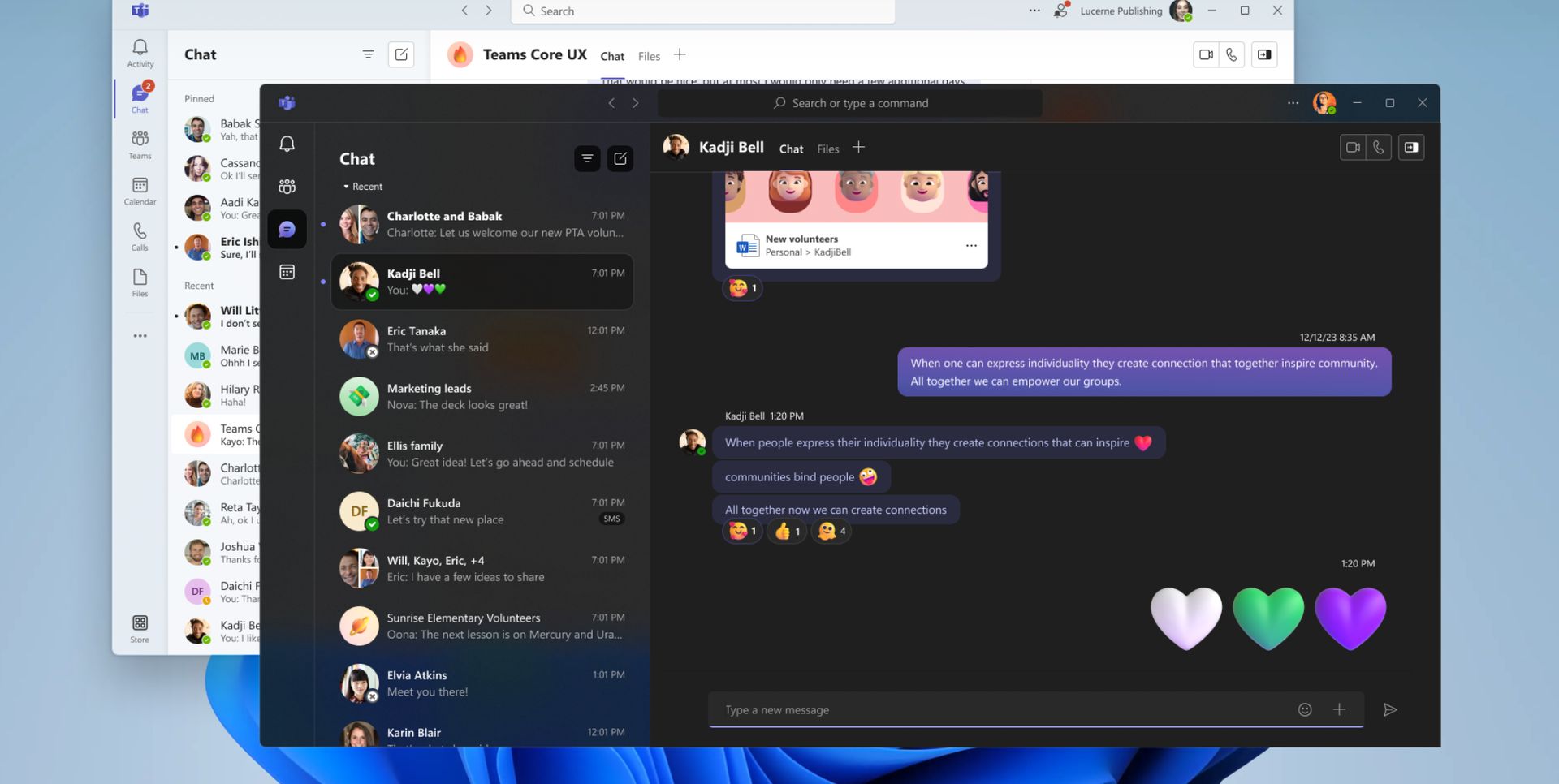
Microsoft is merging separate work and personal Microsoft Teams apps into one unified application (image source)

How can this new feature of Microsoft Teams be used?

If you are a member of the Windows Insiders Program and have access to the preview version, you can start using your personal and work accounts separately.

If you use Teams in an enterprise environment, your administrator will roll out this feature in the coming months.

Merging Microsoft Teams into a single app for business and personal use will significantly improve the user experience. The new app will be simpler and more convenient, making it easier for users to switch between different accounts.

Featured image credit: Windows

Tags: featuredMicrosoft Teamswindows 11
ShareTweet
Barış Selman

Barış Selman

A technology and gaming enthusiast by day, Barış is a passionate composer and black/death metal guitarist by night. He keeps his finger on the pulse of the intersection of art and technology whenever he can from his tours worldwide.

Related Posts

Narwal unveils Flow 2 with AI pet monitoring at CES 2026

Narwal unveils Flow 2 with AI pet monitoring at CES 2026

6 January 2026
Hyundai reveals Boston Dynamics and DeepMind alliance at CES 2026

Hyundai reveals Boston Dynamics and DeepMind alliance at CES 2026

6 January 2026
Intel unveils Core Ultra Series 3 at CES 2026

Intel unveils Core Ultra Series 3 at CES 2026

6 January 2026
Amazon takes Alexa to the web with launch of Alexa.com at CES 2026

Amazon takes Alexa to the web with launch of Alexa.com at CES 2026

6 January 2026

LATEST

How to download and migrate your content from Microsoft Stream

Easy ways to make a YouTube music video with just pictures

Easy steps to build your own music video for YouTube

How to add videos and movies to compatible iPod models easily

Narwal unveils Flow 2 with AI pet monitoring at CES 2026

Hyundai reveals Boston Dynamics and DeepMind alliance at CES 2026

Intel unveils Core Ultra Series 3 at CES 2026

Amazon takes Alexa to the web with launch of Alexa.com at CES 2026

Amazon enters lifestyle TV market with $899 Ember Artline

Google previews Gemini AI features for Google TV

TechBriefly

© 2021 TechBriefly is a Linkmedya brand.

  • Tech
  • Business
  • Science
  • Geek
  • How to
  • About
  • Privacy
  • Terms
  • Contact
  • | Network Sites |
  • Digital Report
  • LeaderGamer

Follow Us

No Result
View All Result
  • Tech
  • Business
  • Crypto
  • Science
  • Geek
  • How to
  • About
    • About TechBriefly
    • Terms and Conditions
    • Privacy Policy
    • Contact Us
    • Languages
      • 中文 (Chinese)
      • Dansk
      • Deutsch
      • Español
      • English
      • Français
      • Nederlands
      • Italiano
      • 日本语 (Japanese)
      • 한국인 (Korean)
      • Norsk
      • Polski
      • Português
      • Pусский (Russian)
      • Suomalainen
      • Svenska