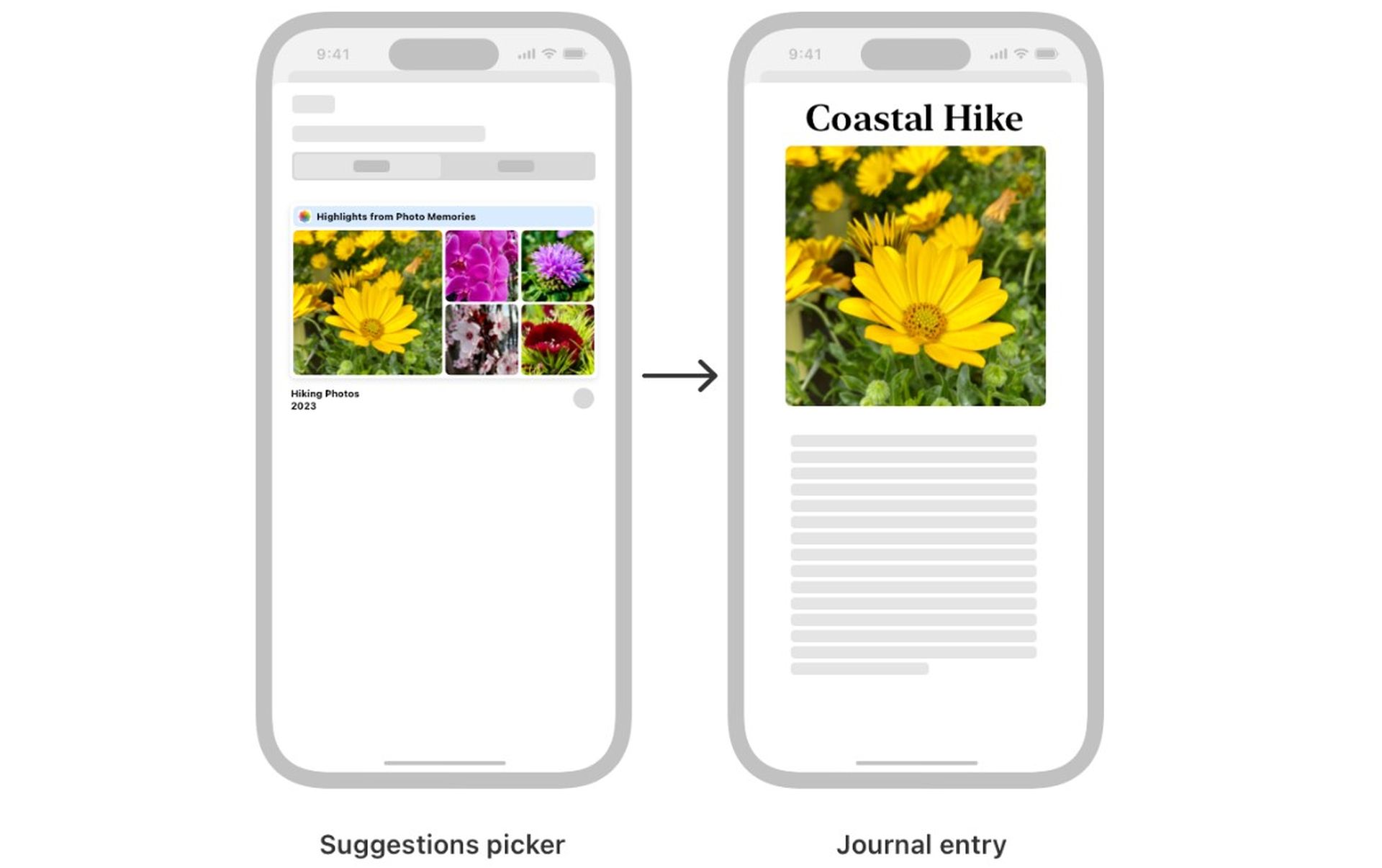

In this article, we will explain what is iPhone journaling and Apple Journaling Suggestions in detail. Let’s start if you are ready!
Many writers and artists face moments when the muse leaves them. If you ask “what is journaling suggestions on iphone?” just like me, you will learn the answer to your question in a moment.
A new app called “Apple Journaling Suggestions”, also known as journaling suggestions on iPhone, can help you revitalize your creative flow by drawing inspiration from your daily life.
Apple Journaling Suggestions: What is iPhone Journaling?
Apple Journaling Suggestions is an app that lets you explore your personal memories and experiences through its visual and attractive interface. Things like places you’ve visited, people you’ve met, songs you’ve listened to, books you’ve read, and more are presented as visual cards in a selector.

How to use Apple Journaling Suggestions
Once you open the app, you can explore the visual cards in the selector. If a card interests you, you can click on it to learn more about that moment.
Advantages of Journaling Suggestions
- If you often get stuck creatively, it can help you get over it
- It can help you find new ideas and inspiration
- It can help you explore your personal experiences and memories
- Enable you to create different types of creative content
What kind of applications can Journaling Suggestions be used with?
Journaling Suggestions can be used with many creative apps such as journaling, blogging, story writing, poetry, songwriting, painting, etc.

What is Journaling Suggestions on iPhone?
Journaling Suggestions is a new feature that can be added as a widget to your home screen and is an Apple app widget available in iOS 17.2 and above.
Unleash your creativity with Journaling Suggestions
Journaling Suggestions is a powerful tool to help you unleash your creative potential. Using the app, you can create unique and original content inspired by your everyday life.
Imagine what you can do with Journaling Suggestions:
- Write a blog post inspired by your travels
- Write a story about a special moment with a family member
- Write a poem inspired by a favorite song
- Write a song lyric inspired by a picture
- Paint a picture that expresses your feelings and thoughts
How do I turn off Journal suggestions on Apple?
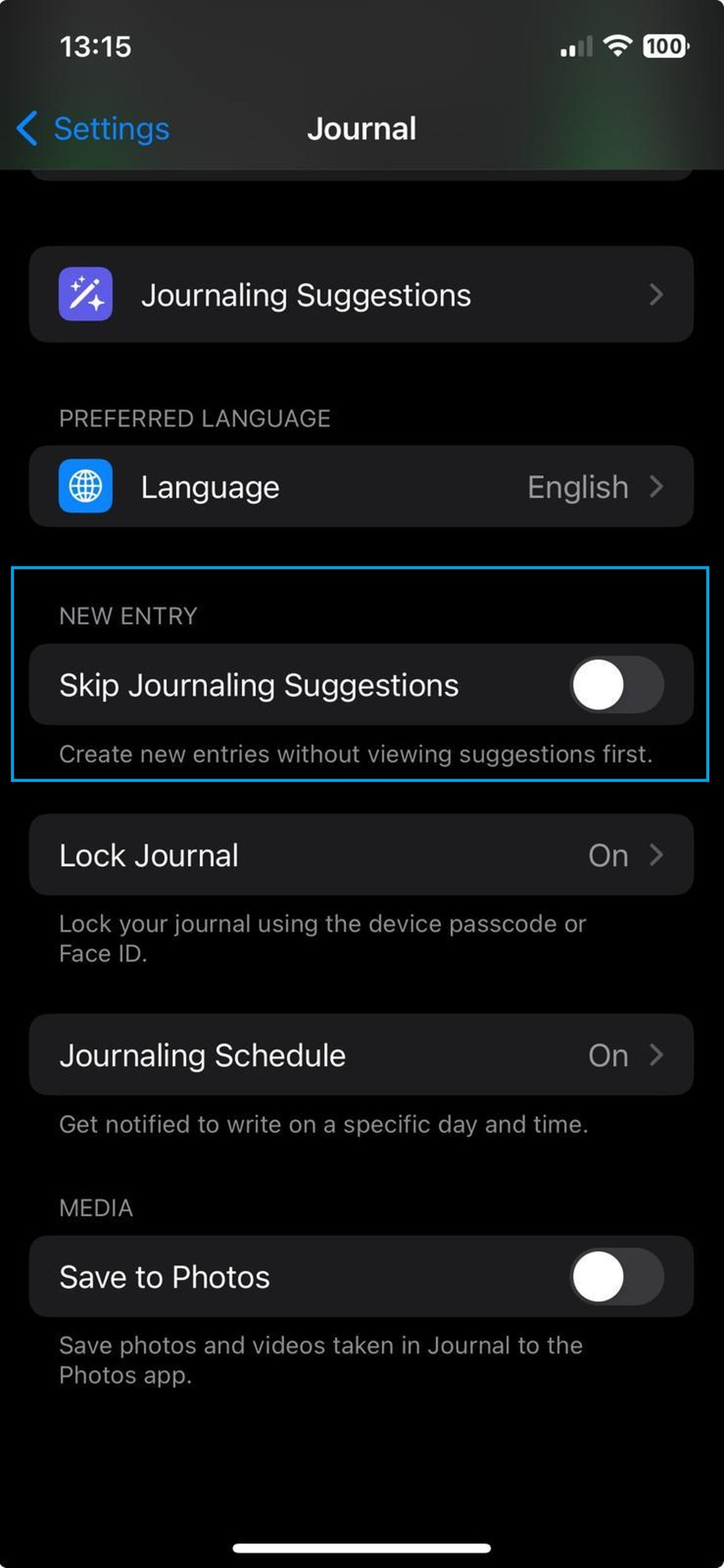
Here are the steps to turn off Journaling Suggestions on your Apple device:
On iPhone or iPad:
- Open the Settings app.
- Tap Journal.
- Under the “New Entry” section, toggle the toggle switch next to Skip Journaling Suggestions to the off position.
How does Apple Journal work?
Apple Journal collects data from your photos, calendar events, location history, music, and other sources to create a list of “Journaling Suggestions” highlighting recent experiences, events, and activities that inspire your day.
Providing a starting point
Suggestions are great tools for overcoming writer’s block and finding ideas for new entries. When you see a card presented as a suggestion, you can tap on it to get more details and start a new journal entry relevant to the moment.
User-friendly interface
Apple Journal has a clean and simple design so that you can focus on writing.
Multi-media integration
In addition to writing text, you can easily add photos, videos, audio recordings, and other media types to your journal entries.
Sentiment tracking
If you wish, you can add tags related to your moods and emotions to your journal entries. This makes it easier to find entries related to specific emotions and reflections later on.
Push the limits of your creativity with Journaling Suggestions and create inspiring content to share with the world!
Featured image credit: Apple