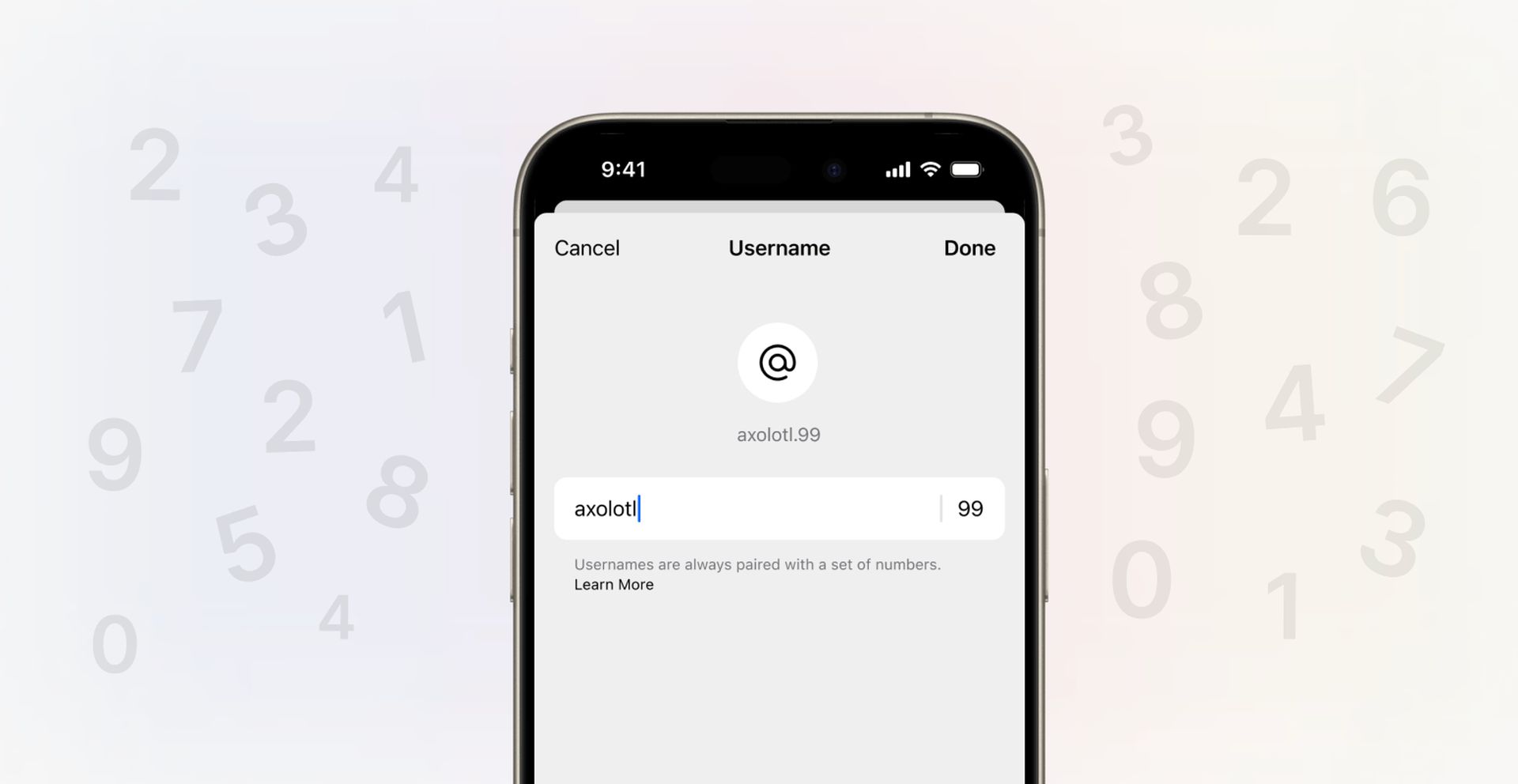

Signal username feature is finally available! Signal, the messaging application used by those who care about privacy, is getting a username feature. With the new feature, users will be able to completely hide their phone numbers by setting a username for themselves.
Signal username feature is a big step taken as a response to the biggest criticism of privacy-conscious users about privacy in the application. Here are all the details…
What is Signal username feature?
Signal username feature is a significant addition to the privacy-focused messaging app, offering users a new way to connect while maintaining control over their personal information. The username feature addresses a long-standing concern among privacy-conscious users, allowing them to use the app’s robust security without necessarily revealing their phone number to everyone they communicate with.
Why is the Signal username feature important?
Signal is a messaging app known for having strong security features like end-to-end encryption. But in the past, using Signal meant giving out your phone number to everyone you texted or called. This was a privacy concern for some users. In particular:
- Dissidents: For dissidents living in repressive regimes or working on sensitive issues, revealing their phone numbers puts them at risk of surveillance and harassment.
- Journalists: Using phone numbers to contact their sources could jeopardize their identity and the security of their sources.
- Those working with sensitive information: For those who work with sensitive information, such as doctors, lawyers, and therapists, disclosing phone numbers could compromise confidentiality principles such as the patient-doctor relationship.
What does the Signal phone number privacy feature do?
Signal’s new phone number privacy feature makes it possible to:
- You can hide your phone number in your profile. Your number will only be visible to the people in your contacts list. This means that people who don’t know your number won’t be able to call or message you on Signal.
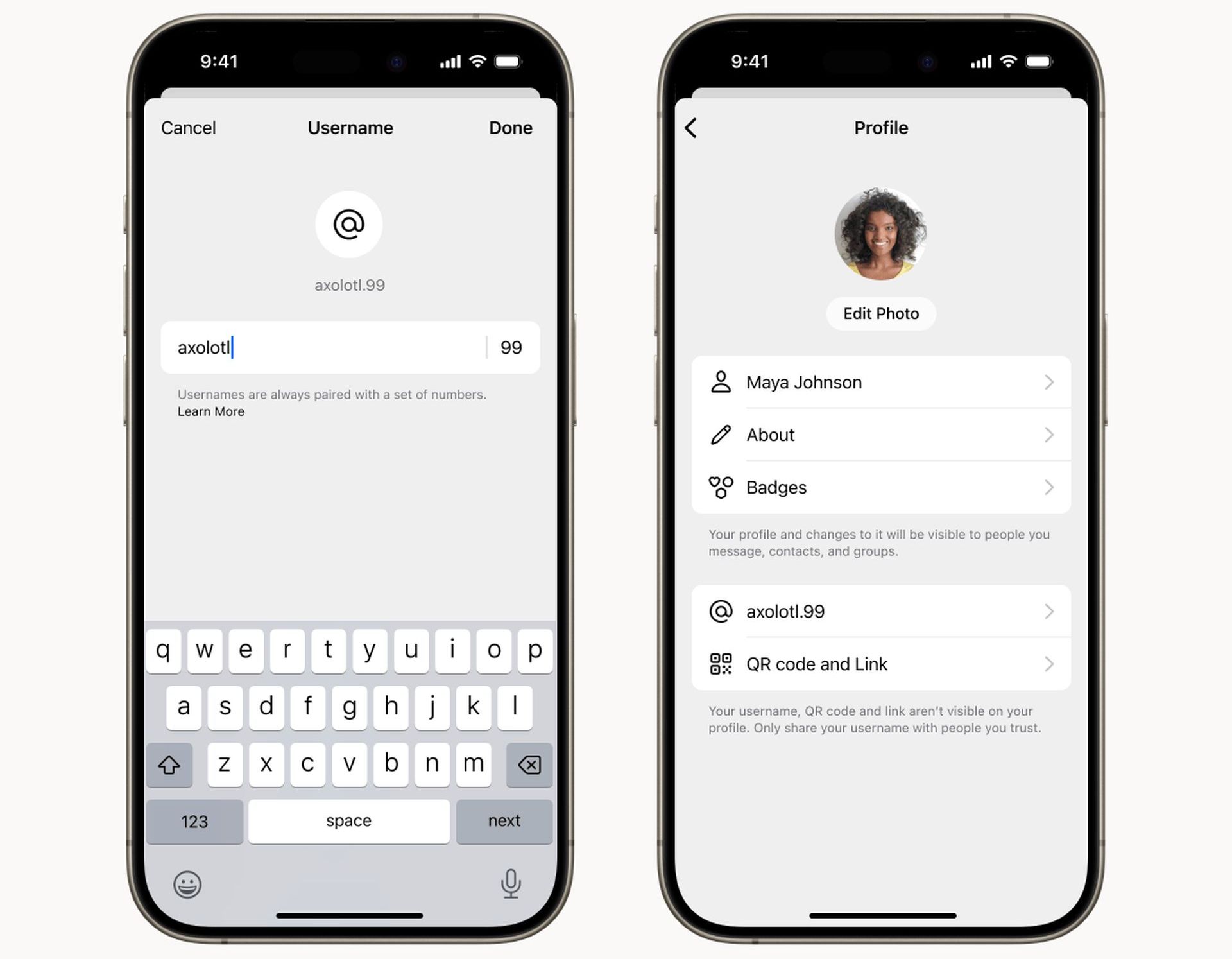
- You can share a username with the people you want to communicate with. This username can be used to find you on Signal, just like Twitter. When you choose your username, you can use your real name or a nickname.
- You can change or delete your username at any time. This way, you can stay connected with your contacts even if you change your number or start using Signal on a different device.
How to create and use a Signal username?
- Go to your Settings:
- Android: Tap your profile icon > Settings.
- iOS: Tap your profile icon > Settings.
- Desktop: Tap your profile icon.
- Tap on “Profile“.
- Create your username: It should be unique and must have at least two numbers at the end.
- Share your username: Give your Signal username to people you want to be able to find you.
- Change or delete it: You can modify or remove your username at any time in your Settings.
How to use phone number privacy in Signal?
Signal’s new phone number privacy feature allows you to hide your phone number and communicate with a username. Here are step-by-step instructions on how to use this feature:
- Open the Signal app.
- Tap your profile icon (top right corner).
- Tap on the “Privacy” option.
- Tap the “Phone Number” option.
- Under “Who can see my number?” select “No one.“
- Under “Who can find me by my number?” select “No one.”
- (Optional) To create a user name, tap “User Name” and enter the desired user name.
- Tap “Save“.
Why do I still need a phone number?
Signal continues to use phone numbers to prevent spam and help users import their address book. Phone numbers also allow users to verify their accounts and prevent identity theft.
Some privacy advocates want Signal to remove the phone number requirement altogether. They argue that phone numbers still carry some risk and that Signal should offer a more anonymous experience. Signal says there is no way to remove the phone number requirement completely.
Final thoughts
Signal’s phone number privacy feature is an important step towards significantly improving the privacy of the app. The new feature will make Signal more attractive to people who do not want to share their phone numbers.
Featured image credit: Signal