
TechBriefly
  • Tech
  • Business
  • Crypto
  • Science
  • Geek
  • How to
  • About
    • About TechBriefly
    • Terms and Conditions
    • Privacy Policy
    • Contact Us
    • Languages
      • 中文 (Chinese)
      • Dansk
      • Deutsch
      • Español
      • English
      • Français
      • Nederlands
      • Italiano
      • 日本语 (Japanese)
      • 한국인 (Korean)
      • Norsk
      • Polski
      • Português
      • Pусский (Russian)
      • Suomalainen
      • Svenska
No Result
View All Result
TechBriefly
Home How to
How to change iPhone keyboard?

How to change iPhone keyboard?

Kerem GülenbyKerem Gülen
27 November 2020
in How to
Reading Time: 2 mins read
Share on FacebookShare on Twitter

How to change the keyboard of the iPhone? In iOS, we have the option to change the keyboard and you can also change the color, size, and settings. Before proceeding with the method, we have to say that this change will affect all applications, ie: we can change the keyboard in WhatsApp and other applications, but not individually for each of them.

  • How to disable in-app rating requests on iPhone?
  • How to add a favorite contacts widget to iPhone home screen?
  • How to factory reset Apple Homepod or Homepod mini?

How to change iPhone keyboard?

To change the keyboard of our iPhone we only have to download the one we want from the App Store. You can check what are the best keyboards for iOS, Gboard is a great example.

Make sure to allow full access from the keyboard settings. This will allow the keyboard to work optimally. In iOS we can not configure all the apps from a center, so we will open WhatsApp to change the keyboard.
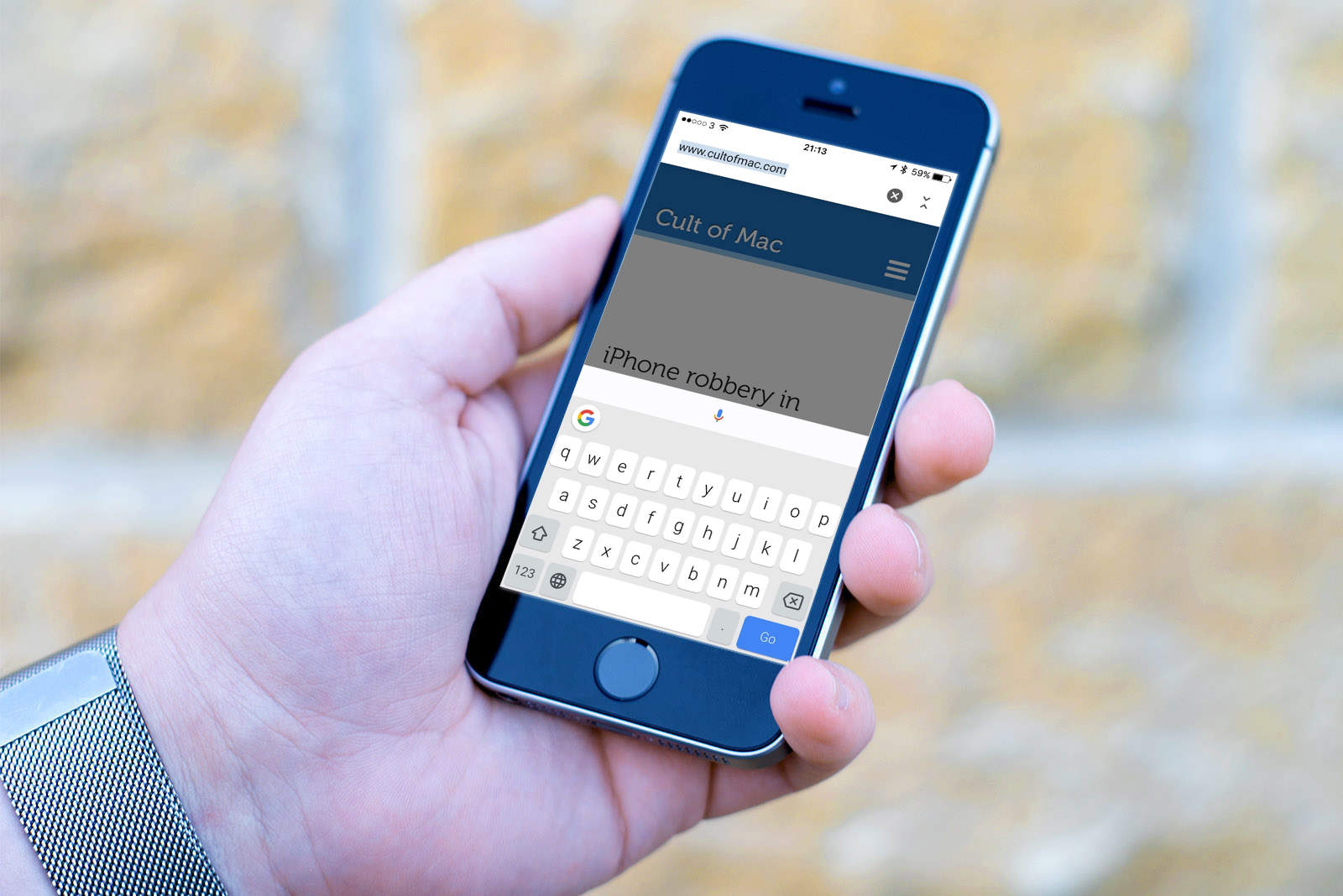
How to change the keyboard of the iPhone?

We open any conversation to display the keyboard. Inside it, you will see a circular icon: just click on it to change the keyboard. If we have several keyboards installed we can change between them with a long press. In iOS you have to take into account that the keyboard grid is predetermined by the system, so we cannot change size and shape completely.

In short, if you want to change the keyboard in iOS the steps are the following.

  1. Download the keyboard from the App Store
  2. Configure it and activate ‘allow full access’
  3. Open WhatsApp or any app that allows you to write
  4. Press the icon to change the keyboard

This way, you’ve learned how to change the keyboard of the iPhone.

Tags: changegboardhow toiOSiOS 14iPhoneKeyboardstep by steptutorialWhatsApp
ShareTweet
Kerem Gülen

Kerem Gülen

Kerem from Turkey has an insatiable curiosity for the latest advancements in tech gadgets and a knack for innovative thinking.With 3 years of experience in editorship and a childhood dream of becoming a journalist, Kerem has always been curious about the latest tech gadgets and is constantly seeking new ways to create.As a Master's student in Strategic Communications, Kerem is eager to learn more about the ever-evolving world of technology. His primary focuses are artificial intelligence and digital inclusion, and he delves into the most current and accurate information on these topics.

Related Posts

How to download free ringtones from Zedge

How to download free ringtones from Zedge

13 January 2026
How to force stop apps and services on Android

How to force stop apps and services on Android

13 January 2026
Simple steps to install the latest Android patches

Simple steps to install the latest Android patches

13 January 2026
Simple ways to install and remove programs on Ubuntu

Simple ways to install and remove programs on Ubuntu

12 January 2026
Please login to join discussion

LATEST

How to download free ringtones from Zedge

How to force stop apps and services on Android

Simple steps to install the latest Android patches

Paramount sues Warner Bros. over Netflix deal disclosures

Apple chose Google Gemini for Siri

Apple paid developers $550B since App Store launch

Amazon reveals 97% of shipped devices support Alexa+

Xiaomi to launch fully self-developed smartphone in 2026

New WhatsApp parental controls will block strangers

Galaxy Unpacked 2026: S26 Ultra arrives just before MWC

TechBriefly

© 2021 TechBriefly is a Linkmedya brand.

  • Tech
  • Business
  • Science
  • Geek
  • How to
  • About
  • Privacy
  • Terms
  • Contact
  • | Network Sites |
  • Digital Report
  • LeaderGamer

Follow Us

No Result
View All Result
  • Tech
  • Business
  • Crypto
  • Science
  • Geek
  • How to
  • About
    • About TechBriefly
    • Terms and Conditions
    • Privacy Policy
    • Contact Us
    • Languages
      • 中文 (Chinese)
      • Dansk
      • Deutsch
      • Español
      • English
      • Français
      • Nederlands
      • Italiano
      • 日本语 (Japanese)
      • 한국인 (Korean)
      • Norsk
      • Polski
      • Português
      • Pусский (Russian)
      • Suomalainen
      • Svenska