

With this article, you can learn how to redeem V-Bucks on Xbox. Vbucks have become the lifeblood of Fortnite, offering players the gateway to a world of customization and allowing them to acquire new skins, emotes, and other fascinating cosmetic items. For Xbox users, navigating the process of redeeming Vbucks codes amidst Microsoft’s platform updates can be a bit puzzling. Fear not!
This guide will smoothly walk you through the latest and easiest method to redeem Vbucks on your Xbox One or Xbox Series X/S in 2023.
How to redeem V-Bucks on Xbox
Here are the steps you need to follow to redeem V-Bucks on Xbox:
Once you have your V-Bucks code in hand, navigate to your Xbox console. For Xbox One, access the Microsoft Store app. If you’re on Xbox Series X/S, open the Store tab.
- On Xbox One:
- Go to the Microsoft Store app and select “Use a code.”
- Enter your V-Bucks code when prompted, ensuring accuracy in typing, including dashes or spaces.
- Confirm the redemption to proceed.
- On Xbox Series X/S:
- Navigate to the Store tab and find the “Redeem Code” box on the right side of the screen.
- Input your V-Bucks code into the provided field.
- Double-check the code and confirm the redemption.
With the code successfully redeemed on your Xbox account, launch Fortnite to witness the updated V-Bucks balance. From the main lobby screen of Fortnite, access your Locker, the storage for all your collected skins, emotes, and cosmetics.
Towards the bottom of the Locker screen, locate your V-Bucks balance. It may take a few minutes for the newly redeemed codes to reflect in your balance, so exercise patience.
Now that your V-Bucks are ready for use, explore the Fortnite Item Shop to splurge on new cosmetics and items. Navigate to the Item Shop tab within your Locker to browse through a variety of skins, gliders, harvesting tools, and more.
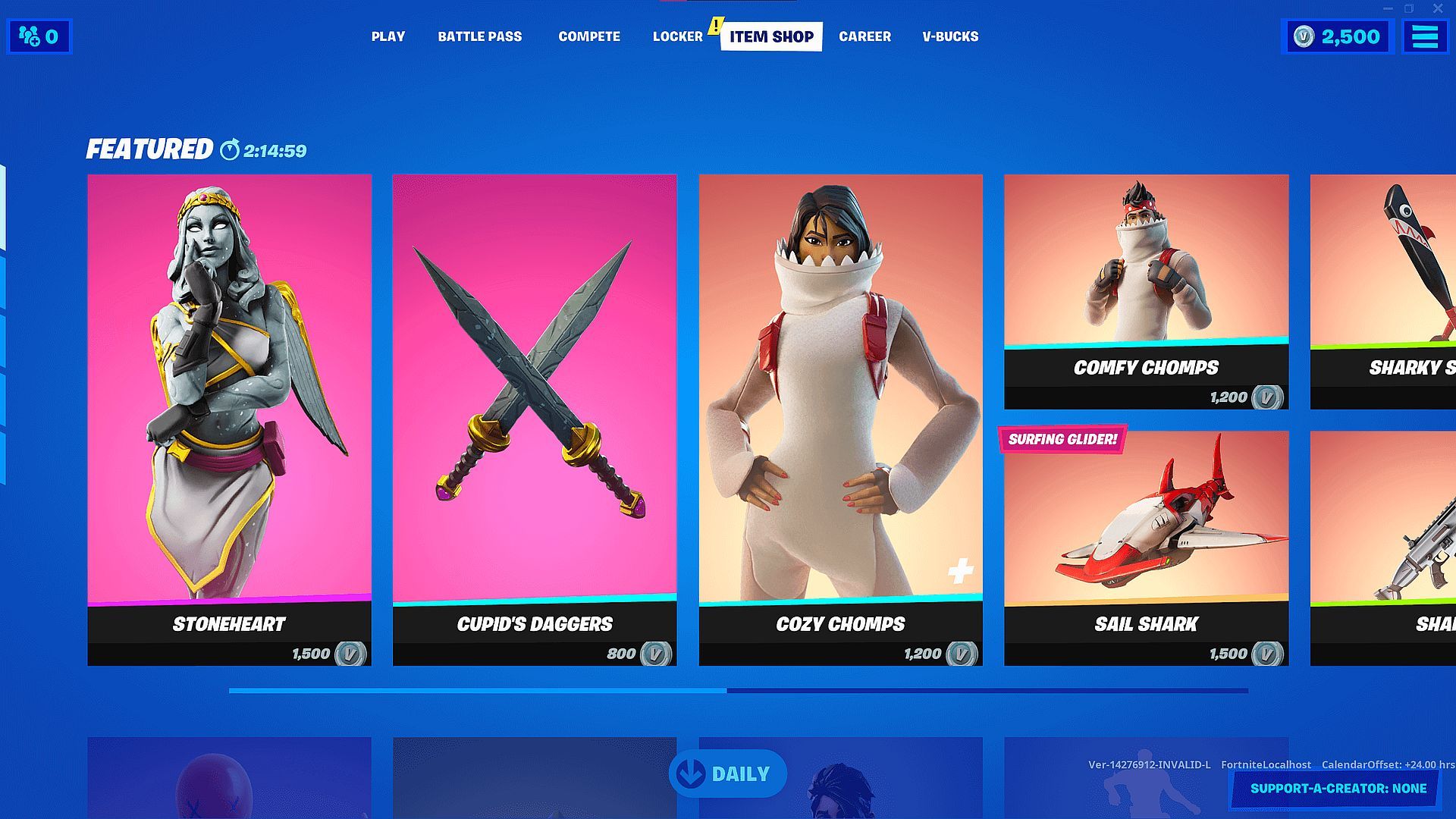
Remember, the offerings in the Item Shop rotate daily, so revisit frequently to catch new deals and fresh items.
Additional tips for smooth redemption
To ensure a hassle-free V-Bucks redemption process:
- Stick to official V-Bucks codes from authorized retailers.
- Double-check the accuracy of the code before entering.
- Be patient while waiting for balance updates in Fortnite.
- Consider V-Bucks bundles for better value.
- Aim for legendary skins to maximize your customization.
- Act swiftly on Item Shop deals before they expire or rotate out.
Redeeming V-Bucks on Xbox doesn’t have to be daunting. Follow these detailed steps to seamlessly redeem your codes and unlock a world of customization within Fortnite. Your newfound V-Bucks will grant you access to a trove of cosmetics, enabling you to showcase your unique style on the battlefield.
What can you do with V-Bucks in Fortnite?
In Fortnite, V-Bucks serve as the in-game currency that allows players to purchase a variety of cosmetic items. Here’s a breakdown of what you can do with V-Bucks:
- Purchase skins: Skins are perhaps the most coveted cosmetic items in Fortnite. They alter the appearance of your character, giving them a unique and personalized look. V-Bucks can be used to buy different rarity levels of skins, from common to legendary, allowing you to stand out on the battlefield.
- Acquire gliders and pickaxes: V-Bucks enable players to buy various gliders and pickaxes. Gliders change the appearance of your descent when landing on the island, while pickaxes are used for harvesting materials and come in a wide range of designs.
- Obtain emotes and dances: Emotes and dances add personality to your character. Using V-Bucks, you can purchase a variety of emotes and dances that your character can perform in-game, allowing you to express yourself and celebrate victories.
- Access back blings: Back blings are cosmetic items worn on your character’s back. V-Bucks can be used to acquire different back bling designs, complementing your chosen skin and adding an extra flair to your appearance.
- Buy wraps: Weapon and vehicle wraps are skins that change the appearance of your guns, vehicles, and other items in Fortnite. V-Bucks allow you to purchase wraps with various designs to customize your arsenal.
- Grab Battle Passes: Players can also purchase the Fortnite Battle Pass with V-Bucks. The Battle Pass offers a tiered system of rewards, including skins, emotes, V-Bucks, and other cosmetic items that unlock as you progress through its tiers during a season.
- Gift items to your friends: V-Bucks can be used to gift items from the Fortnite Item Shop to friends on your friends list. This allows you to share the joy of cosmetics with your gaming buddies.
- Limited-time offers and bundles: Fortnite occasionally offers limited-time bundles and special deals in the Item Shop that can be purchased using V-Bucks. These can include bundles with multiple cosmetic items at a discounted price.
- Limited-edition events and collaborations: During special events or collaborations (such as tie-ins with popular movies, franchises, or celebrities), exclusive cosmetic items are available for purchase using V-Bucks for a limited time.
V-Bucks in Fortnite are incredibly versatile, allowing players to personalize their gaming experience by acquiring an array of cosmetic items. From character skins to emotes and beyond, these virtual funds offer a wide range of customization options that enhance the visual appeal and enjoyment of the game.
Enjoy your V-Bucks, and happy customizing!
Is Fortnite shutting down in 2024? Visit the related article and learn everything you need to know about the rumor.




