
TechBriefly
  • Tech
  • Business
  • Crypto
  • Science
  • Geek
  • How to
  • About
    • About TechBriefly
    • Terms and Conditions
    • Privacy Policy
    • Contact Us
    • Languages
      • 中文 (Chinese)
      • Dansk
      • Deutsch
      • Español
      • English
      • Français
      • Nederlands
      • Italiano
      • 日本语 (Japanese)
      • 한국인 (Korean)
      • Norsk
      • Polski
      • Português
      • Pусский (Russian)
      • Suomalainen
      • Svenska
No Result
View All Result
TechBriefly
Home How to
Remini baby AI generator: How to use it

Remini baby AI generator: How to use it

Emre ÇıtakbyEmre Çıtak
10 July 2023
in How to
Reading Time: 3 mins read
Share on FacebookShare on Twitter

Have you ever wondered what your future children might look like? Thanks to the Remini baby AI generator, you can now get a glimpse of the future. This filter uses AI to superimpose the facial features of a child onto an adult’s face, giving users a realistic and playful way to see what their future kids might look like.

The Remini baby AI generator has been trending on TikTok, with users sharing their results with the hashtag #reminibaby. The filter is available on both the iOS and Android versions of the Remini app.

See how well the Remini works in the TikTok user @zinksvuitton‘s post below.

@zinksvuitton

Look at my babies 🥳🥹#CapCut #remini #baby #trending

♬ bed peace sped up – .

The Remini baby AI generator is not perfect, but it can give you a general idea of what your future children might look like. The results will vary depending on the quality of the photo you upload. If you use a clear and well-lit photo, you’re more likely to get a realistic result.

What is Remini baby AI generator?

The Remini baby AI generator is a filter that uses artificial intelligence to superimpose the facial features of a child onto an adult’s face. The filter is available on the Remini app, which can be downloaded for free from the App Store or Google Play.

To use the Remini baby AI generator, you first need to create a Remini account. Once you have an account, you can open the app and select the “AI Baby” filter. Then, upload a photo of yourself. The app will then process the photo and generate an image of what you might look like as a baby.

The Remini baby AI generator is not perfect, but it can give you a general idea of what your future children might look like. The results will vary depending on the quality of the photo you upload. If you use a clear and well-lit photo, you’re more likely to get a realistic result.

Remini baby AI generator
The Remini baby AI generator is a filter that uses artificial intelligence to superimpose the facial features of a child onto an adult’s face (Image Credit)

How to use Remini baby AI generator

Here are the steps on how to use the Remini baby AI generator:

  1. Download the Remini app from the App Store or Google Play
  2. Create a Remini account
  3. Open the app and select the “AI Baby” filter
  4. Upload a photo of yourself
  5. The app will process the photo and generate an image of what you might look like as a baby

You can save the image to your device or share it with your friends.
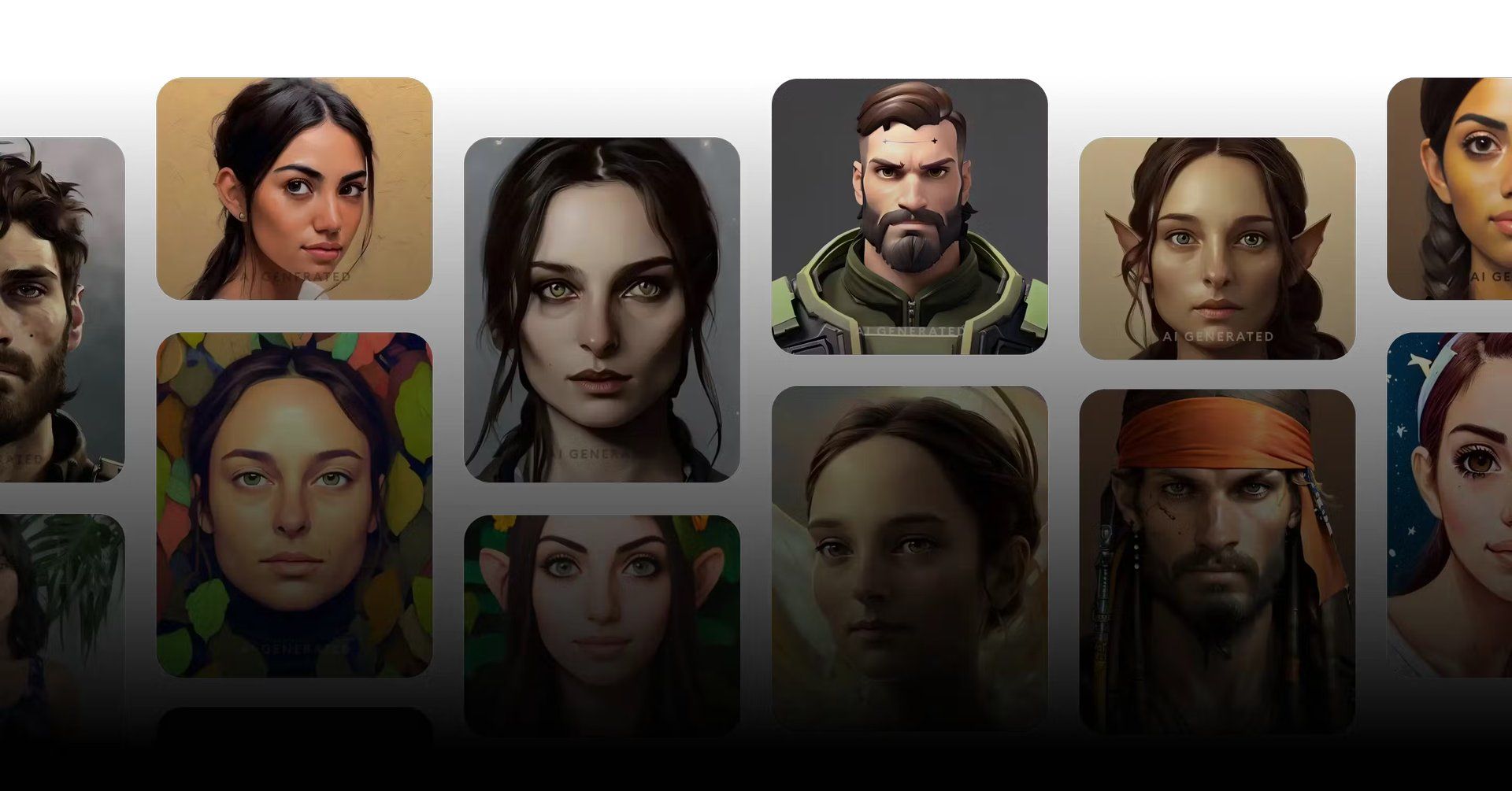
Remini baby AI generator
The filter is a fun and easy way to see what your future kids might look like (Image Credit)

Remini baby AI generator alternatives

There are a few other apps that offer similar features to the Remini baby AI generator.

These include:

FaceApp: This app allows you to apply a variety of filters to your photos, including a baby filter

BabyMaker: This app lets you create a virtual baby by combining the facial features of two parents

My Future Baby: This app uses AI to predict what your future baby might look like

Bottom line

The Remini baby AI generator is a fun and easy way to see what your future children might look like. The results are not perfect, but they can give you a general idea of what to expect. If you’re curious about what your future kids might look like, then the Remini baby AI generator is worth checking out.

If you’ve had your share of the Ai craze, you might want to take a look at our article titled 17 best AI 3D model generators and how to choose between them.

Are you looking for Remini AI alternative? You can try OurBabyAI.


Featured image credit: Remini.

Tags: generative AIhow toReminiTikTok trends
ShareTweet
Emre Çıtak

Emre Çıtak

Emre’s love for animals made him a veterinarian, and his passion for technology made him an editor. Making new discoveries in the field of editorial and journalism, Emre enjoys conveying information to a wide audience, which has always been a dream for him.

Related Posts

How to download and migrate your content from Microsoft Stream

How to download and migrate your content from Microsoft Stream

6 January 2026
Easy ways to make a YouTube music video with just pictures

Easy ways to make a YouTube music video with just pictures

6 January 2026
Easy steps to build your own music video for YouTube

Easy steps to build your own music video for YouTube

6 January 2026
How to add videos and movies to compatible iPod models easily

How to add videos and movies to compatible iPod models easily

6 January 2026

LATEST

How to download and migrate your content from Microsoft Stream

Easy ways to make a YouTube music video with just pictures

Easy steps to build your own music video for YouTube

How to add videos and movies to compatible iPod models easily

Narwal unveils Flow 2 with AI pet monitoring at CES 2026

Hyundai reveals Boston Dynamics and DeepMind alliance at CES 2026

Intel unveils Core Ultra Series 3 at CES 2026

Amazon takes Alexa to the web with launch of Alexa.com at CES 2026

Amazon enters lifestyle TV market with $899 Ember Artline

Google previews Gemini AI features for Google TV

TechBriefly

© 2021 TechBriefly is a Linkmedya brand.

  • Tech
  • Business
  • Science
  • Geek
  • How to
  • About
  • Privacy
  • Terms
  • Contact
  • | Network Sites |
  • Digital Report
  • LeaderGamer

Follow Us

No Result
View All Result
  • Tech
  • Business
  • Crypto
  • Science
  • Geek
  • How to
  • About
    • About TechBriefly
    • Terms and Conditions
    • Privacy Policy
    • Contact Us
    • Languages
      • 中文 (Chinese)
      • Dansk
      • Deutsch
      • Español
      • English
      • Français
      • Nederlands
      • Italiano
      • 日本语 (Japanese)
      • 한국인 (Korean)
      • Norsk
      • Polski
      • Português
      • Pусский (Russian)
      • Suomalainen
      • Svenska