

TechBriefly
  • Tech
  • Business
  • Crypto
  • Science
  • Geek
  • How to
  • About
    • About TechBriefly
    • Terms and Conditions
    • Privacy Policy
    • Contact Us
    • Languages
      • 中文 (Chinese)
      • Dansk
      • Deutsch
      • Español
      • English
      • Français
      • Nederlands
      • Italiano
      • 日本语 (Japanese)
      • 한국인 (Korean)
      • Norsk
      • Polski
      • Português
      • Pусский (Russian)
      • Suomalainen
      • Svenska
No Result
View All Result
TechBriefly
Home How to
Zelda TotK: Battery boost guide

Zelda TotK: Battery boost guide

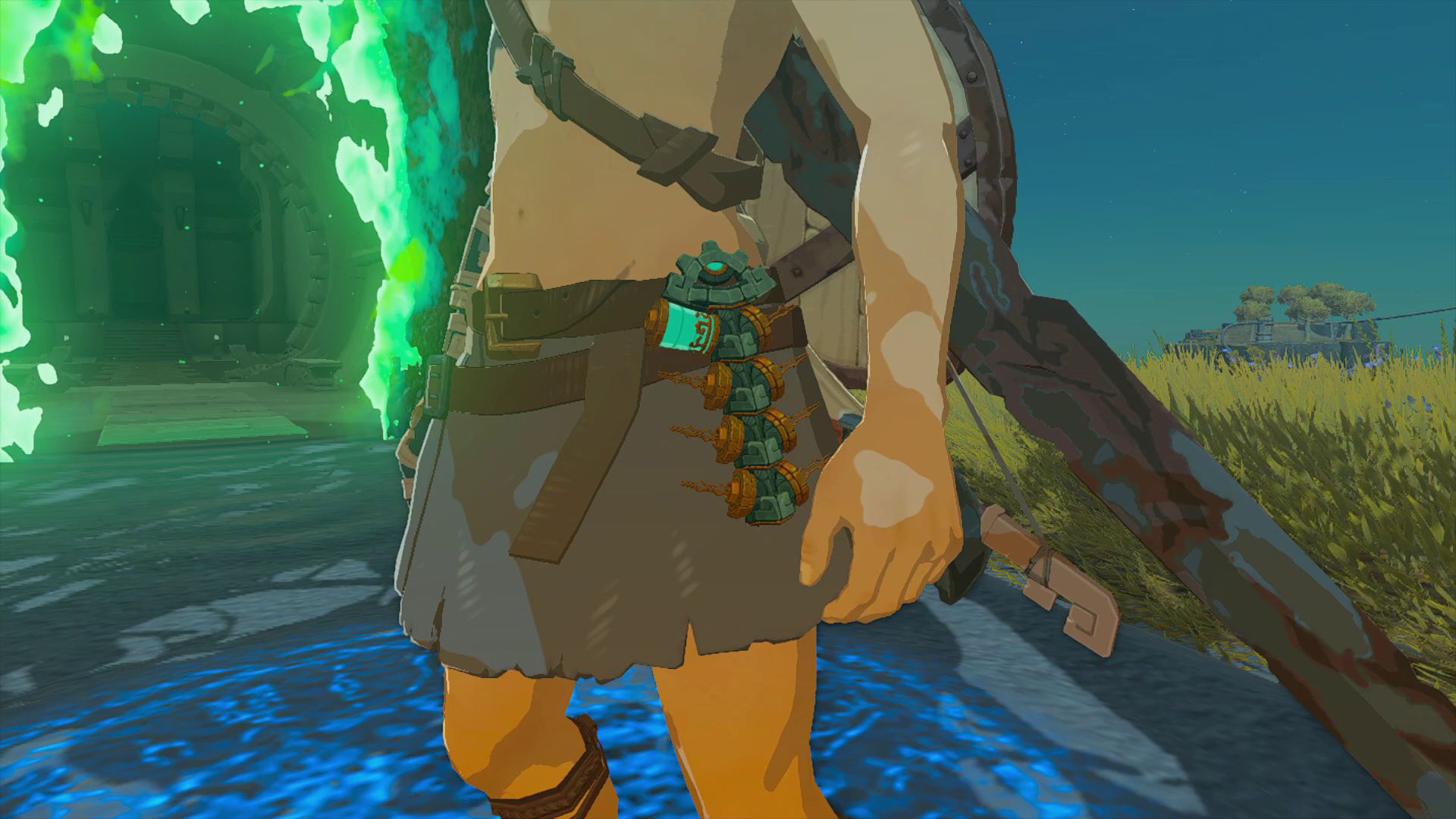
To acquire additional batteries in Zelda TotK, you will need to enhance your Energy Cells. These Cells, resembling Zonai batteries, supply power to the vehicles and contraptions you construct.

Kerem GülenbyKerem Gülen
24 May 2023
in How to
Reading Time: 3 mins read
Share on FacebookShare on Twitter

Hey Zelda TotK fan, do you want to learn how to get more battery in Tears of the Kingdom?

Welcome to our comprehensive guide on enhancing battery life and power in Zelda TotK. Discover how to obtain Crystallized Charges, navigate the Crystal Refinery, and convert them into Energy Wells. Delve into the Depths, exchange Zonaite for supplies, and unleash the potential of your Zonai Energy Cells. Let’s get started!

Zelda TotK: Battery boost guide

To acquire additional batteries in Zelda TotK, you will need to enhance your Energy Cells. These Cells, resembling Zonai batteries, supply power to the vehicles and contraptions you construct.

The mechanics behind this aspect of Zelda TotK are not thoroughly elucidated. However, you can boost your battery capacity by obtaining a special resource known as Crystallized Charges and subsequently transporting them to the Crystal Refinery.

At the refinery, these charges are converted into Energy Wells, which serve as upgrades for your batteries. Although it may initially seem intricate, the process is more manageable than it appears. In our guide below, we will provide a detailed explanation on how to obtain additional batteries in Zelda TotK.

Zelda TotK: Battery boost guide
You can boost your battery capacity by obtaining a special resource known as Crystallized Charges

How to get more battery in Tears of the Kingdom?

To enhance the duration and strength of your battery in Zelda TotK, follow these straightforward steps:

  • Scout the map to locate Crystallized Charges.
  • Transport the obtained Crystallized Charges to the Crystal Refinery situated in Lookout Landing.
  • Utilize the services of the Steward Construct at the Crystal Refinery, who will convert the Charges into Energy Wells.
  • Enjoy the extended runtime of your battery!

Located just north of Lookout Landing, the Crystal Refinery can be easily identified on the map. It is positioned slightly above the northern wall of the outpost and is characterized by a small rock housing a machine and a Steward Construct atop it. Once you have accumulated 100 or more Crystallized Charges, make your way to this location and engage in conversation with the Construct.

Zelda TotK: Battery boost guide
It is important to note that 100 Crystallized Charges will be converted into one Energy Well, and each “battery” of power requires three Energy Wells

Upon interacting with the Construct, your Crystallized Charges will be transformed into Energy Wells. These Energy Wells serve as the specific units of power utilized by your Zonai Energy Cells. It is important to note that 100 Crystallized Charges will be converted into one Energy Well, and each “battery” of power requires three Energy Wells. However, the significance of this information may be diminished if you struggle to locate sufficient charges.

In Zelda TotK, you can acquire Crystallized Charges through various means, including:

  • Defeating specific bosses such as Flux Constructs.
  • Discovering them in chests located within abandoned mines in the Depths.
  • Purchasing them from Steward Constructs found in forges within the Depths.
  • Locating them in chests situated within Yiga outposts in the Depths.

Undoubtedly, the Depths serve as the primary location for obtaining Crystallized Charges in abundance. We highly recommend taking advantage of any opportunities to deplete the stock of Steward Constructs who are engaged in the refinement of Crystallized Charges.

Zelda TotK: Battery boost guide
In Zelda TotK, you can acquire Crystallized Charges through various means

Interestingly, instead of using Rupees as currency, you can purchase their inventory using Zonaite, which is conveniently found in deposits within the Depths. However, if you find yourself short on Rupees; essentially, the more time you spend exploring the Depths, the greater the likelihood of accumulating a substantial quantity of Crystallized Charges, leading to significant battery upgrades.

You can also learn how to complete Tukarok Shrine, how to complete Mayachin Shrine and find out everything about Amiibo rewards by visiting out guides! The game is available on Nintendo Switch!

Tags: totkZelda
ShareTweet
Kerem Gülen

Kerem Gülen

Kerem from Turkey has an insatiable curiosity for the latest advancements in tech gadgets and a knack for innovative thinking.With 3 years of experience in editorship and a childhood dream of becoming a journalist, Kerem has always been curious about the latest tech gadgets and is constantly seeking new ways to create.As a Master's student in Strategic Communications, Kerem is eager to learn more about the ever-evolving world of technology. His primary focuses are artificial intelligence and digital inclusion, and he delves into the most current and accurate information on these topics.

Related Posts

How to install mods and custom content in The Sims 2

How to install mods and custom content in The Sims 2

26 December 2025
Running Python files and fixing path errors on Windows

Running Python files and fixing path errors on Windows

26 December 2025
How to boot your PC into Command Prompt for troubleshooting

How to boot your PC into Command Prompt for troubleshooting

26 December 2025
How to delete a virus using Command Prompt

How to delete a virus using Command Prompt

26 December 2025

LATEST

New WhatsApp update brings 2026 stickers and video call effects

Leaker reveals Xiaomi plans for high end eSIM device in 2026

HP prepares OMEN OLED monitor reveal for CES 2026

High RAM costs from AI boom could delay next Xbox and PlayStation

LG to unveil its Gallery TV at CES 2026

Bitcoin drops 3% to $87,300 as altcoins decline

How to install mods and custom content in The Sims 2

Running Python files and fixing path errors on Windows

How to boot your PC into Command Prompt for troubleshooting

How to delete a virus using Command Prompt

TechBriefly

© 2021 TechBriefly is a Linkmedya brand.

  • Tech
  • Business
  • Science
  • Geek
  • How to
  • About
  • Privacy
  • Terms
  • Contact
  • | Network Sites |
  • Digital Report
  • LeaderGamer

Follow Us

No Result
View All Result
  • Tech
  • Business
  • Crypto
  • Science
  • Geek
  • How to
  • About
    • About TechBriefly
    • Terms and Conditions
    • Privacy Policy
    • Contact Us
    • Languages
      • 中文 (Chinese)
      • Dansk
      • Deutsch
      • Español
      • English
      • Français
      • Nederlands
      • Italiano
      • 日本语 (Japanese)
      • 한국인 (Korean)
      • Norsk
      • Polski
      • Português
      • Pусский (Russian)
      • Suomalainen
      • Svenska