
TechBriefly
  • Tech
  • Business
  • Crypto
  • Science
  • Geek
  • How to
  • About
    • About TechBriefly
    • Terms and Conditions
    • Privacy Policy
    • Contact Us
    • Languages
      • 中文 (Chinese)
      • Dansk
      • Deutsch
      • Español
      • English
      • Français
      • Nederlands
      • Italiano
      • 日本语 (Japanese)
      • 한국인 (Korean)
      • Norsk
      • Polski
      • Português
      • Pусский (Russian)
      • Suomalainen
      • Svenska
No Result
View All Result
TechBriefly
Home How to
How to install Tor for Android?

How to install Tor for Android?

Kerem GülenbyKerem Gülen
31 October 2020
in How to
Reading Time: 2 mins read
Share on FacebookShare on Twitter

How to install Tor for Android? We always say that we must be very careful when we surf the Internet and privacy is one of the most important subjects, so more and more users are looking for tools or configure their smartphones to avoid certain problems.

  • How to customize the TouchBar on MacBook Pro?
  • How to avoid unwanted phone calls on Android?
  • How to use Windows 10 like a pro: All keyboard shortcuts

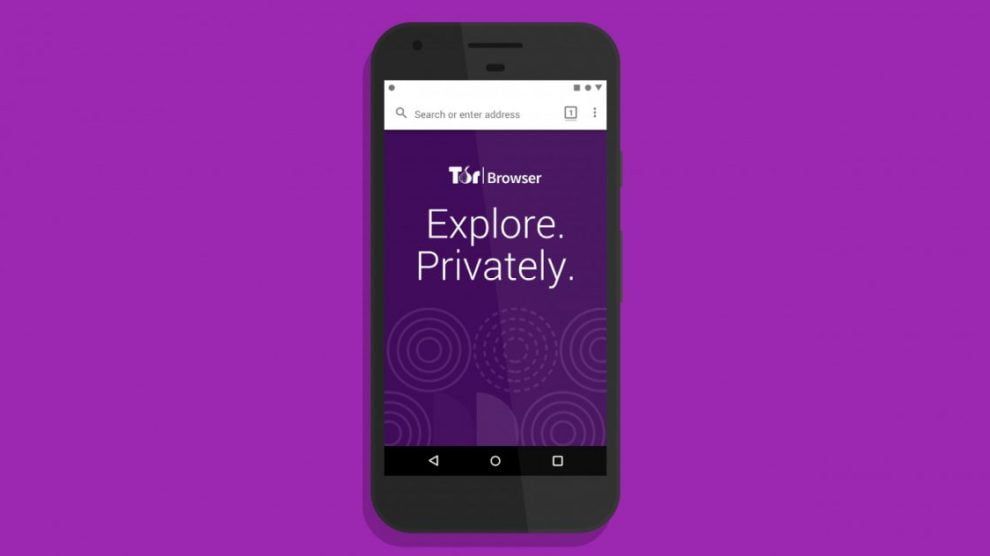
That’s why we bring you a little guide on how to install Tor on your Android device. It’s been a few years since this project was born. This browser has the ability to hide our identity, so with Tor we can surf the Internet in privacy.

How to install Tor for Android?

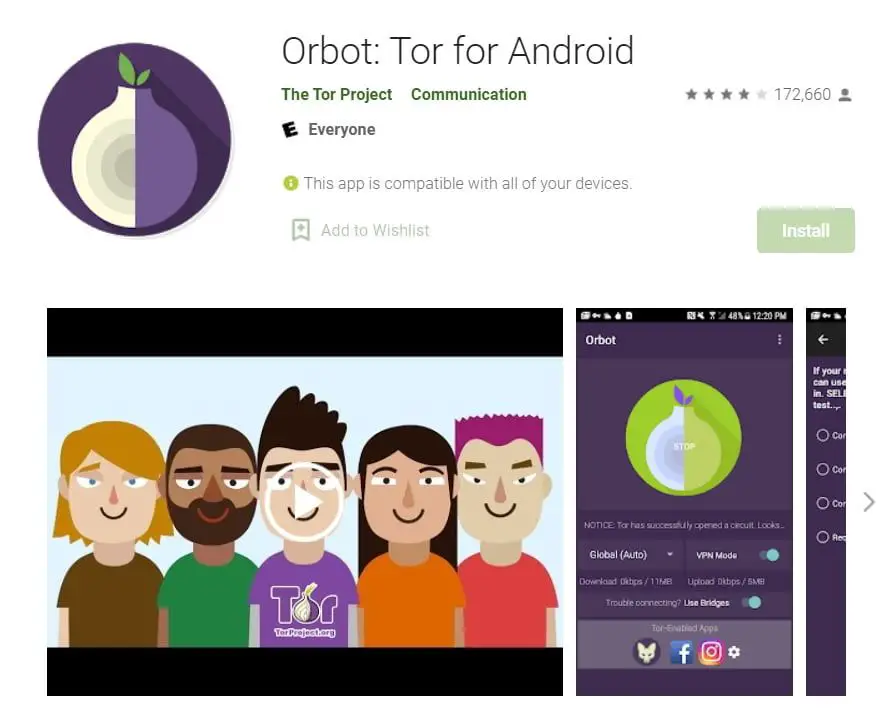
The first step we need to take is to connect to Tor, and you’ll wonder how to do that, it’s very simple. All we have to do is download the Orbot Proxy with Tor from Google Play, an application developed by The Tor Project.
How to install Tor for Android?

Once we have downloaded and installed the application we only have to start it. When we are inside, we click on the central icon and it will start, now we have to configure some options. When we start the app, the following screen will show the different options that we can adjust according to the configuration that we want to have in our VPN connection. Once this is done, the application will ask us for administrator access, so we will have to give permission. So when we are done, we will be able to see how the services start working correctly. Another option we have is to individually select the applications we want to use with this new VPN connection. Now we only have to reboot our device. Then, we check our IP address and see that it is a custom one.

This way you’ve learned how to install Tor for Android. With this quick and easy procedure we can surf the Internet anonymously and in case anyone is curious, you can also enter the Deep Web, an area of the Internet that is only available through Tor.

Tags: AndroidbrowserGoogle Chromehow toprivacysecuritystep by steptutorialvpn
ShareTweet
Kerem Gülen

Kerem Gülen

Kerem from Turkey has an insatiable curiosity for the latest advancements in tech gadgets and a knack for innovative thinking.With 3 years of experience in editorship and a childhood dream of becoming a journalist, Kerem has always been curious about the latest tech gadgets and is constantly seeking new ways to create.As a Master's student in Strategic Communications, Kerem is eager to learn more about the ever-evolving world of technology. His primary focuses are artificial intelligence and digital inclusion, and he delves into the most current and accurate information on these topics.

Related Posts

Simple ways to install and remove programs on Ubuntu

Simple ways to install and remove programs on Ubuntu

12 January 2026
A guide to preventing accidental typing on Windows and Mac

A guide to preventing accidental typing on Windows and Mac

12 January 2026
Accessing your Google Chrome bookmarks

Accessing your Google Chrome bookmarks

12 January 2026
A guide to installing restricted extensions in Google Chrome

A guide to installing restricted extensions in Google Chrome

12 January 2026
Please login to join discussion

LATEST

Simple ways to install and remove programs on Ubuntu

A guide to preventing accidental typing on Windows and Mac

Accessing your Google Chrome bookmarks

A guide to installing restricted extensions in Google Chrome

Anthropic launches health features for Claude

Google removes AI Overviews from medical queries

Instagram disputes Malwarebytes’ claim of massive data theft

X to open-source new recommendation algorithm in 7 days

How to choose the right reset method for Samsung Galaxy devices

What resetting end-to-end encryption does on iPhone, iPad or Mac

TechBriefly

© 2021 TechBriefly is a Linkmedya brand.

  • Tech
  • Business
  • Science
  • Geek
  • How to
  • About
  • Privacy
  • Terms
  • Contact
  • | Network Sites |
  • Digital Report
  • LeaderGamer

Follow Us

No Result
View All Result
  • Tech
  • Business
  • Crypto
  • Science
  • Geek
  • How to
  • About
    • About TechBriefly
    • Terms and Conditions
    • Privacy Policy
    • Contact Us
    • Languages
      • 中文 (Chinese)
      • Dansk
      • Deutsch
      • Español
      • English
      • Français
      • Nederlands
      • Italiano
      • 日本语 (Japanese)
      • 한국인 (Korean)
      • Norsk
      • Polski
      • Português
      • Pусский (Russian)
      • Suomalainen
      • Svenska