

If you’ve heard of the news of the new feature, you might be wondering how to comment GIF on Instagram. The popular social network Instagram, which focuses on multimedia material, occasionally gets new features and ‘almost’ never fails to surprise its users.
However, since the birth of the app, Instagram has always restricted your ability to reply to posts to text or emoticons. In other words, you couldn’t include any graphics in your response.

But since Instagram made it possible to remark or reply to posts using GIFs, that has changed. In this article, we’re going to explain the new feature and show you how to comment GIF on Instagram.
How to comment GIF on Instagram?
Most social networks let you upload photographs along with your post responses. Instagram did not have the same facility, perhaps because they want the primary post’s photo or video to be the focal point.
Nonetheless, it appears like the corporation wants to add some fun or life to the comment areas. They are enabling you to reply with GIFs even though they do not (yet) enable you to reply with photos. Therefore even after you learn how to comment GIF on Instagram, you won’t e able to comment with photos yet.
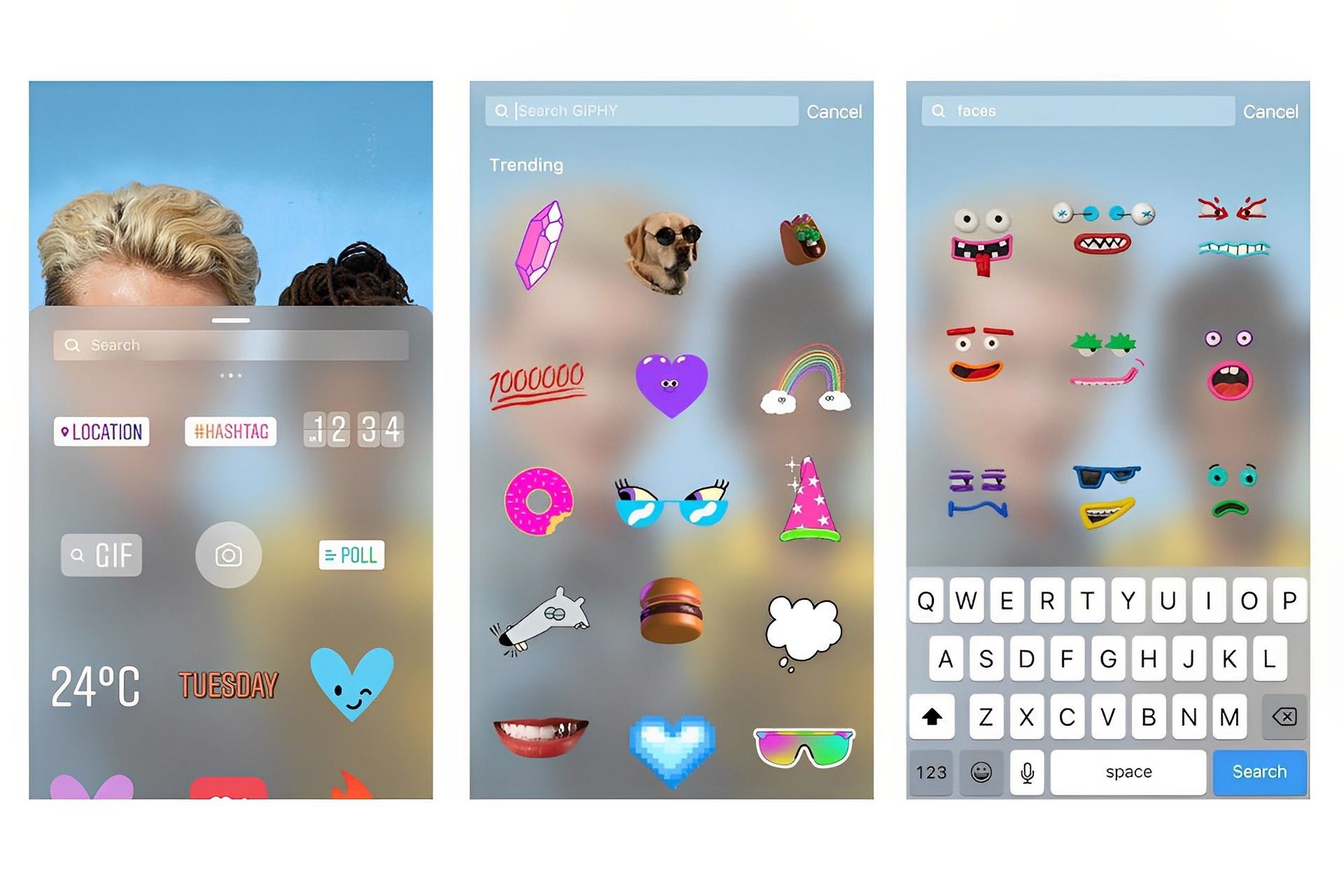
Instagram has long allowed GIF replies, but only in response to stories. Nonetheless, the process is very similar for people who already have the new option to comment on posts using GIFs.
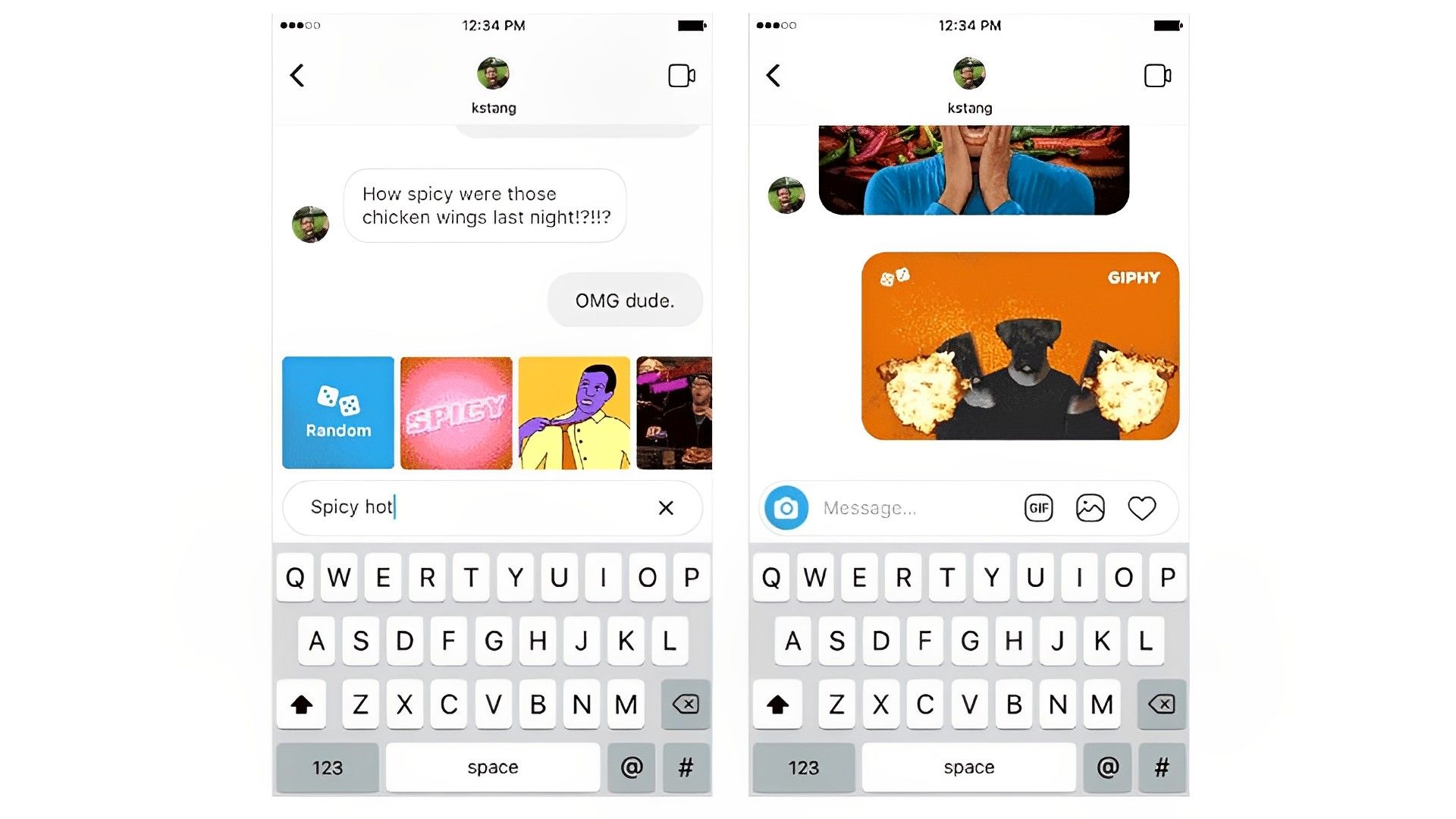
In essence, users will now get the option to upload a GIF when they go to the comment box. When you select the “GIF” option, the Interface will display a search bar and a few GIFs.
To discover a specific GIF, enter a term in the search area or just select one of the suggested GIFs. That’s it, really straightforward and useful. One you know how to comment GIF on Instagram, it’s quite easy.
Given that the GIPHY database is the source, the GIF collection will be quite large. Hence, it’s likely that you won’t have any trouble locating the precise GIF you’re looking for.
Why can’t you comment with a GIF yet?
Some users have expressed frustration over the fact that even after updating to the newest version of the Instagram app, they are still unable to react to comments with the “GIFs” button.
This is due to the initial rollout’s limitations, like with other new features. So, it will probably take a few weeks until all Instagram users can reply to posts using GIFs. However, it is certain that eventually, you will join the others in comment sections with your GIFs, and learning how to comment GIF on Instagram was the first step of your getting ready. If you’d like to expand your arsenal of GIFs, take an early look at GIPHY’s shelves and prepare for action in the comment sections.
We really hope you found this article to be useful. In order to be updated about the new developments both regarding the new feature and other possible news, make sure to follow our articles. Also, Instagram is getting other new features as well recently and if you’d like to take a look at them, make sure to read our other articles.