
TechBriefly
  • Tech
  • Business
  • Crypto
  • Science
  • Geek
  • How to
  • About
    • About TechBriefly
    • Terms and Conditions
    • Privacy Policy
    • Contact Us
    • Languages
      • 中文 (Chinese)
      • Dansk
      • Deutsch
      • Español
      • English
      • Français
      • Nederlands
      • Italiano
      • 日本语 (Japanese)
      • 한국인 (Korean)
      • Norsk
      • Polski
      • Português
      • Pусский (Russian)
      • Suomalainen
      • Svenska
No Result
View All Result
TechBriefly
Home Science AI
The easy way to prepare a presentation: Tome AI

The easy way to prepare a presentation: Tome AI

The use of artificial intelligence to spice up presentations

Eray EliaçıkbyEray Eliaçık
25 January 2023
in AI, AI, Science, Tech
Reading Time: 3 mins read
Share on FacebookShare on Twitter

This article lets you learn What Tome AI is and how to use it. Tome AI can quickly create a first draft of your presentation that is exactly how you want it using GPT-3 and DALL-E 2!

Is it really that simple? We can definitely claim that AI can be that simple in the modern world when it is present in every part of our lives.

What is Tome AI?

With the use of GPT-3 and AI-generated graphics, generative storytelling in Tome AI enables creators to quickly and simply build entire stories, presentations, or outlines from scratch, replete with intelligent titles, pagination, page layouts, and page text.
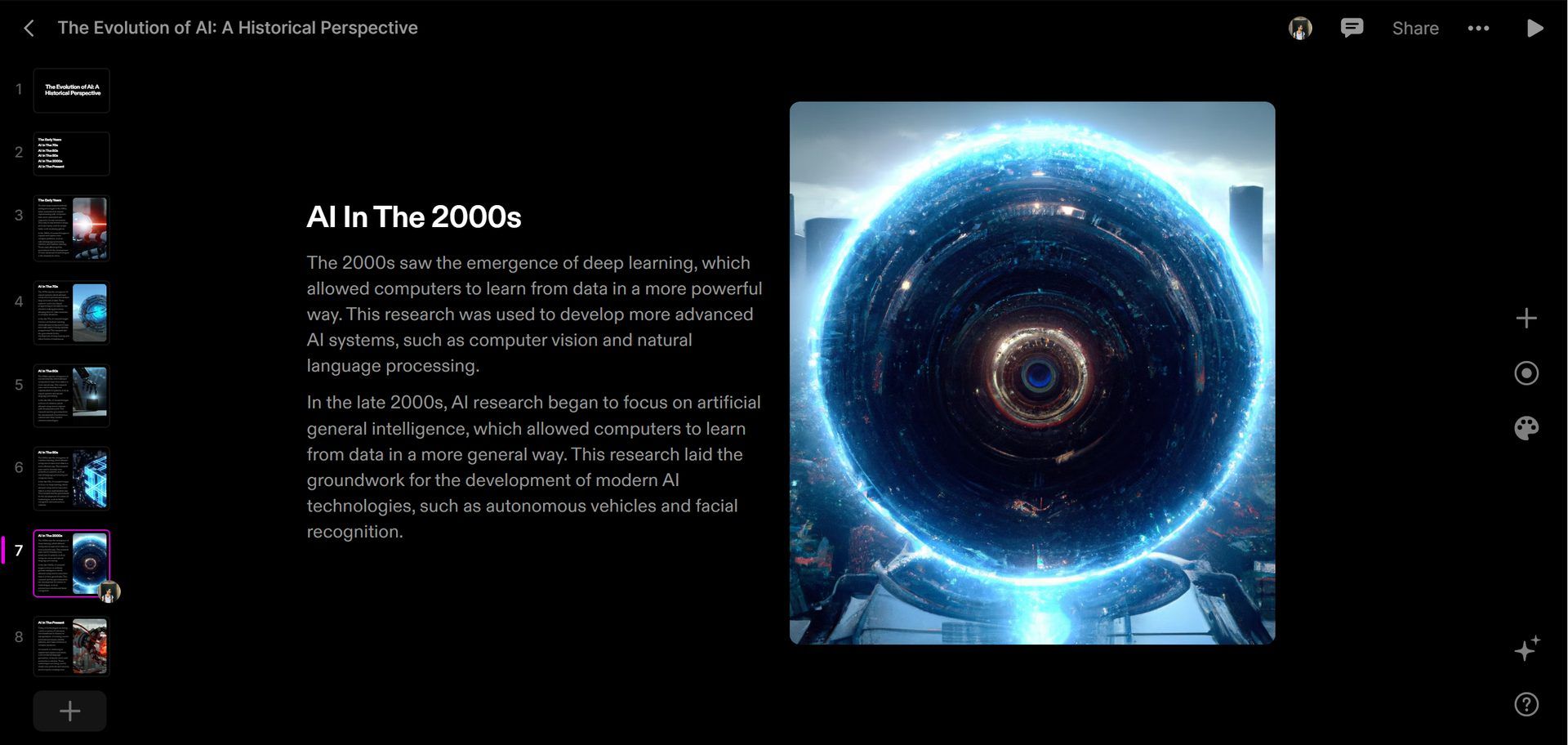
What is Tome AI: Learn how to use Tome AI and make powerpoint presentation slides easily. Is Tome AI free? Keep reading and find out.
An example slide from a Tome AI presentation

Innovative AI technology is available now to assist presenters. Users can use it by writing a brief description of their ideal presentation into a predetermined box. Tome AI could be used to discuss a project’s or an organization’s strategic plan presentation deck. The AI application then constructs a preliminary presentation outline using GPT-3 and DALL-E 2.

“From the start, Tome was always meant to be a completely new way to share ideas and help anyone tell a compelling story. We built Tome to be a responsive, intelligent partner, not a static page. We knew that the technology we could tap would keep expanding. And if it benefits storytellers, we want it in Tome. So for us, weaving generative AI into Tome was a no brainer. We’re in the early stages of seeing how generative AI can empower storytellers and give more people a voice. We’re making AI in Tome as creator-focused as possible. That means building on powerful, large models, as well as continuing to tailor our own AI to create highly collaborative experiences that fit naturally with the way people work.”

-Tome cofounder and CEO Keith Peiris

Tome’s AI capabilities allow for customization of the generative storytelling experience. Now, Tome’s AI can be trained to edit copy while maintaining its length, make it more succinct or detailed, and use the most appropriate voice (inspiring, formal, informal, objective, persuading, or playful). Users can select from three different output types (presentation, story, and outline) and a number of image formats using Tome’s redesigned prompt bar (Neo-Impressionist, Pop Art, Fantasy, Cyberpunk, Anime, and more).

Tome AI features

Tome mixes simple design with dynamic information and robust functionality to produce a spectacular experience. Tome enables anyone to articulate ideas, allowing them to stop creating PowerPoint presentations and start telling stories naturally.

Tome AI has a lot to offer, including:

  • Build a powerful story
 with any content.
  • Frictionless creation meets magic design.
  • Live, interactive content from the web. Integrated with Figma.
  • Video narration.
  • Templates.

Do you want to know more?

What is Tome AI: Learn how to use Tome AI and make powerpoint presentation slides easily. Is Tome AI free? Keep reading and find out.
An example slide from a Tome AI presentation

How to use Tome AI?

Actually, it couldn’t be easier. In order to do so, just:

  • Go to Tome AI, click “Get Tome for free,” and log in.
  • Create a workspace after creating an account.
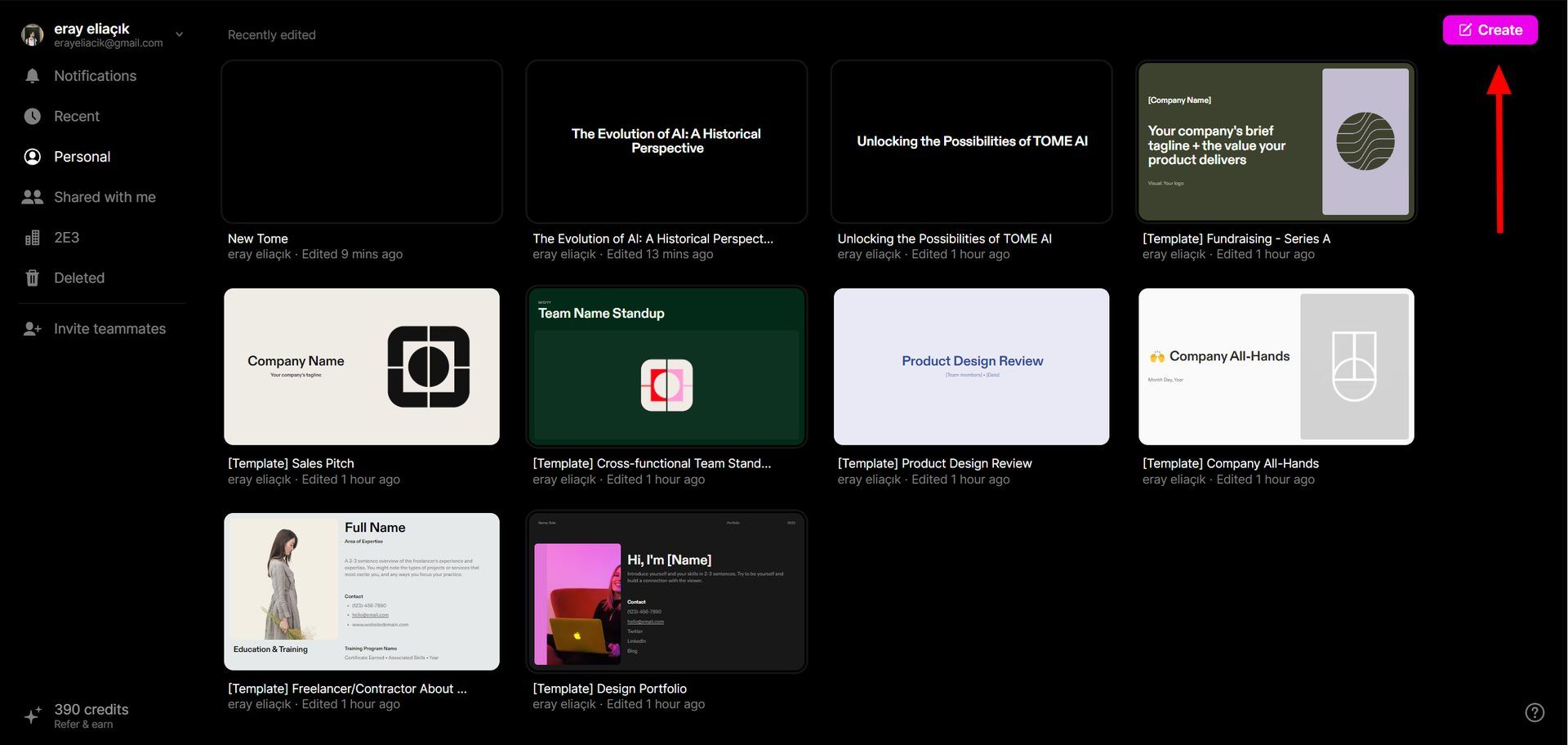
  • In the top right, select “create.”
What is Tome AI: Learn how to use Tome AI and make powerpoint presentation slides easily. Is Tome AI free? Keep reading and find out.
You can start with an empty page or choose a template
  • Simply enter some text describing your intended content for the PPT in the box provided.

What is Tome AI: Learn how to use Tome AI and make powerpoint presentation slides easily. Is Tome AI free? Keep reading and find out.

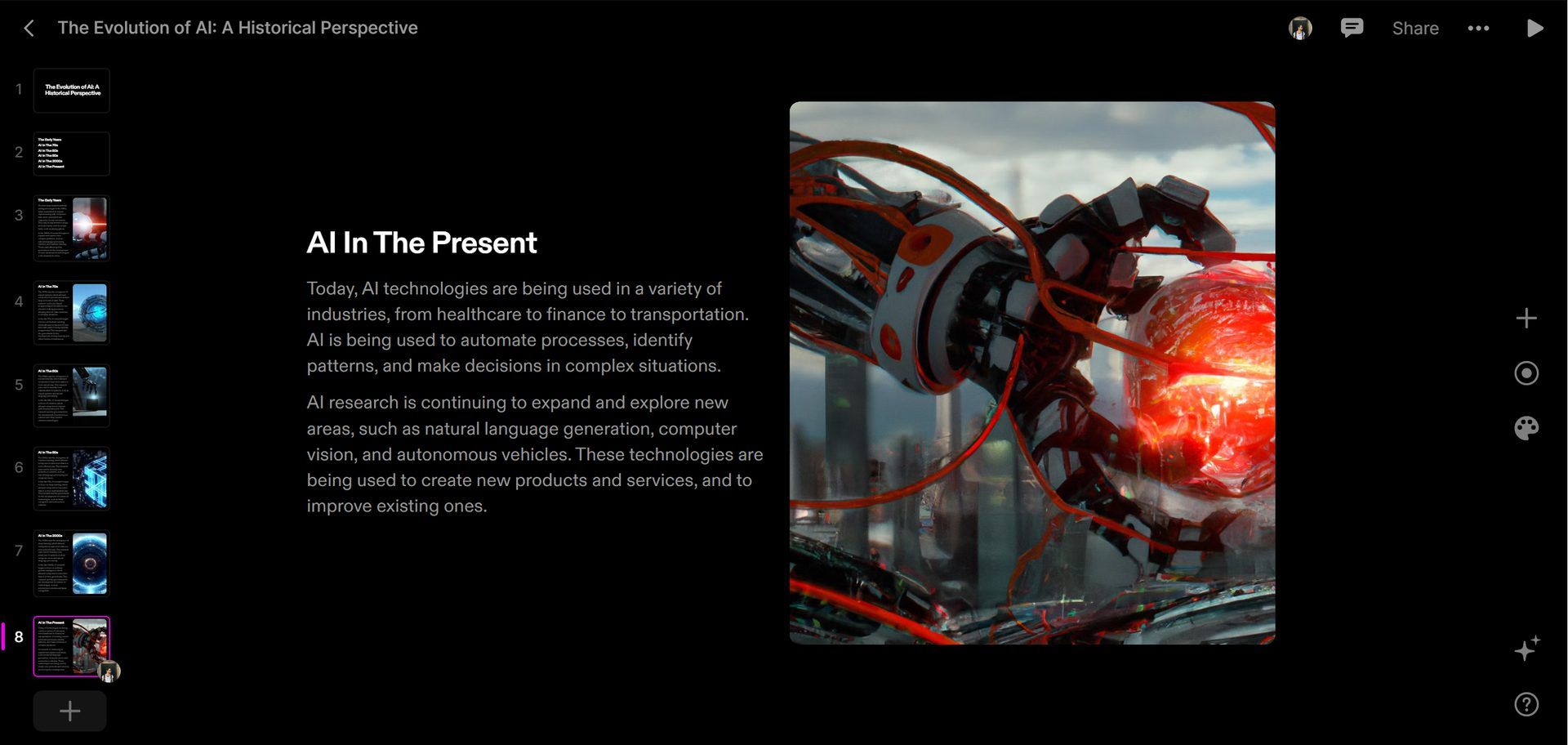
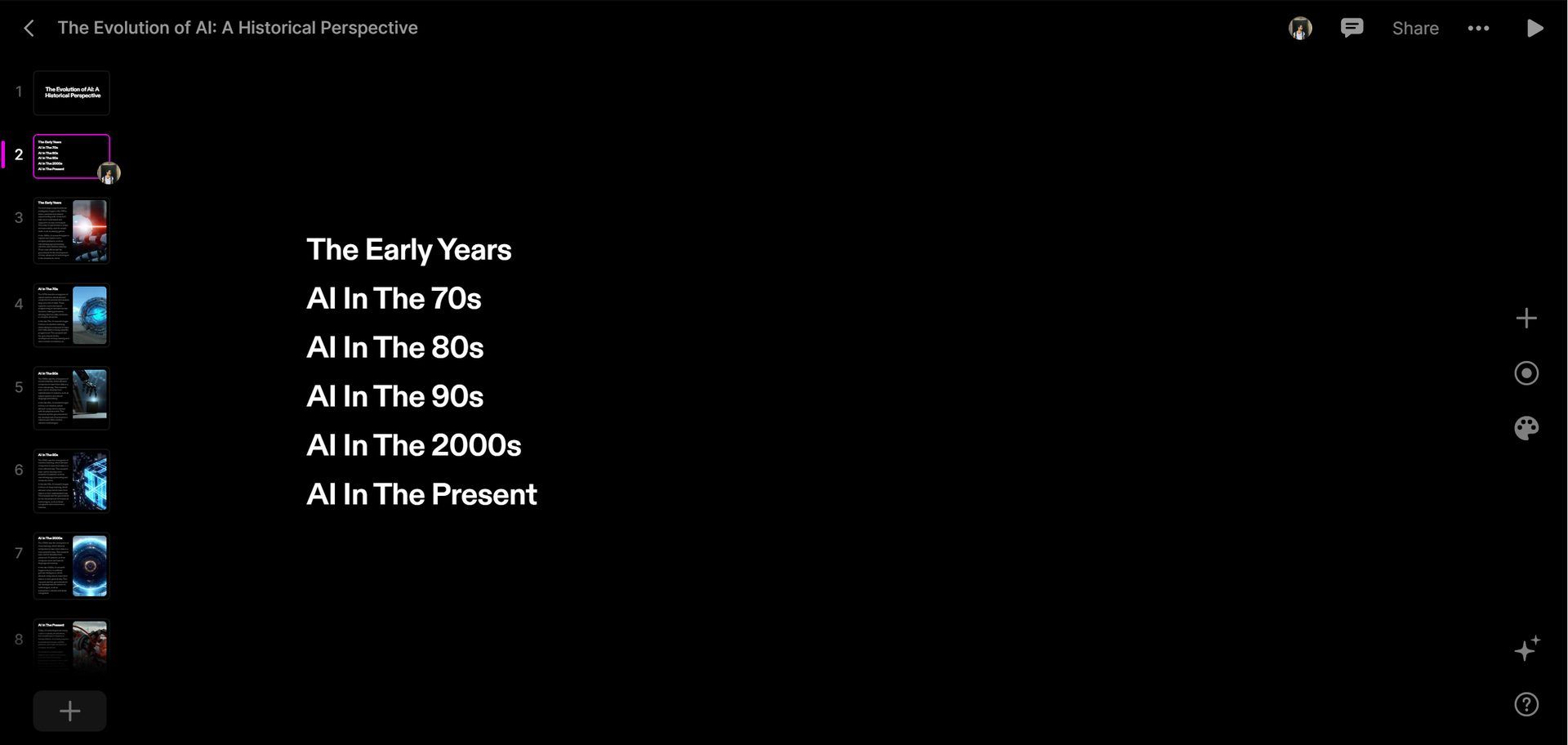
  • When you press enter, AI will take over, creating an impressive 8-page PowerPoint with a header (what you typed in the text), an index page, and 6 slides devoted to different topics from the same text.
What is Tome AI: Learn how to use Tome AI and make powerpoint presentation slides easily. Is Tome AI free? Keep reading and find out.
Tome AI generates outlines about your topics in seconds
  • To make edits to the presentation, simply choose the element you need to change (e.g., Powerpoint) and click it.
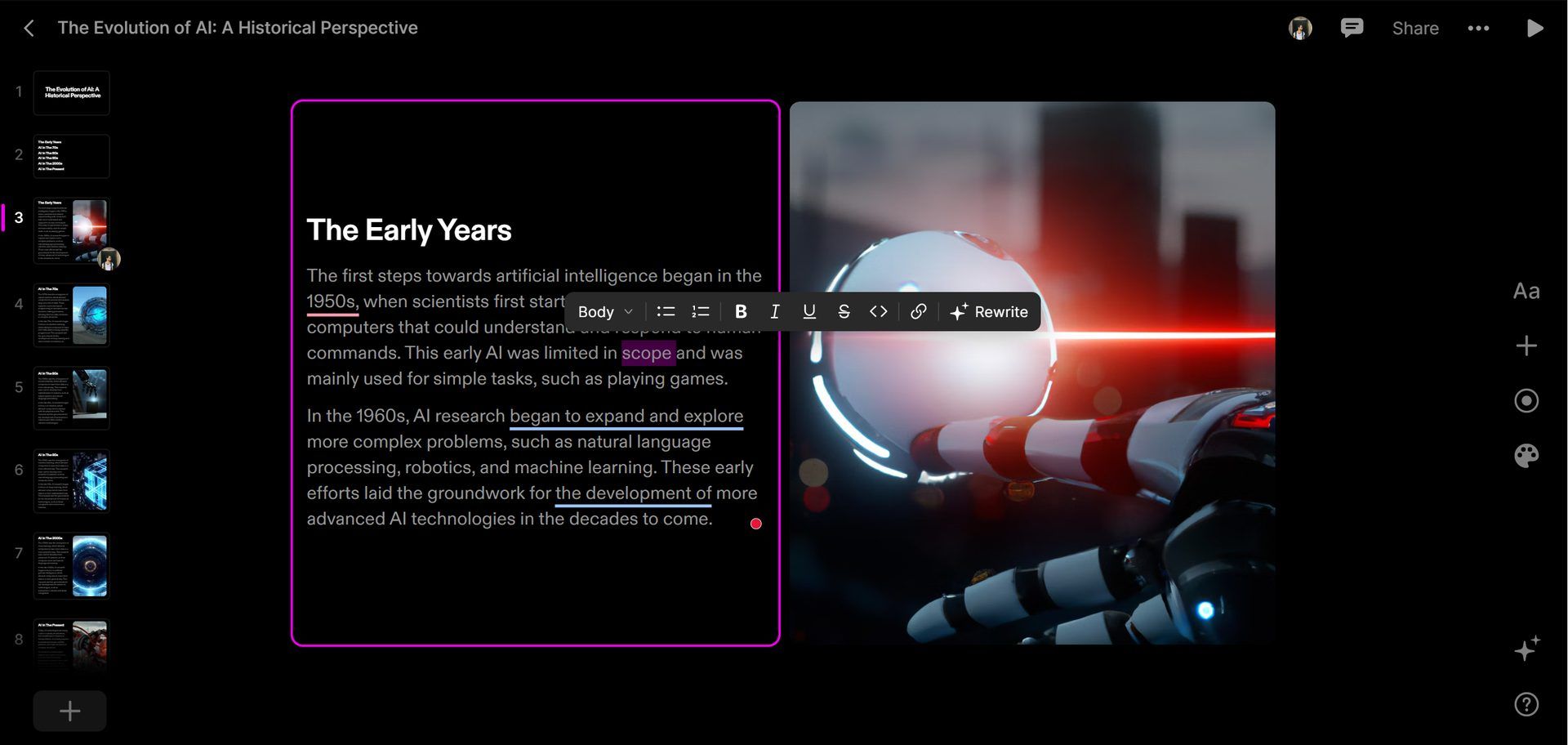
What is Tome AI: Learn how to use Tome AI and make powerpoint presentation slides easily. Is Tome AI free? Keep reading and find out.
You can rewrite the text that Tome AI gives you
  • That’s all!

Are you interested in viewing the entire presentation? Click the link.

If you’re looking for in-depth explanations, We recommend consulting the official guide.

Tome AI pricing

Tome AI provides new users with 500 credits upon registration, with the opportunity to earn more through referrals. If you are interested in a different price plan, please contact the Tome AI team.


Do you know when ChatGPT 4 will be released? Check out the rumors.


Tags: AIartificial intelligencefeatured
ShareTweet
Eray Eliaçık

Eray Eliaçık

Meet Eray, a tech enthusiast passionate about AI, crypto, gaming, and more. Eray is always looking into new developments, exploring unique topics, and keeping up with the latest trends in the industry.

Related Posts

Announcements made by Samsung Display at CES 2026

Announcements made by Samsung Display at CES 2026

8 January 2026
Bluetti unveils dual-input Charger 2 at CES 2026

Bluetti unveils dual-input Charger 2 at CES 2026

8 January 2026
Whisper Aero unveils T1 leaf blower at CES 2026

Whisper Aero unveils T1 leaf blower at CES 2026

8 January 2026
OpenAI announces ChatGPT Health feature

OpenAI announces ChatGPT Health feature

8 January 2026
Please login to join discussion

LATEST

Announcements made by Samsung Display at CES 2026

Bluetti unveils dual-input Charger 2 at CES 2026

Whisper Aero unveils T1 leaf blower at CES 2026

OpenAI announces ChatGPT Health feature

Google Classroom turns lessons into podcasts with Gemini

Roblox users must scan faces to unlock chat features

Caterpillar partners with Nvidia to bring AI to the construction site

WhatsApp adds member tags and text stickers to group chats

Spotify brings live listening activity to Messages

How to use the exit command in Windows Command Prompt

TechBriefly

© 2021 TechBriefly is a Linkmedya brand.

  • Tech
  • Business
  • Science
  • Geek
  • How to
  • About
  • Privacy
  • Terms
  • Contact
  • | Network Sites |
  • Digital Report
  • LeaderGamer

Follow Us

No Result
View All Result
  • Tech
  • Business
  • Crypto
  • Science
  • Geek
  • How to
  • About
    • About TechBriefly
    • Terms and Conditions
    • Privacy Policy
    • Contact Us
    • Languages
      • 中文 (Chinese)
      • Dansk
      • Deutsch
      • Español
      • English
      • Français
      • Nederlands
      • Italiano
      • 日本语 (Japanese)
      • 한국인 (Korean)
      • Norsk
      • Polski
      • Português
      • Pусский (Russian)
      • Suomalainen
      • Svenska